We remain fully operational. Our teams are working around the clock to ensure your deliveries continue safely.

下载应用程序


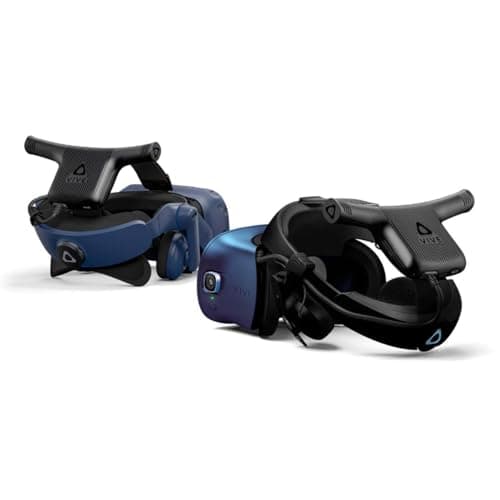
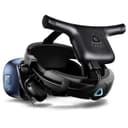
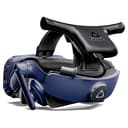
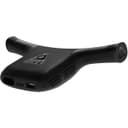
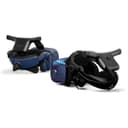
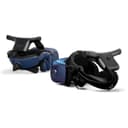
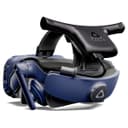
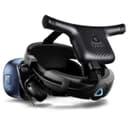
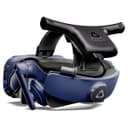
🚀 Cut the cord, not your VR dreams!
The HTC VIVE Wireless Adapter transforms your Vive Pro and Cosmos series VR experience by eliminating cables with Intel WiGig technology, delivering near-zero latency wireless VR. It supports high-resolution visuals up to 3264 x 1632 at 90Hz, offers up to 2.5 hours of battery-powered playtime, and enables multi-player VR for up to three users in a 20ft x 20ft room-scale environment, making it the ultimate upgrade for professional-grade untethered virtual reality.


| ASIN | B08FC58KJX |
| Batteries | 1 Lithium Ion batteries required. (included) |
| Best Sellers Rank | #43,062 in Video Games ( See Top 100 in Video Games ) #257 in PC Virtual Reality Accessories |
| Customer Reviews | 4.1 4.1 out of 5 stars (265) |
| Date First Available | August 15, 2020 |
| Item Weight | 3.4 pounds |
| Item model number | 99HANN050-00 |
| Manufacturer | HTC |
| Product Dimensions | 9.61 x 7.8 x 6.3 inches; 3.4 Pounds |
| Release date | August 1, 2020 |
| Type of item | Video Game |
K**R
Just like wired, except it's not.
Got this for my cosmos elite so I could finally finish my dream vr setup, wireless headset, index controllers, and 2.0 base stations. Setup was incredibly simple, it took me less than 20 minutes. The hardest part was getting the headset to connect to the computer, I just had to reinstall the software and press the power button a few times, then it finally connected. At first I was afraid having PCI-E gen 2.0 would be a problem, but it actually turned out to work perfectly fine with my MSI b450 tomahawk. While the page does list that AMD chipsets have issues, this is no longer the case. I have found that this issue was fixed a long time ago with driver updates yet for some reason they still haven't updated the page. As long as you have a capable CPU, I would 100% recommend the adapter, it completely changes the experience and makes your play-space feel much larger. If I were to list one problem though, it would be the battery life. The included battery only gets you up to 2 hours of playtime max, usually less. I play vr all day long, so this is kind of a big deal to me. You can purchase more batteries though, which completely solves the issue.
J**E
Using on vive pro 2.
Works great. Makes moving my set up to other rooms...or outside...wayyyyy easier. Re-energized my love of VR. You do have to deal with the battery pack cable, but thats only attached to you not a pc. I use a ravpower 20000mah qc 3.0 in addition to the included brick. Ive spent 4 hours straight on that rav power and it wasnt dead. Included power cable is usb-a to usb-a fyi.
L**!
Interesting & Useful Tech - Outclassed at a Lower Price Point for Most
I play a fair bit of VR. Not as much as I used to, but when my trusty Valve Index finally bit the bullet after 3 years of service, I wanted to try to side-grade. I already had the base stations and equipment necessary to integrate into SteamVR with (what should have been) a drag-and-drop hardware replacement - a Vive Cosmos Elite. When I had the money, I ended up purchasing the wireless adapter and have been using it for a few months in total now. Context for the review, here is my VR setup: - Vive Cosmos Elite w/ Wireless Adapter - 2x Valve Knuckle Controllers - 3x Vive 2018 Tracking Pucks - 3x SteamVR 2.0 base stations I mostly played VRChat, Blade & Sorcery, Tactical Assault VR, and Beat Saber. All 4 had no trouble transmitting all their data, with only the occasional grey-screen-of-death that would resolve itself within 30 seconds, either on its own or by me unplugging and plugging the power cable to the adapter back in. I found the included power bank to be good for shorter play sessions (around 2 hours), but I ended up switching to a power bank I already owned. IF YOU SWITCH POWER BANKS, THERE IS NO GUARANTEE IT WILL WORK! PLEASE DO YOUR OWN TESTING! For reference, the included power bank lists its output at 5-6V @ 3A, 6.2-9V @ 2.3A, 9.2-12V @ 1.75A Mine lists its output as 5-6V @ 3A, 6-9V @ 2A, 9-12V @ 1.5A The adapter itself isn't unwieldy beyond the cord running down my spine to my pocket/waist which can be run through my clothes to avoid the issue entirely. It does get warm but doesn't cause any discomfort while wearing the headset for upwards of 4-5 hours at a time playing VRC. Even laying down with it while in FBT isn't uncomfortable, and I don't really notice the extra weight or cable. If you ALREADY HAVE a compatible headset/equipment, an open PCIe slot, and want the untethered experience, this is a pretty decent option. However, it's worth mentioning that other standalone headsets can actually be connected to your PC as well (namely, Quest Link which works over your wifi network which is compatible with Meta Quest headsets), and there are open source projects such as OpenVR-SpaceCalibrator on GitHub that let you mix and match Inside-Out and Outside-In tracking spaces (with a healthy amount of jank). With the Quest hardware at such a low price-point compared to requiring already owning a headset AND THEN buying this adapter on top of it, I can't recommend this to anyone except people who are against Meta hardware and/or don't want to deal with outdated but functional software to keep their other SteamVR goodies working. As an additional note, the Vive software is fairly simple to use once you get past the initial installation. It took me nearly 2 hours to troubleshoot getting my headset to even register on my PC, but since then it has calmed itself down and I only need to open the Vive Wireless app to access my headset with no strings attached. There is some overhead added on by these app requirements, but if you're considering buying this you probably have a PC that can tank it with little to no issues anyways. tl;dr Buy if you want untethered and already have compatible hardware. If not, buy a Quest 2/3 and use Quest Link.
B**T
Works and easy to install.
Was pretty intimidated at the instructions as a non computer kinda person. However it was super easy to install. The step by step instructions on the website were pretty good. Can confirm this works for Vive Cosmos Elite system. Only negative is the price. This is an insane price but when you have a 9 year old playing and twisting/breaking the cord from the original headset this is a must if you want them to enjoy the system.
T**D
Cool but Extreme Drawbacks
If you want to lose the tether to your PC, this is a way to do it. Unfortunately, it has some enormous drawbacks. Setting aside the mildly annoying problem of the signal being blocked by literally any object between you and the receiver, the wireless module crashes seemingly at random every 5 to 30 minutes. This is the case with myself and 2 of my friends who also got it. On top of that, the module that rests on top of your head gets dangerously hot to the point that you can actually burn yourself if you touch it. One friend wireless receiver managed to ignite and he now just keeps it on a shelf as a trophy of sorts since his was out of warranty at the time. In my personal experience, the device is mostly frustrations and having to restart my headset every few minutes when it crashes, but it is nice to be able to not worry about a cable, I suppose.
C**E
After years of getting tangled in wires I decided to try this out when I saw it on sale around Xmas time, very happy with it, installation. Was easy and I’m not the most tech savvy person, not completely useless but far from a pro also. I had no problems installing it and the software and it works flawlessly, I picked up an extra battery pack a: INIU Power Bank, 20000mAh Portable Charger USB C in&out, 22.5W PD3.0 QC4.0 Fast Charge External Battery Pack
P**8
Removing the umbilical cord and going wireless is awesome, smooth frame rates with 99.9% no stuttering and that 0.1% of a stutter is so small it’s hardly noticeable. Now for the bad….battery life, it comes with 1 battery and it dies just under 2 hours of use and trying to find more batteries or figure out what batteries are compatible, good luck, the few I have found has a price tag of $150-$200/ battery. Overall I definitely recommend but keep your sessions shorter or be prepared to plug the umbilical cord back in to finish your session.
M**R
My HTC Vive Pro recently stopped working... it turns out the headset cable failed due to being spun around too much :( I contacted HTC, but they wouldn't do anything. I then looked at the cost of a new cable and it's around $100. Since I know it'll fail like the 1st one did, I decided to get this wireless adapter and it's been amazing. I no longer have to keep track of my rotations (using fpsVR). I can just play and let the guardian system keep me from running into or punching walls or other objects in my room. I've only had the wireless adapter overheat once and shutdown. Other than that, it lasts around 2-3 hours of continuous play, which is plenty for me. I've read online that you can use any battery bank that supports QuickCharge 3, but my battery bank doesn't seem to work. So I just use the 1 official HTC batter that this set comes with. This set comes with everything that you need to get your Vive Pro up-and-running. Just be sure that you have 1 free PCI-E x1 slot available for the add-on card.
V**A
My headset keeps losing connection every minute or so. Headset display turns off and I have to restart SteamVR to fix it if it doesn't reconnect.
W**E
You will get the full kit, somes stuff you dont even need or want to use. Do not buy it if you have a laptop without thunderbolt though or just a laptop. Thats the reason I had to build a pc. Worth anyway, graphics are smooth and resolution is at its highest. The battery is the only heavy thing, I have a structure on which I strap myself to play so i attached it to it now I dont even feel the battery and no cable problems. Loves it