We remain fully operational. Our teams are working around the clock to ensure your deliveries continue safely.

下载应用程序


Buy anything from 5,000+ international stores. One checkout price. No surprise fees. Join 2M+ shoppers on Desertcart.
Desertcart purchases this item on your behalf and handles shipping, customs, and support to Hong Kong.
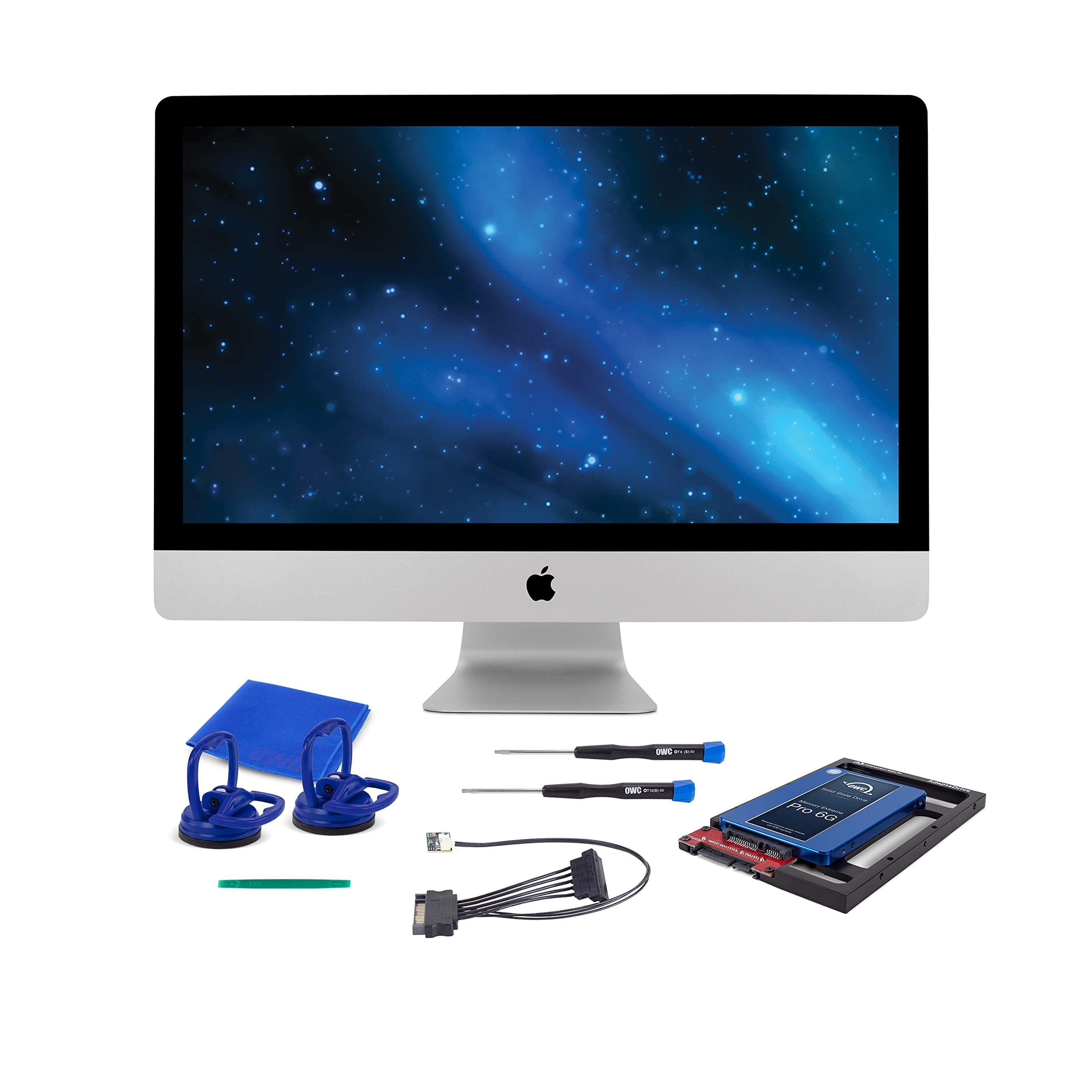
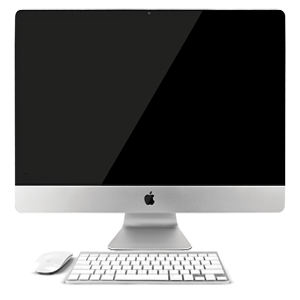
🚀 Revive your 2011 iMac with speed and style — don’t let legacy tech hold you back!
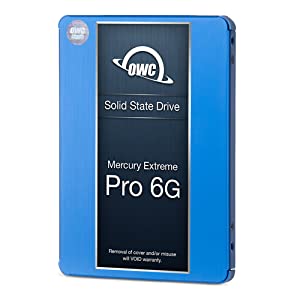
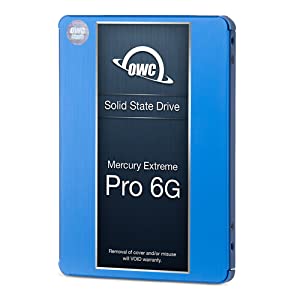
The OWC SSD Upgrade Bundle is a comprehensive DIY kit designed to supercharge your 2011 iMac by replacing its aging hard drive with a 1TB Mercury Electra 6G SSD. Delivering up to 532MB/s read and 467MB/s write speeds, this kit includes all necessary hardware—AdaptaDrive bracket, thermal sensor cable, installation tools—and expert support, ensuring a seamless upgrade that breathes new life into your classic iMac with faster boot times, enhanced reliability, and expanded storage capacity.


| ASIN | B075QRL43P |
| Best Sellers Rank | 192,131 in Computers & Accessories ( See Top 100 in Computers & Accessories ) 1,072 in Internal Solid State Drives |
| Box Contents | Mercury Electra 1. |
| Brand Name | OWC |
| Cache Memory Installed Size | 1 |
| Color | Blue |
| Compatible Devices | Desktop |
| Country of Origin | Mexico |
| Customer Package Type | Kit |
| Customer Reviews | 4.5 4.5 out of 5 stars (289) |
| Data Transfer Rate | 6000 Megabytes Per Second |
| Digital Storage Capacity | 1024 GB |
| Enclosure Material | NAND flash |
| Form Factor | 2.5-inch, 3.5-inch |
| Hard Disk Description | Solid State Drive |
| Hard Disk Form Factor | 3.5 Inches |
| Hard Disk Interface | Serial ATA-600 |
| Hard-Drive Size | 1 TB |
| Hardware Connectivity | Lightning, Solid State Drive |
| Installation Type | Internal Hard Drive |
| Item Dimensions L x W x Thickness | 14.7L x 10.2W x 1Th centimetres |
| Manufacturer | OWC |
| Media Speed | 6000 MB/s |
| Model Name | Mercury Electra |
| Model Number | OWCKITIM11HE1TB |
| Network Connectivity Technology | SATA |
| Number of Items | 1 |
| Product Features | Kit to swap main HDD for SSD |
| Product Warranty | 5 years |
| Read Speed | 532 Megabytes Per Second |
| Specific Uses For Product | Personal |
| UPC | 812437026009 |
| Unit Count | 1.0 Count |
L**N
Super fast, double the storage - relatively easy to swap.
My 2011 iMac was grinding to a halt. Booting up and logging in took 5 minutes each time. I looked at the price of a new iMac and decided for what I use it for, mainly emails and browsing the web, it just wasn't worth spending the best part of £2k plus I like the fact I still have a CDRom drive. After a bit of research I stumbled on this upgrade and thought I'd give it a go. Plenty of videos online to show you how to do it. From my experience, I would recommend you get a head torch just to make is easy to see inside when you are disconnecting the cables. I would also get a can of compress air to clean up 10 years worth of dust which had built up. The replacement of the drive was fairly straight forward, took about 25 minutes (1st time). Having booted the new disk and saved the boot image from a USB, the initial problems arose when I attempted to restore from the TimeMachine backup. I have been running the TimeMachine on an external WDMyCloud NAS drive. No mater what I tried, I was getting all types of permision issues. I ended up putting the old drive back in and making another backup to the WDMyCloud, checking all permissions were correct. Put the new disk back in, still unable to restore. After several more frustrating hours and much research, I discovered that you will never be able to restore the TimeMachine backup from a NAS system, despite what WD may tell you. Its fine for individual files, not for complete restores. Put the old disk back in and backed up to a standard external drive. Put the new disk back in again (its now only taking me 10 minutes to do a complete disk swap) and this time I could see and restore the entire system form the TimeMachine backup. The only other issue I have, is I lost the license key for my Microsoft Office 2016 package and have been unable to retrieve it (I think I had bought the copy from ebay years ago so not really a surprise it no longer works). A check on the speed of the new disk shows 6.5 times increase in performance. Boot up / login takes 30 seconds, amazing really. If I get another few years out of this system, I will be very happy. In a nutshell, advice to others looking to do this upgrade, as long as you can hold a screwdriver, don't be afraid. Make sure you have a full backup using timemachine before you start, and make sure its not on a NAS drive. Make sure you create a bootable image, probably best onto a USB. Make a note of any licence keys. If you use Apple Numbers, make sure you have a copy as you can no longer get a copy from the app store if you are running OS High Sierra, which I assume you will be. Hope this helps.
M**V
Great upgrade to ailing 2011 iMac 27”
Great upgrade to my ‘obsolete’ 2011 iMac 27” with 1TB HDD. Now boots up much faster, no longer randomly crashes and has given old machine new lease of life! Just take care when refitting delicate cables (especially LCD display) as I mangled mine and had to replace. Also, had some difficulty cloning old drive which was made more difficult as I had a Bootcamp partition (no fault of the product, but useful to know). Well worth the effort though, if you are considering doing it. I also ended up buying an external USB HDD drive adaptor to help cloning process. The bonus is I can now use any old internal HDD drive plugged into a USB socket.
A**T
Relatively straightforward to Install
I found the video instructions really useful to follow for removing the screen which was easy with the supplied kit. Make sure to have a small screwdriver on hand though for removing the old HDD and installing the new SSD in its place. The trickiest part was giving the machine a good dust inside and reattaching the monitor cables. Otherwise I was able to reformat the drive in disk utility on start up and boot the OS from USB. Paired with 16gb of new RAM I hope to get a few more years out my mid 2011 iMac which is running very quickly now.
M**N
Speeds up your old Mac
Does what it says on the box, care is needed when doing the swap and follow the instructions to the letter, would use it again.
S**E
Easy to install
I found the instruction easy to follow they made the replacement of my huddle easy, also works real well.
B**T
Look what I bought
As above
A**H
Great deal - did just what it was supposed to do. A1+++
D**E
This kit (and the online videos) made the SSD replacement in my 2011 iMac very easy. Everything was presented clearly, and it took very little time replacing my hard drive. But be careful! Unfortunately I ruined my iMac after the replacement was finished, and I was in the process of closing the computer back up. When it came time to reattach the monitor's data cable, I guess I didn't have it lined-up properly and was using too much force and broke the connector/end of the cable. Luckily Amazon sells replacement cables for only $12. But when that arrived, the same thing happened. Ordered another cable, which seemed to go in fine, but the screen was still blank. I think I must have damaged the actual plug (on the motherboard) during that first attempt. Turns out I'm not alone. A lot of people have trouble with that particular plug. The other plugs are easier to manage. But all of that isn't the fault of this kit. It's just awkward with that cable because it's kinda dark, hard to see, and you are balancing the screen with one hand while trying to plug the cable back in. Just be real careful when it comes to that cable. Maybe watch a few YouTube videos about it before attempting? HINT: If the OWC website is down (like it was when I was doing the upgrade), you can find their installation videos on YouTube.
N**D
This has uplifted my 2011 iMac to almost like-new performance. This included all the parts and tools I needed. I separately bought a $10 ssd enclosure to do the initial copy although you may copy several ways. The instructional video is very detailed and having never opened my iMac, I felt very comfortable performing the upgrade. I highly recommend this kit and while you may save a few dollars buying the parts separately, I found this to be a great value for price and quality. I have used OWC products before and they continue to deliver.
P**R
This kit is great, it gives you everything you need to do the SSD upgrade.
D**M
If you're on the fence about buying this SSD, let this review be the sign for you to get it. There wasn't anything wrong with the original hard drive in my iMac, its spinning was just loud enough to wake me up at night when the computer would randomly do its thing. My computer also took almost 2 minutes to boot and would still be sluggish and laggy after booting, especially with programs like Microsoft Word or Adobe Lightroom. I figured it was time to throw in an SSD and fix all those problems. I wish I had done this years ago, now my computer boots in about 15 seconds and has 0 lag when opening apps or getting started. The process is relatively simple, just watch the YouTube videos on how to replace your old drive. Here are a few helpful tips I wish I had known before installing this: 1. Make sure you have a USB to SATA transfer cable so you can clone your old hard drive to your new one; you won't be able to use the drive until it's formatted to your Mac. I luckily saw that it would be needed, but it wasn't something that a non-computer savvy person like me would have immediately thought of. The kit contains everything you need to replace your drive except this cable. 2. AFTER cloning or formatting your new SSD (keep it attached with the USB/SATA cable) but BEFORE taking out your old hard drive, go to Startup Disk in System Preferences and make sure you select the new SSD as the preferred disk to boot off of. I discovered that not doing this will cause a white screen with a flashing folder with a "?" indicating that your Mac is trying to find the old hard drive to boot off of (which if you take out and replace with the SSD without switching the preference, it won't find). I ended up taking my computer apart again, putting the old drive back in, booting it up, switching the boot disk preference to the new SSD, then took the old drive out and put the SSD back in again. Save a lot of frustration by doing this the first time. 3. It'll take a fat amount of time to clone your drive. My system had about 230GB of data to clone and ended up taking about 6 hours. Plan ahead so you don't disrupt your work schedule. So far I absolutely love the new SSD. My Mac has been kicking strong for 10 years, I bet with this I can get at least 5 or more years out of it.