We remain fully operational. Our teams are working around the clock to ensure your deliveries continue safely.

下载应用程序



🔄 One switch to rule your multi-device empire!
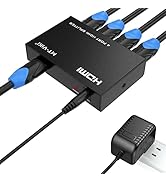
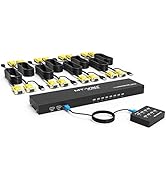
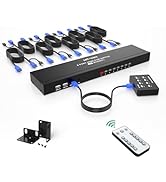
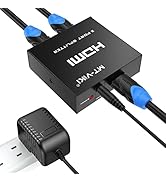
The MT-VIKI 4-Port VGA KVM Switch empowers professionals to control up to four computers using a single monitor, keyboard, and mouse setup. Featuring a built-in 3-port USB 2.0 hub, it supports seamless peripheral sharing and delivers crisp HD video output up to 1920x1440 resolution. Compatible with a wide range of operating systems, this plug-and-play device includes all necessary VGA+USB cables for quick installation, making it an essential tool for efficient multitasking and workspace optimization.






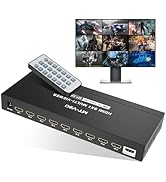

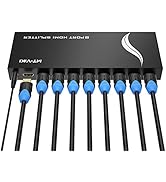


| ASIN | B07TXSCBKH |
| Best Sellers Rank | #9,371 in Computers ( See Top 100 in Computers ) #15 in KVM Switches |
| Item model number | MT-460KL-A |
| Manufacturer | MT-VIKI |
| Product Dimensions | 8.5 x 14.2 x 21.1 cm; 453.59 g |
C**A
quality product
good and quality product
M**K
Exactly meets the requirement
Liked it. Easy to setup. Easy to operate. Good product.
Q**B
Only manual switching is possible.
It doesn’t have options to switch through a command on keyboard which makes not practical and useless to use. The physical switch needs to be visible with all the cables and accessible all the time. If you get it to organize your office it’s a mistake
L**R
Ok...this thing is super slick. KVM switches have come a long way. I've got 3 PC's sharing one monitor. Cables are included, connect the VGA/USB to the PC, other end of the VGA to the KVM switch, then just connect a wireless mouse/keyboard to one of the 3 inputs on the box, and you're set. Couldn't be simpler. I've got XP Pro, Windows 7 and Windows 10 all working seamlessly. Select your PC manually with a touch of a button--and you're good to go.
H**A
A**E
Lo compré hace 2 meses y hasta el momento me ha funcionado muy bien. Es muy fácil de instalar y su tamaño es ideal pues es sumamente pequeño y no ocupa demasiado espacio.
B**W
Easy to use. Works perfectly for what I needed to do.
L**L
I had problems setting this up. I wanted to use it for 3 computers. It would not fire up the LED's were not lighting up. I will tell you the instructions SUCK!!! Even though this s/b a no-brainer setting up, the one thing the instructions failed to tell you that is MOST IMPORTANT! Each cable has both a standard computer multi-pin cable which also has a USB PLUG infused into the workings. This USB plug supplies the power to your selector unit --- and what they fail to tell you is this... YOU MUST PLUG THAT USB CABLE INTO POSITION #1 of all the USB INPUTS on the back of your computer. If you plug it into #2, 3, 4 etc. THE UNIT DOES NOT FIRE UP!! They only informed me of this when I requested to return it and refund. The manual was written by someone foreign *(no discrimination intended!!) who should never be doing TECHNICAL WRITING to instruct people in ENGLISH speaking countries how to set this up. I mean no disrespect but they almost lost the sale due to this person's lack of ability to communicate. OVERALL I REALLY LOVE THE UNIT NOW THAT IT'S WORKING! I use several computers - one for surfing, one for recording, and one to install software on my synthesizers that need updates from time to time.