
下载应用程序


🌡️ Stay ahead of the curve with smart climate control that fits your lifestyle!
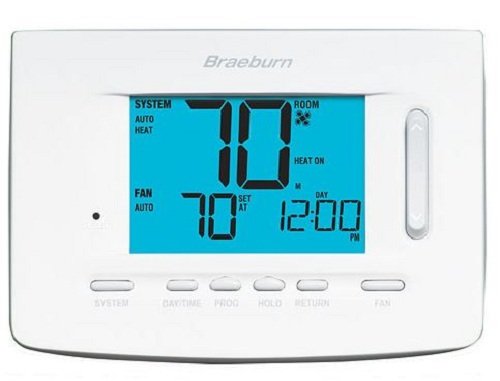
The BRAEBURN 7320 Universal Smart Thermostat offers advanced Wi-Fi connectivity and a large, easy-to-read touchscreen for precise temperature control. Compatible with a wide range of HVAC systems, it supports flexible programming schedules and smart features like fan control and auxiliary heat options, making it ideal for both residential and commercial environments.
| ASIN | B01A812W6U |
| Backlight | Yes |
| Batteries | 2 AA batteries required. (included) |
| Brand | Braeburn |
| Color | Blue |
| Connectivity Protocol | Wi-Fi |
| Connectivity Technology | Wi-Fi |
| Control Method | Remote |
| Control Type | Touch |
| Controller Type | SmartThings |
| Date First Available | January 5, 2016 |
| Display Type | Manual |
| Included Components | Thermostat^3 |
| Is Discontinued By Manufacturer | No |
| Item Weight | 1 pounds |
| Item model number | 039-7320 |
| Manufacturer | Braeburn |
| Number of Batteries | 2 AA batteries required. (included) |
| Package Dimensions | 6 x 5.1 x 2.4 inches |
| Power Source | Battery Powered |
| Shape | Rectangular |
| Special Feature | Programmable |
| Specific Uses For Product | Heat Pump |
| Style | Touchscreen,Smart,Wireless,Manual |
| Voltage | 24 Volts |
S**1
Wiring confusion, but good functionality.
I replaced Braeburn brand non wifi thermostats. The wire color codes and terminal descriptions did not match. Took an hour or so to figure out the correct wiring. After that set up was ok. The phone app set up was easy and works great. Very happy with the system. Fits my needs better than "learning" thermostats for less money.
T**O
horrible setup instructions
The system does not connect to the APP and there is no answer at customer service.
W**H
A rather challenging thermostat app
The thermostat was challenging to setup. Once it was synced with my iPhone it went well. The iPhone app however is unnecessarily cumbersome. The app is tapped and up comes a sign-in window. Once the account is recognized another window comes up to 'select thermostat.' Then after doing that you are finally given the thermostat window and its settings/readings. Not very straight forward. To change the room temperature you have to go through these steps on the app and then, if you change the temperature, you have to verify it is okay to do this with another window and tap. Finally the app 'gives you permission' to change the temperature and you need to accept this by tapping another button. All-in-all not a friendly app.
C**E
easy setup
Great features, better control then Honeywell’s App needs a little refinement, but useful
TrustPilot
3天前
2 周前