


🖱️ Elevate your grip, light up your workflow — the mouse that works as hard as you do!
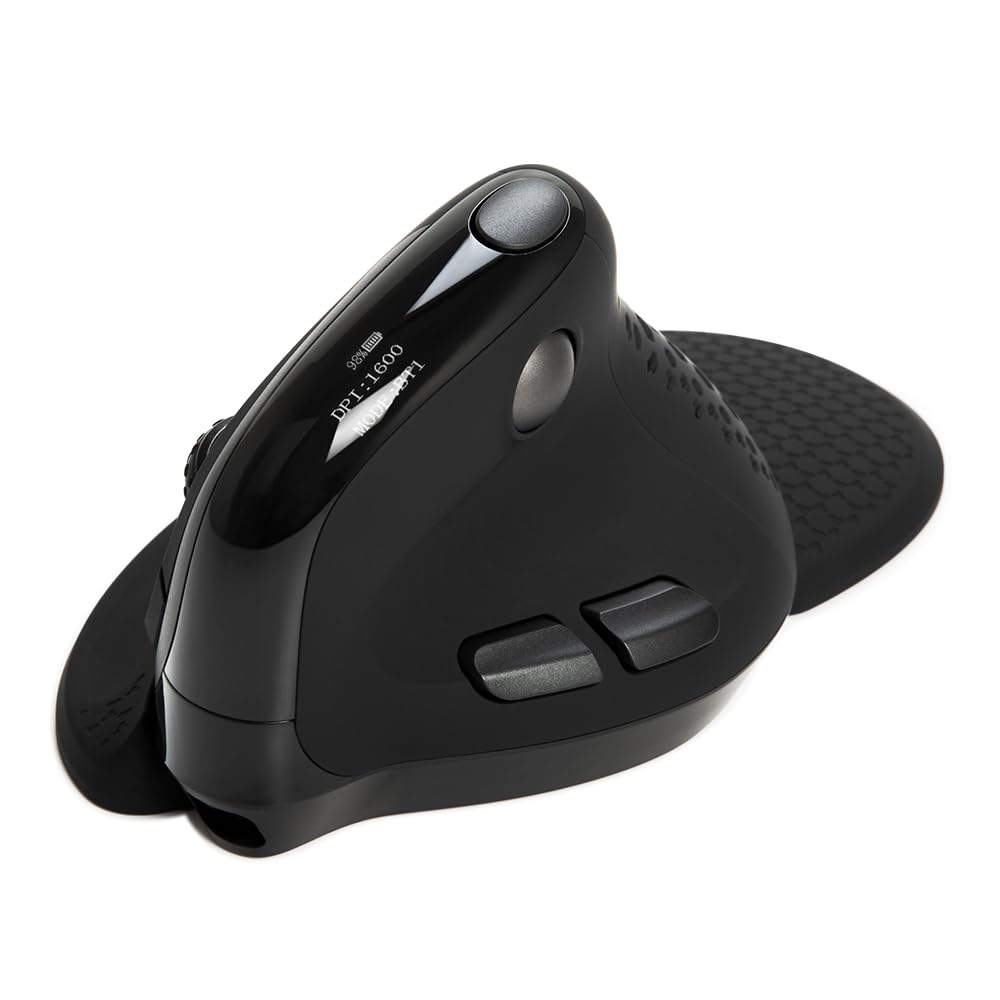
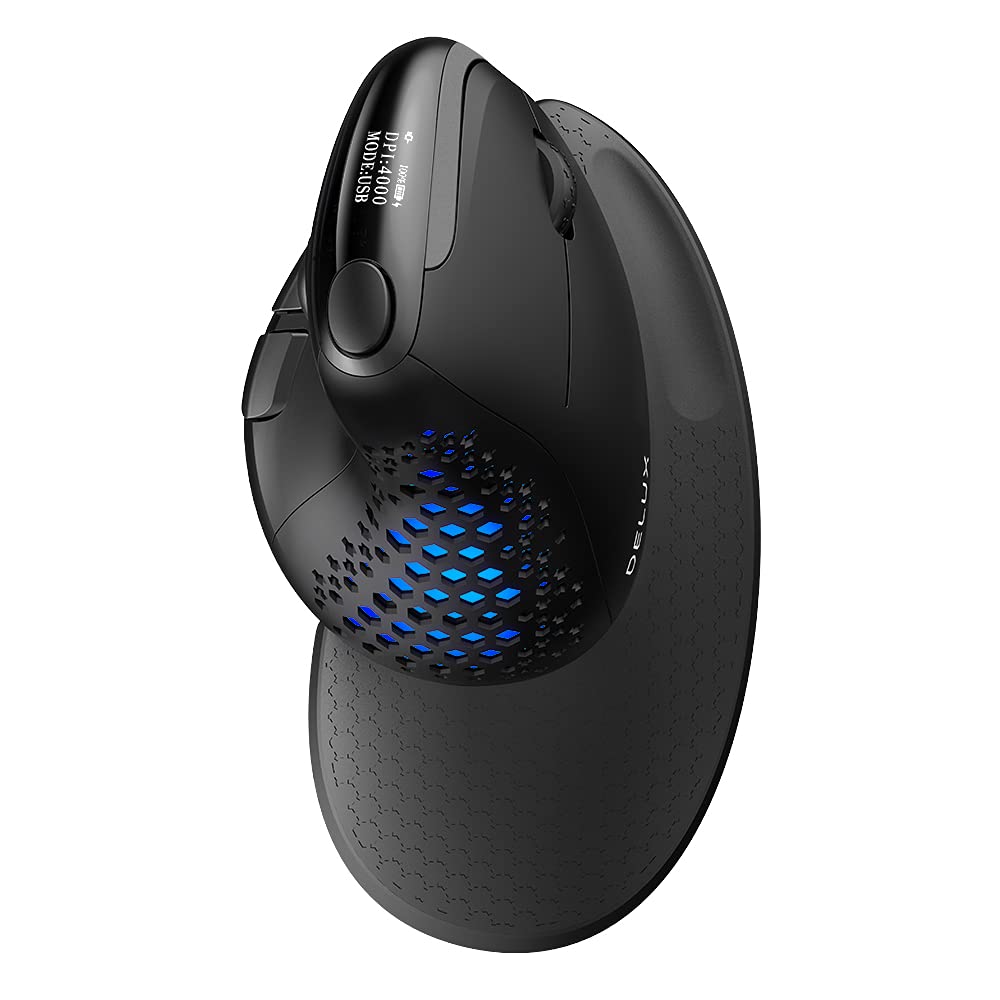
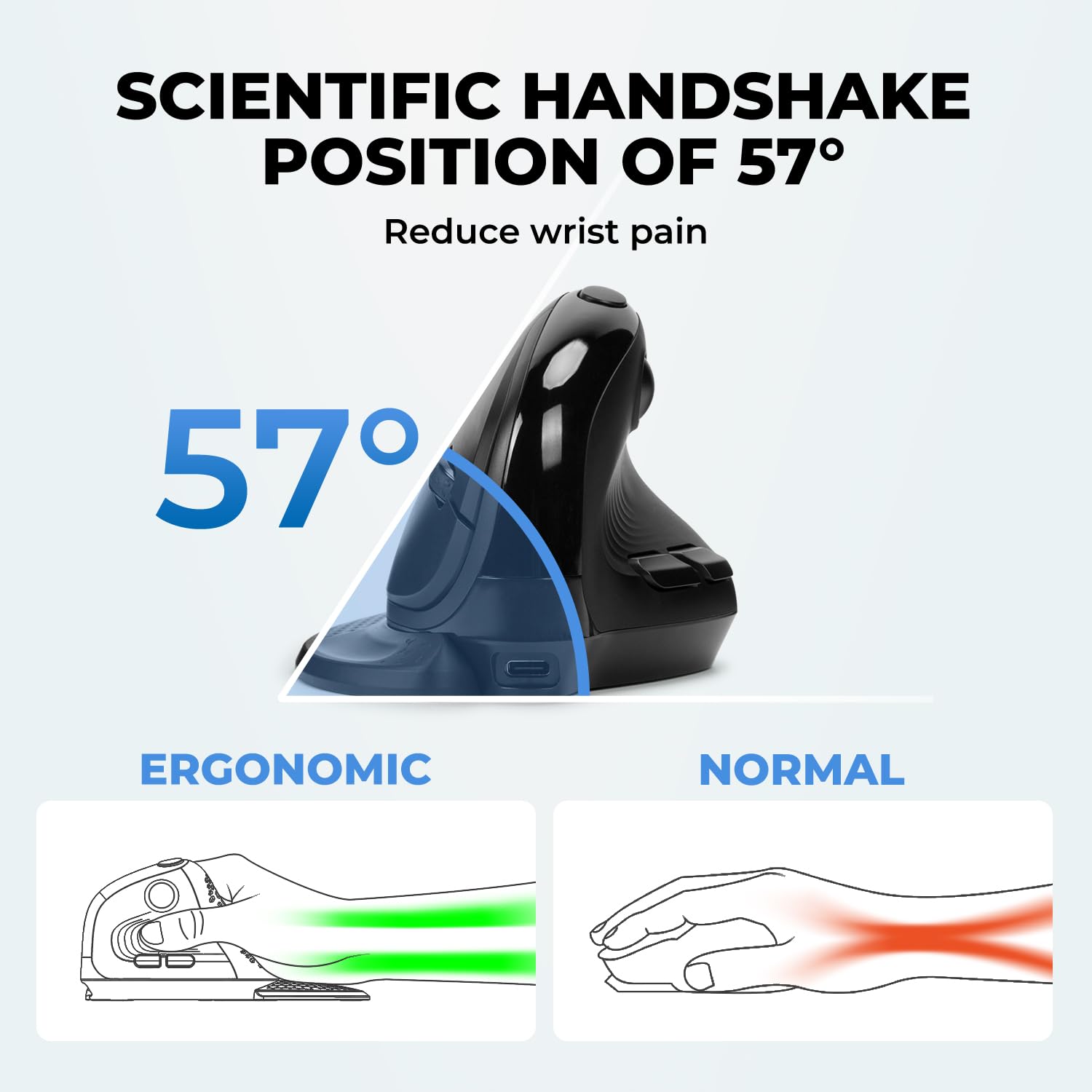
The DELUX Seeker Ergonomic Mouse redefines comfort and control with its vertical design, integrated OLED display, and up to 7200 DPI precision. Featuring tri-mode connectivity (Bluetooth 5.0, 2.4G wireless, and wired USB-C), a rechargeable 1000mAh battery lasting up to 14 days, and 6 fully programmable buttons, it’s engineered for professionals who demand efficiency and style. Customizable RGB lighting and silent clicks complete this versatile, productivity-boosting tool.


| ASIN | B09G6DTKNB |
| Additional Features | ➤Ergonomic Vertical Design ➤Integrated OLED Display ➤4 Way Scrolling ➤RGB Backlight Sensor ➤Tri-Mode Connection ➤5 Adjustable DPI for Precision Control ➤USB A-C Rechargeable Battery ➤6 Programmable Buttons ➤Widely Compatibility ➤Silent Clicks ➤Plug and Play ➤7*24 Hours Customer Service and 1-Year Warranty |
| Antenna Location | Office |
| Are Batteries Included | Yes |
| Are Batteries Required | Yes |
| Battery Average Life | 14 days |
| Best Sellers Rank | #323 in Computer Mice |
| Brand | DELUX |
| Built-In Media | ➤M618XSD Ergonomic Vertical Mouse ➤Removable Wrist Rest ➤2.4G USB Receiver ➤Replaceable Rear Shell ➤1.6m Paracord USB-C Charging Cable ➤User Manual ➤Reliable Customer Service |
| Button Quantity | 6 |
| Color | Black |
| Compatible Devices | Laptop, Personal Computer |
| Connectivity Technology | Bluetooth, USB |
| Customer Reviews | 4.0 out of 5 stars 1,334 Reviews |
| Embellishment Feature | LED |
| Enclosure Material | Plastic With Rubber Coating |
| Hand Orientation | Right |
| Hardware Platform | Linux |
| Item Dimensions L x W | 6.54"L x 3.82"W |
| Item Height | 8.2 centimeters |
| Item Type Name | ergonomic vertical mouse |
| Item Weight | 165 Grams |
| Manufacturer | DELUX |
| Model Name | Delux Seeker |
| Model Number | DELUX SEEKER-M618XSD Black |
| Mouse Maximum Sensitivity | 4000 Dots per Inch |
| Movement Detection | Optical |
| Movement Detection Technology | Optical |
| Number of Batteries | 1 Lithium Ion batteries required. (included) |
| Number of Buttons | 6 |
| Operating System | Chrome OS, Mac OS, Windows 7/8/10/11 |
| Power Source | Battery Powered |
| Range | 10 Meters |
| Special Feature | ➤Ergonomic Vertical Design ➤Integrated OLED Display ➤4 Way Scrolling ➤RGB Backlight Sensor ➤Tri-Mode Connection ➤5 Adjustable DPI for Precision Control ➤USB A-C Rechargeable Battery ➤6 Programmable Buttons ➤Widely Compatibility ➤Silent Clicks ➤Plug and Play ➤7*24 Hours Customer Service and 1-Year Warranty Special Feature ➤Ergonomic Vertical Design ➤Integrated OLED Display ➤4 Way Scrolling ➤RGB Backlight Sensor ➤Tri-Mode Connection ➤5 Adjustable DPI for Precision Control ➤USB A-C Rechargeable Battery ➤6 Programmable Buttons ➤Widely Compatibility ➤Silent Clicks ➤Plug and Play ➤7*24 Hours Customer Service and 1-Year Warranty See more |
| Style Name | Modern |
| Unit Count | 1.0 Count |
J**R
Comfy, easy, versatile!
I love vertical mice, and this one is the best I've ever used. It fits very well in my large-ish hands, but that's pretty subjective & depends a lot on your individual preference. Regardless of ergonomics though, it's just a great mouse with great features!! It is very quick to charge with the included USB-C cable. And the battery really does last several weeks! You can also charge it while using it. It glides easily on my wooden desk, has plenty of buttons, and lots of customizability. I like that you can customize the RGB colors and patterns with the software. I'm usually not an RGB fan, but this mouse has some nice calming RGB effects that I dig, or you can turn em off entirely. You can also map & remap buttons, which is super handy for gaming & productivity workflows. There's a button up top that, by default, let's you switch DPI. However, I found myself hitting it a bunch accidentally and I don't usually want to adjust my DPI on-the-fly, so I just mapped that button to something more innocuous! ezpz The small screen on top is very convenient to quickly see what mode you're in, your DPI, and your charge percentage. Both the screen and RGB lights turn off after a bit of idle time. Overall, this is far-and-away the finest mouse in my collection. I can highly recommend it to anyone who likes vertical mice, or who want to try one for the first time!
M**.
First of Its Type and Loving It
Had to get a new ergonomic keyboard, and this mouse was offered as a bundle package. Never tried a vertical mouse before but didn't seem to be much different from the ergonomic mouse that was matched with my dead keyboard. Let's try it. Glad I did, as I absolutely love this mouse! This will no doubt offend some, but it feels like a soft pistol grip in my hand and fits and operates wonderfully as a result. Best ergonomic mouse I have used yet. Left button is positioned perfectly like a trigger would be, and the right matches just below for opposing finger. Scrolling wheel operates nicely on the vert as well. Very surprised as how easy this operates in such a different design. The horizontal scroll is a nice bonus. The really cool tech features are its ability to operate on both USB and Bluetooth TX/RX and the speed/DPI of the mouse can easily be adjusted by a simply click of a button. OUTSTANDING feature for those who are fanatical about mouse and pointer speed (such as me). Of course, the funky color display only adds to its appeal. As mentioned, I bought this as a bundle with the keyboard and the price point was excellent. Great product at a great price. You really need to give this a try. Oh year, that is some sort of attachment that comes with it (guessing to help keep the mouse level)?!? Quick note to vendor, get rid of this and cut a few dollars off. Mouse alone is all you need!!!
O**S
Good entry in the Handshake Mouse ergonomic category.
It's a great vertical handshake style mouse. Some good and not as great points. The display shows the charge status and current DPI setting - very nice. The RGB lighting is a fun touch, but it only comes on when the mouse is moved, and is under your palm, so you might not see it depending on how you hold the mouse. The magnetic wrist rest was a strong selling point, however, in use; not so much. When the wrist rest is attached (it looks cool), but it takes full arm movement to guide the mouse and accuracy is pretty difficult. I'd think with a lot of practice you could get it, but I found it very tough to frustrating. I removed the wrist rest piece and everything changed - accuracy was immediately spot on and took no further 'training' or calibration. It worked as well as any mouse I've used. Another thing, the two main buttons for your index (left click) and middle finger (right click) are VERY soft with not much actuation distance. I would prefer these buttons to have stronger springs or switches so as not to click accidently so easily if you grip the mouse tightly. Would I like to see a lower price for this item? Yes - It would be a total winner at less than $70 USD. For this price range, you may want to shop around and try a few other models.
P**A
May be my final mouse. Very DeLUX.
Nice color selection (Mint Green) Love the digital information. Every mouse should have this. I ended up using the wireless option. Bluetooth kept cutting out. In my case, I downloaded and installed the Mouse Driver (see User Manual), inserted the USB receiver, rebooted my computer and got to work. Nice lighting effects. LOVE seeing the DPI and being able to change it with one button. Can't use the enclosed Palm Rest with my metal mouse pad but nice to have it. Same with alternate back panel. Feels nice and relaxing, unlike most hard plastic mice. Thumb and fingers feel natural. Wheel in good place and feels smooth. User Manual very readable and straight forward. Download driver. Install driver. Everything explained. I bought the 4 year service plan since I plan to keep it for a very long time. Perhaps by the time the plan ends, there will be a new model out. Definitely my final mouse (until something even better arrives). Nothing else like it. Perfect for me. Highly recommended.
R**R
No driver software, no kind of support, website links don't work. Meh Mouse.
3 stars for looking neat and actually alleviating some of the discomfort in my hand while using this thing. That being said, there's absolutely NOWHERE to download the software needed to further customize it and set macros. Scroll ball only moves in one direction, thought it was free-movement but it is not. Otherwise feels like a nice mouse. Movement is smooth enough, but could be smoother though I'm using it on a mousepad.
B**N
DOA, useless, expect end user to be beta tester.
The only instructions available online are in German (seriously?). I see someone else on here posted a reply to someone that had this same complaint, telling them to use the instructions that came in the box. Well, mine did not come with ANY instructions, or any paperwork of any kind for that matter. And yes it was brand new and the box still plastic wrapped. I guess I am going blind without instructions here (which is what I usually do anyway, except I need to be able to use the software to make changes/customizations. I was able to turn it on, set it to BT1, and it paired as expected to my laptop without issue. Great, now lets charge it and find/install and use the dedicated software to set it up how I want it. Plugging the mouse into my laptop with the provided USB cable literally does nothing. Like, it does not even show up in device manager. The display on the mouse DOES light up however, and shows it is charging. This leads me to believe that the included USB cable is charge only, with no data pins. Which would also explain why the software that you can find and download for this mouse shows "Device not detected" no matter what USB port I try. Ok, well I have lots of USB cables that I know have a data connection, so I will grab one of those... Nope. Still the exact same behavior. I finally figured out (on my own that is, since there are zero instructions available to English speaking me) that to use the software, you have to switch it to 2.4G and use the wireless USB receiver included under the mouse. Instantly the software worked at this point, but I sure did waste a ton of unnecessary time trying to figure that out. I guess it is the mouse itself that does not have a data enabled USB port. Very stupid. Also, if you have it plugged into your computer via USB cable, it doesn't matter if the power switch under the mouse is turned on or off, it will be on and functioning fully regardless. Well, whether or not this is a good mouse is yet to be determined as I use it for the next few months. But I am rating it 1 star as nobody should have to do this much additional and totally unnecessary work to get a brand new product working. Also, if my first 20 minutes of use is any indicator, then the battery life might be horrific. It was at 80% when I first plugged it in and saw it charging. It hit 100% in a few minutes literally. Which worried me because that usually means a very low capacity. After about 5 minutes of use, its down to 87%. Not good. Maybe it needs a few charge cycles before it will settle, but not holding my breath.
J**N
Decent Ergonomic and comfort, horrible battery life
After breaking my right wrist this summer and doing some research I found that ergonomic mice like this might be better for me. I tried a left handed one (from a different company) while my right wrist was still in a cast and liked it so much that I bought this one to use once my right wrist had healed enough to use. When I first started using this mouse I liked it, its comfortable, its ergonomic features were not difficult to get used to, and the battery display on the top was very nice to see. I thought having that display on top would be very useful. I was sadly mistaken. The battery life turned out to be horrible, and the display wrong. The battery does slowly decrease from 100% charge to about 60% charge. Then sometime between 60% and 50% charge it shuts off and ceases to function until you plug it in again. I ordered this mouse on the 19th of August 2023, I have used it since about the 1`st of September (so 3 weeks of use now) and I have had to plug it in every 3 or 4 days (every time the mouse's battery charge hits somewhere between 60% and 50% when it ceases to function until it is plugged in again). This morning it died completely. The mouse was at about 60% power according to the display, and as I expected it to, it shut off. I plugged it back in to charge it and continue using it and it will not function. Not even plugged in. The red light still comes out of the bottom of the mouse while it is plugged in (not while I unplug it) but the mouse pointer will no longer move on the screen. I have gone through all the trouble shooting I can find, and all my other mice continue to function normally when plugged in or used wirelessly (I have tested 3 backup mice so far this morning while trying to make this one work again). I I left the mouse plugged in while I was writing this review and it began functioning again and the battery display says it is at 99% charge again. So it went from refusing to function at around 60% power level, to displaying a 99% charge in about 20 minutes total (including time I left it plugged in to charge while testing other mice). Recharge time seems fast, but shutting off completely at 60% power is just not acceptable. If you are looking for an ergonomic mouse this one is moderately comfortable, but be wary of its power problems and be prepared to plug it in frequently, or just leave it plugged in and treat it like a wired mouse.
D**.
First Impressions: Ergonomic, Feature-rich, and Pleasant Aesthetic
tl;dr: Very premium, very unique, almost perfect ergonomic mouse. Pros + Ergonomics + High quality fit and finish + Satisfying tactility + Truly silent click + 3 Wireless modes + wired mode + Side scroll "ball" is a neat bonus feature and I prefer it to the MMB scroll wheel. Cons - Back/Forward buttons (M3 and M4) are very inconvenient for me to reach - OLED screen fails in practice to increase convenience of checking DPI or connection setting due to placement --- Detailed review below: --- I just received this mouse and started using it today, so I can't speak for longevity or reliability, but I have purchased a different DeLUX mouse, the M629BU, and thought it was a decent buy. I had no issues with the M629BU for ~6 months before the MMB gave up the ghost; this was definitely unfortunate but not completely unexpected for a very very inexpensive mouse, and I don't know whether this was an issue with that mouse or just an unfortunate happenstance. This mouse costs 3.5x as much as the M629BU so comparing the two isn't really fair to either product. I have used one other ergonomic mouse - though I am not sure of the brand or model - about 4 years ago in my workplace and was not happy with the design, layout, or wireless feature. It frequently disconnected, would often stutter across the screen and ignore inputs. This may have been due to the poor battery life, 2.4ghz connection, or some sort of overzealous power-saving feature. As far as similarly-priced mice, I have used the Razer Basilisk Hyperspeed V2 (for which the wireless dongle stopped working entirely after 13 months and, to my chagrin, for which Razer does not sell replacement dongles), and a Logitech G502, which began to have issues with ghost-double-clicking and for which the scroll wheel stopped working after about a year. These issues I have described with these two mice from well-known manufacturers are commonplace and well documented, despite the rave reviews (trust me, google it). First impressions: The unboxing experience leaves much to be desired. I am really not a snob about that stuff, but it does generally show that the manufacturer has a desire to present the product in a manner that shows some care put into every aspect of the product experience, even presentation. This isn't a big deal to me but just something to note. The packaging was a sleeve with some typical info about the product printed on the outside. Upon removal of the sleeve there is encased a plain rectangular black cardboard box with the mouse inside as well as some accessories. The contents of the box were as follows: 1. The mouse 2. The magnetic base which attaches to the back of the mouse 3. A solid back-plate to replace the "aerated" one attached by the manufacturer 4. A very soft, braided USB A to USB C cord. 5. A small booklet containing basic information about the mouse, including the functionality of all of the buttons, locations of indicator lights, etc. and a link to the DeLUX website where you can download the driver software. The Fit and finish of the mouse is extremely nice, maybe the best I've ever seen. All of the seams where the parts of the outer shell meet are consistent and have tight tolerances. The click of all of the buttons is tactile and satisfying, as is the magnetic attachment of the base. The texture of the material is... satiny? It's difficult to describe; almost silky, but not glossy, and not quite matte either. My favorite part about this mouse, besides the excellent ergonomics (it is very comfortable, far more so than any non-ergo mouse I've used), is the silent click; It is basically inaudible to me with my desktop computer fans running a few feet away from me. I only have two gripes with this mouse: 1. The placement of the back/forward buttons is a little too low and forward for me to reach easily with my thumb. If they were each maybe 3mm higher and 2mm back, that would be perfect for me. (Maybe in V2?) 2. The OLED screen is very cool, but the placement of the screen is on the top in front of the DPI switching button and angled sloping downwards, making it basically impossible to see at a glance without lifting the mouse and just looking right at it. Overall, it is significantly less convenient than it would seem conceptually. Other notes: I have large hands (7.5" from wrist to the tip of my middle finger) and use a palm grip. This mouse fits perfectly in my hands. I am not sure if this mouse would be comfortable for someone with small hands or a claw grip. I try to return and edit my reviews after a few months to comment on reliability, but after my first day of use I am impressed and I look forward to seeing how it holds up.



