We remain fully operational. Our teams are working around the clock to ensure your deliveries continue safely.

下载应用程序


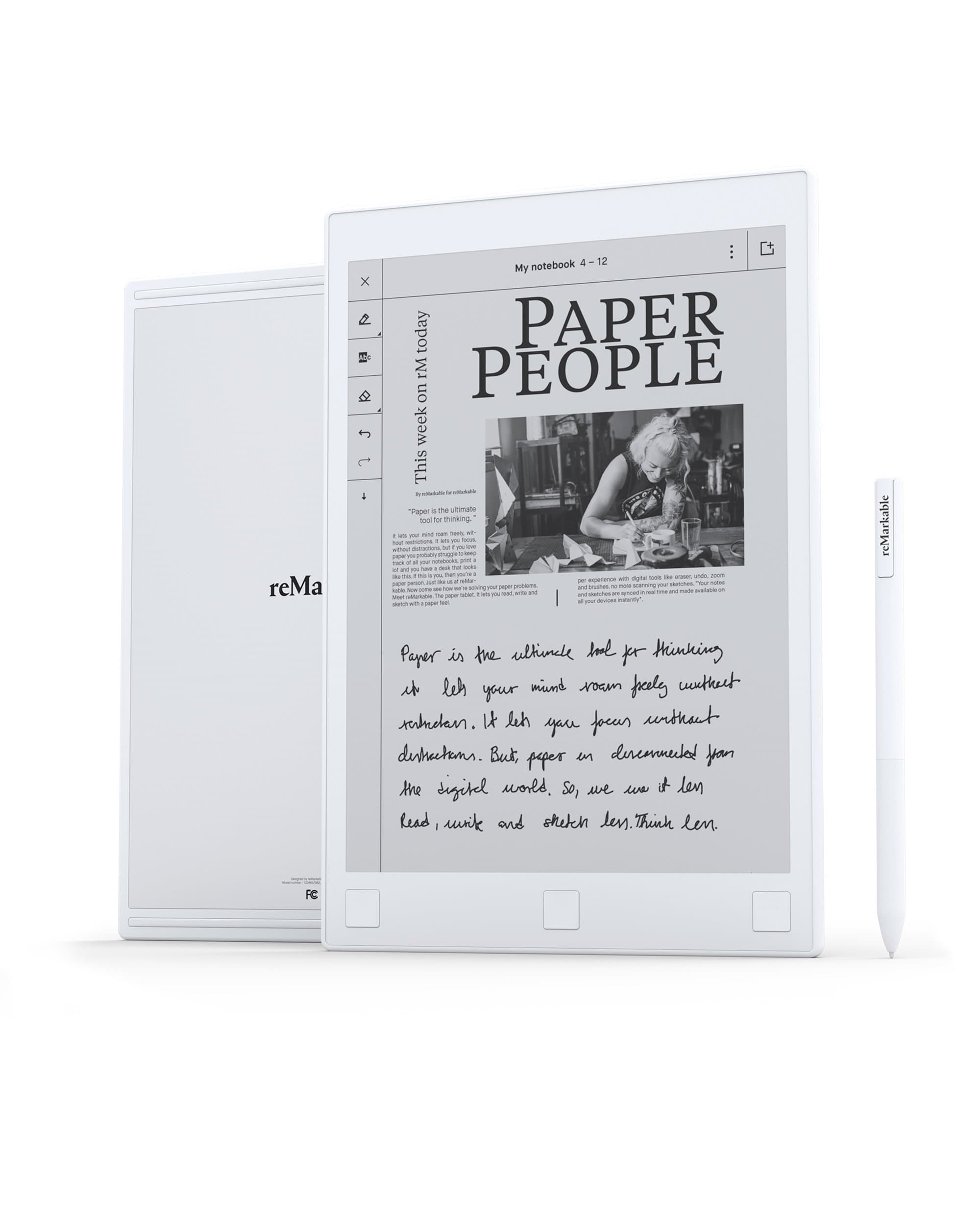

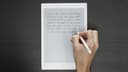

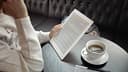
🖋️ Elevate your note-taking game—because your ideas deserve the best canvas.
The reMarkable 2 is a 10.3-inch digital notepad featuring a groundbreaking paper-like CANVAS display with 226 DPI and ultra-low latency for a natural writing and sketching experience. Designed to replace traditional notebooks, it offers glare-free reading, wireless syncing via Wi-Fi, and the ability to convert handwritten notes into typed text. Lightweight and portable, it comes with a marker and extra tips, making it the ultimate tool for professionals who crave the tactile feel of paper combined with digital convenience.




| ASIN | B077NSWLH2 |
| Active Surface Area | 106.09 square inches |
| Additional Features | Portable, Lightweight |
| Best Sellers Rank | #26,411 in Computers ( See Top 100 in Computers ) #37 in eWriters |
| Brand | reMarkable |
| Built-In Media | reMarkable, Marker, 8 extra Marker tips, charging cable |
| Color | White |
| Compatible Devices | iPad Pro |
| Connectivity Technology | USB |
| Customer Reviews | 4.0 4.0 out of 5 stars (355) |
| Display Type | LCD/LED |
| Item Weight | 0.35 Kilograms |
| Manufacturer | reMarkable |
| Model Name | reMarkable 1 |
| Model Number | RM102 |
| Native Resolution | 5760x3300 |
| Operating System | Codex |
| Screen Size | 10.3 Inches |
| Specific Uses For Product | Writing, Drawing, Reading, Note Taking |
| Target Audience | Teacher |
A**N
New level
Very good and useful
M**M
Brilliant Product!!!
It's kind of a very helpful tool for daily use... I recommend it strongly!!!
A**A
Good
As per my expectations
K**N
I think if you can use a device like this at work, or in your life in general, you already know who you are. If you don't get it, that's ok, you're probably in the majority. I'm a pencil and paper person, but by no means a technophobe or luddite-- I've used PDA's and smart phones long before the iPhone and Android made their introductions and became the devices for the masses. I've read comments like "why not just use a cheap paper notebook?" But a paper notebook can't back itself up, can't be in multiple places at once (the reMarkable phone and desktop apps), can't convert itself to text and be shared by email. On paper you can't move text around the page or erase areas without eventually making a mess, as with paper. With reMarkable you can copy and paste on the page, expand or contract the size of the selection or even rotate it. On a single device you can create as many notebooks as needed for different subjects or projects and you wouldn't need to find a way to lug it all around with you or I suppose organize it in a large binder with tabs. It can be your multiple notebooks, your task lists, your weekly-monthly-yearly planner, and all of it organized by project, goal or subject, any way you choose. You can also import articles you haven't had time to read yet through the reMarkable app, throw in some cooking recipes to try, music sheets or chords for practice later, it's endless. This isn't a tablet like a Surface Pro or Ipad with Evernote or OneNote. I know there's a place for software like Evernote or OneNote to use for reference materials and notes but this use can also get out of hand when it becomes filled with images, pastings and web clippings-- to the point it can almost be overwhelming and make focusing and thinking more difficult, expanding into disorganization rather than helping you distill information into well-defined ideas. You don't need a reMarkable to do that but it is nice to get away from the clutter, distractions and notifications on a typical tablet. Some of the real pluses, especially compared to paper notebooks: It backs itself up to cloud, you don't have to do anything, it's already done for you. It can be in viewed in multiple places at once (on your phone, your desktop, laptop, Chromebook etc.). It can convert your handwriting to text. Notes can be instantly and easily shared to others by email You can create a notebook for each subject or project (without the burden of carrying multiple notebooks or a large binder around) You can organize your notebooks and other files and have this visual display of all your information, grouped into folders if wanted, or just sorted by note book name or file name, date last updated or by size. Btw... the reMarkable android app works great on my Chromebook. Some things I wouldn't mind seeing in future updates: A split screen to have two files open simultaneously. Full support for customizing templates (you can actually do this now to an extent) Copy and pasting, to new pages or notebooks Some desktop app feature to print direct to PDF and send immediately to the tablet. These are just some things that appeal to me. I'm not artistic enough to go into the drawing and sketching capabilities of the reMarkable. It works fine for me for doodles and diagrams. Maybe someday I'll advance to using the multiple layers capability but I'm not there yet. And there are other capabilities that I have not used yet like importing e-books, the LiveView connection to your desktop and probably some things I'm not aware of.
T**R
Great way to save paper.
I**!
I don’t ever review products but felt the need to weigh on the Remarkable tablet. I’ve now used it daily for months and months and absolutely LOVE IT, and want to clear some things up. What it does – this tablet wonderfully recreates the feel of writing on paper. You can create pages with various backdrops (lined paper, graph paper, blank, etc.). It simulates ball point pen; pencil; technical pen; brush pen; paint brush; graphite stick and highlighter. It can reproduce white, grey and black, though when you upload documents highlighted elements appear yellow. It syncs to an included cloud account which makes it incredibly easy to share your files across devices (literally just open the app on your laptop or other devices and they’re there!), and can open PDF and EPUB files for reading/marking up. Oh yeah, and you can ACTUALLY SEE it when you use it outside! What it does not do – open email; surf the web; run apps; display color; let you check Facebook or Twitter; incessantly annoy you; wake you up in the middle of the night; distract you from family time; slowly melt your brain. In short, this isn’t a replacement for a full-featured device, was never supposed to be, and was never advertised as such (it’s right there on the website). If it’s not clear, I personally love that it DOESN’T do these things. It gets you away from all the annoyances and lets you focus on your work. You can use it outside in the daylight and it is very light and portable. It’s BY FAR my favorite purchase in years and has become a daily companion for me (I bring it everywhere). I take notes on it, sketch when I’m bored, use it for music notation and to read/mark up PDF files. That said, it’s far from perfect and there’s some big omissions. Number one is that the processor is slow. Loading and navigating large files lags quite a bit, and internal hyperlinks (such as a PDF table of contents) don’t work. Sometimes the screen fails to refresh, forcing you to exit and reenter a document. There’s no back-light for working at night. Finally, there’s a slew of software quirks, such as not being able to reorder documents within a virtual notebook. I think a big part of what turns people off is that the marketing campaign is much slicker than the actual tablet. Overall Remarkable is clearly a first-generation product, albeit a GREAT one, and the Remarkable team is still releasing updates. I felt the need to write this review because I desperately want this tablet to succeed and continue to be developed (without adding the aforementioned iPad features). At the end of the day, you are buying this tablet for what it does as much as what it does NOT do. If this doesn’t make sense to you, then you should probably look elsewhere. Otherwise, if you’re like me, it’s pretty much the BEST thing ever!
A**E
Exceptionnel!! Encore plus satisfaite qu’attendu! Ultra légère elle est d’une précision d’écriture impressionnante!
M**R
ITS NOT PAPPER
TrustPilot
1 个月前
1天前