We remain fully operational. Our teams are working around the clock to ensure your deliveries continue safely.

下载应用程序



Buy anything from 5,000+ international stores. One checkout price. No surprise fees. Join 2M+ shoppers on Desertcart.
Desertcart purchases this item on your behalf and handles shipping, customs, and support to Hong Kong.
🚀 Unlock desktop-level productivity from your smartphone—because your phone deserves a bigger stage.
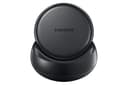
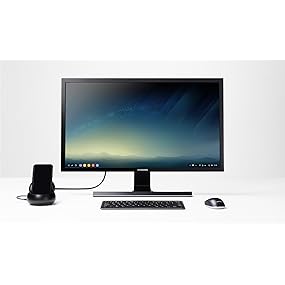
The Samsung DeX Station transforms compatible Galaxy smartphones into desktop computers by enabling a multi-window interface on external monitors. Featuring a built-in cooling fan, multiple USB ports, Ethernet, and HDMI output, it supports full keyboard and mouse connectivity. Compact and travel-friendly, it includes a fast charge USB-C adapter to keep your device powered during extended use. Ideal for professionals seeking a portable, versatile workstation that bridges mobile convenience with desktop productivity.



| ASIN | B06XR9M1ZP |
| Best Sellers Rank | #44,345 in Cell Phones & Accessories ( See Top 100 in Cell Phones & Accessories ) #608 in Cell Phone Charging Stations |
| Brand | Samsung |
| Built-In Media | Dex Station, Fast Charge Wall Charger, Quick Start Guide, USB-C Cable |
| Color | Black |
| Compatible Devices | Smartphones |
| Customer Reviews | 4.2 out of 5 stars 1,213 Reviews |
| Global Trade Identification Number | 00887276215648 |
| Hardware Interface | USB, USB Type C |
| Item Dimensions L x W x H | 4"L x 4"W x 1.7"H |
| Item Weight | 12.8 ounces |
| Manufacturer | Samsung |
| Number of Ports | 5 |
| Product Dimensions | 4"L x 4"W x 1.7"H |
| Total Number of HDMI Ports | 1 |
| Total USB Ports | 2 |
| Total Usb Ports | 2 |
| UPC | 887276215648 |
| Unit Count | 1.0 Count |
| Warranty Description | No Warranty |
A**R
It is awesome! But I am a geek and think things ...
Update 2: This is my review after playing with the DeX station for a week. I changed my rating as the review is for the product, not the dealer that provided it through Amazon--I was sent the UK version not the US version. The current dealer for the DeX Station is not the same one that sent me the wrong version. It still works however, just no warranty. I have tried other HDMI monitors and TVs, and as long as the TV/monitor has settings for adjusting the size and resolution, it works great! The DeX Station, really does turn your S8/9 smartphone into a usable desktop for Android applications. I use it every day, in addition to my regular desktops and laptops. I found that if I hook up my Note 8 to the DeX station without a bluetooth mouse connected, the latest versions of the Android OS, 8.x, will turn my smartphone into a touchpad. The touchpad works just like the touchpad on my MacBook Pro laptop. I have found that almost all applications will work, though there are a handful (most noteably from Amazon) that will not run under DeX mode. They do run fine under the mirroring mode. For browsing the web, reading email, writing notes, or anything else I already do on my Note 8, the DeX station with a bluetooth keyboard really does a good job. I would most certainly buy this again. ---- Update: I changed my rating from 4 stars down to 1 as what is shipped inside the box is NOT the US version, as indicated by a sticker on the box and the Amazon page. I am unable to register for the warranty because of this. As far as the product itself is concerned, my review below stands. ---- This is my review after playing with this for about an hour, with it hooked up to my Samsung Galaxy Note 8. It is awesome! But I am a geek and think things like this are really cool anyway. Regardless, what it does is turn your Samsung 8/9 into a usable desktop computer. Considering the capabilities of the Samsung 8/9 it ends up being a rather decent desktop. There is software built into the Samsung 8 and 9 that present a desktop like GUI. With a Bluetooth keyboard and mouse paired, you use it just like you would a laptop or desktop computer. I have found the some of the apps on the phone have actually been optimized to take advantage of being able to run in the larger screen. The rest, show up in a window with the same size as they normally would. Performance, that I have noticed, is not hurt by running apps in "desktop" mode. There is also a "mirror" mode that basically just shows a single window in the middle of the monitor that looks the same as the phones normal display. The only issue I have found so far, is with the two HDMI monitors I have tried so far. The one HDMI TV I tried results in the outer edges of the screen being cropped off, with the fonts being a little fuzzy. This really wouldn't be an issue, except that the status bar and icons on the edge of the screen are cut in half. I haven't been able to find a way to "fix" the resolution issues. Apparently it is something to do with the HDMI TV and it not being able to adjust the resolutions for the input. The other HDMI monitor I tried, which is a dedicated computer monitor, had no issues at all. Resolution was great and the fonts were nice and sharp. One other slight annoyance, is because I have my Note 8 in a thick rugged case, it will not fit into the little docking port on the DeX station--There is a more recent model of the DeX station where the phone lies flat, which I would have purchased instead but I didn't know it existed when I got this older model. I had to get a USB-C to USB-C extension cable (male-female connectors on the ends) to connect my phone up to the DeX station, to use it without having to take my phone out of the case. That solution works just fine for me. My Samsung Note 8 is quite a powerful device for it being a phone. Why not let it function as a desktop as well? It is by no means a gaming computer nor a development machine, but with this DeX station, it is really quite capable, and cool!
M**P
Ahead of its time, but not by much
I like this a whole lot more than I thought I was going to when buying it. I figured it was a gimmick, and it mostly is; however, it works surprisingly well (with a few caveats). The device itself is small and unobtrusive on your desk. You'll need a monitor, keyboard, and mouse (and plug-in) to make use of the dock. A laptop form-factor would be amazing similar to the old Motorola Atrix, but if you already have that available then it's not a huge deal. If you have to buy these then it certainly adds to the price. It keeps the phone charged while in use which is a great bonus. Ok, so how does it work? Well, you will never mistake this for a full computer. It offers limited functionality. You get to run (nearly) all of your apps on the phone, but not all of them are fully supported. Some are not able to be resized and a few won't run at all (although this seems to be limited to games or streaming movie apps). Apps like Microsoft Office have been optimized for the DeX and they work perfectly. Web browsing is much improved, with the single biggest complaint being Chrome insists on opening the mobile version of web pages until you click an extra button. The Samsung browser doesn't have this problem. Sending text messages works beautifully. Gmail works beautifully. Facebook, well it works but the window isn't resizeable and you are better off using it from the browser. Pinterest has the same problem. Amazon shopping app has the same problem. This is a real shame because a lot of the apps that don't scale correctly actually work pretty well on a tablet. They just can't handle the truly resizeable windows offered by DeX. The dock covers up the headphone jack and the speaker is buried in the dock. It would have been great if they included a headphone jack on the dock, but as-is you are limited to really muffled sound or using a Bluetooth speaker (which I assume is the preferred solution). Honestly, I'm not sure who this is for. If it was a small screen & keyboard similar to a laptop then I could see taking it on a business trip or something. For at home use, you're much better off using a full computer. For me, I like it for the rare occasion when I'm sitting at my desk, don't need my full computer but want something slightly better than the bare phone. They really need to get more app developers on board to unleash the full potential. With so many complaints, why the 5 stars? Because this has incredible potential and for the right use case it is fantastic. This also gives us the best glimpse at the future of computing. Phones have become powerful enough that they will replace desktops/laptops for a vast majority of people. Motorola tried it with the Atrix but was a way too early. Samsung is ahead of the curve, but the timing is much better.
T**E
An Imperfect Glimpse at a Promising Future
The Samsung DeX is currently positioned as a mobile workforce productivity accessory for Galaxy S8/S8+ users. By slipping their phones into the DeX, a unique Android desktop mode is enabled that allows users to take advantage of a larger workspace with movable and resizable apps, USB keyboard and mouse input, and USB storage support. Overall, the DeX experience is impressive though I have to say that at least as of May 2017, it doesn't quite seem ready for prime time. Early adopters and tech savvy users will have a lot of fun with it, but I'd be cautious about recommending DeX to the masses at this point in time. With that said, I fully expect that the DeX experience will only get better since a lot of the Free-Form Multi-Window functionality that comprises the desktop experience is actually built into Android and isn't proprietary Samsung wizardry. There are Samsung specific UI elements and integration of Samsung hardware features not native to Android, but at least according to the Samsung DeX Developer documentation, the only thing app writers need to do to take advantage of DeX's capabilities is to make sure their apps utilize Android API 24 or above and comply to the Android N Multi-Window standards. Although it's reserved as a premium feature today, I figure that within the next two to three years, the ability to use any mainstream phone as a basic desktop will become a standard feature and that some derivative of Android will emerge as a good-enough desktop operating system alternative for a significant number of users. I used the DeX with a Galaxy S8+ for about a week before writing this review and found that while not everything runs in DeX mode (Spotify and Kindle don't run at all), many apps are able to launch though only a handful outside of Google's offerings support fully resizable windows at the moment. Most apps (including Netflix) launched in a fixed mobile view and depending on the app, there might be an option to choose between portrait and landscape views. It's worth noting that while an app might launch in DeX mode, there's a chance it might require touch controls and thus be unusable (e.g. Super Mario Run). I'm hopeful that many of these issues will be sorted out in due time as app writers update their apps for future versions of Android. Beyond specific app compatibility with DeX, the majority of issues I encountered can be lumped as either multi-tasking/focus related or inconsistent behavior issues that stem from either limitations of specific apps or Android itself. An example of a multi-tasking/focus problem is that the majority of non-resizable apps stop refreshing when they're in the background; while having carefully controlled background refresh is desirable on power-constrained systems that only allow one active app at a time, it's lame when a CPU utilization monitor app stops updating when you switch apps. An example of an Android or app specific limitation is that not everything understands the mouse wheel; while the mouse wheel works as expected when using a browser or Microsoft Office, some apps like Google Drive's PDF Viewer require you to scroll by clicking and dragging. Gmail is a curious offender because it’s resizable and supports multiple panes, but it only does so when it's expanded to nearly 75% of the desktop. As with app compatibility, I am also hopeful that these issues will be ironed out in time, though it might take longer if the fixes require tinkering with Android. In terms of hardware, it's interesting to note that the DeX actually works as a generic USB-C phone dock, and it will allow any phone to display, charge, and use USB devices as long as the phone supports USB Power Delivery and DisplayPort Alternate Mode. Imagine my surprise when I hooked up a Lumia 950 and watched it seamless launch into Windows Continuum mode with USB keyboard and mouse support while also being charged! My friend was also impressed (albeit to a lesser degree) when his HTC 10 went into Display Mirroring mode, a mouse pointer appeared on his home screen, and a message confirmed that the phone was also indeed charging. The DeX ships with a Samsung charger it also worked with both universal USB PD chargers that I tried, but it did not work with either a Qualcomm QC 2.0 or standard (Non-PD) 15W USB-C charger. It's unfortunate that DeX doesn't work with standard USB-C chargers since the 15W variety actually provides the same amount of power as Samsung's own AFC charger. I hope that other manufacturers are taking notes...if every product were implemented in a standards-based way, we could simplify the buying experience, improve consumer satisfaction, and reduce waste! What a concept. Ever since Ubuntu unveiled its Edge concept in 2013 and USB-C was developed to support a single cable/connector for simultaneous power, video, and data transfer, I've been looking forward to having a single device that could seamlessly provide a unified mobile and desktop experience. Microsoft's Continuum was an awesome idea and it's a shame to see Windows Phone in such a state. Looking at the DeX hardware, it's interesting to note that it's good enough already (adding a 3.5mm audio jack for headphones/microphone would be appreciated though). The only thing we need now is for the software to catch up, though I'm hopeful that the phone docking concept will go mainstream within the next two to three years. All things considered, I think bringing DeX to market now is a bold move and Samsung deserves praise for doing so. Notes: 1. While the DeX works as a universal USB-C Dock, the S8/S8+ requires the DeX to go into DeX Mode. It will go into screen mirroring mode if you use the Microsoft Display Dock or a generic USB-C to HDMI dongle. If using Bluetooth input devices, you'll need to pair in phone mode before using DeX because DeX requires at least a mouse to be connected. 2. You'll need an Office 365 subscription to use the Microsoft Office suite, and you need to keep in mind that you're still getting the mobile version. All of the apps have full reader functionality but limited editing capability when compared to their full-powered counterparts. You can show PowerPoint presentations and see transitions and animations, for example, but you don't get the presenter view (since the S8 screen is off in DeX mode) and the entire animations tab is missing even though you can add slide transitions. 3. You'll probably need to remove your phone case to get it to work
K**N
A Huge Improvement Over Laptop - My Favorite Purchase of the Year
This is absolutely the single BEST technology purchase I've made this entire year. I am confident after 2 weeks exclusive use of this product that it is not only a complete laptop replacement, but that it is a *massive* improvement over buying (or using) a laptop. For context I previously owned a very nice Surface Pro 3 that served me well for two and a half years. I started having power failure or battery issues with the laptop and did a trade-in at a local store for a gift card. Parting with the laptop was difficult, but after these two weeks I can sincerely say it's the best purchase and best desktop experience I've ever had. Firstly, there is one small con. I was used to having an extremely high resolution with my Surface and the DEX maxes out at 1080p. That said, on my 24 inch monitor I have been totally happy with how everything looks. Now the positives: All of the apps I use most frequently: Google Keep, Mood Messenger, Blockfolio, Genbook, Chrome, Amazon, Gmail, Drive, Digit, Youtube, and others work superbly well on the DEX. Watch some Youtube videos to learn about the apps you need to have to make DEX more adaptable and desktop-like. What I never realized is how incredibly convenient it is in an app-based era to have everything I frequently use on my phone available to me while web browsing on a big screen. If I get a text message, or need to send out a string of text messages, I open up Mood (my SMS app) and I can easily and simply copy-paste things over and send them with ease. Web browsing, with a couple of minor exceptions is smooth, easy, and satisfying. If I have to head off to work, anything I left open is still there for me later. Conversely, if I was using an app and then hook it up to my DeX, it's still running and right where I left it. It's superb. Performance wise, this thing has not even hiccuped on me a bit. I'm using a Note8 so the extra 2GB of RAM contributes to that, but I can't get the thing to slow down. It's a truly phenomenal experience. Another awesome thing about it... I use my Note8 heavily throughout the day. Now that I also use it as my desktop experience, I get to charge it *while* still using it, and not have to worry about being tethered to a cord once a day. I basically never charge it anymore, because when I get home, it usually ends up on the DeX station at some point and by the time I'm done using it, it's at 100%. I don't even charge overnight anymore. Sometimes I just fall asleep with it in the DeX station. And finally, and this one is unexpected for me... using the DeX actually gets me off my phone. I know that's weird to say, since I'm using it, but when it's docked you can't use it like a cell phone (you can still make calls though) -- but what I'm saying is that I don't have my head slumped over reading tiny text and using my thumbs to do everything. It's actually been great for my posture because the amount I use my Note8 for stuff is kind of ridiculous. When it's plugged in, it's just not an option, and I find that I don't miss it since I have all my apps. The only people I wouldn't recommend this to *might* be gamers, although I understand quite a few games run well on Vortex and other Cloud-Based services. For someone like me who just uses their phone a lot, and also likes a desktop experience, this is second to none. I love it and am so happy to have purchased it.
P**T
Samsung enters the future with a whimper
This review is for this Samsung DeX Station hardware, and not for the DeX technology overall. To summarize, this DeX dock works as-advertised. As a long-time user of the Samsung Smart Dock, originally for my S4, then eventually for my Note 4 (with some minor surgery), I'm quite enamored with the DeX capabilities that this dock enables on my current Note 8. Unfortunately, most of the things I like pertain to DeX, itself, and not with this DeX Station. That said, it has some merits: ADVANTAGES + CONNECTIVITY - The dock has enough ports, and of enough types, to do the things I plan to do with it. It's currently connected to my KVM switch by USB (keyboard/mouse) and HDMI (video), as well as my network switch (RJ-45). Everything works as-expected, and the desktop is fluid and clear at native resolution on my 2560x1440 monitor. + POWER - It comes with a quality, Samsung fast charger ([email protected], [email protected]) as is typical for other Samsung devices. The package also includes a USB-A to USB-C cable to connect to the charger and dock, respectively. NEUTRAL o FORM - I like the fact that this is a drop-in dock, rather than a cable-type connection. At the moment, I use the dock more for screen mirroring than for DeX, and it's nice to have the phone propped-up so I can see it. Although the rubber feet on the base of the dock stick to my desk pretty well, this dock pretty light. That's good for traveling, but makes it quite unstable when tapping the screen with my finger. o FAN - I haven't heard the fan come on yet, but it's nice to know that it's there, especially as the weather (and my non-air-conditioned office) is warming up. DISADVANTAGES - SPEED - The ports are abysmally slow. It's almost unbelievable that a dock that is supposed to transform your phone into a desktop only has 100 Mbps Ethernet and USB 2.0. I was hoping to drop my phone into the DeX station to sync videos, music, etc. but, for practical purposes, it's almost too slow to be used this way. For comparison, I tried transferring a 1.4 GB video from the phone to my computer using a few different connections, with starkly different results: DeX Station Ethernet: 6 MB/s DeX Station USB: 16 MB/s USB cable directly between computer and phone: 84 MB/s Realistically, I'll have to plug the phone into the computer, or pull > mount the microSD card directly, in order to move large files. These technologies were state-of-the-art 15 years ago, but cripple the modern, flagship phone that I almost had to sell my first born to afford. - CONNECTION TO PHONE - As many reviewers have mentioned, you cannot connect your phone to the dock with most cases. I have a really thin TPU case that I'm actually thinking of replacing because it's so thin that I don't feel it offers enough protection. Even with that, I can't dock the phone unless I remove the case. As with the ancient ports, I don't know how this slipped through the design process. Samsung is definitely on the right track with DeX. Hopefully their DeX Station hardware will catch up with their DeX software at some point. At present, if you're looking for a DeX dock, I'd look at offerings from other vendors that mitigate the considerable limitations of this unit. It's a shame that I can't recommend this genuine Samsung product.
A**Y
Very impressed!
I read a lot of reviews around the web and on Amazon before purchasing. While there were some negative reviews and many positive reviews with some complaints, I have had a pretty positive experience so far. Before using DeX, I had been mirroring my display to the monitor. DeX is so much better than display mirroring (although it does offer display mirroring if you want to do that instead of the DeX desktop--just click the notification from the desktop and it will switch). It's super easy to start it--just stick the phone in the DeX and it starts. I am using an old PC monitor with HDMI input and a Bluetooth keyboard and mouse. If you have wired peripherals, that is probably best, RF peripherals are probably next, and then Bluetooth. I actually don't have an issue with the Bluetooth keyboard, but there is just a little bit of lag with the Bluetooth mouse. It usually isn't much of an issue--it actually is unrelated to the DeX and is entirely an issue of using Bluetooth mice with Android. There are two USB ports for plugging in wired or RF peripherals. I haven't tried using the USB ports for any other purposes yet. Before I ordered, I wondered whether the power cable uses USB-C or something else. If USB-C, is it the same cable as comes with the phone? I can confirm it is a USB-C cable that is exactly the same as what ships with the phone, so it doesn't really matter if you want to use them interchangeably. The phone charges while in the DeX dock, so you don't have to worry about running out of power. The dock includes a fan to help keep your phone cool. It has turned on a time or two where I can hear it. It's not loud, but it was noticeable. I'm not sure whether the fan runs all the time at a quieter setting--if so, I haven't noticed it. Many apps work fine, there are a couple that won't work, and there are many that work but are not resizable. You can use an app called DeX Max (I am not affiliated with the app) to repackage your apps to be resizable. So far I've used it for two apps--Netflix and Microsoft's Remote Desktop app. Netflix is much more enjoyable full screen (there's also an immersive mode toggle to get rid of the bar across the top of the screen when using Netflix full screen). I couldn't get a remote desktop to display properly until I used DeX Max on the Remote Desktop app, and now it works perfectly. There have been some apps that I use that just don't have a larger screen layout, so I have been finding some new apps to use. The apps included on the desktop when you startup DeX are optimized for DeX and work great--there is a file browser, a gallery, a browser and an email client. I've switched back and forth between the Chrome browser and the Samsung browser in DeX. The nice thing about the Samsung browser is it defaults to desktop versions of web pages, while Chrome will default to mobile (you can tick the box in settings to request the desktop site, but you have to do this for every tab). There are a variety of apps optimized for DeX that you can find easily by clicking the apps button in the bottom left and choosing the banner at the top of the menu that pops up. Any app that has a good tablet layout will work well with DeX. I was looking forward to using the Microsoft Office apps on DeX. While they do work well, if you want to edit or save documents you need an Office 365 subscription. I don't have one right now. From the Samsung App Store (click the banner at the top of the app button menu on the taskbar to go straight to DeX apps) you can download Hancom Office for free. I haven't used it very much yet, but it seems to have most of the features most people will use. It opens Microsoft Office Documents and saves to Office document formats. In the notifications bar you can choose where you want your audio to be output--the phone or over HDMI. I have mine go over HDMI to the monitor, and then have a splitter cable coming out of the headphone jack on the monitor to go to speakers and to wired headphones. I have no issues with the audio. There was a short while when I couldn't seem to get the audio to work on some stuff even though it worked on others--turns out I had Do Not Disturb turned on and turning it off fixed the issue. You can set some defaults for your DeX desktop using an app called DeX Hub (I am not affiliated with the app). This can include settings for bluetooth, WiFi, HDMI audio output, audio levels, etc. Most phone cases are not compatible with DeX. If you want a DeX compatible case, look for cases that don't just have cutouts for the ports on the bottom, but that have the entire bottom cut away, except for the corners where it holds the phone. Most of the official Samsung cases have the right configuration. The problem with most third party cases is that the thickness of the case doesn't allow the phone to be fully docked on the station. Seeing how the Samsung cases are configured correctly and I like using the Samsung Clear View stand case, I was disappointed to find that the Clear View case is not compatible. There is actually a built in notification specifically for this case when docking with DeX that says it is not compatible. It docks fine, but I think the issue is the magnet on the front of the case that turns the screen off--you can't have the case folded open when docked, and DeX can't work with the magnet against the display. I have another third-party case I can use with DeX that I might switch to. For now, I take my phone out of the case to use the dock. I have been very satisfied with the DeX and it has met or exceeded my expectations. It may not be perfect, but I think a lot of that is on app developers not supporting it yet. The DeX really takes the S8/S8+ to the next level to offer something available from no other phone. It is really well executed, and definitely worth it in my opinion, especially with the recent price drop to under $100.
D**R
Laymans Review - worth it if you are a lite PC user
For the price, this was fantastic! Read the reviews of this device on the various tech blogs online. They do so much better at explaining this than I ever could. Now, having in my hands, I can tell you this is definitely ALL THAT. Some things to know: Overall, it's essentially a chrome like experience built in to your phone. This allows a light user (light desktop processing, email, calendar, etc) to easilyl keep everything in one spot. Have it remote, but keyboard and mouse it when you get home. 1 - BT Mouse in the USB port doesn't seem to work. At least, I haven't gotten it to work (yet). Wired mouse works great. wired keyboard works great. I have not tested with a wireless BT keyboard. 2 - I have not tested an external hard drive connection/device through the DeX Station. 3 - If you dont connect a mouse, the screen of the phone turns into a trackpad. Very accurate one, too. Nice, but it's angled all wrong to be properly used... The Gen 2 DeX would be better suited if you intend to use it this way. 4 - Connected Monitor: The phone displays on the screen in the same dimensions as the phone, in horizontal view. So if your screen isn't 16:9 ratio (or whatever the phone dimensions are), then you're gonna have black bars on ends of your screen. If you want a PERFECT viewing experience, try the Samsung Curved Monitor as well. also, the display is HDMI, so you can just pipe the display output to your massive HD 60" TV and just enjoy the view regardless. 5 - all files are available to you while docked. All games are available as well. I tested my set up with KOTOR (Knights of the Old Republic). It did not maximize, but instead played in windowed mode (it wasn't optimized for DeX). But it did play it horizontally, and I could easily see what was on the screen. Pictures and Video also displayed nicely. 6 - optimized applications are fantastic. Word, Excel, Powerpoint, OneNote, Google Calendar, email, ... many more. Just, ... Wow.
N**.
It is still developing and it's like it's currently in Beta-test mode
Warning: Don't buy this product for at least a couple years, wait for it to get more support. It is still developing and it's like it's currently in Beta-test mode. First, the station wouldn't do anything when I connected my Note 8, it just charged my phone. After hours of trying to get support (DeX is not even listed in Samsung website as a selectable option for support), an agent explained the reason it wasn't working was because I was connecting an hdmi cable to a display port adapter, which then connected to my monitor. I.E. the DeX station only supports DIRECT connection from hdmi to hdmi because it only launches when the phone AND an HDMI cable are connected (why? DeX mode should launch as soon as phone is connected to station). So if you're planning on using an old work monitor with a VGA connection & adapter to HDMI, it won't work. This was not listed in description when I bought the product, and since I wanted to use it at work, it is now completely useless. After connecting to a personal monitor with HDMI port, the DeX station did work. It is amazing to note that nowadays a smart phone can in fact be a personal, portable desktop experience [what it should be when we're paying $1,000 for a small device]. However many apps were not supported in DeX and I started encountering bugs when launching apps that did worked. Sometimes if you close an app in fullscreen and try launching it again later (default launches in mobile / minimized mode), the app's text and images will glitch and you have to re-size the window, close the app and launch it again. Some taskbar buttons don't work sometimes. You have to play around in developer mode to re-size mainstream apps like Netflix if you want to watch a full screen movie in your TV, etc. In Short, it has potential but is currently a glitchy experience definitely not recommended for general public use. Unless you're a techy person with patience and willingness to overlook bugs, play around in developer mode to get what should be the standard experience, and research online how to solve DeX problems that are not listed in Samsung's website, this is not the product for you.