We remain fully operational. Our teams are working around the clock to ensure your deliveries continue safely.

下载应用程序



Buy anything from 5,000+ international stores. One checkout price. No surprise fees. Join 2M+ shoppers on Desertcart.
Desertcart purchases this item on your behalf and handles shipping, customs, and support to Hong Kong.
✨ Elevate your clean game — the future of spotless floors is here! 🏡
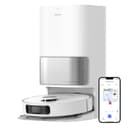
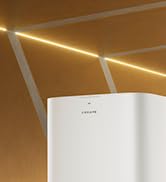
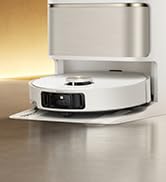
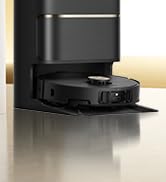
The dreame L10s Ultra is a premium robot vacuum and mop combo featuring a self-emptying and self-refilling base that supports up to 60 days of hands-off cleaning. Equipped with advanced AI navigation using RGB camera and 3D structured light, it intelligently maps and adapts to your home layout. Its powerful 5300Pa suction and automatic carpet detection ensure deep cleaning on all surfaces, while dual rotary mops scrub and self-clean with hot air drying to keep floors pristine and fresh. Compatible with Alexa and controlled via a feature-rich app, it offers customizable cleaning schedules, multi-floor mapping, and virtual no-go zones, making it the ultimate smart cleaning companion for busy professionals.










| ASIN | B0B7J95MHN |
| Batteries are Included | Yes |
| Battery Life | 210 minutes |
| Battery Type | Lithium Ion |
| Best Sellers Rank | #28,082 in Home & Kitchen ( See Top 100 in Home & Kitchen ) #34 in Robotic Vacuums |
| Brand | DREAME |
| Brand Name | DREAME |
| Capacity | 2.64 Quarts |
| Color | White |
| Compatible Devices | Amazon Echo |
| Control Method | App |
| Controller Type | App Control |
| Customer Reviews | 4.0 out of 5 stars 1,227 Reviews |
| Filter Type | Foam |
| Form Factor | Robotic |
| Included Components | Base Station x1; Robot ×1 |
| Indoor Outdoor Usage | Indoor |
| Item Dimensions L x W x H | 15.69"L x 25.2"W x 25.2"H |
| Item Type Name | household-robotic-vacuums |
| Item Weight | 6.6 Pounds |
| Manufacturer | dreametech |
| Model Name | L10s Ultra |
| Model Number | L10s Ultra |
| Noise Level | 20 Decibels |
| Number of Items | 1 |
| Number of Power Levels | 1 |
| Number of Wheels | 2 |
| Other Special Features of the Product | Cordless |
| Portable | No |
| Power Source | Battery Powered |
| Product Dimensions | 15.69"L x 25.2"W x 25.2"H |
| Recommended Uses For Product | Regular cleaning of homes, including carpets and hard floors, and specifically for use by pet owners at any time of the day. |
| Special Feature | Cordless |
| Style Name | L10s Ultra |
| Surface Recommendation | Hard Floor, Tile, Marble, Stone, Carpet, Wood |
| UPC | 744759266378 |
| Voltage | 120 Volts |
L**N
First one didn’t work, but the feee replacement is ✨AWESOME✨
[the first portion of this review is my new edited opinion. I’m leaving my original post below just to show the difference of how vastly my opinion changed.] ——-NEW OPINION—— This thing is truly awesome and its cherry on top of a fantastic product is the customer service team who made things right! I REALLY research my products, especially ones that cost this much. I researched for a week, narrowing items down to comparing the newer Roombas, the Omni Ultra, Roborock, and Dreametech. I watched every review video on YouTube when I noticed there weren’t thousands of Amazon reviews like I typically look for. I didn’t know what a pascal unit of measurement was before…and now, I could tell you every feature. After arduous research, I chose the Dreametech L10S Ultra over Roborock’s S7 Max V Ultra. Then it delivered after Black Friday and the water component didn’t work [detailed in old post below]. From the moment of realizing it didn’t work, customer service was on top of it—emailing responses so quickly, sometimes within the hour to make it right. I even purchased my second option in the meantime—the Roborock S7 MAX V Ultra—and used that before my Dreametechrepalcmeent showed up a week later. RR was definitely great, but upon receiving the replacement Dreametech, this thing kicks Roborock’s BUTT. The Roborock literally wouldn’t go over my medium pile carpet, and this thing does. Not to mention getting stuck in my carpet three times daily, to a point where I though I might have to cut my carpet to get Roborock out. This has never happened with Dreametech and I’ve used it longer. I’ll just break it down in a pros and cons list below PROS: * Aesthetic is on-point. Matches my decor and it has a clean, approachable appearance. * The mapping is quick and gets smarter and faster each time it cleans. It avoids cords amazingly!! One of the mops almost tangled but it literally did a wheely and avoided it—so impressive. * Customer service has obviously been exemplary. * The mopping feature is as terrific as I expected—it actually cleans. Like CLEANS the floor like I would. And if you actually mop really the first time, then set this, it’ll maintain that level of clean and potentially put your mop out of a job. * The vacuum is strong—gets all the loose cat litter, able to get onto my medium-pile rug, and it really gets things clean, as evidenced when I checked the bag. Like, I walk through my house and the carpets and hardwood FEEL clean, and I can clearly see vacuum lines. * The app is user-friendly for the most part. * It’s customizable clean—you can sweep, mop, sweep and mop, or sweep THEN mop. And you can also have 4 different edits for vacuum settings, including quiet. And 4 different mopping settings * The remote control feature is nice to have * The heating function works well! * I love that it automatically dispenses floor cleaner to the appropriate amount only when pulling water from the reservoir. And it’s evidenced how great it mops when I poor my nasty mop water out. And I walk around and my floors are noticeably clean. CON (opportunities for improvement with simple firmware updates) * I wish I could rename rooms with my own names instead of the pre-set list. I don’t have a “study” but I do have “litter box area”. * The camera sometimes identifies my carpet as a barrier. Although it does eventually get on it and gets it clean. * Some parts of the app don’t make sense and so I don’t use them, for example: 3-D map, or “add this device to your Home Screen” * It doesn’t guide or prompt you to set up the vacuum with Alexa or Siri, and so I haven’t taken the time to figure that out yet. Although I know it’s compatible. * Update the app to easily use voice and video through the vacuum * Quality control, although I had a wonderful experience with my replacement, I shouldn’t have had to do that in the first place with such an expensive item. Even considering all of this—I would 100% buy it again and have even recommended it to my mom who is in the market for a new vacuum. ———————-OLD OPINION———————— I’m so disappointed. Like SO disappointed. I did a weeks worth of research to land on this product feeling like it was a solid choice, only to be let down by the functionality. 1. The water doesn’t come out from the base. I even tried the straw trick to suck through the get water flow to the bottom. But the fact is that I shouldn’t have to literally suck this thing off in order to get it to work. This is a $1000 vacuum, and that’s the Black Friday sale price! I really really just want the base replaced and I’d be happy with everything. 2. The vacuum on this is top tier (although it struggled to get onto my medium pile carpet. It eventually gets there, but not always.) It’s sleek, beautiful, matches my aesthetic, and provides fantastic vacuuming, navigation, and mapping. But no matter what I did with the water tanks, resetting the system—nothing made a difference. By the way, if you’d like instructions for how to do a system repair go to Settings—> more setting—> and then tap the firmware 10 times and it’ll pop up a blue box that asks if you want to repair the system. I did that option 5 times to no avail. But it might work for you?
C**S
Really good for light cleaning and mopping but the app needs a lot of help!
I got this knowing that it wouldn't do a deep clean and would miss edges and some areas and so far this has been true. What I wanted it to do, and it does is daily light cleaning and intermittent mopping which it does well. What it definetely needs is a better app and what it dearly needs is an explanation of the icons on the app and how to set up a daily/weekly program etc. What saved my bacon is a kind reviewer who set out in detail of how to set up and program the map and the schedule. If I could send this person a dozen roses I would do so! I have copied and pasted her (assuming it's a her) notes on this below as I can't find the original posting now. The L10s is a revelation. Set it up, and turn it on - one hiccup with the app saying it would tell me when it had connected to wifi which it didn't, but it did connect, and a second where when playing with the app I think I emptied the water tank so the first run it didn't mop correctly, but otherwise super easy. Then it says it wants to map the house - we have a big, open floor plan house with rugs, chairs, etc etc - and within 10 minutes it was done - amazing. App showed everything. Only downside is our glass sliding doors confused it - it built an entire room that was outside on the patio that I had to fix later on with virtual walls. I then edited the map and that wasn't super easy but it worked. Gave me some obscure errors when I split up the open floor plan into kitchen/entry/etc, but eventually it worked. Drew in some no-go areas around cords/couches it could stuck under, and that was easy. It got stuck on some light bathmat type rugs when I ran it for the first time, so I went back in and "no-go'ed" those as well and after that all was good. The app seems designed around a "set up and run jobs in real time" flow which I found odd - I'm used to setting up a scheduled task and having it go. That was harder to set up than it needed to be - first have to set up shortcuts, shortcuts have a weird "task" substructure that took a little time to figure out, then have to go into a submenu under the "three dots" and find "scheduled cleaning" - it all worked but the work flow was not at all obvious. And there is zero documentation on the app in the otherwise good manual. App is super capable and there isn't one thing I needed to do that it can't do, but did take some spelunking around. Then I set it to clean, and wow again! Goes out, cleans where I told it, respects the no-go zones, doesn't get stuck, doesn't miss spots, goes around chair legs, drives home when needs to charge/clean/refill, and empties itself. Much much quieter than my old iRobot so that I can even run it at night without waking everyone up. Floor mopping is ok - our floors were dirty (hate mopping which is why I didn't do it often and bought the robot!), but after a few passes and jobs it looks way better. I’ve spent a lot of time with this thing trying to figure out the app and settings. This is a great vacuum, but I think the app needs to be reorganized to be more intuitive and user-friendly. There definitely should be a setup Wizard to guide cleaning scheduling and creating Shortcuts. Shortcuts let you design quick cleaning modes that can also be used to schedule cleanings. You can select room order, type of cleaning for each room, how many days a week to do the cleaning. You set up Tasks in the short cut to achieve this. It was a little confusing. The Shortcuts are a separate thing to use for creating cleaning tasks. You don’t need to create them when scheduling and setting up cleaning, but they are a nice feature that makes it easier once you set it up. VacuumThenDeepMopByRm - 1 Day / Week. The tasks in this one tells the robot to vacuum once, then mop each non-carpeted room 3x at the dampest, deep clean setting. The robot returns to base to self clean mop pads each time it finishes vacuuming and mopping a room. 4.) PMVacuum - 5 Days / Week. I have it light vacuum the high traffic areas only in the evening. 5.) PMVacuumThenLightMop - 2 Days / Week. I have it touch-up mop on a medium setting 1 or 2 passes depending on the area. STEP 4: Schedule Cleanup On the Main Page, Choose “Go to the device —>” button, then the upper right three dots menu, then “Scheduled Cleanup”. Press the blue Plus icon in the lower right corner. Set the start time, how often to repeat, and the Mode. You have three options on how to instruct cleaning; Global Cleaning, Shortcuts that have been setup, and New Setup. Global Cleaning is the default. I didn’t cover how to do this specifically, because it’s in the main menu and seemed self-explanatory to me. Shortcuts will have the Shortcuts created in Step 3. New Setup option lets you customize what rooms you want to clean and how you want them cleaned with all settings for vacuum and mopping options. You can use this to create multiple times and days to clean any combination of rooms and cleaning settings by room you want. NOTES: 1.) I have a pet, but I chose No Pets under the AI Recognition menu, because I want the robot to clean as thoroughly as possible, and my dog will most likely not have an accident in the house. This is found under the three dots icon in the upper right corner. Press icon > AI Recognition under the Function Settings section of that menu. 2.) If you create tasks then modify the map (combine areas, separate areas) the tasks will disappear. It warns you about this. You just have to recreate tasks, so get your map the way you want it first. 3.) When I turned off the No Pets, it got stuck wedging itself under a bench, in the same place twice. It corrected this in later runs.
S**H
Unusable after less than 2 1/2 years
FINAL EDIT: After less than 2 1/2 years, and several times we had to send it in to be repaired, it has finally broken for good. The body of it cracked as we were trying to get the roller out. Before that, the mopping function had stopped working. We’re throwing in the towel and buying a different brand. Customer service was good. Maybe newer versions are better. But this was a huge, expensive mistake. For how much we paid, we should have gotten much more use out of it. We’re pretty disappointed. EDIT: updating my review after troubleshooting and using it for a few weeks. First, I want to address my previous issue of the vacuum leaving behind a lot of debris. It turned out that it was clogged with dog hair. We have 3 Golden Retrievers that shed like yetis, so it’s not surprising that it got clogged. I’m not faulting the vacuum on that. What is frustrating is that there was no sensor/notification/warning that there was a problem. As it has an auto emptying feature, it didn’t occur to me that there may be something clogging it, and especially that it wouldn’t let me know. I mean my previous Roomba notified us if you looked at it funny, so I erroneously assumed this one would notify us, too. But it doesn’t. I just keeps going, and finishes the job without picking up debris. So now I just check for clogs every day when I empty the waste water and fill the water tank. Hopefully this solves the problem. When it isn’t clogged, it does vacuum pretty well on turbo mode. Detergent. I’d love to be able to add my own detergent in the clean water tank, but the instructions say that it will degrade the tank, so not to do it. I’m not sure what material the tank is made out of that prevents you from using detergent, but this feels like a way to keep you buying their detergent that comes in a cartridge and is added directly to the water in the vacuum, not into the holding tank. This detergent has no smell whatsoever, and I’d love it if my house had that freshly-mopped smell every day. In addition, we are reactive to a lot of detergents, so we don’t love being forced into using proprietary products. We don’t seem to be reacting to this one, which is great, but I’d still much rather use my own than theirs. Plus, at the time of writing this review, it’s $40 for a 3-pack of replacement detergent cartridges. That’s insanely expensive, and wasteful. I’m going to try to find a way to refill the existing cartridge when it runs out. Otherwise, we’ll just run it without detergent. Mopping. This does a decent job of doing a quick daily mop. It gets up footprints and light gunk very well. One of my dogs brought in a clump of muddy dirt, and I decided to see how long it would take the vacuum to get rid of the clump. It was slightly too big to be vacuumed up, so it turned into more mud when the mop pads went over it. That smeared the mud. I left it there to see if it would be cleaned up the next day. It took about 4 days for all of the mud to be cleaned. So this isn’t a heavy duty cleaner/scrubber, but for an every day cleaner, it does work well. Accessories: you can check the status of the accessories (mop pads, side brush, brush roller, etc) in the app. They base the life of the accessories on hours used. After 3 weeks of daily mopping, my mop pads are at 51%. You can get an 8 pack of replacements for $21 currently on Amazon. This seems like the part that will have to be replaced the most often, and the replacement cost doesn’t seem to be outrageous. Function: my Roomba (previous to this) bounced from room to room like a drunken pinball machine. It would go over the same location several times and miss some entirely. However, this is where this vacuum absolutely shines. It goes over the area the number of times you program it to (1, 2, or 3), and doesn’t return. This is a huge benefit, as the more time it spends on the same area, the more it eats up the battery. I love that it is so efficient and good at mapping. Definitely outshines the competition in that area. Battery: it has good battery life. It can do my entire main floor on basically one battery charge. If it does have to be recharged, it goes back to the dock automatically and comes right back to where it left off when it’s charged again. Going from carpet to hard floor: this is another area where it shines. It easily recognizes the difference between types of flooring and adjusts quickly. We haven’t had any problem with wet carpet or rugs. Avoiding obstacles: does great at this too. Easily navigates around my dogs or whatever random things are in the way. Cleaning edges: it does… ok. Leaves behind some debris if it’s close to the wall, even on the setting that’s supposed to get close to the wall. Customer service: A+. They are quick to respond to issues and work hard to solve problems. I emailed them about an issue, and they sent troubleshooting ideas and a spare part, and then called to follow up to see if the problem had been resolved. They provide top notch customer service. App: it took a minute, but I think we got it figured out. It’s very easy to enter in different rooms, and schedule different cleaning on different days. Right now I think we have it scheduled to do a quick vacuum/mop 6 days a week, and a deeper clean one day a week. I think. We’re still figuring it out, but I’m pretty sure that’s what it’s doing. Overall: so far, after 3 weeks of daily use, we’re pleased with the purchase. The pros outweigh the cons. We do a manual deep clean once a week to get in the corners and under the cabinets and really scrub the floors, and combined with the daily cleaning, our floors look great. I can’t vacuum and mop frequently because of back issues, so this has been a lifesaver. I’m amending my previous review to add a star. I’m leaving it at 4 stars because of the issue with it not notifying if it’s clogged, and also the requirement that you buy their detergent instead of being able to add it to the clean water tank or refill their own dispenser. But overall, we’re pleased. I would purchase this again. ORIGINAL REVIEW: I want to love this, but so far I’m pretty disappointed. It mapped my house quickly and is efficient in its path through the house. It was very easy to set up and seems like it should work well; however, the floors just don’t get clean. After vacuuming, it leaves behind a ton of debris. I’m going to try to troubleshoot, and will update my review if there is any change.
C**E
This thing is amazing!
Update at the bottom... OK, so only one day in with my new floor cleaning robot, but wow am I impressed with this thing! Read a bazillion reviews before choosing the L10s, so had set my expectations for it doing ok but getting stuck, for the app to be hard to use, and for the cleaning being meh... Exceeding all of those expectations so far. We had an iRobot 900 series before (vacuum only) so that was my comparison bar. It was ok but bumped into things constantly, didn't ever finish a job without issue, had to have the bin emptyed constantly, and was really noisy. The L10s is a revelation. Set it up, and turn it on - one hiccup with the app saying it would tell me when it had connected to wifi which it didn't, but it did connect, and a second where when playing with the app I think I emptied the water tank so the first run it didn't mop correctly, but otherwise super easy. Then it says it wants to map the house - we have a big, open floor plan house with rugs, chairs, etc etc - and within 10 minutes it was done - amazing. App showed everything. Only downside is our glass sliding doors confused it - it built an entire room that was outside on the patio that I had to fix later on with virtual walls. I then edited the map and that wasn't super easy but it worked. Gave me some obscure errors when I split up the open floor plan into kitchen/entry/etc, but eventually it worked. Drew in some no-go areas around cords/couches it could stuck under, and that was easy. It got stuck on some light bathmat type rugs when I ran it for the first time, so I went back in and "no-go'ed" those as well and after that all was good. The app seems designed around a "set up and run jobs in real time" flow which I found odd - I'm used to setting up a scheduled task and having it go. That was harder to set up than it needed to be - first have to set up shortcuts, shortcuts have a weird "task" substructure that took a little time to figure out, then have to go into a submenu under the "three dots" and find "scheduled cleaning" - it all worked but the work flow was not at all obvious. And there is zero documentation on the app in the otherwise good manual. App is super capable and there isn't one thing I needed to do that it can't do, but did take some spelunking around. Then I set it to clean, and wow again! Goes out, cleans where I told it, respects the no-go zones, doesn't get stuck, doesn't miss spots, goes around chair legs, drives home when needs to charge/clean/refill, and empties itself. Much much quieter than my old iRobot so that I can even run it at night without waking everyone up. Floor mopping is ok - our floors were dirty (hate mopping which is why I didn't do it often and bought the robot!), but after a few passes and jobs it looks way better. We'll see how it goes, but so far first impressions are fabulous. Two Month Update: - still love Kevin which is what we named him. - Floors are so much cleaner than before, and he continues to work tirelessly without much issue. - A couple of problems. - He has gotten stuck a few times, usually between the legs of our dining room chairs. - He is really bad with cords - if you have a cord that isn't in a no-go/exclusion zone, he swallows those up and gets stuck. So you have to use the "no go" zone feature on the map to keep him out of danger. - this is the biggest issue - he has a *tiny* little draw tube between the dirty water tank and the pad rinsing area. And even with the plastic screen to keep out debris, it doesn't always work and it doesn't take much to clog the intake tube. and when that happens, you come downstairs to a puddle of water on your floor. happened twice so far and I've had to jam a pipe cleaner into it to clear out the clog. Poor design.
R**O
** Updated ** Very Loud Whining Noise - Very happy
Read my first experience below. After providing my out of box experience I reached out to Dreame support via chat on their website. I had taken 2 videos, one on the rug and one on the tile. After explaining that this was brand new out of the box, and providing the videos I assured the support representative that I had checked the brushes and did my due diligence to make sure it was not something I could fix. After she watched both videos she said there was a hardware issue and my quickest solution would be to start a return with Amazon. I reached out to Amazon support while the Dreame support representative waited patiently and provided me with the chat dialog via email. I provide this chat dialog to Amazon and without issue they started the replacement process. Both support from Dreame and Amazon was exactly what one would want. Quick and proper in their approach and how they treated me. After getting the new vacuum I have to say it is nice and quiet compared to the old one and really quiet over all on high suction over tile. I am very happy with the vacuum. It learned my layout in 9 minutes, it's quick to setup but I will repeat myself from the previous review that it's important to use the Dreame application, at least for iOS, to be able to use the camera as well as upgrading the firmware. The Mi Home app said there was no update available and honestly, I can't see any difference over the Mi Home app. The complaint I have about the app is that where my recreational room and kitchen hallway divide, I can not split the rooms to separate them. It seems to see the panty, even though the door is closed as out of boundary when drawing the line. It doesn't show that there is a space that needs to be vacuumed. This appears to be a problem with not just Dreame but other manufacturers also from what my research has discovered. I wish I could just separate the rooms as I desire but it's software and may be updated if others provide similar feedback. The vacuum itself is great. I have 3 short hair small dogs and it has no problems with getting hair tangle and is able to avoid objects as expected. It isn't perfect but nothing will be. I recommend that you monitor the robots first couple of runs after you prepare the environment just in case something comes up that you were not expecting. Especially if you have never had a robot vacuum before. One other odd thing but doesn't affect performance or the robot vacuum itself is when naming a room I can't use "Game Room" because it says special characters not allowed. I think the space is seen as a special character. The built in room names have spaces in them so this is a head scratch-er. I got this during prime day so I got a great deal and for the money it's well worth it. It vacuums and mops very well. The control you have to send the vacuum back to clean the mop pads every so many sq ft is great. One really needs to go through all the settings one by one and make sure you understand them as there are many and the defaults are great but, if you want to tweak it and make it even better go through the settings. It will consume more battery per run but I think you'll be happier in the end depending on your cleaning needs. Thank you to the Dreame support team for being so responsive and quick to make things right. What was a surprise was the next day Dreame support reached out and said they would like to send me an accessories kit for free for my trouble. I'm not sure of the cost but this gesture was very much appreciated. It has all replacement parts like the mop pads, brushes and all the accessories you would need to replace after use. This was not contingent on changing my review. They in fact did not mention anything about my review. They just wanted to provide this to help offset the trouble. I really did appreciate that as re-boxing and carrying this into UPS was a bit of a chore :). Got it out of the box and setup which wasn't too bad. Convenient set of instructions are on the lid when you open it and they walk you through each step. I opted for the Dreame app after trying the Mi home. the mi home app doesn't allow for firmware updates or to use the camera to look around which is a nice feature. You can use it while the vacuum is cleaning so you can see exactly where its at which is convenient for me. I also like that it requires a PIN for you to view the camera each time and it announces it via the voice on the vacuum when the camera is being used and then when you stop using the camera. Unfortunately it sounds like a mini saw with a very loud whining sound. I hope the manufacturer sees this and helps me out with some suggestions on how to fix it. I will reach out to their support and hope it can easily and quickly be resolved. So far it is making its first run at cleaning so I can only say that it seems to do a good job besides the loud noise. It mapped my house in 9 minutes. Compared to my roomba which takes like 1.5 hours. Naming the rooms was odd. I tried to use "Game Room" and it told me no special characters. I then tried just Game and that worked for a room name. Just kinda strange that maybe it saw the space between the words as a special character? I have to give it low stars for the noise as on all the reviews I've seen, their machine doesn't make this sound. I fully let it charge and followed all the instructions. I paused the job and turned it over and checked for anything in the brushes etc. All is clear, it just makes the sound and I don't know where it comes from. I wanted to post the review and video in case someone else has the same issue to let them know they aren't alone.
M**D
So far Penelope the Robo-Vac is literally a dream come true!
We named ours Penelope, we've had her almost two weeks now and so far she's a dream come true. We recently remodeled and switched from 90% carpet in our house to 100% laminate flooring, with large area rugs in some rooms and no area rugs in other rooms. Honestly it's been quite a hassle to keep the floors clean with so many varying kinds of floor, we used to just vacuum everything, now there's a wild combo of vacuuming, sweeping and mopping we were getting very tired of. Along came the Dreame L10S Ultra. There was quite a bit of fiddling around the first week as the app is not very intuitive nor does it explain how to schedule things like different activities (vac + mop, vac only, mop only etc.) on different days, and there's not much in the way of instructions, "how to" tutorials or what settings do which things. You're somewhat on your own to figure out how to get the unit to do all the things you want at the times and on the days you want. But once we got it sorted out and scheduled to vacuum+mop 3 days a week, vacuum only the other 4 days a week, and to vacuum + mop the bathrooms 7 days a week things really started to click. It also took a while to get the "no-go" areas sorted out, and to put up some virtual walls so the vacuum wouldn't suck up cords under my desk or fall out an open door if it's running while we have the house opened up. Also, like all robot vacuums, you do need to be diligent about tidying up your floor so there's no loose cables, socks, towels, lightweight bath mats etc. that can impede or stop the daily cleaning. But honestly that's for the best, as it forces us to keep our house more tidy. Once we got all those topics addressed Penelope has been fantastic. She has had no problems navigating the house, cleaning everywhere, returning to the base station as needed or emptying either the waste water or dust bin all on her own. The last robo-vac I had, a Neato from a decade ago, couldn't vacuum a single room without getting lost or stuck in a corner and needing to be manually carried to the base to reset. There's some regular maintenance that you need to do, such as emptying the dirty water bin and filling the clean water bin, which we have to do about twice a week. Also, with two dogs and a cat, we have to be diligent about clearing out the brush so it doesn't tangle. But the amount of time those tasks take is miniscule compared to what we were doing to keep the floors clean before Penelope came along. My only real complaints so far are: Poorly designed mobile app that doesn't have very good instructions or tutorials on how to set things up and I *hate* that this unit uses disposable vacuum bags, it's just wasteful. A top end vacuum like this should have a hard reusable dust bin in the base station. Luckily the disposable bags that came with the unit are pretty decent quality and I was able to cut one open and glue a zipper onto it, so now it's reusable. Overall, this unit is fantastic, I'm super glad we bought it.
A**R
Miracle robot, LOVE IT!! I'm so happy, come along is you feel this robot is for you. la la la la
Update 11/2024 (purchased ~17 Nov 23’) - Bottom line, after all this time, STILL LOVE IT!! Side brush just failed so I'm going to order a couple. Robot has cleaned flawlessly, wow! Sucked in the tie from my robe, ha, ha. Notified me and "BAM!!" back to cleaning. I get notification after notification "The cleaning task is complete." I'm blown away with the reliability and cleaning consistency. Today, I finally replaced my mop pads! Hit reset on the accessory and its keeping track! One cool thing, I changed my network and had an issue with my phone, so I deleted the app and reloaded! I thought, crap, gotta have the robot relearn everything, setup new fences ... after network setup, the robot reloaded my app with ALL the historical data and BAM!!! Back in business. Even remembered how long each accessory had been used. Now that's a SPICY MEATBALL!! Update 7/2024 - Still love it! No issues to date. Things it got stuck on, dryer pad got bundled up and jammed a wheel, sucked in a shirt I forgot to pickup, got stuck on a toilet rug once, but not often. Tells me what its doing and as long as I keep its water filled and dirty water empty, nothing much to do but have a clean home. One cool feature, as it cleans a throw rug, one of its wheels actually lifts up the side entering the rug, it also kind of rotates as it enters the rug so its not head on. The assumption is it gets a better opportunity to get on top of the rug without sucking the edge in. It will also turn off suction for a moment as it tries different orientations to get on top of the rug. Very good software! STILL AMAZING!! Update 4/2024 - Again, still amazing!!! I have been through one map pad cycle, just replaced them today. The only issue I have had was my roller somehow got damaged. I think it sucked in the edge of a plastic mat and chewed up one edge of the roller. But here is the good news, I emailed support, got a FAST response and in the end, they sent me a new roller, for free! I continue to LOVE this robot! It has completed 61 cleaning cycles for a total area cleaning of 3412 m^2 at 4850 min ... SUCCESSFULLY!! WOWZERS!!! It has tracked water and waste water usage accurately, tells me when to clean the sensors and the bottom mop cleaning pan, and bottom line, the dang robot just WORKS! Go figure :) And floor and carpet cleaning continues to be fantastic! I continue to be VERY impressed. Update 12/2023 - still awesome!! I have the Dreametech L10s Ultra Robot Vacuum and Mop Combo. Been using it nearly every day for 13 days, without getting stuck or an error. Wow! I have a small single-story home, the map says it cleans about 73m^2 of floor and two bedrooms with carpet. Also, have some rugs in the bathrooms over tile. I would start with the bad .... but no negatives yet! WHAT!! Yep, can't believe it. The L10 is so cool, it mops and vacuums at the same time. Love the spinny dual mop pads. Before it starts cleaning, it gets the pads wet, then mops/vacs my floors and lifts the mop pads up (like magic) on the rugs. It seems to run out of juice just before finishing the whole space. Then the bot goes back, empties itself, cleans the mop pads, dries them, and charges. When charged, it completes the job. Then empties itself, cleans the mop pads, dries them, and charges, again. AMAZING! I wanted to give the bot a workout so I have it mop/vac every weekday. I have to add more water and dump the dirt once about every 4-5 days. Next week I'll reduce the cleaning to 3 days per week. The app was perfect and the instructions were clear, had Zero issues connecting the bot to the app and network. Messages are great, tell you when to dump the water/or add a slightly weird message "Self-cleaning is complete. Pour out the wastewater in time." It also told me when to clean the removable map pan of dirt after about 10 days of use (give or take). Great! I love that the bot does NOT run into the walls and my furniture like my Romba did (I called it "bam bam"). This bot has the Lidar, Lasers (I think), and a front camera, no bam-bam! I let it clean my kids' room with all his crap laying all over the floor, this robot navigated and cleaned what open areas it could, nothing got sucked in and the bot didn't get stuck!! Magic I tell you!! Remote control, so how cool is this!!! I had a spill in my kitchen so did I grab a mop, NOOOO! I pulled out my phone and had fun driving my robot to the spill and let it mop it up. Up and back, left and right, all clean!! Then push the home button and it goes back, cleans itself, and all that! Lastly, if you have grandkids, you gonna LOVE LOVE LOVE the front camera! You can talk through the robot as well. When they come over I chase them around the room making scary noises, ha, ha. Now they have PTSD, but I had a blast, and it even lets you take snapshots! AHHHHH faces mostly, lol. So bottom line, great storage for water and dirty water, a cool extra that adds cleaning solution to the mop pads, vacuums and mops or just vacuums on carpets, doesn't bump into things and tear up your walls and furniture, a great app with fence and area clean (and other cool functions) schedules .... it just freakin WORKS!!! Its 17 Nov 2023, if you don't see an update to this review, assume it's still working fantastically!! Cheers! Its Aug 2025 and I have owned my robot for nearly 2 years now. I had a wierd issue, I started to get side-brush-errors. The robot would go near a chair leg near a rug edge and the side brush would be held from turning and the robot would just sit there rather than backing out. Dream had me ship the whole dang robot and stand back for repair (free shipping). Packing was a pain since I didn't keep the original box (lesson learned, KEEP THE BOX). After a week they shipped my robot back, with a new side-brush. I asked them (before I sent the robot) should the side-brush turn when on a rug ... they said NO! Which is my understanding why I sent the robot back. When I recieved my robat back from Dreame (in my own dang packing materials!! What the heck), I setup everything. Sure enough the side brush was still turning on the rug. I asked them and they said "the side brush IS supposed to turn all the time. My next question was, why the heck did I send the robat back in the first place!!! No answer to that question!! They must have replaced the side brush motor since I'm no longer getting the errors. But who knows. Bottom line, robot is back and running like a champ and I still love it ... even after the confusion. One note, after using the robot for 2-years I noticed that my LVP flooring in the kitchen is still covered in affects from cooking (grease, spills) and has a dirt film accross. So the robot isn't really good enough mopping to eliminate this natural affect from a well used kitchen. Not a big deal but of note for your consideration.
S**V
This Thing is Awesome! Buy it.
We've been a robot vacuum user for years, ever since some of the first Roomba's came out(well over 10 years). This one blows every previous version out of the water. The only reason I would regret buying this as opposed to any other, is my budget for a new vacuum didn't allow me to buy the newer models of this one. Still extremely happy with this one. I'll start with the two negatives. The scheduling in the app isn't really straightforward, but works well once you figure it out. And the 2nd is it takes quite a while to do our house. We start it at 8:30 AM, and it oftentimes finishes after 2PM. It's not constantly running the entire time, but it does go back to the base, dump the dust, dirty water, recharge and refill it's water. It charges maybe 2-3x every time it does our house. We do have a relatively big house, with mostly tile flooring and a couple carpeted rooms(and a couple floor coverings), so it switches between mop and vacuum mode pretty often. The house mapping is great, it creates a map of your house and you can always see where the Vacuum is by looking in the app. It will also tell you where you have objects that you should move(like dangling wires). It will even in many cases identify what the object is(Shoes, power cables etc). I was able to install the Alexa skill for it and get it to trigger by using alexa. Was even able to get it to run anytime we set our alarm during the day(so if we leave, it would run... which turned out to be WAY too often, so we turned that off). The vacuum will get stuck at times, typically if you forget to store a cable or something, it sometimes doesn't avoid them and will get stuck in the pads and it will alert you that it's stuck. This doesn't happen that often. It avoids most obstructions like shoes, boxes and things like that that you leave around the house. It appears to do a very good job mopping the entire floor and switches very well between carpet and tile. It raises the pads and I've never had an issue with it getting the carpet wet. Every time we drain the water from the base, it's dirty, so it does appear it's cleaning the floor pretty well. We have gray tile so it's hard to see dirt on it. Just overall really happy with it. My floors seem cleaner than they've ever been. If you're looking for a robot vacuum and this is in your budget... buy it. If you have a larger budget, then buy the newer versions.
TrustPilot
1天前
3天前