We remain fully operational. Our teams are working around the clock to ensure your deliveries continue safely.

下载应用程序


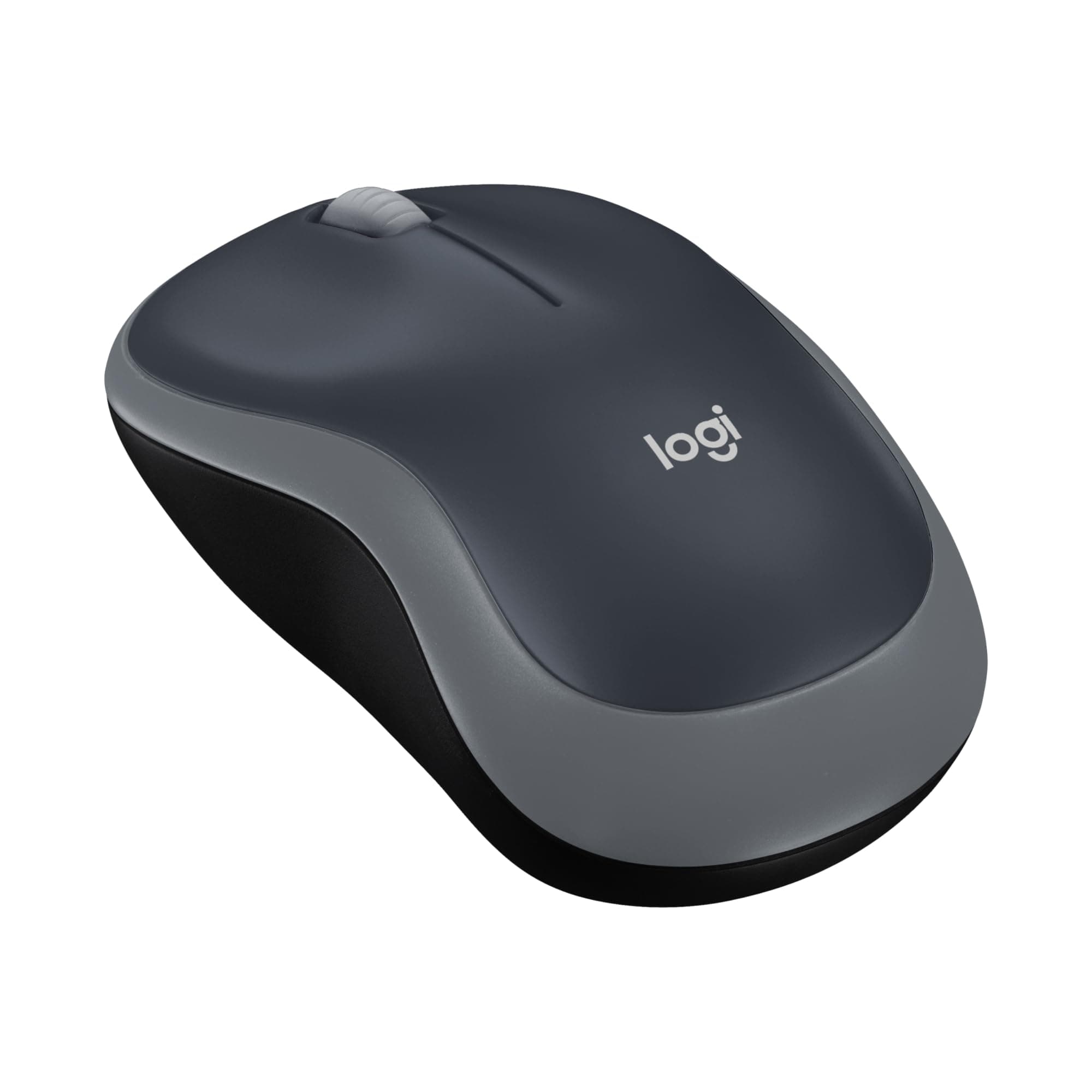
🖱️ Elevate your workflow with the M185 — small mouse, big impact!
The Logitech M185 Wireless Mouse delivers reliable 2.4GHz connectivity with a compact, ambidextrous design and 1000 DPI optical tracking. Featuring a long-lasting 12-month battery life and universal compatibility with PC and Mac, it’s engineered for professionals seeking effortless productivity and eco-friendly materials in a sleek, portable package.






| ASIN | B00552K0GM |
| Antenna Location | Home, Laptop, Office |
| Are Batteries Included? | Yes |
| Are Batteries Required | Yes |
| Battery Average Life | 12 months |
| Best Sellers Rank | 14 in Computers & Accessories ( See Top 100 in Computers & Accessories ) 1 in Mice 2 in PlayStation Legacy Systems |
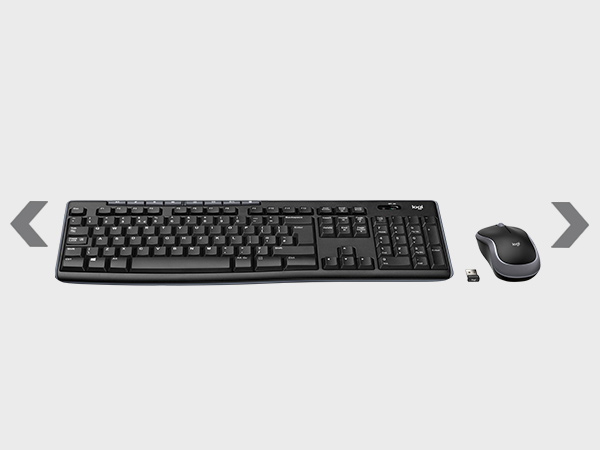
| Box Contents | tiny leave-in USB nano receiver, possibly 1 AA battery |
| Brand | Logitech |
| Brand Name | Logitech |
| Button Quantity | 3 |
| Colour | gray |
| Compatible Devices | Personal Computer |
| Connectivity technology | USB |
| Country of Origin | China |
| Customer Reviews | 4.5 out of 5 stars 123,385 Reviews |
| EU Spare Part Availability Duration | 2 Years |
| Embellishment Feature | Logo |
| Enclosure Material | Plastic |
| Hand Orientation | Ambidextrous |
| Hand orientation | Ambidextrous |
| Hardware Platform | PC |
| Item Dimensions L x W | 9.9L x 6W centimetres |
| Item Weight | 2.65 Ounces |
| Manufacturer | Logitech |
| Model Name | Wireless Mouse M185 |
| Model Number | 910-002235 |
| Mouse Maximum Sensitivity | 1000 Dots per Inch |
| Movement Detection | Optical |
| Movement detection technology | Optical |
| Network Connectivity Technology | USB |
| Number of Batteries | 2 Lithium Metal batteries required. (included) |
| Number of buttons | 3 |
| Operating System | Linux |
| Pattern | M185 Compact Size |
| Power Source | Battery Powered |
| Product Finish Type | Matte |
| Product Warranty | 3 years |
| Range | Up to 10 meters |
| Style Name | M185 Mouse |
| Theme | Butterfly |
| Unit Count | 1.0 count |
P**H
Simple and great!
Recently replaced my old one I'd had for about 6 years which eventually broke due to my butter fingers dropping it lots of times. Didn't like a more expensive other brand I bought for my personal laptop as it was too complicated. This is simple, cheap only in terms of the cost, and does the job, so I replaced my broken one with the exact same one I had for over 6 years.
H**Y
Small mouse with AA battery
This tiny Bluetooth mouse is really good. Comes with a AA battery and is not rechargeable. The design is ergonomic and button placement and the fit is efficiently designed. Gliding and scrolling is very convenient and does not have high noise level. Provides good value for money.
A**.
Keep it as a back-up. Then buy an Ergonomic Logitech - if your income allows.
Universal compatibility – supposedly your mouse will work with whatever computer you've got now or later, right? Well, I picked up a Pebble 2 keyboard and it just wouldn't work. My computer literally couldn't find it even though I had it sitting right there. if you're claiming universal compatibility, that should be standard, shouldn't it? I've actually bought tons of keyboards and mice from this company over the years, and this was my first real failure. Haven't completely lost faith yet, but it's shaky. My friend asked me for a mouse recommendation, so I suggested the Anker 2.4G Wireless Vertical Ergonomic Optical Mouse. My son is left-handed, but this mouse is designed for right-handed users. Here's what's surprising – my left-handed son actually prefers the Anker over an ambidextrous logitech. Never comfortable with computers anyway. She liked traditional designs and wasn't a heavy user, so the ergonomic benefits didn't really appeal to her as much as they could. Logitech feels decent in both hands and definitely beats using a touchpad. That's true, but it's still not as good as a proper ergonomic design. Plug and play setup is straightforward – unlike the Pebble, it just worked every single time. I've bought these in red, grey, and blue. The colours are pretty basic, the design is nothing fancy, but it's cheap and it performs. Skip the jokes and just get one, except for the Pebble 2. That one's frustrating Keep it as a back-up. Then buy an Ergonomic Logitech - if your income allows. The Pebble looks sharp and feels nice, but it doesn't actually function properly. I could tolerate occasional connection drops, but this device is basically just sitting there looking pretty. When it comes to durability and reliability, this mouse doesn't blow anyone away, but it gets the job done. The Pebble is more ambitious but ultimately fails to deliver. M185 is a massive seller that's reliable but boring. It's the safe choice. Reinventing things only works when they actually function flawlessly. When you're pioneering new features, you expect problems, and yeah, you'll find them. "Shrinking product world" trend that's better for people with smaller hands. Hopefully the reliability doesn't take a hit because of it. I just retired a WD external drive that was absolutely massive and lasted over 10 years. It probably could've gone longer than the entire lifespan of whatever the newest generation will be. My cautious friend got her mouse now and took my M185 to test it alongside hers. Logitech makes these amazing ergonomic mice that are literally supposed to help with your health, right? The thing that's absolutely infuriating - they're charging prices that are considerable. If you're a pensioner already struggling with medical bills, good luck affording one of these "health-saving" mice. It's frustrating because the people who actually NEED these ergonomic solutions the most are the ones getting priced out.
T**A
Great mouse that works and feels good to use.
Very happy with this mouse, nice to use and just works! I recommend if you need a new one - my old windows surface mouse stopped being repsonsive.
S**L
Value for money
Good product, easy to use.
F**S
Great mose
Great wireless mouse. Works perfectly. On the smaller side perfect to transport it around
T**R
Great product, easy to use
Bought for a friend for his shop as he needed one for his cctv, he had an old cable mouse and due to its location was finding it hard to check various cameras on screen. Now he can easily keep this wireless mouse under the counter and easily uses it when required.
P**N
Small but Mighty — Great Budget Wireless Mouse
I bought this for a family member who was still using a wired mouse, and for the price I felt confident giving it a try. It works exactly as expected responsive, smooth action, clicky buttons, and a solid scroll wheel. Just note the size: it’s smaller than I anticipated (the description does say this), so it may not suit everyone. That said, the compact size is also a real plus: it’s lightweight, easy to slip into a bag, and makes a great travel mouse. I’m now considering buying another one for myself to use on the go. What could be improved? Maybe an extra button or two but honestly, I rarely use them on my main mouse, so it’s not much of a drawback.
TrustPilot
5天前
1 个月前