We remain fully operational. Our teams are working around the clock to ensure your deliveries continue safely.

下载应用程序


💼 Store smart, move fast, stay ready.
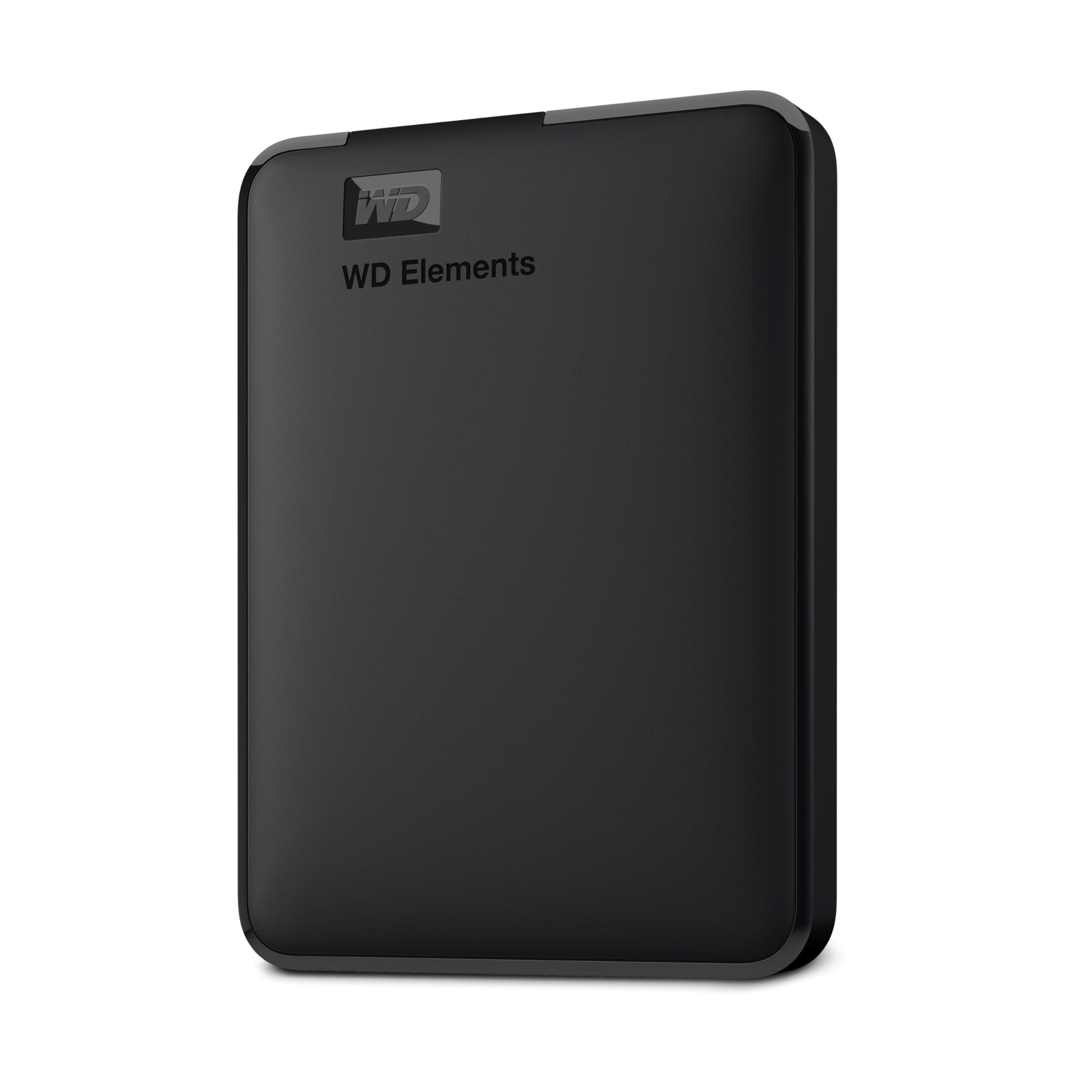
The WD 2TB Elements Portable External Hard Drive offers a robust 2TB capacity with USB 3.0 SuperSpeed interface, delivering up to 5Gbps data transfer rates. Designed for professionals on the move, it supports plug-and-play compatibility with Windows and Mac systems, housed in a compact, lightweight 2.5-inch form factor. This reliable, quiet mechanical drive ensures your digital assets are stored securely and accessed effortlessly, making it the perfect companion for managing large files and backups with zero fuss.


| ASIN | B06W55K9N6 |
| Best Sellers Rank | 189 in Computers & Accessories ( See Top 100 in Computers & Accessories ) 5 in External Hard Drives |
| Box Contents | Western Digital 2 TB USB 3.0 Elements Portable External Hard Drive - Black |
| Brand | WD |
| Brand Name | WD |
| Cache Memory Installed Size | 1 |
| Color | Black |
| Compatible Devices | Desktop, Laptop |
| Connectivity technology | USB |
| Customer Package Type | Standard packaging |
| Customer Reviews | 4.6 out of 5 stars 285,041 Reviews |
| Data Transfer Rate | 5 Gigabits Per Second |
| Digital Storage Capacity | 2 TB |
| Digital storage capacity | 2 TB |
| Enclosure Material | Plastic |
| Form Factor | 2.5-inch |
| Hard Disk Description | Mechanical Hard Disk |
| Hard Disk Form Factor | 2.5 Inches |
| Hard Disk Interface | USB 3.0 |
| Hard Disk Rotational Speed | 1 RPM |
| Hard disk form factor | 2.5 Inches |
| Hard disk interface | USB 3.0 |
| Hard-Drive Size | 2000 GB |
| Hardware Connectivity | USB 3.0 |
| Installation Type | External Hard Drive |
| Item Dimensions L x W x Thickness | 11.1L x 8.2W x 1.5Th centimetres |
| Item Type Name | No |
| Item Weight | 0.29 Pounds |
| Manufacturer | Western Digital |
| Media Speed | 625 |
| Model Name | WD Elements Portable |
| Model Number | WDBU6Y0020BBK-WESN |
| Network Connectivity Technology | USB |
| Number of Items | 1 |
| Product Features | Backward Compatible, Lightweight, Portable |
| Product Warranty | 2 Years |
| Read Speed | 1 Gigabytes Per Second |
| Special feature | Backward Compatible , Lightweight, Portable |
| Specific Uses For Product | Personal |
| UPC | 718037855363 |
F**C
Great
Great hard drive, loads of storage space and a nice compact size. I got one second hand, expecting some sort of visual imperfection or damage, but the only thing I could see was a slightly battered box. Zero issues with performance, and files move so fast compared to my old hard drive. Great!
M**Y
“WD Elements: Because your files deserve a safe home.”
Quietly Does Its Job Like a Digital Hero This WD 2TB Elements hard drive is not flashy. It doesn’t light up, beep, or demand attention. It simply shows up, holds all your stuff, and asks for nothing in return—and honestly, that’s the kind of energy I need in my life. Setup was plug-and-play easy. I plugged it in, my computer immediately recognized it, and suddenly all my photos, videos, work files, and “I’ll organize this later” folders had a safe place to live. Transfer speeds over USB 3.0 are fast, it runs quietly, and it’s small enough to toss into a bag without feeling like I’m carrying a brick. It’s been reliable, stays cool, and hasn’t given me a single scare—which is exactly what you want from something holding 2TB of your digital existence. No drama. No nonsense. Just storage doing storage things very well. If you need extra space and peace of mind, this drive delivers.
J**M
Compact, Fast and Perfect for Everyday Backups
This WD external hard drive is small, lightweight and very easy to use. It works straight out of the box with plug and play on Windows, and it only takes a quick reformat to use with Mac. The 1TB storage is plenty for photos, videos, documents and backups. Transfer speeds are fast with USB 3.0, and files copy smoothly without any issues. It feels well made and reliable, and it fits easily in a pocket or bag for travel. Overall, this is a great option if you want simple, portable and dependable storage at a very reasonable price. I would definitely recommend it.
C**L
Large storage solution
5TB of storage at this price was a no brainer. Just as an additional backup for my photos. I'm obviously using backbkaze too but this harddrive is backed up and kept off site. The quality is good. It's compact and offers good transfer speeds. Very pleased with my bargain of the month.
M**S
Working Very Well Playing PS4 Games On My PS5
Very compact and easy to use at a very competitive price for 2TB. I bought this specifically to take my PS4 games off the internal PS5 SSD but I didn't want to get a 'game drive' specific one as I would have more freedom if I wanted to partition it and backup some PC files as well. The setup couldn't have been easier, I took it out of the box, plugged it in and the PS5 recognised it instantly. I had to format the drive before I could use it which I thought might take a few minutes at most but only took 5 seconds, then I selected around 360GB of PS4 games/apps and started the transfer. After the format I had 1.8TB free which is more than enough and with all drives they need space for their base operating software which is usually a small fraction off the stated capacity, a lot of people clearly don't understand this from some of the reviews complaining they got less capacity than they purchased -_- The transfer was speed really good for a physical drive, better than I was expecting, it took just over an hour for it to finish moving the whole 350+GB to the external drive. My PS5 told me once that the drive wasn't removed properly after powering on after being in rest mode, I didn't remove the drive at all so I'm not sure why it said that. This error message has only come up once and happened the first time the console had been in rest mode with the new drive connected. The console has been in rest mode and turned off multiple times after this message and hasn't given me the error since so it may just be a one time thing. I'll update this review if I come across any issues. Loading PS4 games from the External as opposed to launching them from the internal SSD was a little bit slower. All times below were timed from the point of clicking resume on my game file to actually getting into the game. - Resident Evil 7 took 77sec to load which I'd played the day before on the PS5 SSD which probably took under 30 seconds. In-game the performance was perfect, no frame drop, no noticeable delay on textures rendering in. - Horizon Zero Dawn took 30-40sec which was actually quicker than RE7 despite being a huge open world game, the in-game performance was perfect too even with the 60FPS patch. - God of War took 29 seconds to load into the game. - Batman Arkham Knight took just 32 seconds to load my save and get into the game. - Mortal Shell took just 20 seconds to load into the game. - Call of Duty Modern Warfare took 56 seconds to load into the game from chapter selection.
A**R
Small in size big in storage
Great little hard drive. Comes formatted to NTFS. I formatted mine to exFAT. Now works with Windows, Mac, Android and iOS.
E**N
Incredible external hard drive
This has to be the toughest and strongest of hard disk drives, I’ve had no data loss, no noise problems and no serious compatibility issues, to be honest these aren’t problems I knew it could have until reading the amazon review prompts, I guess it means I either won the hdd lottery or it means that you need to get one of these
S**E
Does what it says
Time will tell how good this drive is but I've got many WD drives and have never been let down (yet - famous last words!). I purchased it to use as a TV recorder for my grandfather (on a Toshiba TV) and it worked straight out of the box. It was well packaged. As with all drives, it doesn't actually have the capacity stated (you will never be able to put 1TB of items on a 1TB drive for example due to formatting and software that's preinstalled on it), but that's true of ALL drives. Some advice if using it, as I have, for a TV - it will likely need formatting (I was fortunate mine didn't) and the formatting required depends upon your TV. Read your TV's user manual or simply type its model number and 'what file format' into Google to find out. Then plug the hard drive into a laptop/computer, select it on your device, right-click it and go down to 'format', select the appropriate format for your TV and 'start', and away you go. Most times, when people find it doesn't work with the intended device, it is because it hasn't been formatted to the correct file type (this can be true of computers too). Additionally, some file types can store more information than others, so if you're trying to record a movie for example, depending on the file type you've selected, it may record one file, or it may have to break the movie up into several smaller files. If that happens - it's not the fault of the hard drive! Also, if using with a Toshiba TV, it can be hard to find how to access it - that's the fault of the TV software, not the hard drive. (We found the setting hidden under 'Home button' > 'settings' > 'recordings'). My 5 other WD drives are anything between 5 and 13 years old, all between 1 and 4TB, 2 are portable and would be taken to and from work every day for years on end, bashed around in bags (I'm not gentle with them) often not in a protective case (they can be purchased if needed), and I've had not a single issue to date. They have all had very heavy use, with hundreds of files being used, edited, and deleted every day and so I expect this drive will be as hardy... But remember: They're electronic devices and they CAN FAIL (I've had other brand drives fail) so if you are using it for anything IMPORTANT, ensure you make backup copies of files either to a second drive or to a cloud-based drive (for photos, Amazon Photos is free and unlimited for Prime members - but you only get 5GB free for videos, and other documents aren't supported - for that, try Google Drive and One Drive but again, the free service is limited in size). Cloud-based drives can be accessed from anywhere in the world but can be hacked - but physical backups can be lost in house fires etc so if you have both a drive and its backup in the same location they could both be lost, as happened to my family. I have both physical backups and cloud-based backups because I have hundreds of thousands of files. As this is only being used to record TV occasionally, I should imagine it will still be working fine in 30 years time! Though if it should fail, I'll come back to edit this review ;-)
TrustPilot
2 个月前
1 周前