We remain fully operational. Our teams are working around the clock to ensure your deliveries continue safely.

下载应用程序


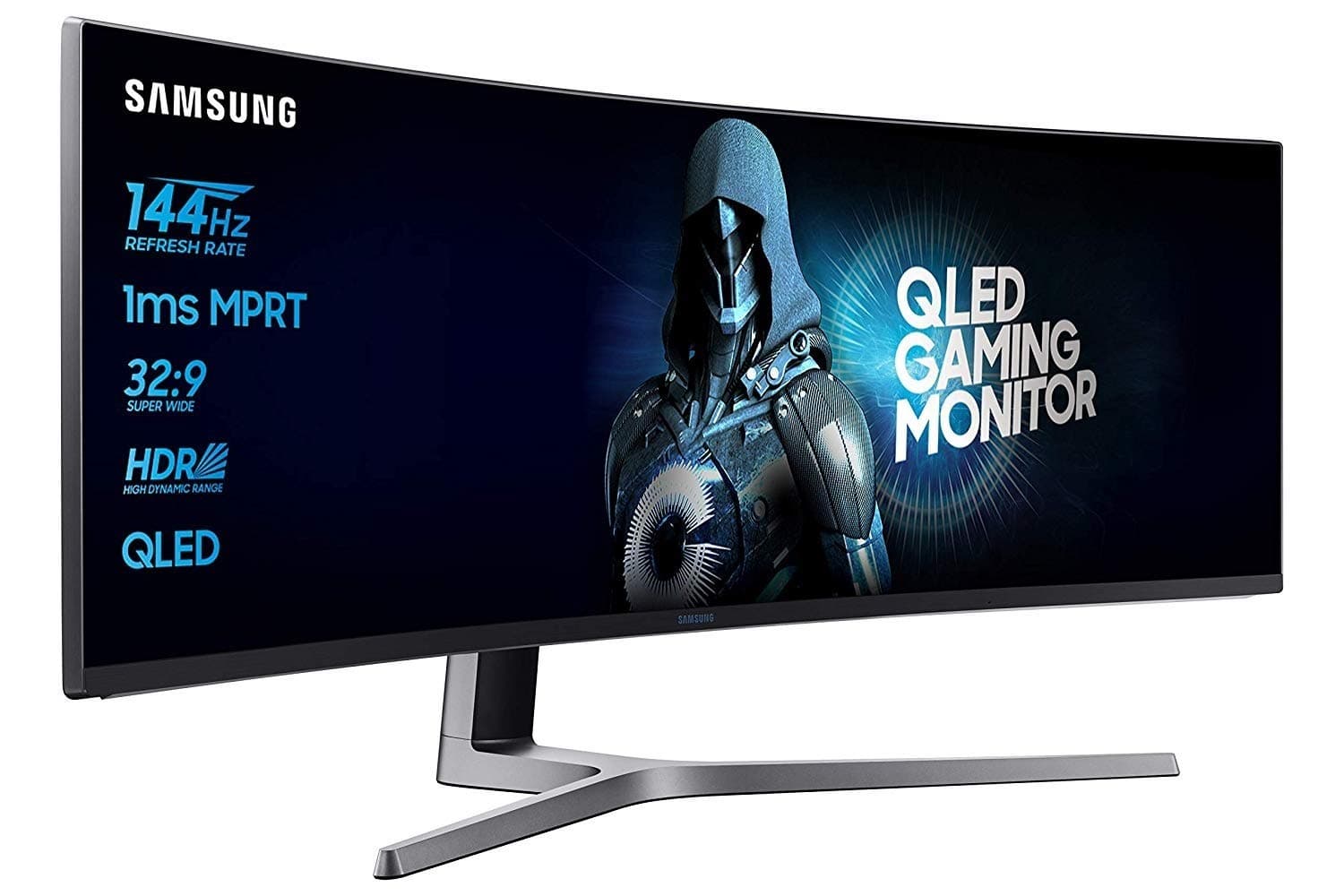
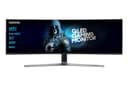
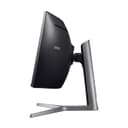
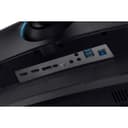
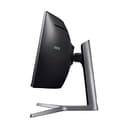
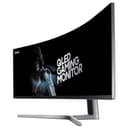
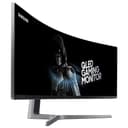
🚀 Go ultra-wide or go home: Elevate your workspace and game with Samsung’s 49" curved powerhouse!
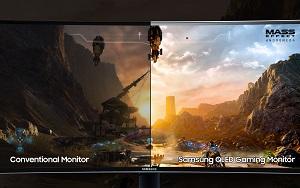
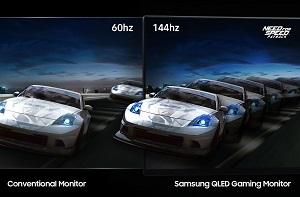
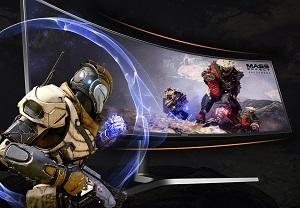
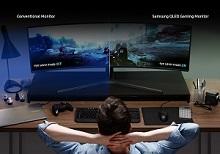
The Samsung LC49HG90DMUXEN is a 49-inch curved ultra-wide LED monitor featuring a 3840 x 1080 resolution with a 32:9 aspect ratio. It boasts a rapid 144Hz refresh rate and 1ms response time for smooth, lag-free visuals, enhanced by Quantum Dot HDR technology delivering vibrant colors and up to 600cd/m² brightness. Equipped with multiple connectivity options including 2 HDMI ports, DisplayPort, Mini DisplayPort, and USB 3.0, this monitor is designed for immersive multitasking and gaming experiences. Its sleek matte black curved design reduces eye strain and maximizes productivity, making it a standout choice for professionals and gamers seeking expansive screen real estate.








| ASIN | B073RJQXB1 |
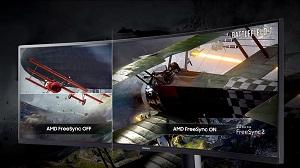
| Adaptive Sync | FreeSync |
| Aspect Ratio | 32:9 |
| Aspect ratio | 32:9 |
| Best Sellers Rank | 92,552 in Computers & Accessories ( See Top 100 in Computers & Accessories ) 1,660 in Monitors |
| Box Contents | Monitor |
| Brand | Samsung |
| Brand Name | Samsung |
| Colour | matte black |
| Compatible Devices | [Potentially] laptops, desktops, game consoles and multimedia devices with HDMI output |
| Contrast Ratio | 3000:1 |
| Customer Reviews | 3.8 out of 5 stars 1,147 Reviews |
| Display Technology | LED |
| Display Type | QLED |
| Global Trade Identification Number | 08806088859484 |
| Hardware Connectivity | HDMI |
| Has Color Screen | Yes |
| Image Brightness | 600 nits |
| Image contrast ratio | 3000:1 |
| Is Electric | Yes |
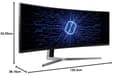
| Item Dimensions D x W x H | 38.2D x 120.3W x 52.6H centimetres |
| Item Type Name | Gaming Monitor |
| Item Weight | 2 Kilograms |
| Manufacturer | Samsung |
| Maximum Display Resolution | 1920 x 1080 |
| Model Name | LC49HG90DMUXEN |
| Model Number | LC49HG90DMUXEN |
| Mounting Type | Panel Mount |
| Native Resolution | 1920x1080 |
| Network Connectivity Technology | 2 x HDMI, 1 x Displayport, 1 x Mini Displayport, 2 x USB 3.0 |
| Picture Quality Enhancement Technology | Quantum Dot |
| Pixel Pitch | 0.31 |
| Power Consumption Size | 113 Watts |
| Product Features | Ultra wide 32:9 format, HDR 600, QLED, 144 Hz, 1 ms |
| Product Warranty | 2 years |
| Refresh Rate | 144 |
| Resolution | FHD 1080p |
| Response Time | 1 Milliseconds |
| Screen Finish Type | Curved |
| Screen Size | 49 Inches |
| Screen size | 49 Inches |
| Screen surface description | Curved |
| Shape | rectangular prism |
| Specific Uses For Product | Gaming |
| Total HDMI Port | 2 |
| Total USB 2.0 Ports | 1 |
| Total USB 3.0 Ports | 2 |
| Total USB Ports | 2 |
| Total Video Out Ports | 1 |
| Unit Count | 1.0 count |
| Viewing Angle | 178 Degrees |
| Voltage | 220 |
P**T
Simply Stunning.
I purchased this monitor coming from a 35 inch ultra wide. I was surprised to find the majority of games work with this unusual resolution with hud issues in some games being the main problem. For years I’ve had g sync monitors and wasn’t sure if I could live without it, with this monitors 144hz refresh rate I could barely notice any tearing and V-sync causes a negligible impact at 100+ fps gaming, if you have a powerful PC I think G-Sync is a little over rated, obviously it has Freesync but until AMD become competitive on the performance front that feature is likely to be wasted on many enthusiasts, what is more useful perhaps is Ultra low motion blur which the monitor does support. Picture quality wise the monitor impresses, whilst only vertically 1080p the image quality on offer is superb with none of the dirty look I've found before on other monitors like the Z35 for example. Colours are incredibly vibrant and really pop with a great black level providing the perfect backdrop. There are some downsides, where 21:9 monitors benefit fully from the extra screen space in the majority of games here we see the outer edges of the screen occasionally exhibiting some fish eye stretching, not the monitors fault just the game, but many work faultlessly, The Evil Within 2 is a stunning demonstration of this monitor in all of it's glory. As a side note I am now on my third exchange as the monitor had what appears to be a stuck blue pixel directly above the Samsung logo, they all have in exactly the same place so I guess it's a design thing, it's so close to the bezel that it really isn't a bother anyway. I was a skeptic, now I'm converted, forget 21:9, for true immersion it's all about 32:9.
D**I
AVOID!!! [C49HG90]
UPDATE 21 OCT 2020: This is an official response from Samsung: " I will arrange to get the mainboard replaced, as the display issue is an aging panel characteristic issue we cannot offer a repair for it." They also stated that this monitor was manufactured in early 2017... So they can fix the issue with the power supply but won't fix the dark clouding. My 2017 premium 65" Samsung TV had the exact same issue but not as bad and PC World replaced the panel under their warranty. Either the 2017 panels are very poor or Samsung quality has gone down. I used to be a Samsung fan but I cannot recommend any of their products any more. Buy something else instead. ------------------------------------------------------------------------------------------------------------------------------------ UPDATE 17 DEC 2018: The rating moved from 5 to 3 to 1 and now 4. ORIGINAL REVIEW: Right now I have a love/hate relationship with the C49HG90 Samsung Monitor. It truly is an amazing monitor however mine seems to have a fault right out of the box. Once the monitor has been powered off for a number of hours it will not power back on unless a power cycle takes place. As in I have to unplug it and re-plug it into the mains. A quick google search did find that other people had similar issue and it was the PCB, which required the whole board to be changed or new monitor. Was going to try ad change it for the Acer Predator Z35 35 inch, but that seems to have issues too. I am not happy if I have to send mine for repairs, once a new item is faulty out of the box, who knows what else can go wrong. Right now I am waiting on Amazon to get some new stock in and see if I can get it replaced. It is a shame as it is great for multi tasking, great-ish for games and no dead pixels. Monitor Review: Dead Pixels: So far I have only managed to see a few stuck pixels. A quick soft brush with a microfibre makes them go away. The monitor is so wide that it is quite problematic finding them:) I can only recommend spending a bit of time and looking for them using different backgrounds. There is a website that should help with that. When you do brush them, they seem to move to another area. A bit like rubbing them in and they go away. ** The used replacement had multiple dead pixels. Day to Day use: Monitor is great for having multiple windows open, I have not experienced any text stretching or issues. I am using it at 60Hz as it makes easier. I did try 100 and 120, couldn't tell the difference. I am still trying to find the best image settings, somehow my old Asus 27" looks much much much better. ** Due to the QLED tech, this monitor does not suffer from bleeding or ghosting. Games: With a GTX 980 and now a RTX 2080 I didn't get any noticeable drop in FPS. I check the FPS and the numbers looked the same, however it is recommended to use a better video card. Most games will accommodate the 32:9 and some will do so with some config files editing. However I can't help it and say that it does stretch the sides. Seems to be like a fish-eye effect. As you turn around the image does change to normal. I can't tell if this is how it is supposed to look. My understanding is that it has something to do with the FOV. The immersion is still there and since I have not tried VR, I can't tell. I still like it but I am sure a 21:9 would look just as good unless the same stretch effect occurs. I have uploaded a few screen-shots from games. I would honestly give it 4 or 5 stars if I did not have the issue with it out of the box. I have tried just about everything to get it working. Sometimes it seems to work for a 1 or 2 days then goes back (worked after firmware update and after monitor reset). Because I need at least 6+ hours between each test, it is extremely hard to troubleshoot. I can only do about one test a day. Video: The video was taken over a number of days, each morning, starting with the 2nd day after I realised the issue. Game Screenshots: Transport Fever, Skyrim (not SE), Elder Scrolls Online (1080p vs 1440p), World of Warships, Warframe, MechWarrior Online (1080p vs 1440p), Heroes of the Storm (1080p vs 1440p), GTA 5 (these screenshots show the 27" and the 1080p vs 1440p), Star Trek Online. UPDATE: 30/11/2018 I am currently in the process of replacing it. Amazon are great as always. I tried my best not to have to send it back due to its size and inconvenience caused. After taking extreme care in re-packing it, ready for pick-up. I will be brutally honest and say, the moment my pc went into Windows on my "27 Asus and my desktop was all messed up with the icons all stuck together. The moment I went into MWO and couldn't see anything to my sides... I felt extremely constrained, almost claustrophobic. I do love this monitor. I believe that once you go this wide, you will not want to go back. I have changed my rating to 5 stars as the product is amazing if it works %100. I am hopeful that the replacement will be working perfectly as I really don't want to send it back. UPDATE: 04/12/2018 Unfortunately for me the first replacement got lost/damaged/fell of truck, and I never received it. The 2nd replacement did arrive but is a refurbished/used item with missing cables, dirty box and scratches on the monitor sides and dirt on screen. I really do want this monitor so I took the hit and re-ordered it myself, Amazon would not send another replacement as with them 2 times is the limit. I am now waiting for the new monitor to arrive whilst having 2 others ones needing to go back, yes, I will end up with 3 of these in my house. Hermes is not liking to pick these up. I am really thinking that when you have to work this hard for something, it might not be worth it in the end. As great as the monitor is, too much headache. Sorry Amazon but you messed up with this one, customer service and logistics team have failed me. Changed from 3 stars to 5 stars and now to 1 star due to all the inconvenience and dropping nearly £2000, just to get it working. UPDATE: 05/12/2018 "New" monitor has arrived today but unfortunately the package was open on the side that states "Do Not Open", the same as the previously used one. The original seals were cut and open, only held by 1 set of tape which was coming off. As I had to pay £972.87 of out pocket to receive a used/refurbished item I am not happy at all, refused delivery, the item can go back to Amazon to be sold as a Warehouse Deal, but not as a NEW item. ** As some other people it seems I have been extremely unlucky with this item. The product is truly an amazing piece of kit if you get a new one in good working order. I still recommend it but you might want to get it from a shop so that you know it is coming new and sealed. Going to 2 stars. UPDATE: 17/12/2018 After the fiasco above I decided to return it and get the 34" Dell Alienware AW3418DW. Before getting the W3418DW I ended testing this monitor further, the original. It worked flawlessly, no power issues nothing. After using the AW3418DW for a few days, due to the extreme Orange Glow and bad Ghosting I am now thinking to keep the Samsung and give it a chance. I can really live with the 1080p Height. It is 4 extra icon rows but you can always use the Nvidia Dynamic Super Resolution and make your desktop even bigger. I actually love this monitor, much better in my opinion to the AW3418DW 3440x1440 (1440p). This is for the colours, back light, immersion and multitasking ability. I have added a few extra photos to show the 1080p vs 1440p. I will be keeping it for now and see if the power issue still happens. As I mentioned, it worked for 1 weeks without any issues. After replacing the AW3418DW with it, the power issue manifested itself again. You cannot deny the WOW factor when you play games. Sure if you are into FPS this might not be the monitor for you as it will cut from the vertical, however in many games there is almost no different if any at all. I am hoping that the power issue will settle down as it previously did, if not I can live with doing a power cycle. If it does get any worse I hope that Samsung/Amazon will assist with refund, repair or replacement. UPDATE: 11/03/2019 Unfortunately, I can start seeing a dozen stuck or dead pixels. Going over the screen whit a microfibre no longer fixes them. Could be something with the HDR, whatever it is... no good. I love the monitor and no idea how I would go back to a normal one, even a 34 wouldn't do it. Not many choices around the 40+ inches. I am going to stick with it a bit longer, see how bad it gets and may need to go with a Samsung repair. If that doesn't fix it, may need to request a refund. In addition, the power issue is still happening, it is quite random, I have plugged it into a smart plug, that way I can reset the switch from my phone if needed. I read quite a number of complaints regarding dead pixels after a few months, especially from the US users. The power issue too. UPDATE: 12/10/2020 I am now dropping the rating to 1 star. Just under two years of use the monitor has developed weird dark patches on the screen, this is all over the place and it can be seen in the last photo I have uploaded. I will be contacting Amazon to see what they can do. Just an FYI, my Samsung 65" also had a similar issue and they had to replace the screen. Dreading if I need to be without a monitor for too long. UPDATE: 11/09/2021 Amazon did replace the item on 21 October 2020, however by September 2021 the new monitor developed the purple lines see latest screenshots. Have contacted Samsung but they seem to go away after a while or after changing the refresh rate, so pretty much changing between the 3 saved profiles.
T**S
You need a wall mount or a very deep desk
First of all... I love this monitor. Best thing I purchased in years. But when I took delivery (finally... Amazon messed it up twice and it took a month) I panicked. I didn't like it. I put it on my desk and thought "oh dear, it's too big" and I like big. I wanted it because it was big. It set up instantly, no messing around (I had a new PC as well, so maybe latest graphics cards etc helped) and I booted up my first game, fortnight. It made me feel sick. I was too close to it. I have a normal desk, standard depth but with the stand, it was too close to me. I sat for 10 mins thinking "am I going to send this back?" But I already had the wall mount and got the drill out and put it up. The extra depth worked brilliantly. The stand for this is huge. It will take over your desk. On the wall it gives you space and most importantly, is just right in terms of distance. Picture is amazing. Controls are easy (don't know what all the other reviewers are moaning about) Games are magnificent. I use it for Adobe cloud stuff and that's amazing. All together.... I love this monitor.
C**M
Perfect for gaming, animating and general use
Amazing monitor!! Absolutely great for how much you're paying for. Really insanely good quality and really easy to setup. Will say there are a few issues, like if you have it turned off for more than 24 hours sometimes it takes a while for the pixels to sort themselves out. But this usually takes 10 minutes maximum. The actual quality of the monitor itself is perfect. As an animator, I don't think I could go back to a smaller monitor again. Absolutely will continue to buy Samsung monitors in the future.
D**D
Fantastic monitor
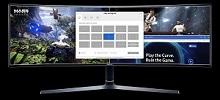
This monitor was the best item I have ever bought that actually does what it promises. I have a NVidia graphics card and although that doesn't support AMD freesync the monitor shows NO lag at all. The refresh rate is phenomenal at 144Hz. This was a replacement monitor for my 3 x 22" monitors and I never look back. I also thought docking of applications would be an issue but not when using the associated software "Easy Setting Box". This you can allocate parts of the screen that apps will automatically dock to. The monitor supports picture by picture from the 2 video inputs but not picture in picture modes. My only issue is when utilizing the multiple video inputs and the 2 port USB hub, the compartment at the back gets a little too crowded and difficult to put the plastic cover on and yes you need a large desk. The stand front to back is around 35 cm.
N**L
Excellent ultra widescreen monitor for business use
I bought this monitor to use in my financial planning practice. I often work with multiple applications open at once, web browser, Word document, file manager and so on. I previously used two curved 28" Samsung screens and decided on trying out a single screen solution (i.e. to avoid the left/right screen with no central focus area). I am very pleased with my purchase, it's a great screen of which the full screen area is comfortable on the eye to use. The screen is very heavy and I have opted for using the desktop stand (previously used screens on hydraulics arms). The stand works well on my desktop but does have a significant "footprint". Not tried for gaming but am sure it would be excellent for this given the dimensions and curved screen.
G**Z
Returned.
I appreciate I purchased this as what I believe is an Amazon rebox, My issue isn't and hasn't ever been with Amazon. After taking the decision to return Amazon arranged pickup. Took delivery of the monitor and unpacked it. I was using 2x27" monitors so this is an upgrade of a considerable amount. The monitor is old, I believe first manufactured in 2017 so I wasn't expecting 4,8K but I was also no expecting dark areas. The monitor suffered dark areas in the bottom left and top right. I contacted Samsung and they kept me on the phone for an hour investigating the issue to no avail. They suggested I obtain a refund or they are happy to repair using one of their approved repairers..... This is where the 'fun' started! I got the monitor for a really good price and really didn't want to send the thing back... it's HUGE! Samsung arranged a home repair due to the size, They let me know the date and let me know that I will get a call to arrange time. I booked the time off work and waited for my repair. I then get a call from the authorised repairer (ICTV Basingstoke) and they advise they will be attending to pick the unit up the day after Samsung let me know. I tried to call them back but was on hold for 1.5 hours stuck in position 3 that never moved, I hung up in the end but during this time I googled them.... WOW! pages and pages of reviews for this company! issues ranging from being caught on hold in position 3 to them not returning devices and not being contactable for MONTHS! How Samsung operate with these people is beyond me and told me everything I needed to know about how this was going to go. I cancelled the repair and arranged a return with Amazon. Quite frankly, I used to be a Samsung man through and through but knowing they are happy to have their customers treated like this when there is a problem is enough to turn me back to Sony! Everything I have is Samsung but ill be making a proper effort to replace everything I have including my phone, tv's, smart items, headphones over to something that can be relied on. Terrible service!
L**S
Amazing experience but takes time to get used to
this is the best thing I've treated myself with, the screen is truly amazing but takes time initially it looks like a scretched 24inch monitor but once used, it's truly great for multi tasking & gaming, the only - for this is the samsung Easy Settings Programm it just doesn't seem to work for me and it appears randomely somewhere on my screen out of nowhere so I have the app/programm closed at all times rest, picture quality is great also once the monitor is set up it's quite hard to move it as the back panel of the monitor is coming off when trying to lift it
TrustPilot
1天前
1 周前