
下载应用程序




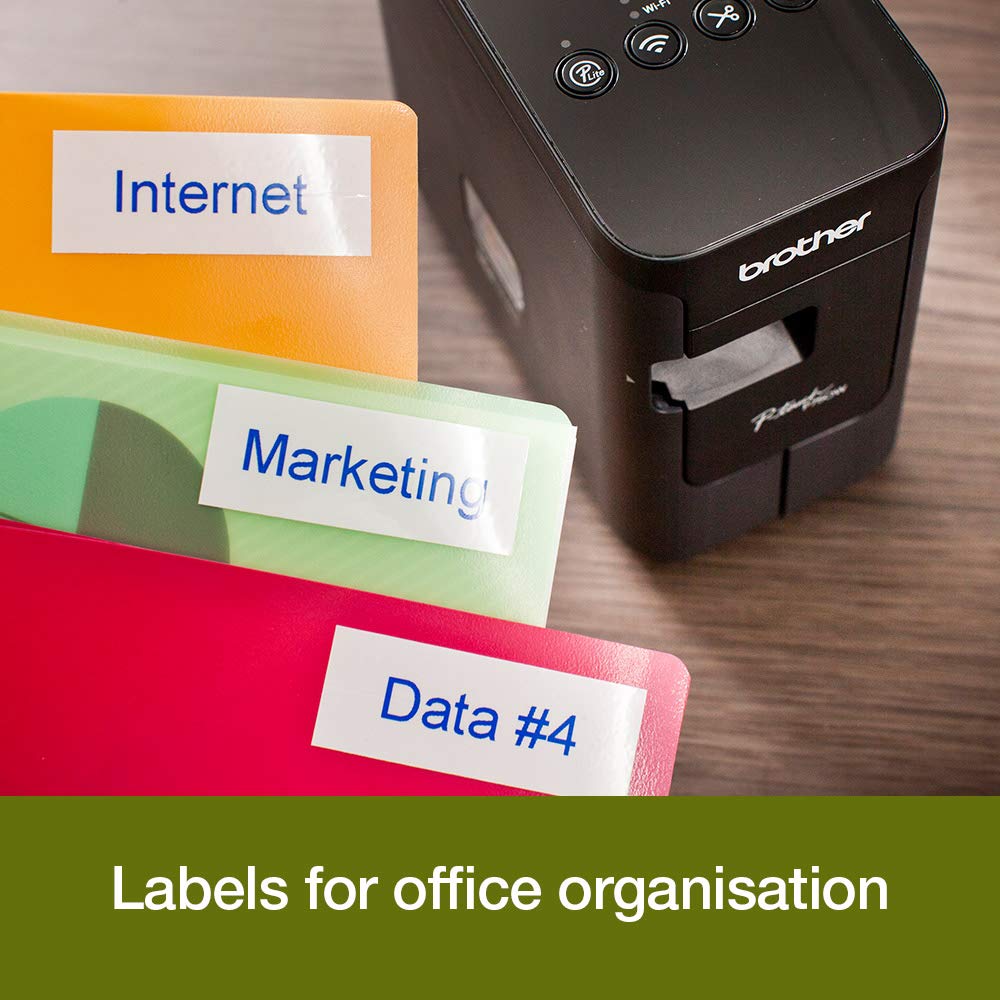


🏷️ Label like a boss—fast, flawless, and fully connected!
The Brother PT-P750W is a versatile, portable label printer that delivers durable laminated labels up to 24mm wide. Featuring ultra-fast 30mm/sec print speeds and flexible connectivity options including WiFi, NFC, and USB 2.0, it empowers professionals to create custom multi-line labels with barcodes and logos via free design software. Ideal for office, workshop, or home use, it combines speed, durability, and convenience in a compact design.


| ASIN | B00N2T44TY |
| Best Sellers Rank | 9,122 in Stationery & Office Supplies ( See Top 100 in Stationery & Office Supplies ) 39 in Label Makers 55 in Labels & Labelling Equipment |
| Colour depth | 1 bpp |
| Compatible devices | 10mm, 12mm, 18mm, 24mm, 6mm |
| Controller type | Android, iOS |
| Customer Reviews | 4.3 4.3 out of 5 stars (2,229) |
| Date First Available | 13 Aug. 2014 |
| Dual-sided printing | Yes |
| Included components | 24mm Black on White Tape Cassette, AC Adapter |
| Ink Colour | Black and White |
| Item Weight | 800 g |
| Manufacturer | BROTHER |
| Manufacturer Part Number | 5836064 |
| Max input sheet capacity | 100 |
| Maximum Supported Paper Size | 24mm |
| Maximum black and white print resolution | 600 dpi |
| Maximum colour print resolution | 180 x 180 dpi |
| Model Number | 5836064 |
| Number of Items | 1 |
| Print media | Labels |
| Printer resolution colour vert. max. | 2.4 Centimeters |
| Product Dimensions | 15.2 x 7.8 x 14.3 cm; 800 g |
| Scanner type | Portable |
| Sheet size | 24 millimeters |
| Size | Up to 24mm tapes |
| Warranty type | limited warranty |
C**H
This label printing system is brilliant - buy one now!
(No, I'm not getting paid by anyone to say this - it just seems to be the perfect answer to labelling!) This is a brilliant little label printer, rather undersold on Amazon and on the manufacturer's website. Had it been more clearly explained I would have bought it without a thought. I decided to take a chance and I'm glad I did.. It can print on label tapes of several widths, the widest being 24mm. Different label tapes are available for printing black on white and several colours, white on black, black or white on transparent labels. The cartridges are simple to slot in and out so you can easily make just one off of a number of different sizes, formats and colours. I found it easy to install and get working with my iMac, and the downloadable App is cleverly designed so you can use different fonts, styles and sizes, plus barcodes, images and borders. You can produce multi-line type (within the depth confines of the label tape you are using). The only thing I haven't yet found is how to adjust the line spacing, but it's not a big problem. The labels seem to be encapsulated in clear plastic so should be durable and waterproof. Some reviewers criticise because it wastes half an inch of label tape each time, but I suspect this is essential for the way it works, and it does give scored tab which makes it really easy to peel off the backing. Apart from that it only uses the required amount for the longest line on your label. Multi lines can be centred or justified left or right. Uses so far - for sticking onto plastic plant labels, bottle and jar labels, cables and pipe identification. Perfect around the office, kitchen, garage, workshop etc. Just brilliant!
S**K
Great little compact labeller, easy to use and cheap
Great little labeller that is compact and easy to carry around. The app on your phone means the labeller needs no built in keyboard so makes it compact. Dead easy to set-up and use, app is a little bit clunky but does the job fine. Can be wasteful of ribbon/tape but you can easily work around this by printing multiple labels one after another and cutting manually rather than ejecting and cutting each label with the built-in cutter. To further reduce costs, buy the 3rd party label cassettes to use with it rather than the Brother originals.
S**T
Great Printer
Great label printer. Finally upgraded from my Dymo labeler! iPhone & Mac app are great.
G**L
Works nicely but instructions need some work....
This arrived at lunchtime today and is already set-up and printing labels nicely. It loses a star for the most essential part of the instructions being unclear. For a straight forward setup follow all the instructions (steps 1-5) for connecting to a PC or Mac first (even if like me you bought it to use with your iPhone and iPad). The step 6 instruction vaguely gives a link and looks like it is optional. It should say that you must go to this link and follow all of the instructions to the letter to download and install the software-during this setup all of the wireless network connectivity is sorted. At one point in the instructions it tells you to select your printer name +CUPS -this meant not selecting 'AirPrint ' on my Mac ( which worried me) however I did as instructed and needn't have worried. When I came to select the printer in the iPrint & Label app on my iPad it found it automatically because of the setup done through the Mac or PC. I have included a photo of the screen on the computer 'click the start here' icon after the download has been done and opened I hope this makes folks installation less confusing. Anyway I thought the Mac label software was a bit clunky but now happily printing pretty labels from the better iPrint & Label app on my iPad using my own images which I'm very happy about.
R**S
It is a successful piece of cube
Now I have managed to test this device in my own way, especially since I have been using hand-held professional P-touch printers. The only thing I can write is that I'm wondering what to do with my existing printer. This one will never be of any use to me again. The wonders that can be edited and printed on the PT-P710BT depend only on your creativity, considering the type of tape you use. Printed photos may not be perfect, but a graphic designer will be able to prepare the photo so that it looks good on single-color tape. I was able to do it quite well. All expectations that my previous printer did not meet are now met. Keeping in mind the limitations of the print medium, an editor that can be used even on a phone allows for more than can be found in available templates. I am delighted with this small handy device. Unfortunately. While the Bluetooth connection to the phone works without any problems, to print from a PC I still have to connect with a micro USB cable (I would expect USB-C). Creating QR codes is brilliant. You can enter whatever you want there so that interested people can easily read it with a regular phone. Nevertheless, it is a successful piece of cube.
R**R
Very very slow to connect to App
It takes an age to connect the app, I mean it is reeeaaalllly sloooooow. To the point I don’t bother printing, sometimes it can be over 5 minutes, sometimes not at all. When it works it’s pretty good but often I just don’t bother as takes to long.
A**.
Trusted piece of kit
Nice label printer from a reputable manufacturer. Very easy to use from the Brother ‘Design&Print 2’ App. Gives very good results on various media colours.
N**Z
Seit ich den Brother P700 bei mir im Büro habe, ist Beschriften das allergrößte Vergnügen. Einfach, sauber, schnell... leicht zu installieren. Ich hatte früher mit den handelsüblichen Beschriftungsgeräten gearbeitet. Das war kein echte Spaß und schön war anders. Für alle die viel und vor allem einheitlich beschriften müssen, ein Muss.
G**Y
Easy to use with many different fonts, colours and very portable.
C**E
Bom equipamento, com software de edição fácil de instalar, que permite fazer uma grande diversidade de etiquetas de modo rápido e muito fácil.
M**R
This is a brilliant little label printer..
N**O
Super pratique pour éditer toutes sortes d’étiquettes de qualité. Plein de tailles, de polices et d’icônes. Fonctionne nickel sur batterie en Bluetooth avec un téléphone.
TrustPilot
1天前
5天前