We remain fully operational. Our teams are working around the clock to ensure your deliveries continue safely.

下载应用程序




Buy anything from 5,000+ international stores. One checkout price. No surprise fees. Join 2M+ shoppers on Desertcart.
Desertcart purchases this item on your behalf and handles shipping, customs, and support to Hong Kong.
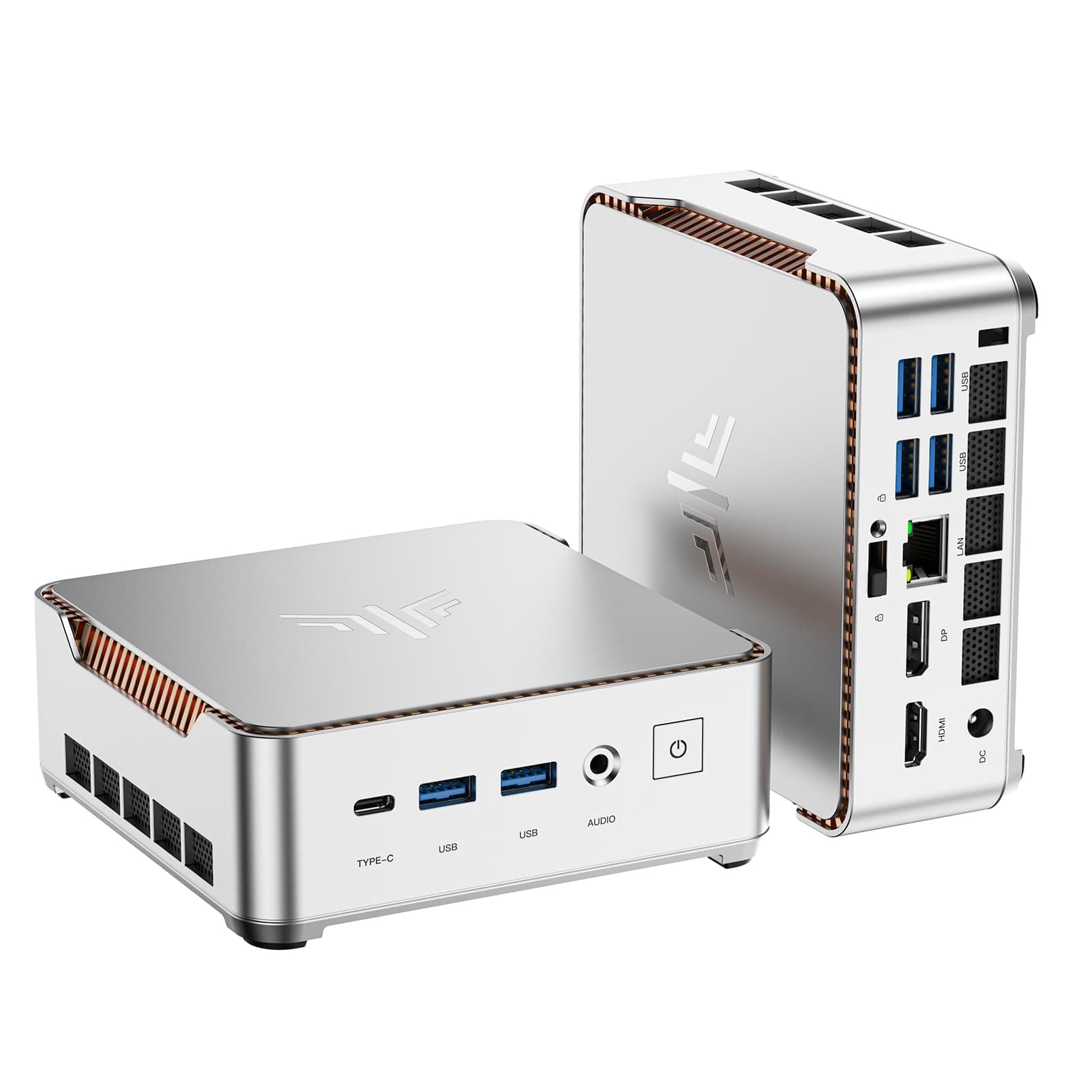
🚀 Mini PC, Major Impact: Power, speed & style in a compact frame!
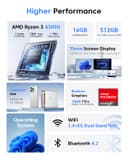
The KAMRUI GK3 Pro Mini PC combines the latest 11th Gen Intel N5105 quad-core processor with 16GB DDR4 RAM and a 512GB M.2 SSD, delivering desktop-grade performance in a sleek, space-saving design. Supporting 4K UHD triple display output and equipped with versatile connectivity options including Gigabit Ethernet, dual-band WiFi, Bluetooth 4.2, and multiple USB and HDMI ports, it’s engineered for professionals seeking a powerful, reliable, and stylish mini desktop solution running Windows 11 Pro.


| ASIN | B0BC7S9R5C |
| Aspect Ratio | 16:9 |
| Available Memory Slots | 1 |
| Best Sellers Rank | 271,321 in Computers & Accessories ( See Top 100 in Computers & Accessories ) 2,985 in Desktop PCs |
| Box Contents | Keyboard, Monitor, Mouse |
| Brand Name | KAMRUI |
| CPU Model Number | GK3PLUS |
| CPU Model Speed Maximum | 2.9 GHz |
| Cache Memory Installed Size | 4 MB |
| Colour | Silver |
| Compatible Devices | Monitor, Television, Projector, Smartphone, Keyboard, Mouse, Speaker |
| Cooling Method | Air |
| Customer Reviews | 4.4 4.4 out of 5 stars (1,782) |
| Display Type | LED |
| Graphics Card Interface | Integrated |
| Graphics Card Ram | 16 GB |
| Graphics Coprocessor | Intel UHD Graphics 800 |
| Graphics Description | Integrated |
| Graphics Ram Type | Shared |
| Hard Disk Description | SSD |
| Hard Disk Interface | Solid State |
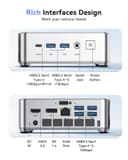
| Hardware Interface | 3.5mm Audio, Bluetooth, DisplayPort, Ethernet, HDMI, USB 3.2 Gen 2×2, USB Type C |
| Human Interface Types | Buttons, Keyboard, Mouse |
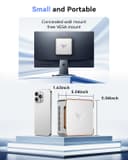
| Item Dimensions | 12.8 x 12.8 x 4.1 centimetres |
| Item Weight | 573 Grams |
| Keyboard Description | Standard Wired Keyboard, Full Size, QWERTY Layout |
| Keyboard Layout | QWERTY |
| Manufacturer | Shenzhen CYX Industrial Co., Ltd. |
| Maximum Display Resolution | 3840 Pixels |
| Memory Clock Speed | 3.7 GHz |
| Memory Speed | 2666 MHz |
| Memory Storage Capacity | 512 GB |
| Model Name | GK3 Pro |
| Model Number | P2 |
| Model Year | 2026 |
| Native Resolution | 3840 x 2160 |
| Network Connectivity Technology | Ethernet, HDMI, USB |
| Operating Systems | Windows 11 |
| Optical Storage Device | BD-R |
| Personal Computer Design Type | Mini PC |
| Power Consumption Size | 30 Watts |
| Power Plug Type | Type G |
| Processor Brand | Intel |
| Processor Count | 4 |
| Processor Series | Celeron |
| Processor Socket | LGA 1211 |
| Processor Speed | 3.4 GHz |
| Product Features | Portable |
| RAM Memory Installed | 16 GB |
| RAM Memory Technology | DDR4 |
| RAM Type | DDR3 SDRAM |
| Ram Memory Maximum Size | 64 GB |
| Resolution | 3840 x 2160 |
| Security Features | Windows 11 Pro security features |
| Speaker Description | Monitor |
| Speaker Type | Monitor |
| Specific Uses For Product | Business |
| Style Name | Minimalist |
| Total Expansion Slots Quantity | 4 |
| Total HDMI Port | 2 |
| Total Thunderbolt Ports | 2 |
| Total USB Ports | 6 |
| Total Video Out Ports | 3 |
| UPC | 665878526931 |
| Unit Count | 1.0 count |
| Video Output | HDMI, DisplayPort, USB-C |
| Video Output Interface | HDMI |
| Video Processor | / |
| Wireless Compability | 2.4 GHz Radio Frequency, 5 GHz Radio Frequency, 802.11a/b/g/n/ac |
| Wireless Network Technology | Wi-Fi |
| Wireless Technology Type | Bluetooth, Cellular, Wi-Fi |
A**D
Nice win 11 and small
Easy to set up and nice and small
M**A
same as described
E**Z
buena calidad y rendimiento, el tamaño excelente
M**I
ACHTUNG! Guter MiniPC, gute Performance, ABER: - Netzteil mit Stecker fuer USA Steckdosen (ich hatte einen Adapter, so kein grosses Problem. Man braucht NICHT einen Adapter mit Spannungsumwandlung, das Netzteil kann 110 - 240V verdauen, diese einfachen Adapter sind auch nicht teuer.) - Einer der USB 3.x Ports ist tot, nicht funktioninsfaehig - Der N95 Intel CPU ist eine eigentlich nicht zu verkaufende Testversion (Engineering Sample CPU), die eigentlich noch Intel gehoert und den Computerfirmen nur leihweise zur Verfuegung gestellt wird. Diese Prozessor Version ist moeglicherweise fehlerhaft. (Nebenbei bemerkt hatte ich bewusst diesen MiniPC mit dem aelteren Intel N5105 bestellt, da dieser 2 RAM Channels unterstuetzt - ich erhielt jedoch das MiniPC Modell mit N95, der ein Upgrade darstellt durch insgesamt bessere Performance, aber nur 1 RAM Channel unterstuetzt und es dadurch bei Grafik zu Engpaessen kommen kann)
A**R
جيد لاكن فية مشكلة انقطاع wifi وايضن ارتفاع الحراره يفضل وضع مروحة تبريد بقاعده
S**8
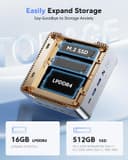
UPDATE #2: It has now been almost 1.5 years since I purchased this back in November 2024. I was working away from home last month and had a terrifying moment when I set everything up and turned it on and got the blue screen of death. I did a hard shut down, turned it back on and got the screen for my monitor and name with a blue circle turning and nothing happening on startup with the Kamrui. I waited 20 minutes and did a hard shut down several times. Eventually it said something about "repairing" something and did I want to continue. I said yes. It did the circle thing for another 20 minutes and then finally booted up. After that I had no issues for several weeks. Then last week, same thing happened upon startup. I started searching for information on this particular device and startup issues and read to do a hard shutdown, unplug anything connected via USB, and then restart. It started right up - no issues. I then only did "restarts" instead of actual shut downs for the remainder of the week, but was traveling again so I had to power it down yesterday for my commute. It worked fine yesterday, but today when I turned it back on I got the circle again. After panicking a couple of times and trying hard restarts, I remembered the USB issue and unplugged those, turned it back on and it booted right up. SOOOO - if you ever have the scary circle or repair screen pop up on startup, do a hard shut down, unplug all your peripherals except your monitor and power cord and then restart. After it boots up correctly, then reconnect your peripherals. I have no idea WHY it is doing that, but at least I know how to fix the issue now. Other than that minor annoyance, the computer still works great. Super quick, great sound, great visuals, doesn't heat up much at all and I'm only utilizing half the memory. UPDATE: It is now a little over 2 months from when I purchased and started using this. I had some sort of update overnight and when I turned on my computer, after entering my passcode, it gave me an error that my "user profile failed to load" and my main screen looked liked a fresh install with hardly any apps on there. I couldn't open Notepad, Word, and none of my auto logins were working. My files were still there that I had added recently. I rebooted twice. I was still having issues even after logging back into my Windows and Google accounts, and it appeared to still be updating Windows, so I let it run the update in the background for another 10 minutes, then shut computer off and rebooted one more time. At that fourth boot, everything came back up looking normal. My classic windows shell was back, my background and regular screen saver were back, my icons on my desktop were in their correct spots. It was very weird. My advice to you is disable automatic windows updates when you first get this, and just try and remember to do those regularly at a time that suits YOU, so you don't get your work schedule impacted by a random update. Don't immediately panic if you wake up one day to what looks like a fresh install/brand new computer appearance. Let the computer percolate for 10-15 minutes, then turn off and reboot in safe mode or reboot several times until you get back to the regular working device you are used to. I will update how things are going with the system again at the end of 6 months. NOTE: I do carry this in a heavily padded bag with other devices when I travel for work frequently. So it does get plugged/unplugged, and wagged around a lot. Not sure if that affects it or not, but since it has 2 SSDs and a sturdy plastic shell, it should be impervious to bumps and knocks, especially since it is very well protected inside the bag. I'm a remote medical transcriptionist who also pet sits away from home. Why get paid for one job when you can get paid to 2 or 3 simultaneously?! I normally use a 17-inch laptop and a portable monitor when I travel, but recently I started getting the blue screen of death showing up on my laptop periodically. While it was still functional and I could transfer my programs from it, I decided to find a new device. The current crop of laptops were fairly pricey for the size RAM I wanted and most only have one or two USB connections now and I need at least 3, preferably 4. Also, some laptops have data only transfer on their USB-C connections so rather than deal with that I decided to check into mini PCs. This one had great ratings and I really liked the fact that I could increase it by adding an additional 2.5" SSD drive. It's super easy to do that. Just release a latch, slightly angle and insert your drive until it connects and seats into the slot. I know have a computer with two hard drives with an additional Terabyte of storage. It boots up lightning fast and I was able to download Windows, Word, and all my other applications with no issue whatsoever. I had cloned my laptop to the SSD, so upon booting it up for the first time my screen saver, settings, icons, etc. were already in place. I LOVE that it has two HDMI connections. I didn't think I needed that, until I started working at a facility where I needed to utilize TWO 24" monitors when I'm away from home and not able to use my 39" monitor. This KAMRUI mini PC weights next to nothing and it's just barely larger in diameter than a slice of sandwich bread. In addition to the two HDMI ports, it comes with 4 USB ports, a headset jack, and the power cord. It's so small and light, I'm now able to use it as a portable computer in place of my laptop and I just leave my laptop set up to work on when I'm at home. When I purchased it they were on sale for $130 and I see they are around the same price currently, so I'll probably invest in another one to clone my laptop to and keep on hand for when my laptop finally bites the dust, so that I can have fully functional workstations wherever I am and won't have to keep unhooking/rehooking things up every week or two.