We remain fully operational. Our teams are working around the clock to ensure your deliveries continue safely.

下载应用程序


Buy anything from 5,000+ international stores. One checkout price. No surprise fees. Join 2M+ shoppers on Desertcart.
Desertcart purchases this item on your behalf and handles shipping, customs, and support to Hong Kong.
🚀 Reboot your system like a pro — no TPM, no stress!
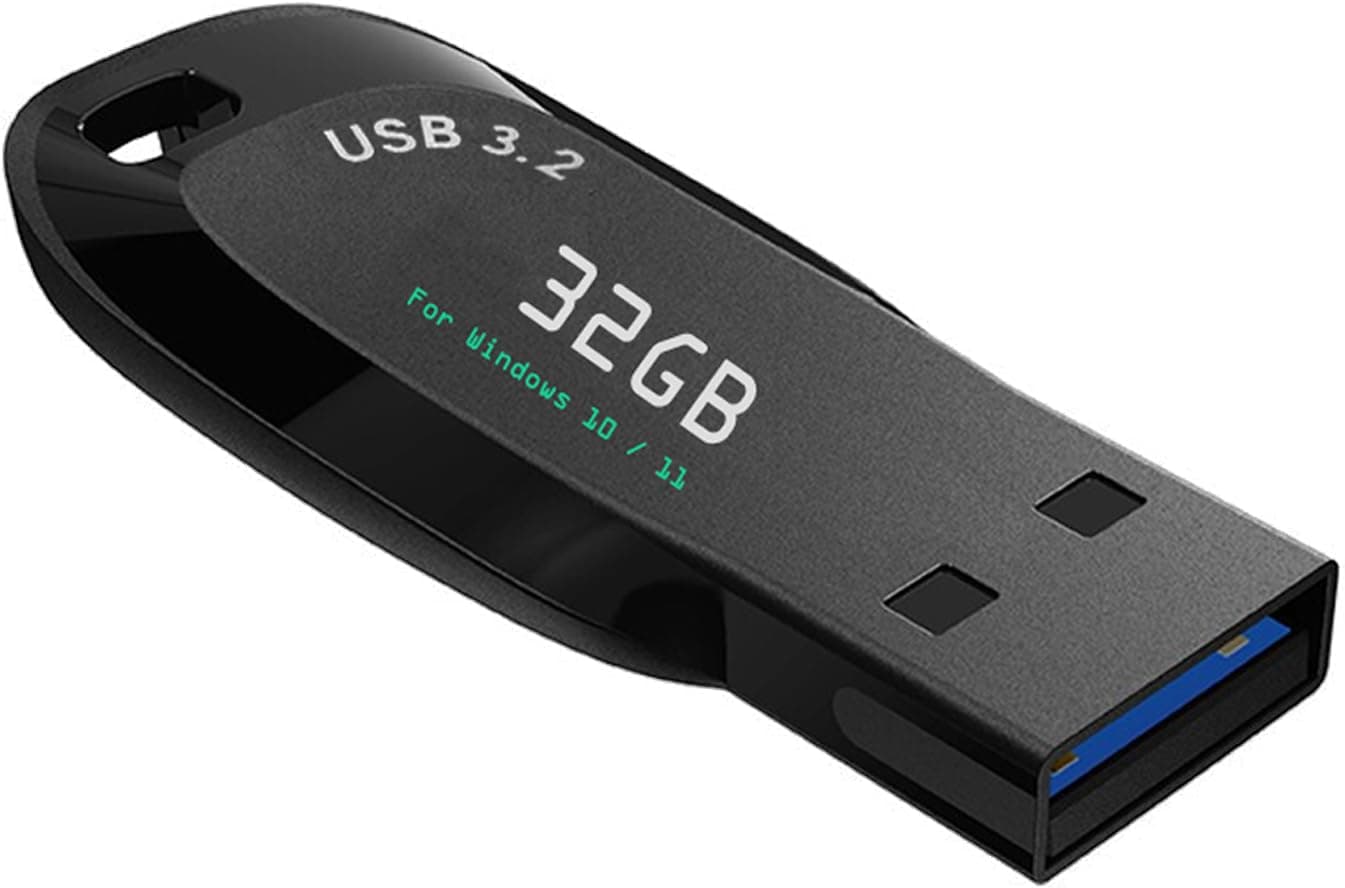
This 32GB USB 3.2 Gen1 bootable drive offers a fast, reliable way to install or reinstall Windows 10 and 11 on any PC or laptop. Compatible with both UEFI and Legacy BIOS, it bypasses TPM requirements and includes essential maintenance tools like network drives and data recovery. With built-in video tutorials and antivirus-verified safety, it’s the ultimate all-in-one recovery and installation solution for professionals and beginners alike.
| ASIN | B0BZ4SKX4X |
| Additional Features | Reinstall Windows 10&11 |
| Best Sellers Rank | #231 in USB Flash Drives |
| Brand | Xtssui |
| Bullet Point | The USB drive has been fully scanned by antivirus software, no viruses, no malware, ✅ ( image-4 ) shows the programs you get : Network Drives (Wifi & Lan) , Hard Drive Partitioning, Data Recovery and More, it's a computer maintenance tool, ✅ Beginner watch video instruction ( image-7 ), tutorial for "how to boot from usb drive", Supported UEFI and Legacy, ✅ Insert USB drive , you will see the vide… |
| Color | black |
| Compatible Devices | PC/Laptop |
| Compatible Phone Models | PC/Laptop |
| Connectivity Technology | USB |
| Customer Reviews | 4.2 4.2 out of 5 stars (1,342) |
| Flash Memory Type | USB |
| Hardware Connectivity Technology | USB Type A, USB Type C |
| Hardware Interface | USB 3.2 Gen 1 |
| Item Dimensions D x W x H | 1.2"D x 2"W x 0.4"H |
| Item Weight | 15 Grams |
| List Price | 19.99 |
| Manufacturer | Xtssui |
| Memory Storage Capacity | 64 GB |
| Mfr Part Number | 32GB |
| Model Number | 32GB |
| Read Speed | 200 Megabytes Per Second |
| Title | 32GB - Bootable Windows 10&11, USB Driver 3.2 Gen for Install/Recovery Windows, No TPM Required, Network Drives (WiFi & LAN), Supported UEFI and Legacy, Compatible All Brands |
| Unit Count | 1.0 Count |
| Warranty Description | 5 Years guarantee |
| Write Speed | 90 Megabytes Per Second |
J**T
Really works best 20$ I ever spent
Omg, this really works! I was locked out of my computer due to BitLocker, but I just followed the instructions and was able to reset my Lenovo computer. It’s legit. I had bought two other USBs from different companies just in case one didn’t work, but this is the only one that did. I should have taken pictures of the step-by-step process—sorry I couldn’t be more helpful if you’re struggling with setup. But honestly, it was really easy. The pictures on the Amazon page helped, and the rest I figured out just by clicking the options using common sense. It took about an hour to fully install everything with all the updates. It didn’t give me an option to choose between Windows 10 or 11, but when I checked afterward, it said Windows 11 Pro—so I got the latest one. My computer works great, no viruses. Sorry if this review is all over the place, but I really thought I was going to be stuck without a computer. This saved me—now I basically have a brand-new computer. Best $20 spent! Also, when you get to their mock Windows home screen, it tells you what to do. Just hit the Windows icon at the bottom to start the installation—it’s really easy. After Windows is installed, you just put in your info and set up the computer with Microsoft as if it were brand new.
C**N
Effortless
There's no need for technical expertise or complex installation procedures here. Just plug the USB drive into your computer's USB 3.2Gen port, boot from the drive, and follow the on-screen instructions – it's as straightforward as that. Whether you're a seasoned tech enthusiast or a novice user, you'll find this process incredibly hassle-free. One of the biggest selling points of this USB drive is the seamless compatibility with both Windows 10 and Windows 11. It ensures you have a versatile solution for reinstalling the Windows version that suits your needs. This flexibility is especially valuable as it saves you the trouble of creating separate bootable drives for different Windows versions. Moreover, this USB drive comes with a spacious 32GB of storage capacity, providing ample space for Windows installation files and updates. You won't find yourself running out of space, even if you have a variety of software and files to store during the reinstallation process. In terms of performance, I experienced absolutely no issues whatsoever. The installation process was swift, and it successfully restored my Windows operating system without a hitch. This reliability and smooth operation speak volumes about the quality of this product. In conclusion, the 32GB Bootable Windows 10&11 USB Drive is a stellar product that does precisely what it promises: simplifying the Windows reinstallation process. Its ease of use, broad compatibility, and worry-free performance make it an invaluable tool for anyone who needs to reinstall Windows without the hassle. If you're looking for a stress-free solution to get your system up and running again, this USB drive is an excellent choice.
R**N
Not every machine is upgradable
Worked on my laptop. There was a point where it appeared to stall so I just let it go. I came back and it was done. I tried on an older desktop but the hard drive used an old format that it was unable to use. Watch the video to learn how to use the device
K**N
Avoid at all costs.
Useless sack of junk. Comes preinstalled with super old software that is functionally useless. Might contain Spyware, i don't know how to check. It came in using FAT32, which means that you can't install the latest version of Windows on it. It comes preinstalled with 2022 versions of windows 10 and 11 home and a million other small files that serve no purpose. It'll be pre portioned to fit 4.7gb of install data, but the current install size for windows 11 is 5.2gb meaning you can't even install the newest version of windows on top of it. This is every PC builders worst nightmare from a software config stand point. Avoid like the plague. I reformatted the drive into NTFS and merged the random partitions together to salvage a 32 gb flash drive. But having down that, and re-downloaded new windows onto it (and bios), now the drive gets recognized as a boot drive but is unable to launch windows under any circumstance I can think of. It's also incapable of installing bios files, as my bios utility can't read from the device for some reason. Out of date and security compromising install files, likely filled with malware, can't be repurposed, and now I need to go buy a new drive.
C**F
Awesome.
Actually hope I can find this again...installed windows 11 no problem and it completely fixed my unbootable computer.
A**A
THIS HELPED ME!
For about a week now I was running into the BSOD on my gaming laptop, I was a bit scared because gaming laptops aren’t cheap and I thought I would have to buy a new one. After hours of hard work and stress I did some more research and decided to order this, it was my last attempt. I am happy to say that this worked for me. It got me back and running on Windows 11 again. The only issue’s I am receiving now are: -I can’t do a clean reset on my PC, it still says that there was an issue resetting my PC. -Whenever I plug in a device into one of my USB ports I hear the sound as if it has connected but it won’t appear on my computer/I can’t use it. If anybody knows how to fix these issues please reply! I will do anything to fix it. Other then that this is a great solution if you are running into errors or viruses on your PC.
P**C
complete and utter crap. loads into a chinese browser it’s gonna be a pain, possible but way more difficult than what the description was. same seller sells usb drives that do the same thing. If you bought it already and don’t have another pc accessible. managed to do it uploading to google drive, still takes forever.
ه**ي
Good
H**R
Was easy to use did the job
M**L
I recommend the product
C**E
This is a solution to your PC or laptop that Microsoft Windows 10 is installed and will not allow you to upgrade to Microsoft Windows 11. Ignore Windows 11 requirements not met as this thumb drive has all required drivers and software for full Windows 11 upgrade!
TrustPilot
1天前
2 周前