We remain fully operational. Our teams are working around the clock to ensure your deliveries continue safely.

下载应用程序




Buy anything from 5,000+ international stores. One checkout price. No surprise fees. Join 2M+ shoppers on Desertcart.
Desertcart purchases this item on your behalf and handles shipping, customs, and support to Hong Kong.
🚗✨ Upgrade your drive with the ultimate wireless CarPlay & Android Auto magic box!
The MMB MAX 5.0 Magic Ai Box is a cutting-edge wireless CarPlay and Android Auto adapter featuring an 8-core Snapdragon 665 processor, 8GB RAM, and 128GB storage running Android 13. It effortlessly converts wired systems to wireless, supports major streaming apps like Netflix and Disney+, offers HDMI output for rear displays, and maintains original car controls with voice assistant integration. Compatible with most 2016-2026 cars (excluding BMW and Tesla), it’s designed to elevate your in-car multimedia experience with seamless connectivity and powerful performance.


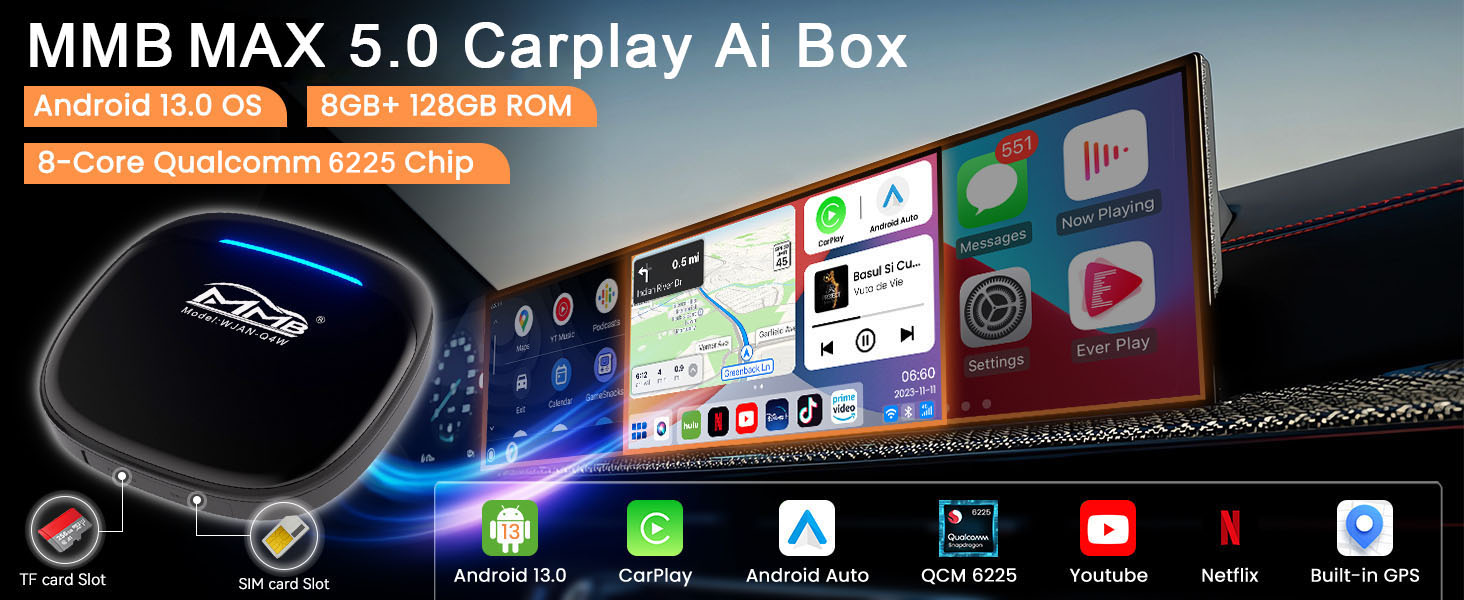


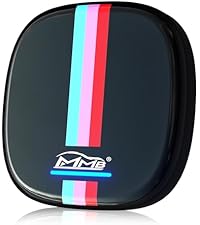



| ASIN | B0CSSVXM4D |
| Best Sellers Rank | #94,037 in Electronics ( See Top 100 in Electronics ) #1,937 in Vehicle GPS Units & Equipment #2,269 in Car In-Dash Navigation GPS Units |
| Customer Reviews | 3.5 3.5 out of 5 stars (60) |
| Date First Available | January 19, 2024 |
| Item Weight | 6.4 ounces |
| Item model number | MMB MAX 5.0 |
| Manufacturer | MMB |
| Package Dimensions | 5.43 x 3.7 x 1.85 inches |
J**R
Huge upgrade to your CarPlay interface.
I bought this for a very long road trip with kids and am very pleased with the result. It turns your wired CarPlay into an Android 13 interface. Play videos, surf the web, use widgets, all the things you can’t have through normal CarPlay or Android auto. I verified that it is a Snapdragon 665 that will run at 2.4ghz, and through about 20 hours of use it’s been flawless. Android 13 is very good on the CarPlay screen. Switching between apps is fast, it shows 8gb of RAM and 128gb onboard storage with an SD slot for extra. Streaming video and Spotify get the full Android apps which is probably the reason most people will buy this. It also has a sim slot that I didn’t get to test since I let it tether to my phone. You can also drop out to native CarPlay or Android auto and it will run those wirelessly. I didn’t expect this, but the snapdragon cpu is SO MUCH faster than other (cheap) wireless CarPlay adapters I’ve used that it changes wireless CarPlay. No crashes, no noticeable delay on screen or calls, after using a lot of wireless CarPlay adapters I accidentally found the best one. Really nothing to change here. I had a long road trip and this kept my kids entertained the whole time with streaming videos and games, I absolutely recommend it.
C**Y
Decent when it works; completely died just after Return Window
First, let me say that I really *wanted* to like this thing! On first boot, I connected to wifi at my house and set everything up. Next, I added an SD card and a SIM card. Functionally, this little box was doing what it was supposed to do. It felt like magic! I never used it for video playback or games - so I can't speak to how well it works for those purposes - but I did connect it to my wifi dashcam and a bluetooth ODB2 vehicle scanner, and I did use it for music streaming with YouTube Music and for onboard navigation with Google Maps and Waze. I even installed BlueBubbles - an app that would alert me when I received texts on my iPhone. Generally, it handled everything I threw at it and it did so without a ton of effort. But there were annoyances, too. The biggest - and this was a major frustration for me - is that it there isn't a dedicated system menu. To get access to a Home button on screen, you have to tap somewhere to enable an overlay layer (which offers a home button and several other options). But tapping anywhere, in most apps, causes the active app to do something too. To me, this is a huge design flaw! I played around with system options, and there *is* another mode available, but opting for the left-side dock didn't present all of the options. Often, I found myself starting music in YouTube music, then hopping into CarPlay mode (through the MMB) to get a more-touch-friendly UI. CarPlay isn't pretty, and it didn't have all of the apps that I wanted to have, but it worked reliable and it was convenient. (But this thing costs 5x more than a wireless CarPlay adapter - I wasn't getting my money's worth!) I had planned to connect a secondary display, but unfortunately, my MMB died before I could do that - just 31 days into ownership, too. It still powers up, but my car no longer recognizes it as a connected device. I also tried bringing it inside and connecting it to to an HDMI device. (I didn't expect that to work, but I was desperate to get access to some sort of UI to see what was going on. As expected, it didn't work.) When it was working, it was a 3 star device, with room to improve if the external display was really great. As is, though, it's a clear 1-star failure and waste of a decent chunk of change!
J**K
Great addition to the vehicle
This is a great way to add streaming feature to your car. Works easily with the car play function. Only complaint is the slow boot up time.
M**R
Huge Upgrade to my Cars Android Auto interface.
I bought this for long road trips and am very pleased with the result. It turns your wired CarPlay/Android Auto into an Android 13 interface. You can Play videos, surf the web, download apps from the Play Store, all the things you can’t have through normal CarPlay or Android auto. I am Not a Tech Person so I found it a bit cumbersome to set up and had many questions on how to set it up and how to make things work. So I started a Whats App chat with the MMB Service Technician and he answered all my questions and walked me through everything step by step and sent me videos on how to do the things I asked to get me set up. Now everything is working great. He was a great help, very patient and made himself available to me for any questions I had or would have in the future. And thats why I give Him and the MMB Max Device Five Stars.
D**N
Not android auto friendly, works but....
The MMB MAX 5.0 Magic Ai Box Wireless Carplay & Android Auto Adapter may be a good adapter for Iphone users, but for Android phone users, not so much. Before I go on, please take with a grain of salt as it could just be user error. I don't like that this boots up to it's OS every time I start my vehicle (24 Telluride) or plug it in. I can't find anything in the settings to change this. I can't make phone calls from the boot up user interface (because I don't have Iphone?). When I tap the AA icon it goes to the connection screen, but does not consistently bring up android auto. I've tried different steps, but unable to consistently get connected. Once connected to AA, it does work as it should and will make calls, send/receive messages, and apps work. This item was purchased to watch videos while parked and waiting for my wife shopping. And it does work well from the boot up user interface. I've tried Netflix, youtube, Prime, and my main reason for purchasing Youtube TV. But again, just the other day I switched to AA and switched back to main interface and lost internet connection. I don't use a SIM card, but depend on a hotspot from my phone. As of now, I use a AA adapter only for AA and if I want to watch videos, I switch to the MMB. As for the above issues, I've tried every combination of WiFi, bluetooth, device settings, and hotspot settings to try and get consistent results, but have failed.
D**S
Very clunky interface for the price - Plugs in and begins working right away with no problems - however the main interface has been slow, clunky and has froze on me several times. The car play feature with iPhone is very slow to connect - often out of the driveway and beginning down the road before its connects. Trouble shooting it to connect while driving is not ideal and waiting in drive way to connect is not ideal, especially on shorter trips that take less time than it takes to connect after playing with it. You also have to manually choose it to connect to carplay each time which although trivial is kind of annoying. Maybe you can set it to auto start the car play, however its also 50% successful on actually connecting. I have had cheaper ones that connect in less than 8 secs so the extra features on this is not worth the clunkiness and extra price. Phone blue tooth will show connected to it, but the box will not display the car play, just endless loop of waiting to connect. Had to reset it by unplugging and plugging it back in often to get it to actually connect, which by then if you have a shorter drive its almost not worth trouble shooting it. The frustrating piece is when I want it to connect I have issues, but when I am in the house my phone will randomly connect to it making me have to go into settings and disconnect my phone from its Bluetooth once I realize is why my phone and calls have no sound. Common issue I have had with past devices as well, however more acceptable inconvenience knowing that when I want them to work they do. Advertises all the right features and sounds great however I will be returning and going back to a cheaper more reliable device.