We remain fully operational. Our teams are working around the clock to ensure your deliveries continue safely.

下载应用程序





Buy anything from 5,000+ international stores. One checkout price. No surprise fees. Join 2M+ shoppers on Desertcart.
Desertcart purchases this item on your behalf and handles shipping, customs, and support to Hong Kong.
🚀 Elevate Your Workspace with Effortless Control!
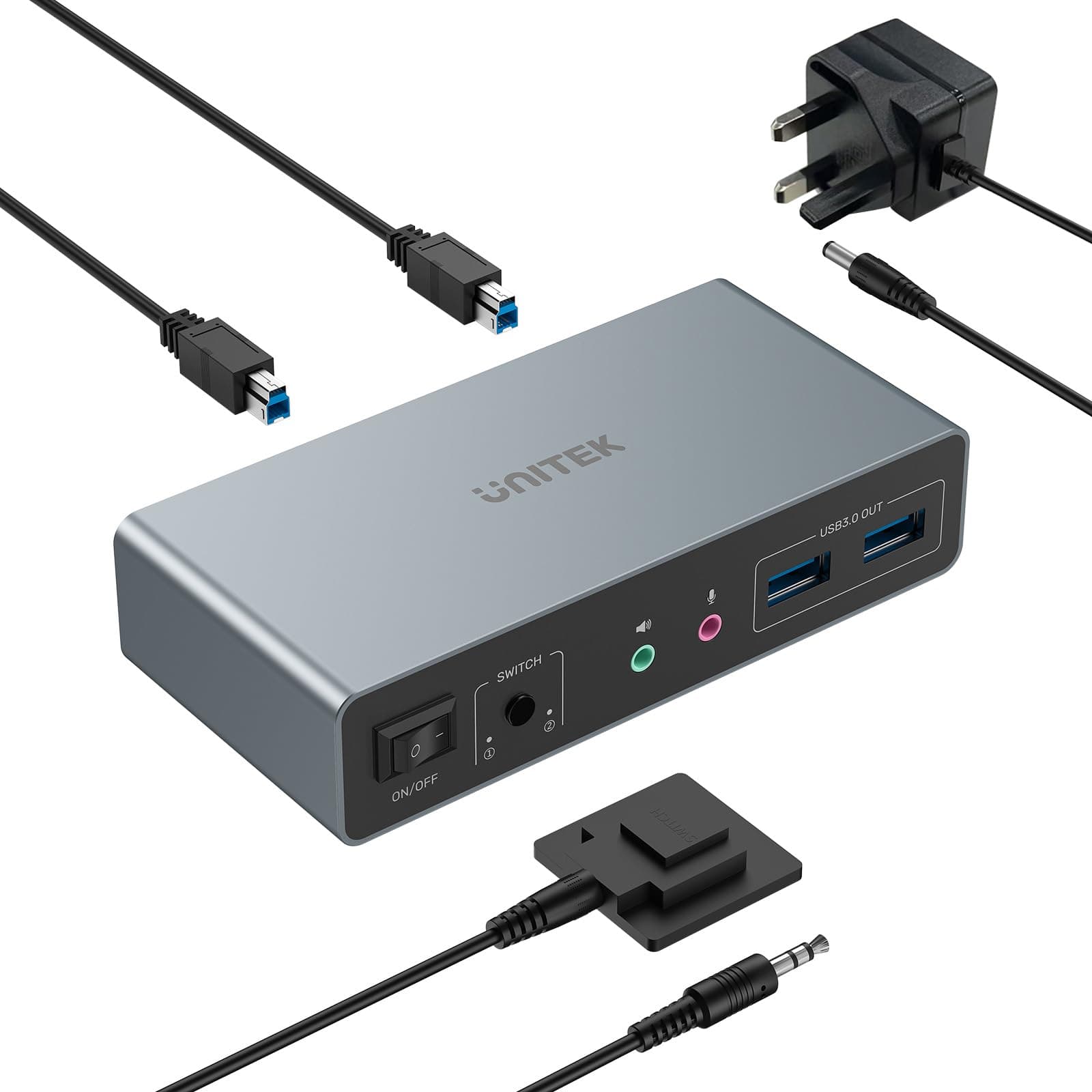
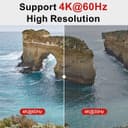
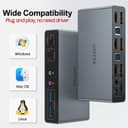
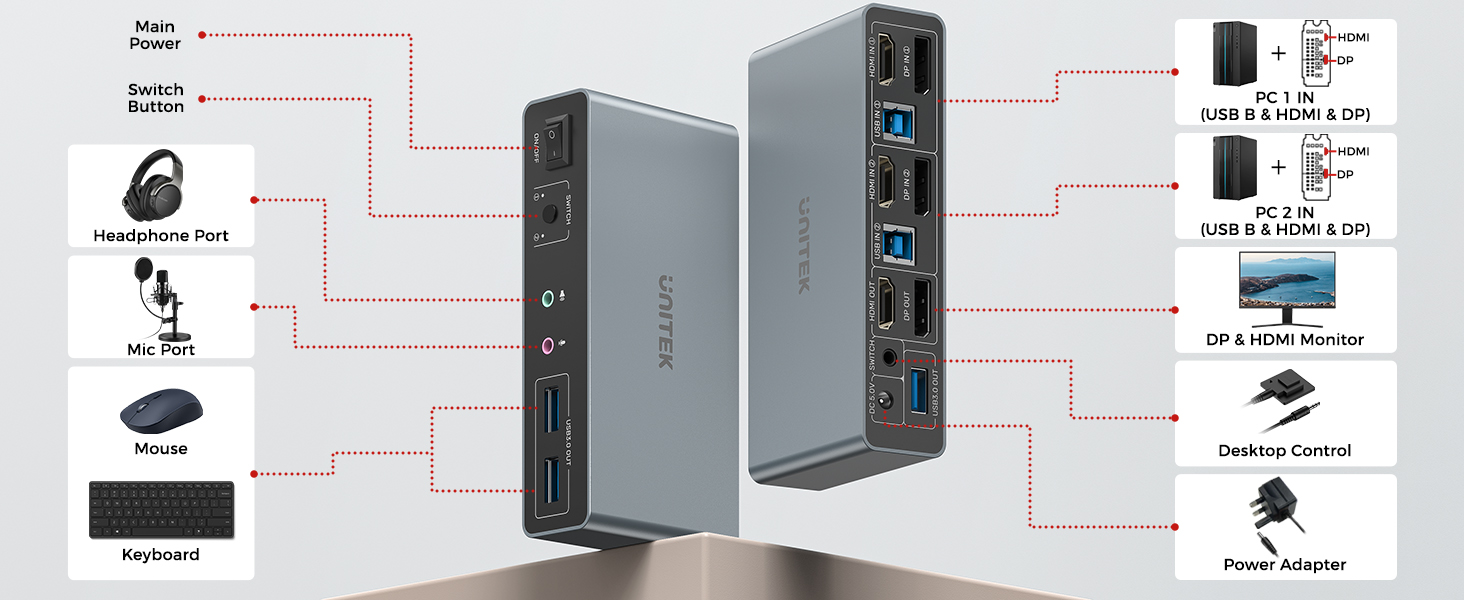
The Unitek KVM Switch allows seamless connectivity between two computers and dual monitors, supporting 4K@60Hz resolution and featuring multiple USB 3.0 ports for fast data transfer. With easy switching options and a plug-and-play setup, it's designed for both home and office productivity.




| ASIN | B0DBYMBMKN |
| Actuator Type | Push Button |
| Best Sellers Rank | #39 in KVM Switches |
| Brand | Unitek |
| Brand Name | Unitek |
| Circuit Type | 1-way |
| Color | Grey |
| Connector Type | Plug In |
| Contact Material | Aluminum |
| Contact Type | Normally Open |
| Current Rating | 2 Amps |
| Customer Reviews | 4.6 out of 5 stars 2,933 Reviews |
| Included Components | USB 3.0 Cables |
| International Protection Rating | IP40 |
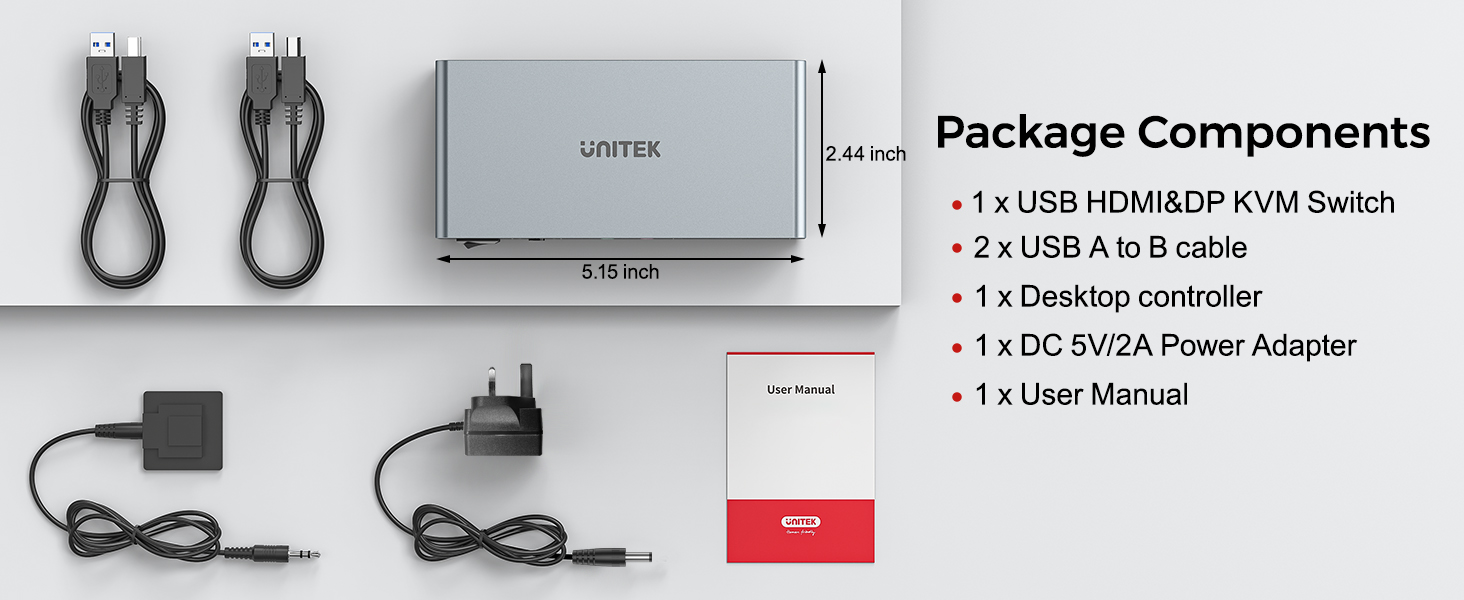
| Item Dimensions | 5.15 x 2.44 x 1.2 inches |
| Lower Temperature Rating | 40 Degrees Fahrenheit |
| Manufacturer | Unitek |
| Material Type | Aluminum |
| Model | V1311A |
| Mounting Type | Wall Mount |
| Number of Items | 1 |
| Number of Positions | 1 |
| Operating Voltage | 5 Volts |
| Operation Mode | ON-OFF-ON |
| Specification Met | UL |
| Switch Type | Push Button |
| Terminal | Hdmi+dp |
| Unit Count | 1.0 Count |
| Upper Temperature Rating | 158 Degrees Fahrenheit |
| Warranty Description | 1 year |
P**R
Excellent dual monitor KVM – makes switching between PCs effortless
I bought this Unitek dual monitor KVM to share two 4K screens, keyboard, mouse and other USB devices between my work PC and personal PC, and it has made my setup so much easier to manage. Once everything was plugged in, it worked exactly as advertised – both monitors run at 4K@60Hz with a crisp, stable picture and no flickering or random black screens. Switching between computers is very quick and smooth. One press of the button and both monitors, plus keyboard, mouse and USB peripherals, swap over to the other machine in a couple of seconds. It’s much nicer than constantly swapping cables around, and it feels completely seamless when I move from one system to the other. The unit itself feels solid and well built, and it doesn’t take up too much space on the desk. The layout of the ports is sensible, and the included cables make it straightforward to get everything connected. Once set up, I’ve had no issues with devices not being recognised or dropping out – it’s been very reliable day to day. Overall, this is an excellent KVM if you run two computers with two monitors and want a clean, simple solution. It does exactly what it claims, with great 4K image quality and hassle-free switching. I’m very happy with it and would definitely recommend it.
S**E
Works perfectly
1 bluetooth keyboard and mouse, 2 monitors, 2 pc's. Perfect! I should have got one of these a long time ago...
D**Y
Small and compact, check the specs.
Works well, small and compact with a long enough remote line to have on the desk. One point to call out that I hadn't bothered to research, it won't run with one source on HDMI and the other on DPORT. It either has to be both sources on HDMI or both sources on DPORT. There is another option of both sources using both DPORT and HDMI but I have no idea when that would be used. So I had to buy a mini DPORT to HDMI cable for a Dell compact PC as the Lenovo laptop uses HDMI only. My Dell PC has HDMI which works but is the shared memory graphics card where the mini DPORT is a dedicated graphics card. Something to be aware of anyway.
E**S
A well-designed, KVM switch, but needs both HDMI and DisplayPort, for dual monitor setup
A few people have commented on the price of this UNITEK KVM switch, although unavailable at the time of my review. However, to some extent, you tend to get what you pay for, and the quality of this one is far better than others that I’ve tested… Not only does it manage to fit a large array of ports into a compact silver-grey box, it comes with the correct USB3 Type A to B cables, instead of the (potentially dangerous) double-ended Type A cables that have been supplied with others. It switches reliably, and no hiccups with connected devices, which has not always been the case with other USB3 KVMs. I connected everything as per the diagram, using a laptop and a desktop PC, but unfortunately my test monitors don’t have DisplayPort inputs, so I needed to use adapters, and a 5m cable, which is probably expecting a bit too much! I feel sure that the DisplayPort option would work fine with the correct connectivity. And, I can confirm that the HDMI switching works faultlessly. I used the USB3 ‘OUT’ ports to share a mouse, keyboard and USB3 flash drive, without needing to ‘safely remove’ before switching, and it didn’t seem to mind, although perhaps not best practice! I think I would tend to connect a small USB3 hub to the rear USB port, and plug in my shared devices (mouse, keyboard printer), leaving the two front facing ports free for flash drives etc. The remote switch has a good action, and can be placed somewhere that’s easily accessible, with the option to stick it in place if you wish. And, I particularly like the 3.5mm audio ports, although, you’d probably choose USB or wireless options these days. Overall, this KVM switch appears to be well-designed, solidly-built, and should help to make your workspace more manageable. Recommended.
⠀**⠀
terrible
I don't know if it was just a dud (from the other reviews it seems folk didn't have the same issue, so heading towards bad quality control), but the KVM I was sent was awful, the screen connections (and yes, well within the specs and with top notch cabling) were flickery as hell, to the point I'd have assumed it was a 10 quids cheapie, which it is not. Utter shame as otherwise it feels well built and designed
A**E
Funktioniert sehr gut in Windows und Linux, alle Monitore, USB Geräte und Audio wurden sofort gefunden. Der Wechsel ist auch sehr schnell.
S**E
I've been using the Unitek KVM with 1 HDMI and 1 DisplayPort for a few months. It works flawlessly. The little metal box is solidly built. Even after a full day of work between two computers, I have never noticed the box was hot. Especially important to me was the fact that the DP was compliant with v1.2. I have two 2k monitors in a daisy chain configuration using DP inputs and both are working at their max resolution. To connect my laptop I use a DP to USB-C adapter into my USB-C alt DP port and it works great. Other reviews noted issues with getting audio to work. I was able to, but it took a little experimentation. On my setup, the audio is channeled from the computers via the USB connection between the computer and the Unitek KVM. So on each computer I needed to select the correct USB audio device as the output. On my Linux computer it was called Speakers Audio Adapter (Unitek Y-247A), and on my Windows 11 laptop it is called Speakers 2 - USB Audio from the Settings > System > Sound menu in Win11. The Amazon description says that the KVM is not compatible with laptops. I don't know why it says that. I am using it with a Dell windows laptop and a Dell Linux desktop and it works just fine on both. I will say that if you use a KVM on a Linux machine, there seems to be an issue with the picture returning to the monitor after the computer wakes from a long sleep. I thought it was the KVM, but it isn't. I'm not sure if it's the way the DP drivers work in Linux and it wouldn't happen if I used the HDMI insteasd, but what I have found is that it's important to switch to the Linux computer on the KVM before waking up the Linux computer itself. If you end up with a black screen but it seems like the computer is working fine, that's because it is. I have not found a fix for this but have been managing the symptom instead.
井**二
2台のPCと2台のモニターを切り替えて使っていて、これまでは面倒臭い手順がありましたが、これを導入してからは非常に簡単になりました。またケーブルが左右に入り組んでいてまとめにくかったのもスッキリしました。
W**O
Der Unitek KVM Switch funktioniert einwandfrei!
京**司
指定通りに届いたが、明けてびっくり。箱のシールは剝がされており、袋もくちゃくちゃでした パソコンとモニタに接続したら、1週間で片方のモニタが付かなくなり 10日目にはもう一方もノイズ画面になり使えなくなった 連絡先を記載したものも何も入っていないし、ホームページは英語だけ 中華系はやっぱりだめだね
TrustPilot
2 个月前
1 个月前