We remain fully operational. Our teams are working around the clock to ensure your deliveries continue safely.

下载应用程序


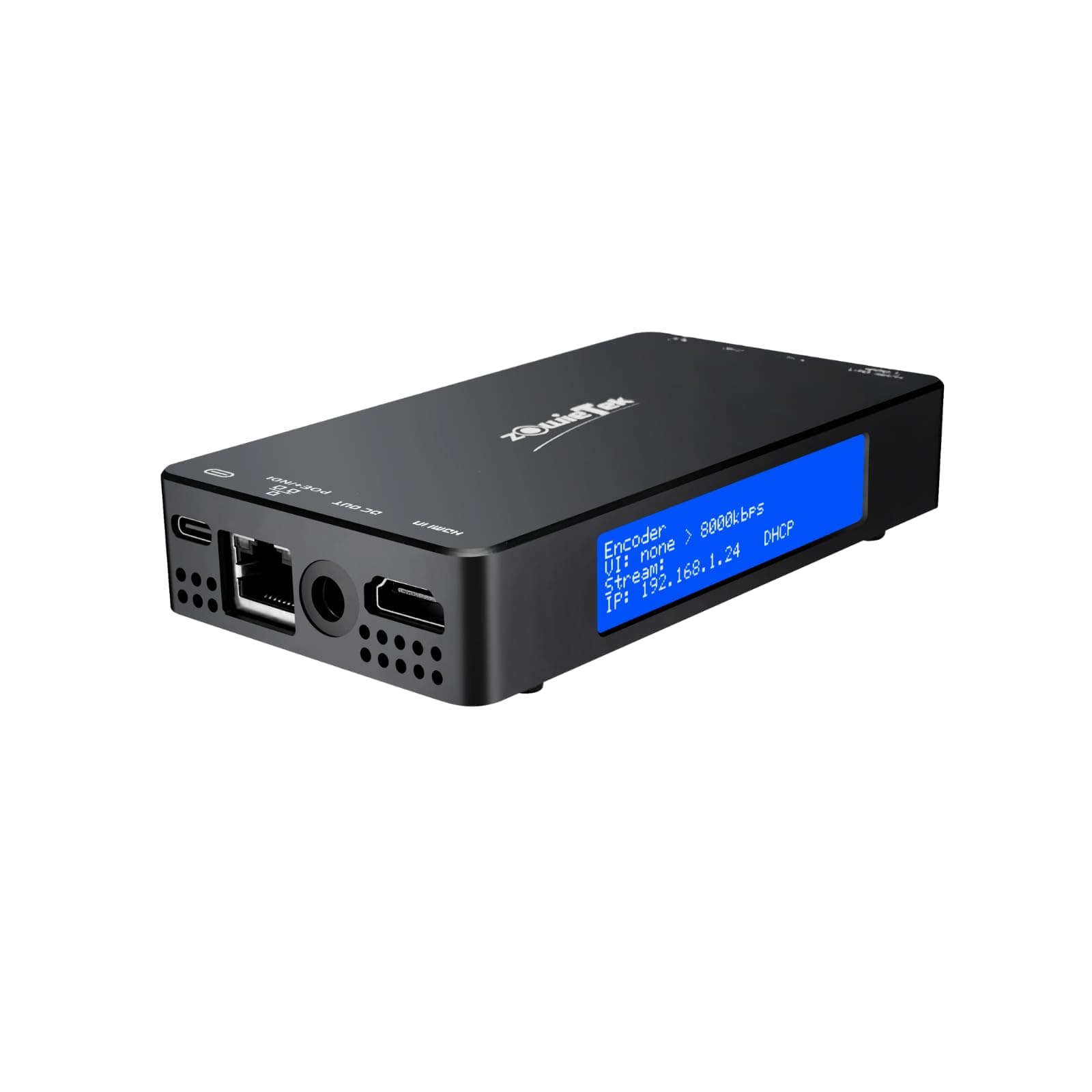
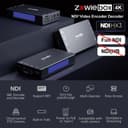

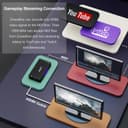
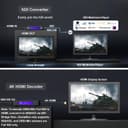
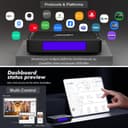
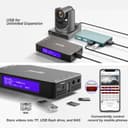
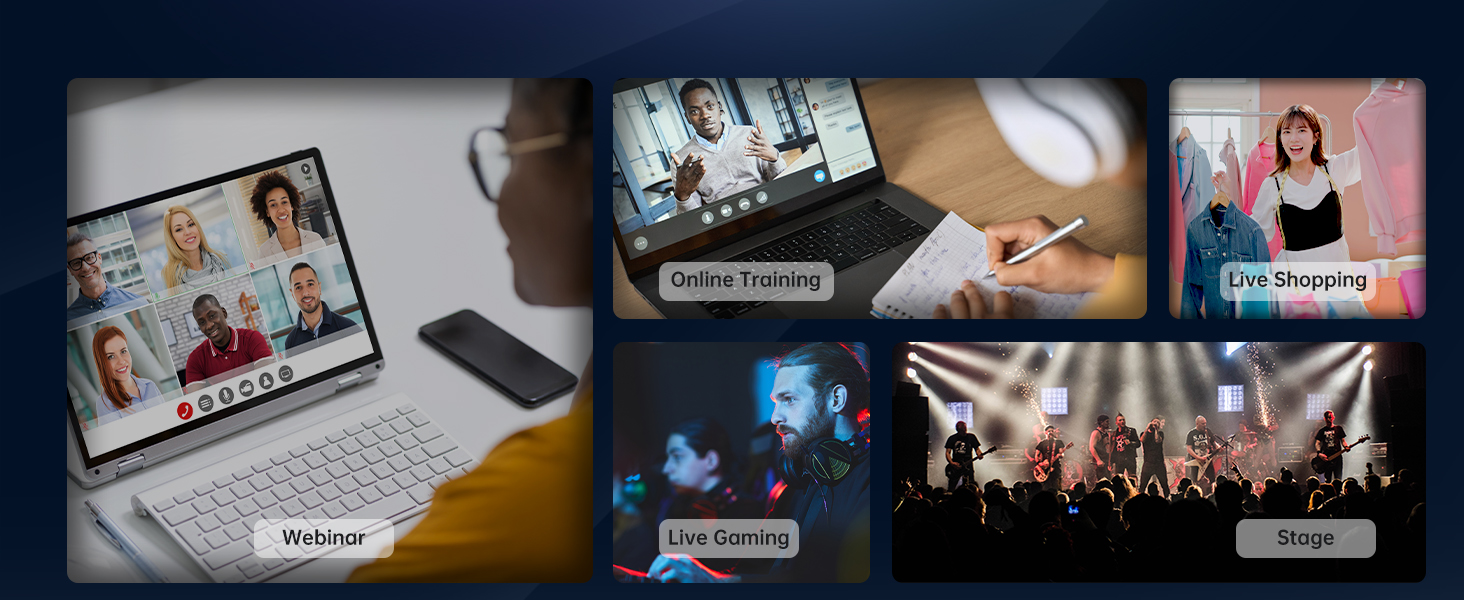
🚀 Elevate your live streaming game with ZowieBox — compact power, pro-grade performance!
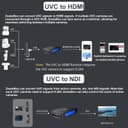
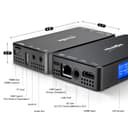
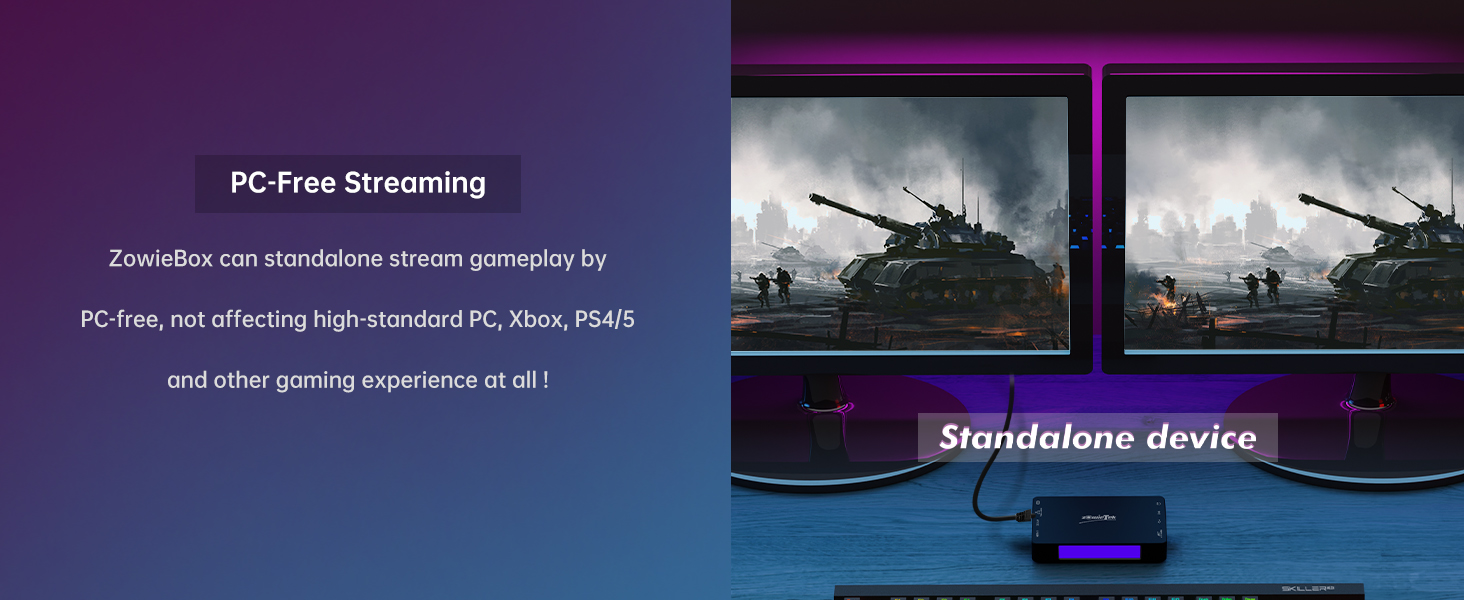
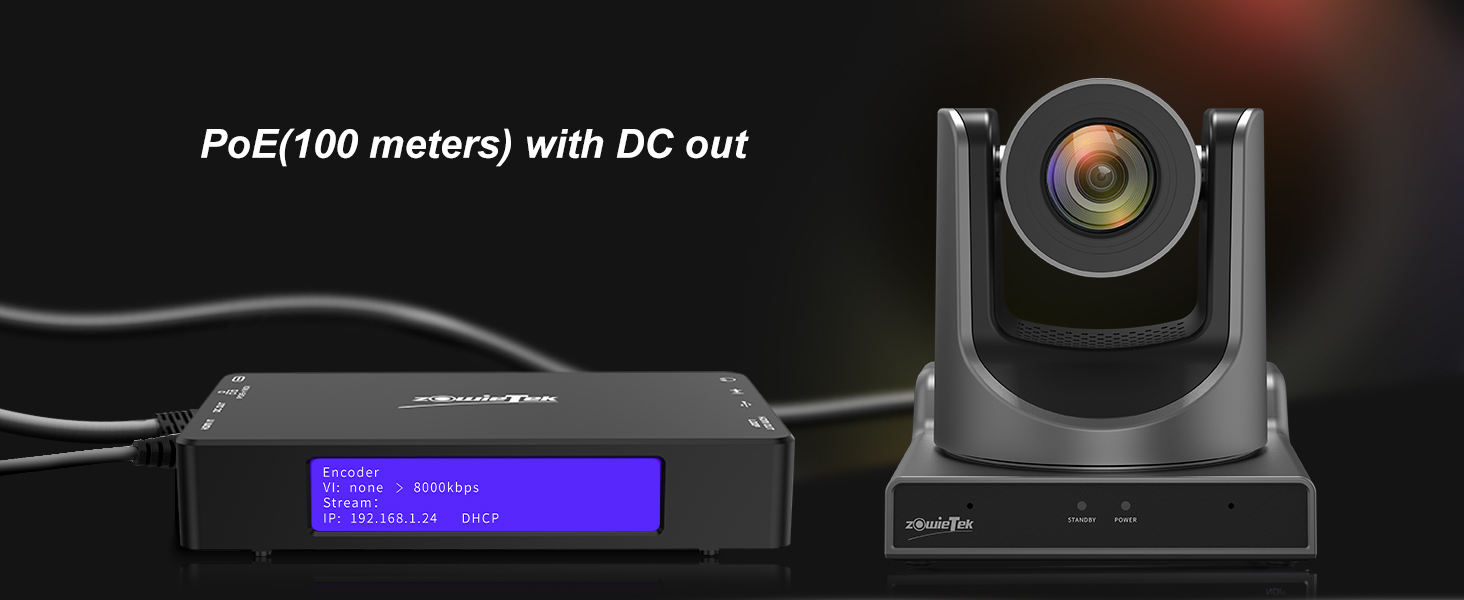
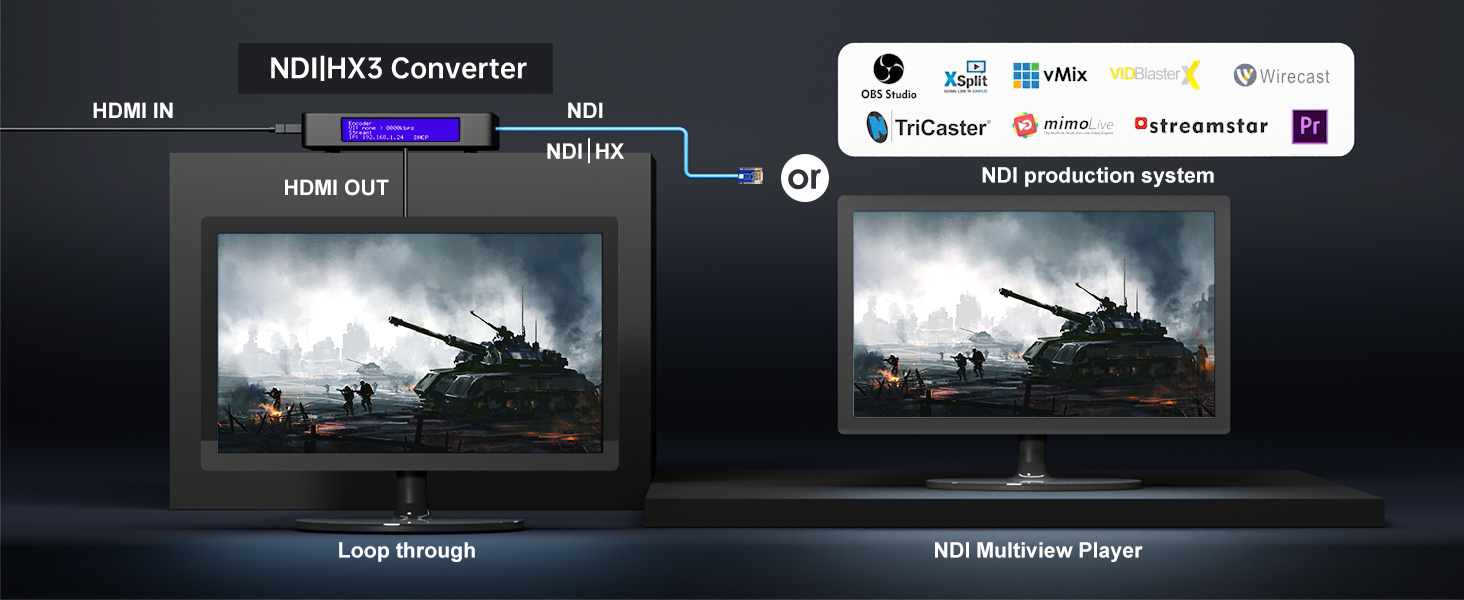
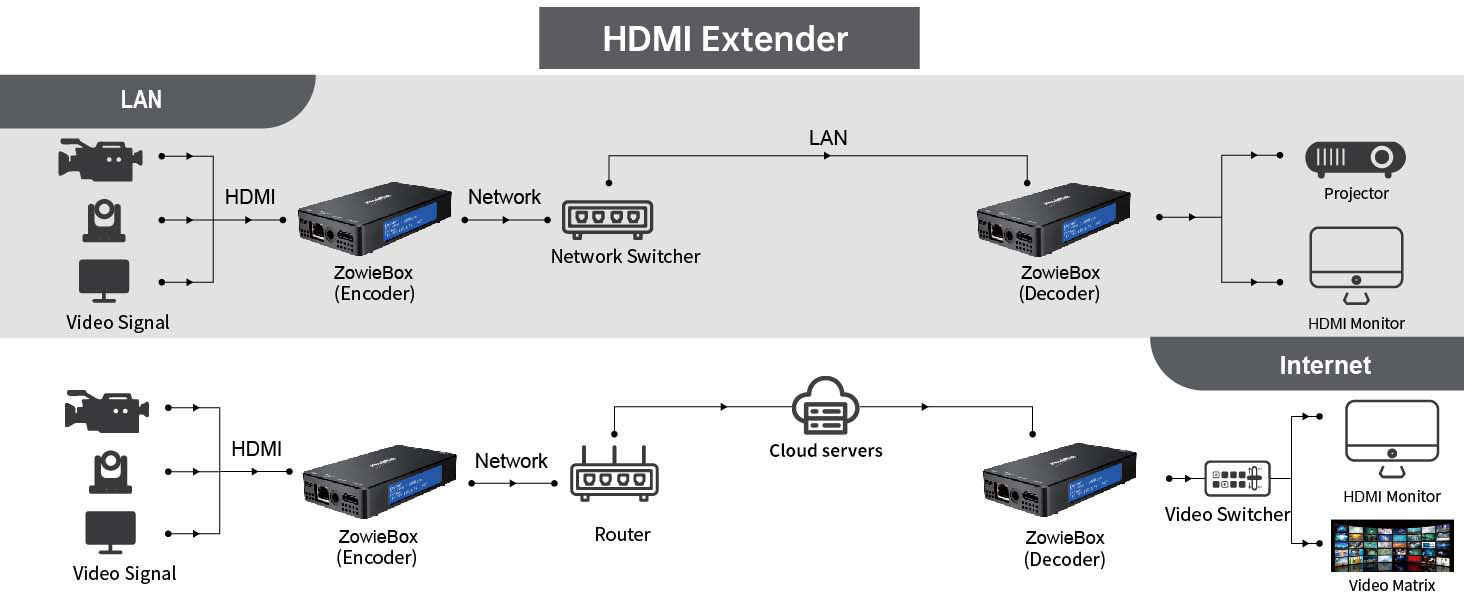
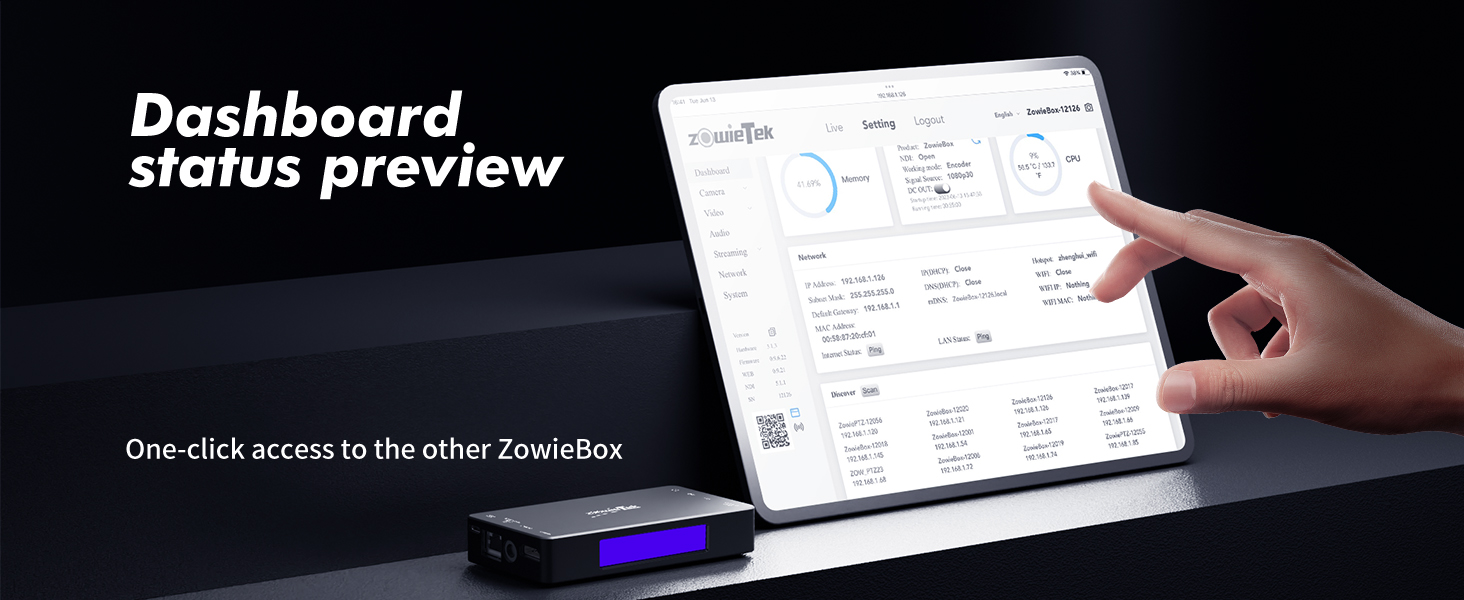
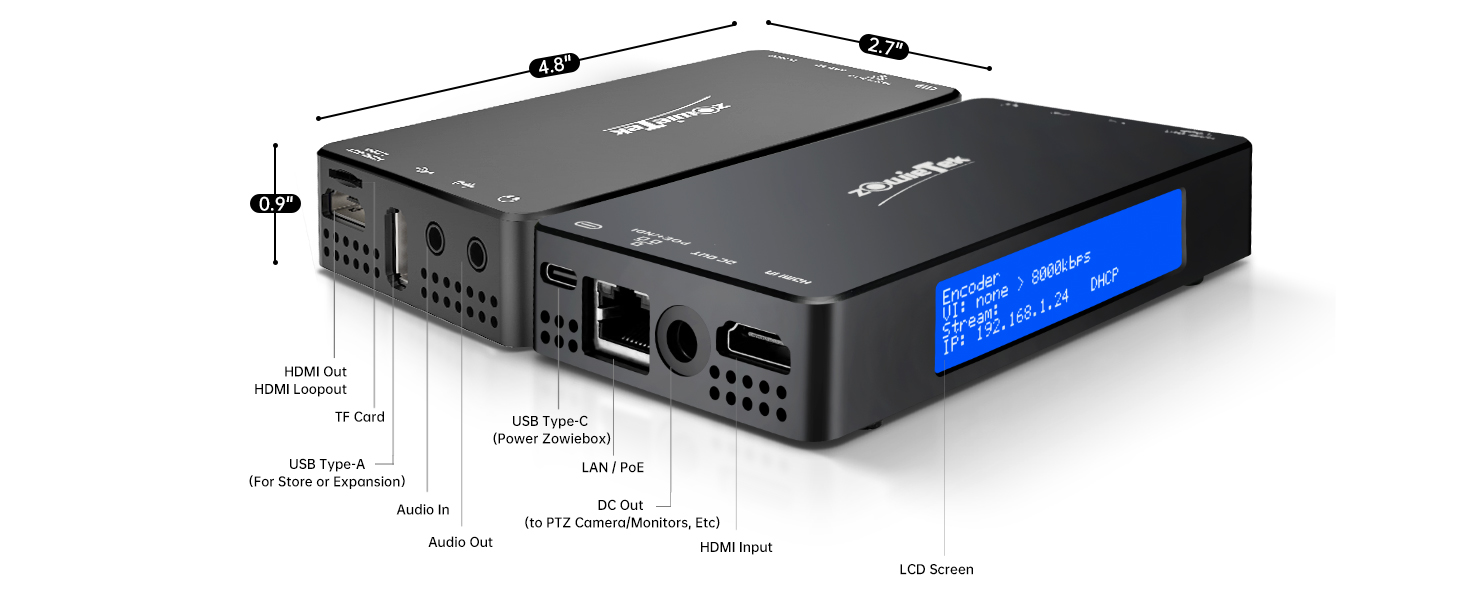
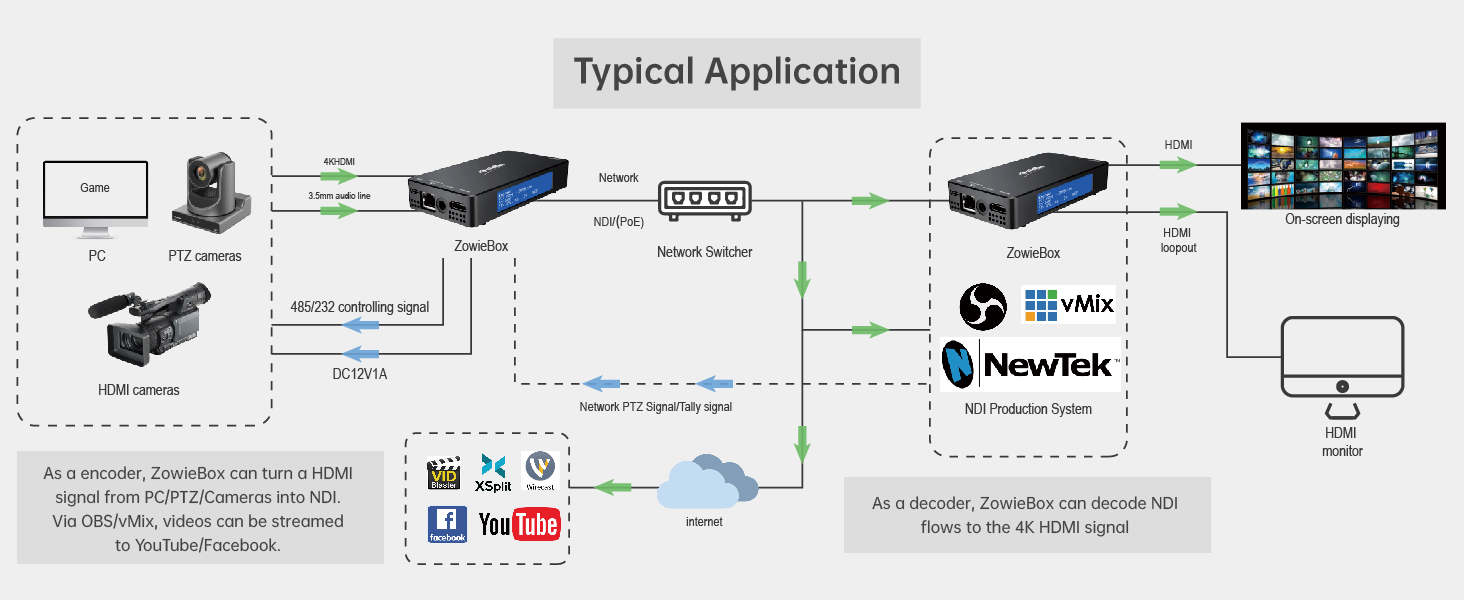
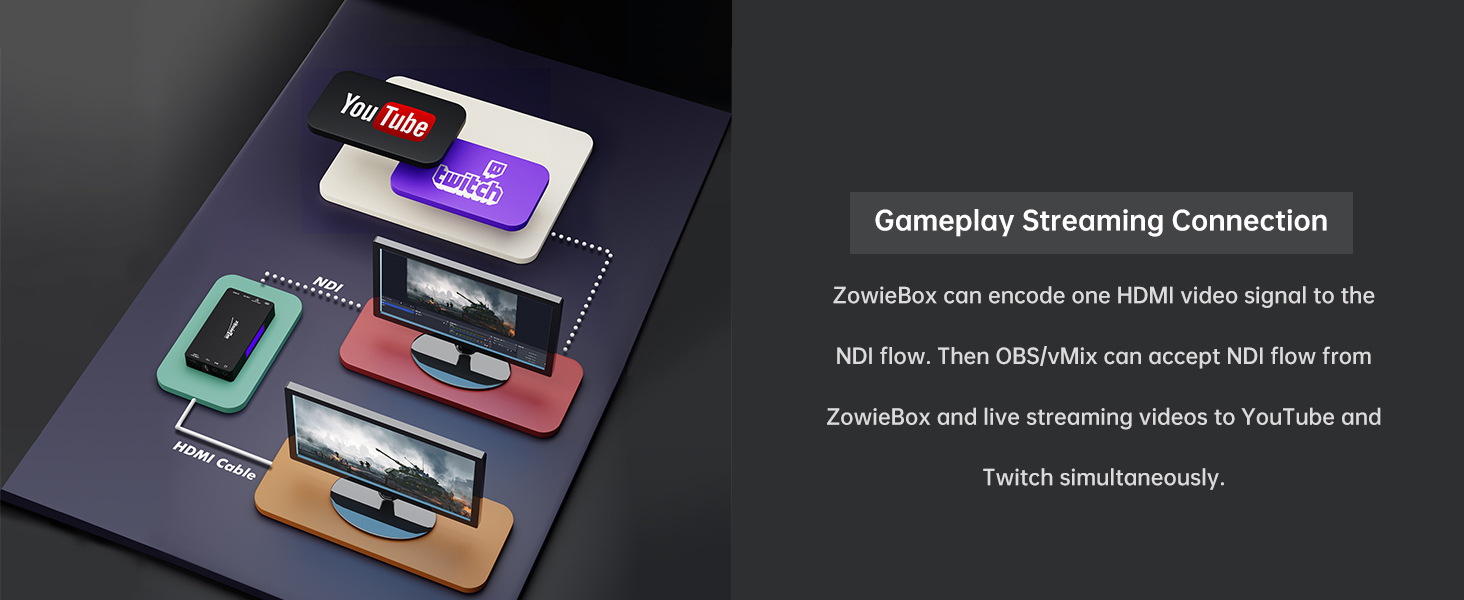
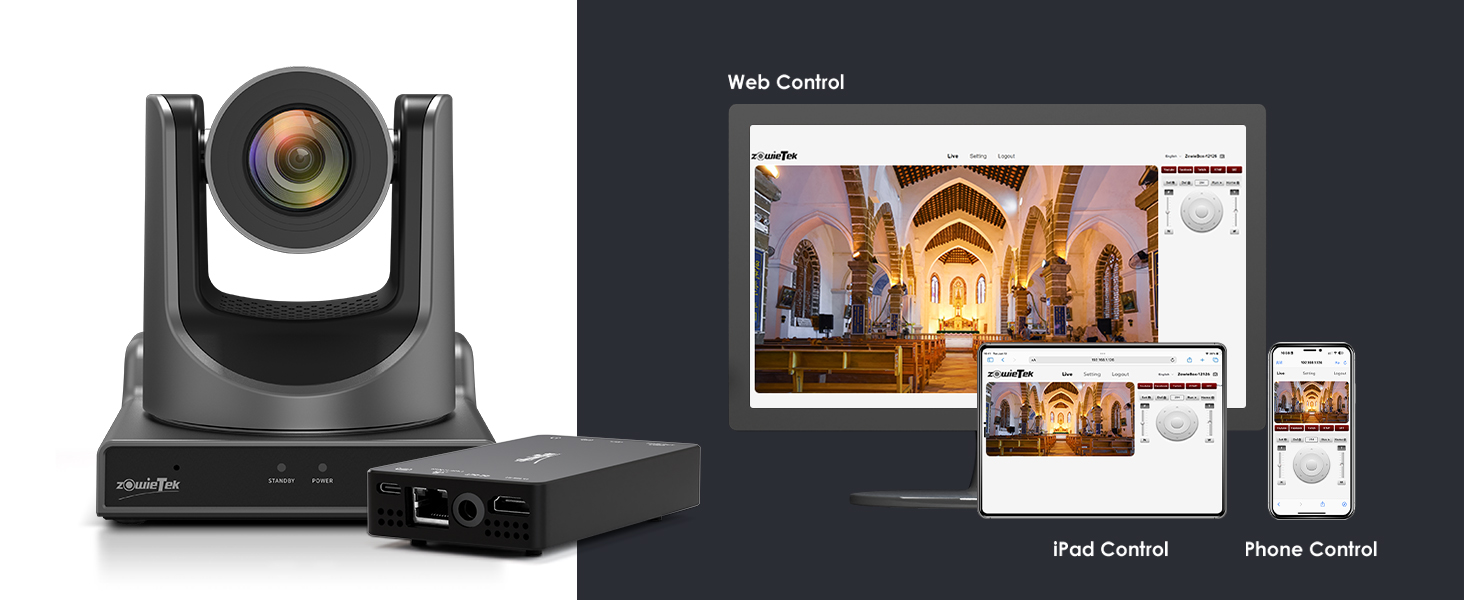
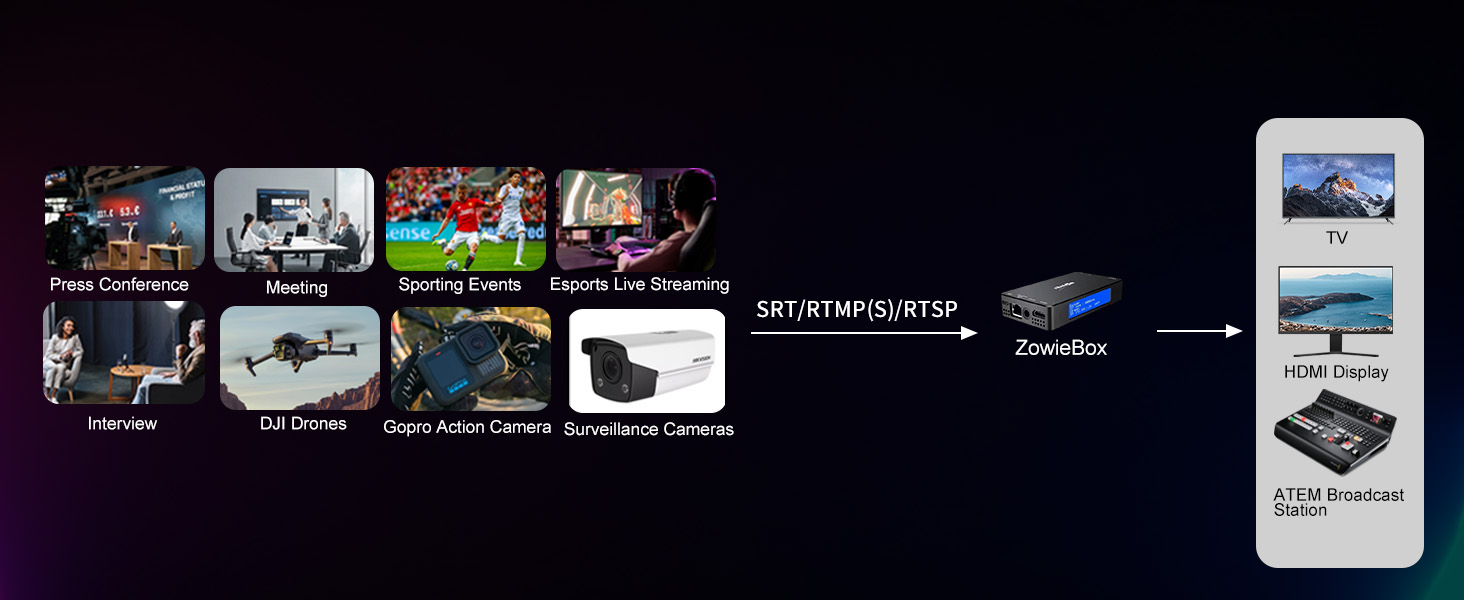
The Zowietek ZowieBox is a compact, aluminum-encased 4K HDMI encoder/decoder designed for professional-grade live streaming and recording. Featuring NDI|HX3 support, PoE and USB-C power options, zero-latency passthrough, and a user-friendly Web UI, it enables standalone, PC-free streaming with versatile connectivity and remote control. Ideal for gamers, streamers, and system integrators seeking high-quality, low-latency video transmission over networks.











| ASIN | B0CGRZ9DQ2 |
| Brand Name | zowietek |
| Customer Reviews | 4.1 4.1 out of 5 stars (264) |
| Interface | HDMI |
| Item Dimensions L x W | 12.3L x 6.8W cm |
| Item Weight | 5.9 Ounces |
| Manufacturer | Zowietek |
| Mounting Type | Tripod Mount |
| Number of Channels | 3 |
| Number of Pins | 38 |
| UPC | 617395411306 |
| Unit Count | 1.0 Count |
| Upper Temperature Rating | 45 Degrees Celsius |
| Warranty Description | 1 Year Warranty Against Manufacturer Defects |
ス**プ
グラフィックが780MのミニPCを使ってHDMIキャプチャした映像をOBSを使って、NDI配信した場合と比べると遅延が少ない感じ&絵もキレイです。 まだ長時間使ったことはないので、発熱とか、その影響による劣化とか分かっていませんが、今のところ「使えるかも?」な判断です。 また、まだ受信では使ってないので、その辺も含め、まだ話半分で。
N**I
開梱して15分で配信できました 良い点 ・アルミ筐体 ・NDI Encord/Decord両方対応 ・タリー装備 ・POE対応 ・Webアプリでの設定 悪い点 ・加熱(ストリーミング時60℃程度 ・ファンがうるさい希望 リクエスト ・BitFocusCompanion対応
S**A
実際の運用では有線LANで使用するため特に問題はありませんが、届いたものは技適番号のついていないものでした。そのためWi-Fiの設定をOFFにしようとしましたが設定画面にWi-Fiの設定項目がありませんでした。ファームウェアで意図的に使えないようにしているような感じがします。そのため設定用のホットスポット機能は使えませんでした。 ローカルのテスト環境ですがRoland V80-HDからのSRT配信のデコーダーとして使用しましたがパケットロスが多いのか、映像のカクつきが目立ち実運用には耐えられなさそうでした。(同時に受信したvMixでは問題ありませんでした。)RTMP配信では3秒ほどの遅延はあるものの問題なさそうなので当面はRTMPデコーダーとして使用する予定です。
よ**く
パワポスライドのアニメーションぐらいは遅延なくNDI変換できますが、画面で動画プレゼンのようなことを行うとコマ落ちがひどく、音声ノイズも発生しました。ためしたことはありませんが、ビデオ映像変換も多少の遅延や乱れを生じるのではないでしょうか。だだし、他の高額な製品と比較すれば、価格的には精一杯の性能を出していると評価しています。ゆるやかな画面のHDMI→NDI変換や、バックアップ機として利用することにおいては推奨できます。加熱するので安全のためファンの上に置いています。
A**ー
H.264/265でも映像がガクつくのですが、NDI|HX3で接続したときに映像がガク付き使い物になりません。最新のFWがメーカーHPにあったので適応したのですが駄目でした。 NDI|HX3時に映像の遅延が120〜130ms(安定しない)音声が270ms以上でNDI|HX3の規定値から外れています。映像と音声の遅延値が違うのでリップシンクがずれて気持ち悪い。 遅延は最悪諦めですが映像がガクつくのはどうにもならないので返品しました。
C**6
ノートパソコン(M1 MacBookAir)からのHDMI出力(ZowieBox側のHDMI INPUT)が認識されず少々手こずりました。不良品による返却も一瞬頭をよぎりましたが、MacBookAirの解像度やリフレッシュレートを調整したところZowieBoxで認識され、無事、全機能問題なく、たいへん便利に活用できそう。PoE対応、NDIのエンコードもデコードもできて(以前はもっと安かったみたいですが、それでも)この価格なのは、とても有難い。必要ないのにもう一台ほしい。
U**C
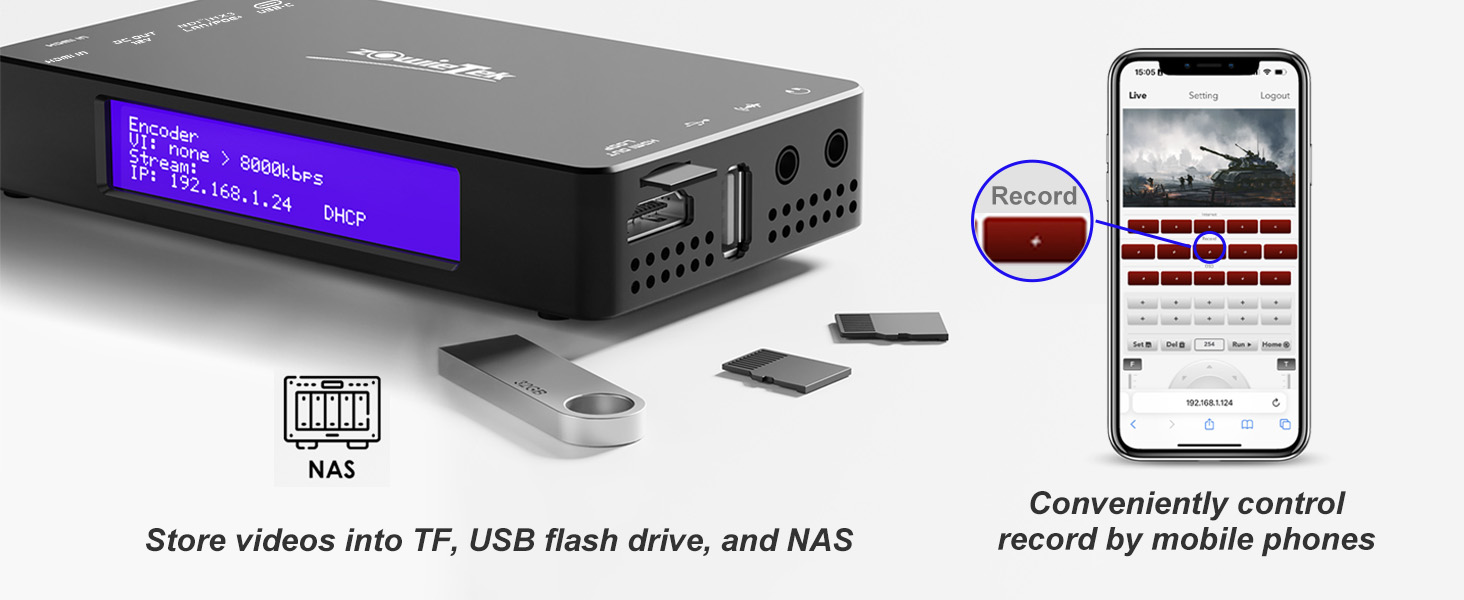
4KのNDIコンバータとしては安くて4台購入しています。 そもそもの購入目的はHDMIレコーダー機能でマイクロSDカードやUSBメモリーにmp4やMovで録画できて、ネットワーク経由でスタートストップのコントロールができます。 ただ、フレームレートに癖があって、フレームレートが30P固定です。30Pなら問題ないですが、29.97Pの映像は30Pとして記録するため記録したファイルを再生すると映像と音がずれていきます。 対処法としては、再生時に映像だけ再生速度を99.9%にすると音と同期します。 ファームウエアで対応できるなら、早急に29.97Pで録画できるようにしてほしいです。 追記 レコーディングファイルを分割しないように設定しておきましたが、先日のレコーディングではファイルが分割されていました。 追記 新しいファームウエア1.1.0.10でレコーディングファイルのフレームレートが入力の29.97Pで記録できるようになってます。これで音声と映像がずれなくなっていると思います。 NDI/HX3も簡単なチェックではスムーズになっているように見えます。 詳細なチェックしてまたレビューします。
ら**ら
本体については価格とともに文句なしです。 1点気になったのが付属のUSB出力のACアダプタにPSEマークがありませんでした。 これは問題ないのでしょうか。
A**E
Very satisfied with the purchase. It takes over the streaming from the computer/laptop, which becomes free to be used during streaming. Connected to a live on Youtube, controled via mobile phone, no issues.
T**B
This product was basically my first step into the complicated world of NDI, and I'm happy overall. This thing is a Swiss Army knife - it does just about everything, but not perfectly. BUT having a great quality 1080p real-time livestream of our camera feed, as long as you have a network connection to one of our campus network switches (which in turn powers the device with POE), is a game changer. Has no trouble displaying on 4K TVs and audio passthrough via HDMI works great. Makes for a super clean setup. Two gripes. This device has issues with frame rate conversions which might be solved in a future firmware update. For example, we run everything at 59.94 which the zowiebox detects as 60.00 (or at least that's the highest fps option in video settings, and no 59.94 option). Within a couple minutes there is a SEVERE delay to the audio channel. This effect appears to be caused by the Zowiebox "speeding up" the video channel to convert it from 59.94 to 60, but does not speed up the audio channel simultaneously, so for every second the audio gets behind the video channel by 0.06 seconds. So after 16.66 seconds the audio becomes 1 whole second behind the video, and after a minute it's approximately 3 seconds behind. The two options to solve this are to convert our video infrastructure to 60 (headache) instead of 59.94 which removes the conversion the Zowiebox is performing, or force the Zowiebox in video settings to 30fps. Somehow this fixed the audio issues and now everything is real-time. I've also had issues getting Multicast NDI to work properly which might be user error, but I've tinkered with this for many many hours. I have dreams of using our SDI-Zowiebox as our "transmitter" with a small army of HDMI-Zowieboxes as receivers for hallway TVs, classrooms and overflow rooms, and I'll need multicast with this. I'll have to tinker with this some more. Overall highly recommend. As I said, Swiss army pieces of hardware.
C**.
Le manuel explique les bases. Une fois sur l'interface web, il faut aller dans decodeur > uvc et activer la webcam. La page sera en erreur si la combinaison de paramètres est incorrect. Il faut donc savoir quelle combinaison la webcam autorise. Pour savoir ça, on branche la webcam au PC et on regarde les choix qui fonctionnent dans ses paramètres. Le boitier met du temps a démarrer, environ 20 à 30 secondes. Ça fait long quand on attend pour voir si ça fonctionne mais ce n'est pas dérangeant vu qu'on ne passe pas som temps à alumer et éteindre. Toutes les infos de base sont claires si on sait avec quoi on est en train de travailler. 5 étoiles car c'est intuitif.
U**E
Der Encoder funktioniert besser als erwartet (vergleichen kann ich mit einem eigenen Prototypen, dem Kiloview und TP Link, die alle ein Vielfaches kosten und nicht so viel leisten). Allerdings ist die WLAN Verbindung als Access Point oder Client nur zur Konfiguration geeignet. Der NDI Stream der ZowieBox wird, warum auch immer, nur über die LAN Schnittstelle ausgegeben. Ist aber auch kein Problem, an den LAN Port einen mobilen Router anzuhängen. Der NDI-HX Stream wird ohne Probleme von OBS unter MacOS erkannt, ebenso unter Windows, nur leider nicht unter Ubuntu, obwohl dort OBS 27 + libndi 4.5.1 + obs-ndi 4.9.1 andere NDI Streams anzeigen kann. Die USB C Schnittstelle braucht 5V/ ca 10 (max 25) Watt, die Stromversorgung über Powerbank oder PoE ist damit möglich und läuft stabil. Strom Versorgung eines weiteren Gerätes ist allerdings etwas mickrig und reichte bei mir nicht um zB eine DSLR auch beim Fokussieren mit Strom zu versorgen. Auch als Decoder funktioniert die Box ohne Probleme. Allerdings erkennt sie dabei nicht full NDI, sondern nur NDI-HX. Kann also schwierig werden, wenn der Zuspieler nur full NDI produziert. Nachtrag 7.3.2024: Die neueste Firmware kann nun auch den NDI Stream über WLAN ausgeben, das war mein einziges Manko. Das Tally Light funktioniert einwandfrei, Geräuschentwicklung ist gering, läuft stabil auch im Dauertest, damit 5 von 5 Sternen. Nachtrag 6.4.2025: Ziemlich bald kam noch eine weitere Zowiebox für eine weitere Kamera dazu. Es gibt regelmässige Firmware Updates, einen aktiven Email Support und seit letzter Woche geht nun auch noch der UVC Signal Import, dh man kann auch DJI Kameras o.ä. anschliessen.
A**A
Il prodotto fa veramente tante e cose e ancora non ho esplorato tutte le funzioni, per adesso l'ho usato come decodificatore sia srtp sia ndi, nel primo caso tramite un dji pocket 2 e ha funzionato bene nel secondo tramite iphone e app ndi per avere una camera senza fili aggiuntiva, ovviamente il secondo molto più fluido... l'ho testato sia tramite wifi interno sia tramite lan in entrambi i casi non ha dato problemi e ha offerto una buona copertura; per il prezzo che ha senza dubbio consigliato penso il più abbordabile e completo della sua categoria, non supporta flusso NDI non compresso ma per me non è fondamentale