We remain fully operational. Our teams are working around the clock to ensure your deliveries continue safely.

下载应用程序


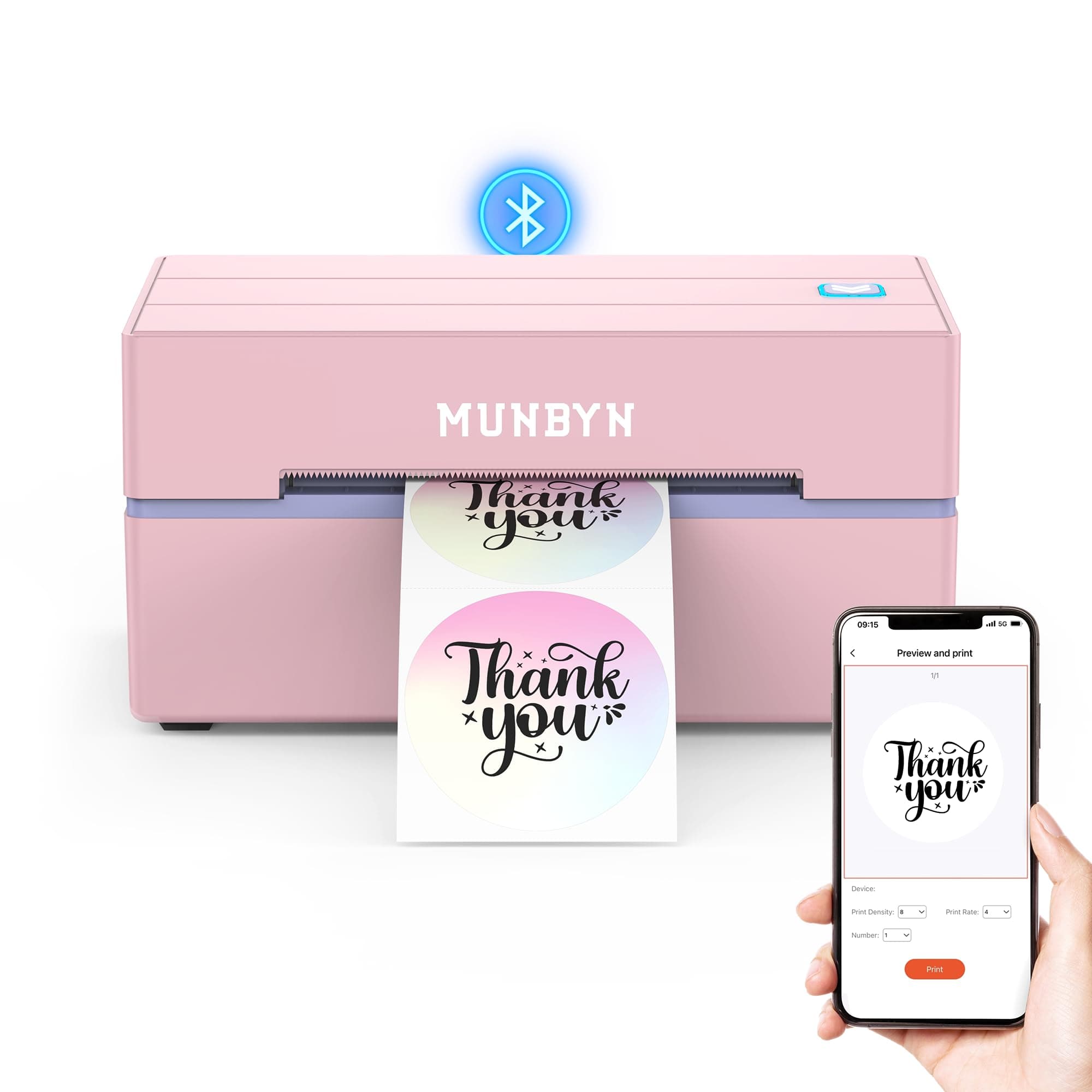
🚀 Print Smarter, Ship Faster, Stand Out!
The MUNBYN Bluetooth Thermal Label Printer 130B is a portable, wireless thermal printer designed for small business and home office shipping needs. It supports multiple label sizes including 4x6 inch shipping labels and specialty designs like rainbow and glitter labels. With Bluetooth connectivity and USB interface, it offers fast, crisp printing at up to 180 pages per minute. Compact and easy to set up, it’s ideal for professionals seeking efficient, high-quality label printing with broad device compatibility.


| ASIN | B0D3PVP6VM |
| Additional Printer Functions | Print Only |
| B&W Pages per Minute | 180 ppm |
| Brand | MUNBYN |
| Color | Pink |
| Color Pages per Minute | 1 ppm |
| Customer Reviews | 4.5 4.5 out of 5 stars (322) |
| Dual-sided printing | No |
| Hardware Interface | USB |
| Is Electric | Yes |
| Item Weight | 1.04 kg |
| Maximum Copy Speed Black and White | 180 ppm |
| Maximum Sheet Capacity | 500 |
| Model Number | ITPP130B |
| Other Special Features of the Product | Portable |
| Output sheet capacity | 72.0 |
| Print media | Labels |
| Printer Connectivity Type | Bluetooth |
| Printer Output Type | Monochrome |
| Printer Type | Thermal |
| Total Usb Ports | 1 |
♡**♡
I’m extremely happy with this MUNBYN Bluetooth Thermal Label Printer 130B. The setup was quick and straightforward, and connecting it via Bluetooth was super easy. Within minutes I was printing my 4x6 shipping labels without any issues. The print quality is clear and crisp, which is exactly what you want for shipping labels so barcodes scan perfectly. It prints fast and consistently, making it a huge time saver if you ship packages regularly. The printer itself feels well made and reliable. Everything arrived carefully packaged and in perfect condition, which I really appreciated. I’ve had electronics arrive damaged before when ordering online, so it was great to see the attention to packaging. Overall, this printer has made my shipping process much more efficient and stress-free. If you’re looking for a dependable wireless thermal label printer, I definitely recommend this one! ⭐⭐⭐⭐⭐
A**W
I use the MUNBYN 130B Bluetooth thermal label printer for small business shipping, and overall it does a good job, but there are a few quirks worth knowing. Print quality is solid. Text and barcodes come out clear, and the Bluetooth connection works well once it’s set up. It’s fast enough for everyday shipping and works fine for 4x6 labels. My main issue is label alignment. The labels don’t always stay lined up, and I usually can only print a few labels before needing to re-center or adjust them again. It’s not a deal breaker, but it does slow things down during bulk printing. I suspect using a label stand instead of feeding from a loose stack or roll would probably help with this. Once it’s aligned, it prints accurately, but it’s a bit finicky about staying that way. For smaller batches it’s totally fine, but if you’re printing a lot at once, expect to pause and adjust. Pros: Clear, crisp label and barcode printing Bluetooth works well for wireless printing Compact and easy to set up Good for small business or home shipping Cons: Labels can shift and need frequent re-centering Not ideal for high-volume printing without a stand Overall, this is a decent thermal printer for light to moderate use. If you pair it with a label stand and don’t mind occasional adjustments, it does the job well.
T**S
The printer itself is great. Crisp and clean thermal printing. The app though.... because it's translated from Chinese - it takes a little getting used to. To delete previously made labels you have to click "operate" (I think manage would be a better word there haha). The saving function is also a little weird. After you save a label, if you edit it you can't save over it again. You have to save it under a different name and then delete the other one. It's got a few more interesting quirks like that with saving. Last thing is there is NO cancel button. If you print 20 labels only to realize that they are printing landscape instead of portrait - you better just flip the power switch. Otherwise you will be wasting a lot of labels. Make sure you test print because the direction it prints is a little confusing itself - and a lot of clicking around to figure out how to change. The videos of how to use the printer online aren't super helpful. Great value for the money though, and small, light weight and cute. I love the options for colored labels and that you can upload a photo that it can print on your labels.
T**H
I was super hesitant to purchase this as last year I purchased another brand and it never printed correctly. Never threaded correctly would print outside the stickers. and I tossed my 80$ purchase in the garbage. It was so aggravating. But, I needed one now. I get so anxious with setting technology up. But, this was a no brainer right out of the box. And the print was super clean, super dark. I just printed out a template and I was shocked. 3 minutes max to download the app and print. Even for this anxious, not so techy, Grandma. So very happy with the purchase.
S**K
I had this up in running literally printing labels in less then 2 minutes from downloading app and hitting print on lables in app for my tcgplayer account ive bought 3 and they all failed this will be #4 printer I have bought in a year and it is by far the best label printer ive had to date
TrustPilot
1天前
1 个月前