Some deliveries may take a little longer than usual due to regional shipping conditions.

DOWNLOAD THE APP


Customer Services
Copyright © 2025 Desertcart Holdings Limited
DOWNLOAD THE APP
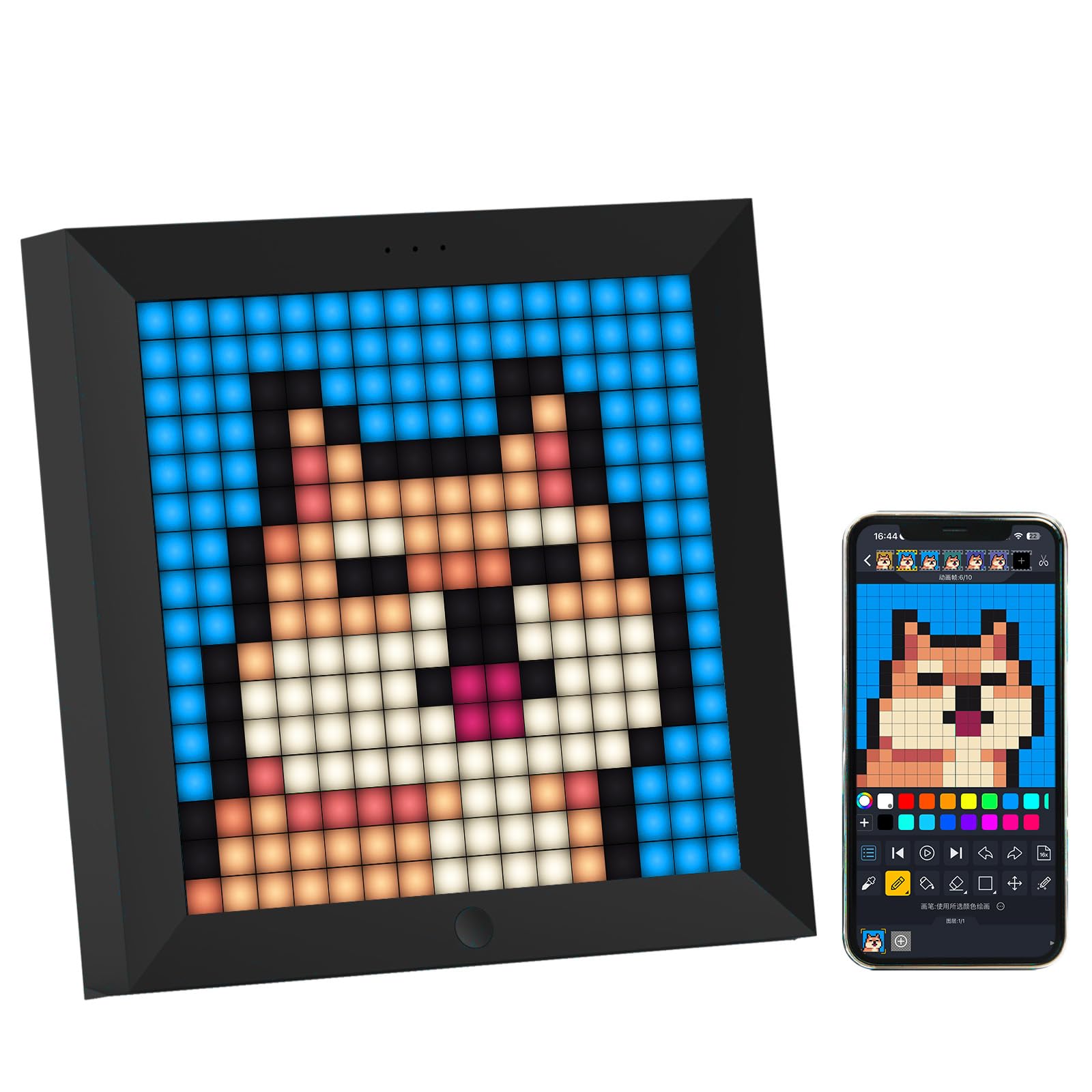
🎮 Light up your world with pixel-perfect style!
The Divoom Pixoo is an 8.6-inch pixel art digital frame that doubles as a smart clock, weather display, and music visualizer. Controlled via a dedicated app, it allows users to create and upload custom pixel art and animations, making it a versatile and stylish addition to any gaming setup or modern home decor.


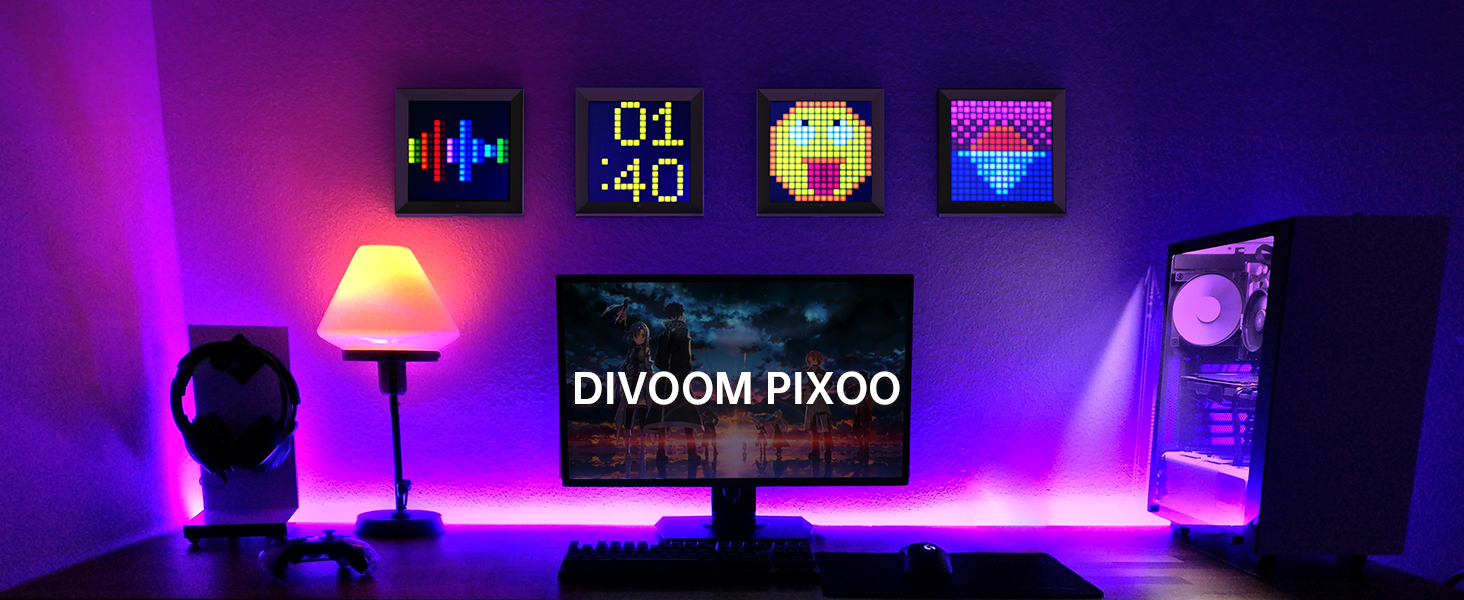


| ASIN | B07HHXWN3C |
| Best Sellers Rank | 28,329 in Electronics & Photo ( See Top 100 in Electronics & Photo ) 81 in Digital Frames |
| Guaranteed software updates until | unknown |
| Item model number | 6958444602516 |
| Manufacturer | Divoom |
| Product Dimensions | 21.59 x 3.71 x 2.51 cm; 840 g |
A**R
Excellent product
Looks great on the shelf above my pc. The app is good and has lots of customisation options although it only connects via Bluetooth not WiFi, once you load your settings to the unit it doesn't require a Bluetooth connection tho. Great gaming ashetic for a good price, updated with ease and custom designs are easy to create or download other people's shared creations. I'd love the large one but it's out of my budget constraints for visual display. Also works great as a clock and graphic equaliser for music using built in mic great effects at a decent volume great for parties
D**R
GGreatbpurchase
Good item
A**R
App is confusing. Device bulkier than I expected, big bezels, small battery.
I have some mixed feelings about this product. I discovered it years ago, and added it to my shopping basket for ages, then eventually delegated it to the saved for later list. Every time I looked at it I was very tempted to buy it but had no real need for it. Sometimes I was tempted for myself. Sometimes as a gift for others. But I never committed to actually buying it. Then one day I saw a £10 off discount option for it and decided I'd finally buy it. So now I have it, what do I think? Well, it's much bulkier than I expected. I thought it was a thin device you could just rest against the wall (or wall mount as the pictures show) but the pictures dont made it clear how thick and bulky this thing is. It won't be a problem for most, but I'm tight on space and really just wanted something flat that is more of a digital poster than a standalone lamp. The bezel are huge. To me it really cheapens the look of the device. I wish it was bezel-less or at least very thin bezels. In hindsight I should've got the Evo, which has much much smaller bezels. The Pixoo-max also looks better, but it's double the price and much bigger than i have room for. However, even the Evo looks extremely thick and bulky. It seems only the Pixoo-max is thin. Also maybe too used to OLED on my phone, but I can't get used to the blacks being so bright. If I try to keep this on whilst having the lights down low in the room, it's a huge lamp even when mostly black. Another criticism is the battery life is bad. 6 hours , the Pixoo-max has double that, and I guess most people will probably just leave it plugged in, but I don't really have a surface to permanently just leave it. And my final criticism is the app. I hated the app when I first installed it. It's not well designed. The first tab "Discover" is messy and overwhelming. The message tab is just pointless and the me tab is kind of redundant, as you need to first make/save other peoples animations to see anything there, and upload subtab is just blank. I dunno what you're meant to do with it. Then the channel tab is just oddly designed, first a clock face then a lighting tab to select a solid colour to act as a lamp (WHY?). Then the best thing in the whole app, "recommended" to have all the top rated images show in a slideshow (THIS should be the first tab you see). Then Visualizer which is fine, but again should be one of the first thing you see as a new user. and "Custom", which I took one look at and didn't understand what it was. I assumed custom was where you design pixel art so closed it and didn't go back to it. But it turns out this is the MAIN function of the app! The remaining tab is a cube icon (no idea what that's meant to represent), that doesnt even look like a tab and more a logo, so would be easy for people to overlook and never press. And again is is one of the main features of the app, its where you see all online images and animations! For about an hour I was truggling to figure out how to use this app. Initially I found the recommended tab so just left it on that for an hour. Which shows all the highest rated online animations. but when I wanted to customize it more I found the "Cube" tab and found some art i liked and tapped them to show them on the device However you seemingly can only select one at a time, and after seeing the same image for 20 minutes it gets boring. I couldn't find a way to queue images, nor select categories/genres to continuously cycle. There's an expert subtab which confused me, but seems just to be the highest rated image authors. I still don't understand what the group subtab is. After hours I finally went back to the custom tab and discovered that that is where you select 12 (why only 12) of the animations you like and create a continuous slideshow of them. This app should really be rearranged. The "Recommended" tab should be first, a welcome tab, showing all the highest rated animations in a cycle, not a hidden subtab. WhIch should also have links to the online gallery and local gallery/favourites. It should also allow selecting genres/albums, and currently there's no way to just select a whole category/genre, you have to scroll through them and select one at a time. I'd have selected Halloween, but instead, all I can do is select one at time from this view. Custom should be the main "Slideshows" tab where it's more clear that you need to tap the squares to select animations. Visualizer should be a main tab not a hidden subtab. All the other stuff should be tucked away in a menu. I'd also recommend a first-use tutorial/tooltips/popups showing how to use the app. I can see many people returning this purely because of how confusing the app is. It's a pity if the app was better designed I'd say this would make a great gift for a kid. But it's just too confusing to use. If it was less bulky and thick i'd say it was good to put on/against a wall somewhere. If the bezels weren't so think it'd look much more stylish too. And if the battery lasted longer I'd say, that it'd be good as a portable decoration you just leave out on display on a table/shelf. Sadly it is none of these things so I'm probably going to return it.
D**I
Awesome!
This was purchased since I naturally wanted a pixel display - one which would also give me social media notifications, but I wasn't prepared to shell out £170 for the LaMetric Time. I opted for the black frame version, since I don't see the point of a frame if it's going to blend in with a white wall. The 16 x 16 (256) pixel display is bright and vibrant. Colours are distinct with no fading or similarities. Each pixel tend to be more bright towards the center which only lends towards the looks. After downloading the Divoom app, I switched on the unit to be greeted by a Bluetooth logo which signified that it was listening for a connection. I tapped 'Connect' in the app and the unit was detected immediately. Clicking one of the animated pictures on my iPad display it was immediately cast onto the Pixoo display. It looked (and looks) great! Some of the animations don't simply feature a colour per pixel. There are fantastic looking blended colours available through the app which give a great sense of ambience to the room called 'VJ Effects'. There's a whole range of animations and features to choose from including Divoom presets and a constantly updated user gallery on the cloud in which people develop and submit their own still images and animations. Of course, you can do the same! The editor is intuitive and user friendly. Though I haven't finished an animation, a friend of mine has and he achieved a great end result animating a rise above a cityscape. Some user animations are very creative and some hilarious. There's a whole range of features too including: Chat, Alarm, Countdown, Planner, Game, Noise Meter, Scoreboard, Notifications, Weather, Celebration Days and DJ mixer. Though this particular unit doesn't feature a speaker in it, the sound in some features simply emanates from your tablet or phone. The unit does feature a microphone however, so you can take advantage of the 'Vizualizer' animations in which faces move in sync with the sound, a woman dances, or traditional equalizer bars move. There's also a range of abstract equalizers - vertical and horizontal. The display can be used as a simple light too of any colour. This essentially means that every single pixel is coloured the same, so it radiates a single colour of your choice. You can also adjust the brightness level for this feature. There's an option to display a digital clock too and this occasionally flips into a the temperature and weather which is read in from a live forecast site for your location after you enable GPS in setting on your device. The weight of the unit isn't too heavy, nor too light. Build quality is reasonable. The unit runs from a charge, though I only had mine hung on the wall without being plugged into USB for a day until my white (to match wall) USB cable came in the post. Though it's not very aesthetic in contrast to running from the battery, I like to know that it's always going to be powered up. In comparison to the Lametric Time, which is only coloured on a quarter of the display on the left (the rest being white pixels only for text), this is an absolute steal. On that note, this unit also gives social media alerts in a similar fashion to the Lametric Time. After entering your usernames in the app for each social media account, if someone follows you on Twitter or Facebook etc, it will flash up the logo of the corresponding social media platform. This is a great feature, though the visual alert is very quick (1-2 seconds), so I often miss it. This unit doesn't keep track of the numbers of Followers etc, which is a unique feature of the Lametric Time, which also alerts audibly. Nonetheless, this unit represents awesome value for money. It really helps to spice up your room and what's more, thanks to the features in the app, it's entirely functional. I liked mined so much in the first hour, I jumped back onto Amazon to purchase one for my friend as a surprise gift.....and it was well received! Get one!
R**H
Creative, fun and practical
Pixoo frames are a lot of fun. It's my favourite non-essential item of the year. They're built very well with thick, matte finish (glossier products tend to look cheap) and the screen is bright enough to entertain my neighbours and passers-by and looks great in minimalist or colourful interior. As a motion designer creating pixel art is a great creative practice to do every day; the Divoom app is fantastic for this and there's a large, productive and inspiring community already out there creating some very impressive art and animations. The app itself is mostly easy to use with some nice UX for single and multi-screen arting and importantly, connects to bluetooth quickly and easily. I've tested with iPad, and Android and both work without a hitch. I'm looking forward to contributing some multi-screen animations to on the art-walks around these parts. In the meantime, I've given this house some excellent animated creepy eyes to give people something fun to spot while jogging past.
A**R
Great quality and the colores are great and fully recommended for a gaming room or office desk size also great 16 x 16 and the app is super cool. price is great also for this item.
か**ん
ゲーム部屋に飾りたくて買いました。 ケーブルで充電しながら飾ることが難しいので放置してます。ピクセル数が少ないのであんまりいい感じになりませんでした。
C**Y
inanılmaz güzel bi ürün! Duvara asınca daha da tatlı olcak.
N**S
Awesome, but do be aware some community pixel art of the app doesn't show as well if they're detailed to the smaller pixels, I wasn't aware when I bought it, but it displays only bigger pixels not tiny pixel details, but realistically it does the job for me! Premium look and feel packaged well
Y**I
Offert en cadeau a un jeun's ado prépubert, ça plaît grave ! Produit de bonne qualité, tant produit, logiciel et image... Multiples possibilités, rendu super ! Pour les nostalgiques des années 80, le passage a la caisse pour un prochain, va être obligatoire pour ce "pixels art". Attention... Regardez bien les prix... Car parfois, les porduits divoom sont moins chers sur le site fabricant !! Avec parfois 20/30 euros d'écart pour le modèl HdG !!
Trustpilot
1 day ago
3 days ago