

Desertcart purchases this item on your behalf and handles shipping, customs, and support to Hong Kong.
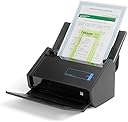
⚡ Scan smarter, not harder — the iX500 keeps your paper chaos in check!
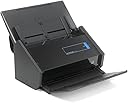
The Fujitsu ScanSnap iX500 is a high-performance desktop scanner delivering blazing 25ppm color scans with duplex capability. It offers versatile USB and Wi-Fi connectivity, supports both PC and Mac platforms, and features a compact design that fits seamlessly into professional workspaces. Ideal for busy managers aiming to digitize and organize documents quickly and efficiently.


| ASIN | B00ATZ9QMO |
| Best Sellers Rank | #180,945 in Office Products ( See Top 100 in Office Products ) #155 in Document Scanners |
| Brand | Fujitsu |
| Built-In Media | Computer Scanner |
| Color Depth | 24 bpp |
| Connection Type | USB |
| Connectivity Technology | USB |
| Customer Reviews | 4.6 out of 5 stars 3,335 Reviews |
| Global Trade Identification Number | 00097564308048, 00617079301718 |
| Item Weight | 3 pounds |
| Light Source Type | LED |
| Manufacturer | FUJITSU IMAGING (SCANNERS) |
| Media Type | USB |
| Minimum System Requirements | Windows 7 |
| Model Name | iX500 |
| Optical Sensor Technology | CMOS |
| Resolution | 1200 |
| Scanner Type | Document |
| Standard Sheet Capacity | 50 |
| UPC | 617079301718 043396323957 097564308048 |
| Unit Count | 1 Count |
| Warranty Description | 1 year limited warranty. us and latin america only. |
| Wattage | 20 watts |
S**E
Kicks Butt and then some!!!
I have owned the ScanSnap for about three weeks now and highly recommend getting it over the other scanners out there. I did some research for about two weeks before deciding to purchase the Fujitsu ScanSnap iX500. It is a VERY expensive scanner, but well worth it. I was very hesitant at first a purchasing such a high dollar device, but glad I did. I have a filing cabinet full of papers, a butt load of military documents, receipts, paid bills, and all the other crap you need to hold on to. I got tired of have a drawer full of papers that was a pain in the butt to keep organized or to find an apartment document. The Fujitsu ScanSnap takes care of this problem. I was able to scan about 400 documents in just a few hours to include organizing them in a file directory I had created on a backup 1TB portable drive. The scanner performed well, and I only had to rescan like for documents. I only had one or two jams that were easily corrected. This thing is superfast and the quality of the scan is very good. It is very easy to use. Put in up to 50 documents hit the blue button and let it do its work. It scanned receipts from retail stores very well, even the receipts that were faded and crumpled. It can even scan long documents such as the ones you get when you sign a mortgage from your bank. The ScanSnap Organizer software is fairly easy to use, but I cannot give a fair review on it for I'm still learning how to use it efficiently. I even have scanned a few old photos and they turned out pretty well. I did have an issue with machine connecting to USB 3.0. I'm not sure if it is a driver issue on my end or Fujitsu's end. The model I have supports USB 3.0 but currently I have to plug it in a USB 2.0 port. I have not researched how to correct the issue, but using USB 2.0 is fast enough for me. The machine does not take up a lot of space, and fits snugly right next to my HP LaserJet printer. If you are looking for a document scanner and want to get rid of that filing cabinet full of papers, this is the way to go! It is pricey, but you will be getting a very fast and quality scanner that will last a very long time.
J**L
Exceeded Expectations! Works great on Mac!
I had some concerns regarding software since I have a mac running OSX 10.9 Mavericks. But despite that, and a little extra work to download the latest software, this thing has been just amazing. The things I love about the ScanSnap iX500: 1. It's a transformer scanner-bot: the top feed tray folds up (and it turns on at that point), then you fold the bottom tray down. When it's all folded up, it's very small: 6in deep, 7in tall, and 11.5in wide. It's small enough that I just put it on the corner of my desk. 2. Speed wise, it's a beast: I still am amazed at how fast it scans document pages... and duplex in the same pass! If you've ever had to fax a two sided document, this is a super time saver. Scan it (duplex) to pdf in folder. Email the PDF using eFax (or whatever fax provider). It's smart enough that when it sees a blank side it won't include that page. 3. Built quality: Okay, I've only used it for two days, but so far the build quality seems very solid. No jams (and I scanned some pretty questionable pages). 4. Software: Once everything was installed (and updated, see below), the software is simple, and works. I scanned directly into Evernote, to CardMinder, to iPhoto, and to folder... everything worked as expected. If you're a mac user: the provided software on DVD will not work if you're running OSX 10.9 Mavericks. I had to go to the fujitsu site (google 'scansnap download'). There was some software components (CardMinder) that I had to fill in a small form to 'request' the download. I did that, and got an email several minutes later with URL, username/password to download CardMinder and the updates. If you're using Mac, be sure to download software from the Fujitsu support site, and then install the appropriate update file for each component. For example, if you install Cardminder software but not the update, you can scan business cards but it errors out when it tries to recognize the text. So, it's not a cheap device, but I have to say, if your goal is to go paperless, this is the way to go. Oh, and if you get this, may I recommend getting a second trash can for recycling: you'll find your self throwing away a lot of paper that would otherwise stack up on your desk or age like fine wine in your filing cabinet. Scan your docs to PDF, and enable 'convert to searchable PDF'. Scan to a folder under your Dropbox, Google Drive, etc and now your docs are searchable. Sweet!
R**W
Refreshingly excellent
It's a true delight to find a product that is as carefully thought out, as well engineered, and as user friendly as Fujitsu's ScanSnap scanners. I've been using the S1500 at my office, and my wife and I have have been using one for our home office, since 2010. It's been a workhorse appliance that we've used every day for paperless home and business needs, with our only problem being some very occasional finickiness in document feeding. When I started seeing reviews for the iX500, I figured it was time to pass the S1500s on to some office staffers and upgrade the office and home. I did that today, and I'm very happy I did. The iX500 is much faster than the S1500, and from what I've read I don't expect even the minimal finickiness we had with the S1500s. Beyond the excellence of the product, I've rarely seen such simple installation. The software installs almost entirely on its own, preserving settings from the prior version that came with the S1500. You basically just run the installation program, plug in the scanner, follow some on-screen prompts for both wireless and hard-wired connections (with built-in trouble-shooting if things don't go quite right), and you're done. Very few products are this easy. Yes, I'm pretty tech-savvy, but it's hard to imagine anyone having trouble with the setup. Both at the office and at home, everything went flawlessly. Most important, the installation preserved all my preferences, including the location of the destination folder for scans (a Dropbox folder, not the program default). Once the installation was complete, I did a scan and everything worked just as it had with the S1500, Hard to beat that. Particularly simple is the wireless facility. This isn't a wireless connection to your computer, but rather a connection to iOS or Android devices through local Wi-Fi, so that you can send a scan to these devices. I have to say that I'm not sure why Fujitsu devoted so much attention to this -- it's not obvious to me why anyone using Dropbox or a similar service would have a regular need for it. In my case, my default folder for scanning lives in Dropbox, so when I scan something it's available on both my office and home desktop computers and on my wireless devices. So, I don't know how often this will be useful to me. That said, I can see the value of being able to do a quick scan to a handheld when the computer is turned off and I don't want to have to fire it up. Regardless, the wireless setup is as straightforward and quick as anyone could possibly want. Again, even the tech-challenged should find this easy. And that's the real virtue of this very virtuous product: Anyone can use it. The S1500 was absolutely solid and reliable. The ix500 continues the tradition of excellence. Thank you, Fujitsu!
V**I
Excellent scanner and very useful software...
I bought this primarily to scan receipts. The kind you get at restaurants and gas stations, that thin paper that might be thermally printed. Well, the scanner worked like a charm the first 3-4 times I did it (every couple of months I accumulate enough to scan), but lately it paper jams nearly every time. This is sooooo annoying as the main reason I want to use this is to scan those receipts. So this is a good scanner with regular paper, but not so good with receipts. Update: Soon after I noticed the receipt scanning problem I had a lot of paper jams when I was trying to scan some regular pages. So I decided it may be that the rollers were dirty (this is after scanning about 10 thermal receipts every 2-3 months), suspecting that the thermal receipt pages might have some coating on them that messes up the rollers. I cleaned everything with alcohol on a q-tip and after that, regular pages fed and scanned just fine. Also, in a reply to this review, Fujitsu suggests using a carrier page for the receipts. Honestly, I can lay them down next to one another and take a picture with my phone and that works just about as well. So, I will upgrade the rating to 4 stars. I works just fine with regular pages, and the software seems fairly easy to use and functional. I will add that there are fairly frequent updates to the software for the Mac which Scansnap will automatically download, and typically they are about 125MB, which would normally take a few seconds to download on my broadband high speed connection, but the Scansnap downloads typically take about 10 minutes, if not longer since it seems like the Fujitsu server sends packets out pretty slowly. Don't click "Download Now" when you are in a hurry to shut down your Mac! ***UPDATE SEPT 2015*** The online updates are now downloading very quickly, no longer agonizingly slow, thankfully. Scanner software updates now include an Organizer which lets you rename, keyword files and then place them in a folder of your choosing. They also added a Receipts program which can capture the scans, OCR the information and place it into a database. Quite nice! Once you have cataloged the receipts (scanning using the carrier sheet) and made sure the information was correct, you can export the receipts as a PDF or you can export the data from those receipts as a CSV file — useful if you need to share with your accountant. So overall, this scanner has actually improved with time. Good support for a great scanner! Summary: excellent scanner for regular pages, very useful software; new Receipts and Organizer apps for the Mac make this much more appealing. A recommended buy!
P**G
Photos scan darker than they should, but it is fast and easy to scan lots of photos quickly
I've only been using it for the past month but it seems to do well. However, the downside is that color photo scans come out a little darker than they should. I have looked to see if there was a brightness or scale adjuster for color scans, but I can't seem to find one (only for black and white). If they had some software that could help adjust the scan colors or brightness it would be perfect. I should note that the scan quality is still better than my really old (more than 12 year old) flatbed. Comparison pictures of the old flatbed (first picture) to the ScanSnap (second picture) provided, the original photo is still higher detail and color. I have not yet been able to compare it to a newer mid-level flatbed, if I do I'll update the review. I got this to scan the thousands of photos my family has from before digital cameras. So speed and convenience was a priority over the highest quality of the scan. With a new flatbed they would look better, but it would take me years rather than days to scan them all. Again, I'm glad to have digital copies of the photos, but wish I could adjust the scan brightness / coloring a bit to make it even better. If someone knows how to do that let me know. Here are some tips to make scanning the photos easier and faster that I learned: - You can keep feeding the machine while it is going. So put in your initial stack of 30 or so photos that are the same dimension, press the scan button, then just keep adding more photos to the feeder tray on top before it reaches the last one. Doing it this way I was able to go through a massive pile of photos as fast as the machine could scan rather than stop every batch of 30 or so. Just be sure to clear the exit tray every now and then so they don't get too bunched up at the bottom. - It will save you a lot of time if you make sure that the photos are all oriented the same way. This way after the scan you won't have to rotate some photos to the right and some to the left. If you do it right, you should only have to quickly eye scan and select all photos that are on their sides and do a single one time rotate before placing them in their final destination. - I did see a little difference in detail of very fine details going from 300dpi to 600dpi on the photos (like small detail links in a gold necklace at close but not super close up), but I decided to just stick with 300dpi as the scan time is a lot faster and size of files smaller. It wasn't *that* big of a difference for me to warrant the extra size and scan time. But is useful to know for really important and precious photos. But then again... if they are super important, you might want to try a flatbed for those smaller batches. - Do some adjusting and definitely set the scan button through the software when doing photos. By default the machine will do two sided pdfs, but for photos you will want to set the blue scan button on front to do color, single sided, 300dpi, .jpg files, and output to a specific colder on the PC. That way you don't have to spend time changing the settings each batch and can just load the pictures and press the blue button to watch the magic happen. - Try and group photos of the same size together when scanning a batch. I had a lot of photos that were large and small in the same timeline. Some I was able to get the same width by rotating them as the smaller photos, so that worked out well and was easy to just right click in windows and 'rotate left'. The scanner will handle smaller photos mixed with larger ones in the tray, but you will always get best results due to the feeder if they are the same size (width) in the feeder - When scanning photos do them in batches of about 30 initially, if you do more than that, I find that the photos seem to stick together and so the first few can't actually be caught by the feeder rollers. After they start rolling however, you can add more to the tray all you want while it is going (see tip above on that). You just need to get the first few going with a smaller stack.
M**M
What a great scanner!
I was looking to buy the larger Neat-scanner, as I own the small one, but I did have some issues with that, like paper-jams, which would tear up the (thin) paper as well as small papers, and sorting out where to file the scanned papers. Then I read some very negative reviews about this larger one, and the last review I read mentioned the iX500 Scanner. So, I went looking for reviews on the iX500, which were almost all very positive. I bought mine, it arrived really quick. Setting it up is very easy, and it works fabulously! You can use your own filing system that you build in the Snap Scan Folder, which is easily located in 'My Documents' on your computer, and you can also scan to pre-existing folders on your computer, it's all really easy. It comes with a large cover for small or fragile papers, that takes care of the tearing problem and works really good. The scanner has a single or duplex scan mode, in the later both sides are copied at the same time. Now there is the only slight problem I have, which may very well be that I did not read the - on line - instructions to the fullest, because it resets itself to 'duplex' all the time (except when you count on it...), so to avoid excess memory usage, you have to manually set it to single on a regular basis. When the back of the paper you're scanning is spotless, it will remove the blank side itself, which works well, until there is some see-through from the front or some spots on the back. With business cards it has the possibility to manually remove the back - blank - page, with regular papers to scan it doesn't. If you scan several pages on the same subject, it will put them together in one file, which is really neat. I have gone, in the short period I own it, already through stacks of papers, that I could then destroy. I love what that does to my room! As for business cards - it reads some very well, others really bad, but the image is still visible and one can manually correct the most important parts. Fancy cards with Italic lettering are the worst. But for me personally that is less important, the 50 or so I wanted to scan did not take up too much of my time. And you can, in the 'cardminder' folder that comes with the iX500, look them up on name, profession etc. After I put in my cards and destroyed most of them, my computer, however, gave up the ghost, so I felt lucky I had not destroyed the computer guy's card... (though his name is in my cell phone, for safety's sake). This of course was an extra warning sign: make sure you have a good back-up system. I use Carbonite, which picks up everything I put newly into my computer within minutes and I'm safe. My computer wasn't really dead this time, only the monitor, bad enough!, but we had an issue with my husband's laptop that was slowly dying while I had just convinced him to also use Carbonite. It died, and through Carbonite all his important papers could be retrieved and restored on his new laptop! Back to the iX500: I just found somewhere (in Help I think) that the 'roll' has to be renewed after 1000 pages, but it stated my count stood at only 100 just now (I feel I've used far more already). I haven't looked up what the cost of renewal would be or how complicated it might be to exchange it, but it seems it is some way off still. It seems the cover sheet hat to be renewed too, as logically that my get some wear & tear as it is floppy and it is a hassle to put it back into its protective plastic bag. One of the reviewers I 'consulted', though, mentioned that he didn't bother so far, and everything still worked fine. So, we'll see how that works out. For now, I'm just very happy with this iX500 Scanner, even though the price is higher than the Neat Scanner, but Amazon had a cheaper price, so that worked out too.
D**R
This was the perfect scanner purchase for me - I have used it for 10 years.
We now have homes in two different states. Our records are always in the wrong place. I decided to scan virtually every piece of paper we have, from tax returns, to deeds, to car titles, to insurance policies, and every other type of record we maintain to have a digital record we can carry with us. I knew that the scanners built into my printers would take a lifetime to scan everything needed. We searched Amazon for the best combination of features, price, and user ratings. While I had hoped to spend less than for the ScanSnap iX500, in hindsight, we made the right decision. This scanner is perfect for us. Pros: Fast - really fast. I am just amazed at how fast this thing scans. It did my 2014 tax return (business included) in about 1 1/2 minutes. Good sheet feeder. I have been using the scanner for a couple of weeks, and it hasn't missed a page yet. Good quality scans. I am putting everything into PDF's, and the read quality is excellent. Reduced file sizes. The file sizes created by the SnapScan are far smaller than those created by my printers. Duplex - scans both sides of a document at the same time, eliminating white pages. Nice software features. The one I like best is to be able to repeatedly add pages to a single PDF, before I save the file. Size - it is really, really compact. It takes up very little desk space. WiFi - I can scan to one computer via WiFi. Cons: Not really made for scanning books. But I have a printer/scanner for that. Without running a whole new setup and deleting the first one, I can only use WiFi for one computer. A second computer has to be connected via USB cable. Bottom line: The quality and features make it worth the price. Edit: I bought this scanner 10 years ago and it's still running fine. I live in two states and scan all documents, receipts, etc. to the cloud so they are always with me. But be aware, all factory support of this scanner has ended. If you need new drivers, or any other kind of factory support, you are on your own. Be sure to hang onto your install disks because if you ever switch computers - like I just did - you will need them.
F**R
Doing the job!
I have had this scanner for a few months now and delayed writing a review until I had some experience with it. If I had written a review the first week it would have gotten less than one star. I purchased this scanner after reading your reviews and doing other research. I am running out of space for file cabinets and it dawned on me to try to go paperless at home ( as in the office) rather than try to find space to squeeze in another file cabinet. Smart move! The scanner arrived as expected and well packed. My nightmare began with trying to reach customer service in another time zone who also seemed to be closed on the weekend. in installing the software was a nightmare in that I have a mini mac without a hard drive. Following the instructions I tried to download the software. I had to find a utility to unzip the file, and nothing worked. I kept getting errors. Anxious to get started, I took my computer to the big box geeks ( regret that for security reasons) and it took them hours to install the software but they eventually got the job done. I don't know how long it actually took them, only how long I sat waiting. Of course I paid them for the install, about $30 or so. I was able to begin to work, but then I suffered a flashing blue start button and the scanner would not work. By now I have invested the whole weekend, and a few dollars and packed it up for return to Amazon, just thoroughly frustrated. I love Amazon's return policy. (Had a hiccup there in that they credited the funds before I returned the package). So back to the machine, it nagged me that the reviews were so great and I was having a horrible experience. I finally got a good customer service number after the weekend and gave them an earful and indicated that I was returning the unit. I was put through to a senior tech who was very knowledgeable. It seems as if I had a bad installation link. That was resolved. The start mechanism was not working because the system was no longer compatible with my upgraded operating system. I was guided to updating the snapscan and voila all was well. I worked with the unit another week or two and decided it was worth keeping. The learning curve can be a bit steep. There are so many features, and ways to scan to files on the computer or directly to applications such as Evernote. OCR is a breeze. I had to upgrade my Evernote plan from free for the way that I now wanted to use it. Be aware that there is another model of Snapscan dedicated mainly to Evernote that might be preferred. I think I prefer this version as there are some documents that I do not want in the cloud. So I find that I do not use the Abby software very much that is packaged with the machine. One of my favorites, though, is Cardminder. I was able to take my growing stack of business cards and digitize the, having them show up in my contacts properly organized. This unit is very fast. I thought I would want a faster one, but it does take time to organize for scanning and it works out just right. In an office environment with loads of screened things to scan, I could see that a faster model could work. I like this model, though not billed as portable, it still has a small footprint and nice paper handling controls. I sense that I still have a lot to learn, but I can work with it very efficiently now and it responds as designed. I find no problems at all with paper jams. I read about thin paper, so if I have something very lightweight, I use the weight of my hand to lightly keep the paper from bunching. I love that I can scan receipts easily by changing the width of the guide. It is not a receipt reader per se, it only scans, but that is all I need. Back to amazon, I alerted them that they should reverse the credit. So I am a happy camper, and this was a wise investment for my home. I am scanning years of documents. This was a little long, but if you are like me you need as much info as possible before spending this much money. So in summary, I highly recommend the product, but just insist on speaking to a senior tech I'd you have any problems, and maybe do not install on the weekend unless you are confident in your skills. Hope this helps.
A**X
EXCELENTE SCANER
Uno de los mejores aparatos que he comprado!!!! Me ha dado un resultado increíble ya que escanea por las dos caras al mismo tiempo y lo hace rápido!!! Es un excelente equipo!!!!
A**A
Excelente!!! Lo mejor de lo mejor
El scaner ScanSnap iX500 superó mis expectativas. Realmente es el mejor escaner para uso personal que he visto, incluso supera a varios que son para el ambiente empresarial. Escaner de alta gama, sin duda.
Trustpilot
1 week ago
5 days ago