Desertcart purchases this item on your behalf and handles shipping, customs, and support to Hong Kong.
๐จ Elevate your digital canvasโprecision, portability, and power in one sleek tablet!
The GAOMON S620 is a compact, ultra-slim graphics drawing tablet featuring a 6.5x4 inch active area, 8192 levels of pen pressure sensitivity, and 4 customizable hotkeys. Designed for beginners and professionals alike, it offers a battery-free stylus, broad software compatibility, and portability ideal for digital art, note-taking, gaming, and online collaboration.


| ASIN | B07R77SNX9 |
| Active Surface Area | 6.5*4Inch |
| Additional Features | 4 Customized Press Keys, Extra-Slim, Great for art /note-taking /osu! playing |
| Best Sellers Rank | #13 in Computer Graphics Tablets |
| Brand | GAOMON |
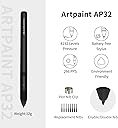
| Built-In Media | Digital Pen, GAOMON S620 Pen Tablet, Quick Start Guide, Replacement Nib, USB Cable |
| Color | Black |
| Compatible Devices | Desktop, Laptop |
| Connectivity Technology | USB |
| Customer Reviews | 4.4 out of 5 stars 17,800 Reviews |
| Display Type | LCD |
| Item Dimensions L x W | 8.3"L x 6.85"W |
| Item Type Name | graphics drawing pen tablets |
| Item Weight | 0.25 kg |
| Manufacturer | GAOMON TECHNOLOGY CORPORATION |
| Mfr Part Number | A0.S62000-0-EN0000-0-CA |
| Model Name | GAOMON S620 |
| Model Number | GAOMON S620 |
| Native Resolution | 1920x1080 |
| Number of Items | 1 |
| Operating System | Android 6.0 or later, Windows 7 or later, macOS 10.12 or later |
| Pressure Sensitivity | 8192 levels |
| Screen Size | 5.8 |
| Special Feature | 4 Customized Press Keys, Extra-Slim, Great for art /note-taking /osu! playing |
| Specific Uses For Product | Drawing, E-Signature, Teaching |
| Target Audience | Student |
| UPC | 653334993694 |
| Unit Count | 1 Count |
| Warranty Description | 1 year warranty under non human made damage. We don't cover accident damage, or accident missing accessories. |
G**N
Cheap & reliable - a great tablet for beginners and teachers
When I first saw this tablet I was rather skeptical; even for a smaller tablet it was incredibly cheap, especially when compared to the prices set by other brands. I went ahead and ordered this tablet, after all thereโs not much to lose; on top of the Gaomon warranty I was also offered a 3 year long protection plan for a little under $5. Already a better start than any other tablet Iโve purchased. The tablet arrived much quicker than expected and I was also pleased to see how nicely everything was packaged. I attached a little unboxing video here; I went ahead and removed the plastic from the products (tablet, tablet pen, and glove) before recording, but everything was re-placed as how it was when it came in. The contents include: Tablet features: 6.5โ by 4โ Work Area. 4 Shortcut keys Everything else: The S620 tablet itself Battery-free AP32 pen (8192 levels pen pressure, aka pretty standard pen pressure but impressive for such a small tablet) 1x USB Type-C Adapter & 1x Micro USB Adapter Drawing glove Spare pen nibs (enough for the tabletโs whole lifetime, more nibs are available on their website but they provided plenty to start with) Setting up this tablet took no more than 10 minutes, Gaomonโs site was really easy to navigate. If you have another tablet make sure you uninstall that driver before installing this one, the same goes for any tablet, only one can work at a time. Not that big of a deal, just a tip for beginner tablet users! After around an hour working with the tablet, I got an error message on my computer and the driver stopped working. I went back to Gaomonโs website and right there on the front page (itโs so big you canโt miss it) was a link to download their universal driver that would fix the issue right up. kudos to them. Driver issues are super common with all tablets, but Iโve never seen a company that openly acknowledges & tries to give you as much access as possible to fix them as Gaomon does. I didnโt have to dig for this fix AT ALL, and the tablet worked normally after taking the 2 seconds to download the new driver. Super rare for tablet companies, you usually have to dig. There was only 1 cord for this tablet, which I was really pleased about. Thereโs no clutter! Itโs definitely portable and quick. The glove fit me as well, which I wasnโt expecting since tablet companies tend to either send huge gloves or extremely tiny ones, but this one fit me perfectly! Thereโs also USB connectors in case you want to use the tablet on your phone; like I said, itโs made for portability and ease of use. The pen nibs supplied are enough to last the tablet lifetime, itโs overall a great deal. As for the tablet performance itself, it works just as well as my $350 Wacom Intous (medium). Obviously, itโs a lot smaller than Iโm used to, which took some adjusting, but thatโs expected. I got the hang of it within the same hour and worked on it as I would any other tablet after that. It performed just as well drawing wise as my Wacom. The only con really was the pen. For the first hour or two I was really enjoying the pressure of it. After an hour or so I had to push a bit harder for it to connect & to get the pressure I wanted. Again, this took some adjusting too and wasnโt my favorite, Iโm more used to pens that donโt have so much โbuffer roomโ so thatโs more of a personal preference. Once I was more used to it after another hour or two it wasnโt so bad. For such a small and well priced tablet though, itโs surprising that it works THIS well. You definitely get bang for your buck Iโve never been one to use shortcut keys before, but I decided โwhy notโ and set some up to use for this tablet, and wow Iโve been missing a lot! I like how these keys click a lot more than my Wacomโs do. Their sensitivity is really nice and the shortcut menu is right on the driver menu so itโs super easy to navigate and set up. I highly recommend this tablet to beginner artists (Iโm going to be giving this tablet to my younger sister, whoโs just recently getting into digital art/animation), itโs cheap, easy to understand, and very portable. It does itโs job well, what more can I say? In a time like this with the lot of us doing everything online, Iโd also recommend this tablet to teachers (my own struggles to write equations with his mouse), it would really help with signing things online as well! Iโm actually astounded that I spent hundreds on a tablet I could have gotten for less than half the price for the same quality from Gaomon. Leading tablet companies arenโt always the way to go, Gaomon has much better protection plans as well! And I got a free tablet glove. Now, I wouldnโt suggest this particular tiny tablet for full time artists like myself, they have other sizes that I expect to hold up just as well for under $100. Hell, I could even get a screen tablet for cheaper than I got my Wacom desk tablet for. Had I known about Gaomon when I was first looking for a tablet, I surely would have saved a lot of time, money, and clutter buying from them.
A**K
Its pretty good, portable and has a nice cord.
It uses a micro-USB to connect to the tablet. The cord itself is a nice surprise since you can use it to charge a stupidly ancient android device or a cheap Bluetooth headphone amongst other things. The cord goes from usb to micro-usb but they also give you a usb to usb c converter too if u dont have a usb port. The cord itself is pretty durable too. The pen nibs are also detachable and it comes with replacements. I bought an old one and it works pretty well. Btw the tablet is around the size of a book. Idk like percy jackson or something like that. Or a banana on the longer side. But regardless its an alright size for a tablet that's pretty cheap. It has pressure sensitivity and ibis paint recognizes it so that's pretty nice. It also has a driver u can get on their website but i never really bothered to use it and it works perfectly fine on windows 11 (asides from the fact u can't use the buttons if u do that but i never really cared since i use my keyboard anyways)
D**E
Good, Well Built Product
โข Great for Illustration and photo editing โข Great for enlarging subject mater and editing on a pixel level โข Not interested in all the features so I covered up the side panel.
T**T
Great no issues
Using this product for osu GREAT tbh, it takes some time to get use to I would 100% suggest this to anyone to switch. But you might be bad with it at first, but keep on doing it and I'm pretty sure you'll get better at jumps etc.
A**M
Perfect for beginners, but still great for the average user
I absolutely love this tablet! I decided to purchase it not for drawing but for journaling and note-taking on my laptop. I am pretty technologically illiterate and was very intimidated by a new device, new computer programs, and setting the buttons, but this thing is insanely easy to use. It took less than 3 minutes to install the driver and the device connected right away to two separate computers (newer Windows 10 desktop and 2012 MacBook Air). I was confused by setting the hotkeys at first but once I understood what I could use them for they are insanely easy to set up and change whenever you want. Iโve decided on settings for most of them, but I continually change one of the two pen buttons for whatever Iโm working on at the timeโso when Iโm studying, I make it select the highlighter, and when Iโm designing or writing I might change it to the selection or pen tools. I cannot stress enough how bad I am with technology and how easy it was for me to figure all this out on my own! I also love the size of this tablet. Itโs incredibly lightweight and easy to handle, but it feels sturdy and well-built. There is plenty of room to write or draw anything I need and I find it very easy to hold and work with. Even without getting it on sale like I did, this tablet gives you way more space and buttons for way cheaper than others I looked at. I havenโt ever tried any other kind of tablet to compare them, but this certainly doesnโt seem cheap to me at all and I think itโs super fairly priced for the value compared to other options I researched. The pressure sensors in the pen seem to work very well too, but Iโm no artist so I donโt want to give a full critique of that feature. I only have two complaints and one of them is not Gaomonโs fault. What I donโt love about the tablet itself is the scroll circle; itโs definitely adequate, but itโs a little clunky. Itโs not as smooth as zooming or scrolling on the computer but it does work, especially for a casual user. An artist who needs more control might have more trouble with it. I also cannot figure out how to scroll horizontally (mostly when zoomed in which is necessary to write/draw clearly). My only other issue is that I specifically purchased this tablet to work with GoodNotes 5 on my Mac, and it isnโt as seamless as it could be. GN5 completely acknowledges on their website that they do not have full support for these kinds of tablets and I read that before purchasing. That being said, it definitely works well enough for a casual user like me, and it works way faster in other programs designed for its use like Sketchbook. It just lags a little bit, a little more often than I might like, but only in GoodNotes, and itโs not a dealbreaker.
S**T
Very good but big for my taste
Ive had this drawing tablet for about 6 months now and I've had no issues! it's awesome but a bit bigger then I was expecting. I like how it has 10 hotkeys I think that's the perfect amount
J**E
Scared and confused.
So I am not sure what is going on, the software link that came with the tablet is doing some weird stuff with my laptop. When I am on the internet doing unrelated things, it's like someone is using my screen and typing in weird websites in the search bar. This started pretty immediately after installing the software. Is anyone else having this issue? I got scared and took the software off my laptop immediately, it still did it for a while after that though. :(
M**N
This is a good tablet at a reasonable price. Does all it says it will.
I am an OLD man, and have been into drawing and painting for as long as I can remember. I used to do a lot of work with pen and ink, using a "hawks quill" nib and Higgins Engrossing ink on vegetable;e parchment. I bought this drawing tablet to see if I could master the technique of drawing using it. It seems to work very well, and does everything advertised, but it is going to be a LONG learning curve. For one thing, drawing on the tablet, but looking at the monitor screen seems quite disconnected, not as intuitive as real pen and paper. I wish someone would make a tablet that had a clear sensitive surface over an LCD monitor screen, so when you drew with the pen it would show it on the tablet itself, just like drawing, or painting on a piece of paper.
D**G
Bon produit
Trรจs bon rapport qualitรฉ prix, bon produit pour dรฉbuter dans le dessin virtuel
E**I
A little slow and the pressure sensor is wack
I ordered this because my tablet from Wacom was broken. Its easy to say that my last tablet was more worth the money. The finess and touch on Gaomon does not even come close to a Wacom tablet. If youre looking for a tablet thats good with details, has high sensitivity and follows your pen easily, Gaomon is not the one. This is great for a beginners tablet tho.
Y**R
p good
very tuff works well especially for the price deff cop ts twin
J**J
Easy to use!
At last gaomon didn't disappoint! I had xp pen 960S model but it didn't last that long I bought it like a year ago! I wanted to find something within budget just for blender and clip studio paint! I'm a freelance manga artist and illustrator since I really wanted something within budget I gave it a try and it turns out to be decent! This graphic pad is really suitable for beginners and it's easy to use! Also the pen has 2 buttons which is a great thing! Because previously when I bought xp pen it only had a single button which I was using as a function of "undo" but now that I have two so I use them as "undo " and a link between eraser and gpen! Btw it also works on windows 11 so you don't really need to worry about anything! Overall it's a good graphics pad for the price it's given! You can definitely go for it other than xp pen! Bet it won't disappoint you!!
A**O
Easy and Affordable
The product overall is great. I mainly use it for osu and in my experience it is very easy to set up you can get it up and running in less than 15 minutes. It is a great tablet choice for many beginners because of how affordable it is for what you are getting. The surface is smooth enough and the tablet area is big enough to customize to your liking, as well as being able to rebind every button on the tablet and batteryless pen is awesome. All you really need to do is plug it in and download the driver and you can start playing. The Driver is very simple to understand as well as very customizable. All in all great product no problems setting it up and no problems running it, pretty much plug n play.
Trustpilot
1 month ago
1 week ago