


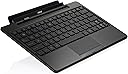
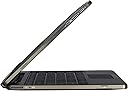

Eee Pad Transformer TF101 Mobile Docking
Product ID: 1278603
🔋up to 16 hours extended battery
🔌2x USB 2.0 + SD card reader
⌨️92% full-size chiclet keyboard
Buy anything from 5,000+ international stores. One checkout price. No surprise fees. Join 2M+ shoppers on Desertcart.
Desertcart purchases this item on your behalf and handles shipping, customs, and support to Hong Kong.
⌨️🔋 Transform your tablet into a powerhouse productivity machine—don’t just keep up, lead the pack!
The Asus Eee Pad Transformer TF101 Mobile Docking Station converts your tablet into a netbook-style device featuring a 92% full-sized chiclet keyboard, multi-touch touchpad, dual USB 2.0 ports, and a 4-in-1 SD card reader. It extends battery life up to 16 hours, enabling all-day productivity with seamless tablet-to-laptop transitions. Designed for professionals on the move, it combines portability with enhanced connectivity and power management.
| Best Sellers Rank | #73,930 in Tablet Accessories |
| Customer Reviews | 4.3 out of 5 stars 652 Reviews |
M**C
**UPDATED 8/1/2011** Rough Start BUT Now a Great Accessory!
**UPDATED 8/1/2011** Rough Start BUT Now a Great Accessory! As the title states, this is an update to my initial review of the Asus TF Keyboard Dock. You can continue reading below (and the additional comments) for the full back-story, but to summarize: Asus's initial release of this dock had a hardware "defect" (in my opinion) that allowed the battery in the dock to fully discharge. Once discharged, the battery would no longer accept a charge. They have since corrected this using the more recent builds (I've heard serial numbers starting with B06 and higher) - PLUS they've also added a firmware fix that allows the user the ability to choose between longer battery life on the dock or having it constantly charge the TF tablet (while sleeping). With both fixes I am no longer experiencing any issues with my dock and have once again been able to really use and enjoy my Transformer tablet and dock. Having the ability to go so quickly and easily from a tablet to a 'netbook' really makes the Transformer stand out from the crowd. I've tried a few of the hybrids out there (i.e. Dell Duo) and nothing comes close to the Transformer Tablet and Keyboard Dock combo! My only nit is that I wish they had some sort of low level LED light under the keyboard to help better see the keys in the dark, but that's just something *I* would like and doesn't take away from my 5-star rating. It was nice to see Asus actually responding to this issue, getting fixes out there, and support the early adopters that received the first round of hardware. **ORIGINAL REVIEW 5/19/11** "DEAD after 7 days and 2 charges.." As the title states, my keyboard dock "died" after it's first week and only 2 charges. It will no longer accept a charge and the LED just continues to blink orange. Ironically, I am still able to charge the Transformer itself through the dock, but it appears that the battery in the dock itself has gone belly up. To add insult to injury, Asus is EXPECTING customers to pay shipping costs to do an RMA on a brand new product. No thanks! It looks like I'll have to wait for them to come back in stock on Amazon or elsewhere and then just do a return of this one. I really don't like giving out 1 star reviews, but given my own experience with this dock and Asus support - plus anecdotal evidence from others with the same experience in the XDA forums, I think folks should be made aware of the potential build quality. It is unfortunate because the keyboard and trackpad themselves on this dock are WONDERFUL!! The keys feel great for typing and the trackpad is very response (w/o being over-responsive where you wind up with false 'clicks' all the time). Plus the whole concept of being able to snap your tablet in and out of the keyboard dock is brilliant. If it were not for the quality issues - i.e. the battery (or charging system) dying within the week - and the horrible support from Asus, this would be FIVE STAR item. However, at this point it's simply a crap shoot on whether you'll get a decent item or not. *** UPDATE: JUNE 19, 2011 *** Well, my second dock is now dead also.. I returned the first one to Amazon (was w/i my 30 days) and waiting to order a new one. Finally caught them in stock and had a new dock shipped on 5/31. I plugged it in to charge when it arrived and over the course of the 8 hours, the LED when from a stead red/orange to green. I docked my TF and everything was fine. Under normal usage everything would worked fine - the battery would drain and then charge - no problems at all. HOWEVER - There appears to be BIG problem with these docks and I feel this is what is causing (or contributing to) my docks dying. These things have a constant drain on them when the Transformer tablet is attached - even if you power the tablet OFF. [...] I believe what is happening in my case is that the dock battery drains to a point where it will no longer accept a charge. In both cases, I had the tablet docked to the keyboard - powered OFF - and did not use it for a week or so. When I went to power it on, the tablet/dock had just enough juice to tell me that the battery was very low (I believe around 1%) and that it needed to be charged - and then it shut down. OK, fine, no problem. I plugged it in to charge and left it. The tablet charged up to 100% with no issues, however 72 hours later and again I have a keyboard dock with a constant blinking orange LED that will not charge. Again, I tried charging it with the tablet attached and without - no change. The adapter doesn't even heat up when trying to charge which again tells me that something in the battery on the dock is not accepting the charge. I'll go ahead and contact Asus per the comment they left on this review, but frankly this appears to be a design issue - where the tablet cannot be stored connected to the keyboard for an extended period of time without use. Unfortunately, I'm sticking with 1 star for this review until this problem is corrected because in my opinion this is a serious issue. Storing your Transformer, powered OFF, closed like a laptop should *not* break the keyboard dock.
J**O
Makes an excellent tablet even better.
I used my ASUS tablet for a week before the dock arrived, and while I was very happy with my tablet before I used the dock, I think far more of the device as a set than I did as just a tablet. Now, if I'm not needing a tablet, I can connect it to the dock, and literally go all day using the device. I did a "intense use day" test on it, and literally ensured that the screen stayed on all day... and at the end of 10 hours, I still had 32% battery life left... which I thought was impressive! I've had the dock for 2 weeks now, and I wholeheartedly recommend it! Here are my observations... I have no idea what the other folks are talking about with the device randomly turning off WiFi or not working when in "dock mode". ASUS did an automatic update a few days after the dock arrived... maybe that patched whatever problem there was, because I have had no issues at all. The Docking Mechanism is firm - very firm. The lock is very secure, and the hinge is quite tight. The tablet weighs more than the keyboard, but the hinge also serves as a platform, so if the surface is relatively flat, it works fine. The weight is a bit less than the tablet, it seems to me, so it about doubles the weight of the device, but its worth it. With the dock attached, it still weighs less than my netbook. The glidepad is very sensitive, and I tap it with my thumbs while typing from time to time. Sort of wish there was a delay setting where it turns off if you're typing. Maybe there is, but I haven't found it. (My only negative, actually) A nice thing about the glidepad is that its multi-touch, which is an awesome feature, I think. The keyboard is laid out very well, and the dedicated keys are a big plus. The mouse pointer on the tablet when docked is a ring... it looks like the "busy" pointer on Windows 7, which took a bit to get used to. The USB ports work perfectly, and attaching a portable hard drive worked perfectly. The SD slot is very handy, also. I used it to charge my phone, which was pretty cool. email is way more functional, as are documents, spreadsheets, and presentations. Again, the sum of the parts is outweighed by the two together... it really turned my tablet into a completely useable tool! It basically replaced my netbook, and I'm a die-hard windows guy. jb
R**S
Outstanding
When I purchased my Asus Transformer TF101 I avoided the keyboard dock. After all, I was buying a tablet, not a netbook, and tablets don't have real keyboards. The tablet alone is nice when traveling. It's convenient to have but typing even on a big screen virtual keyboard is not the best. I finally broke down and got this keyboard dock. I was pleasantly surprised. Everything worked right out of the box. Not only did I get a keyboard but I also got a full size SD card slot, two USB ports and an extra battery inside the dock to extend the tablet run time. The dock is well built. You would think the tablet-to-dock interface would be problematic but it is actually well-designed. The tablet firmly interfaces to the dock and together they mechanically operate like a netbook. Folks have complained that the palm of their hand rubs on the touch pad while typing and moves the screen cursor around. There is a keyboard function key to toggle the touch pad on and off along with several other function keys that double for the screen controls of Home, Back, Volume, Screen Brightness and so forth. The keyboard is large enough to be comfortable and the feel of the keys is very good. I plugged in the charger and the dock battery started to show charging in a few minutes. After about an hour it was fully charged. I plugged in a wireless USB mouse. It just worked. To my surprise, I plugged in an portable 500gb hard drive and it just worked too! I suspect there would be a corresponding hit in battery life but there are times when having a hard drive on the tablet is quite convenient. The serial number I received begins with C10 so it is beyond the range of initially defective keyboards with a battery charging problem. Please note that I am not using the standard ASUS ROM on my tablet. I am using a Cyanogen 9 ROM called Megatron. It's possible you might not have the same good fortune of having all the features work flawlessly like I did but I have heard that ASUS does make periodic improvements to their ROM which is sent out to your tablet in an Over the Air (or through the internet) update.
D**L
Nice hardware but Android just isn't ready (Updated after ICS)
I purchased a TF101 about a month ago and was just chompin at the bit to get the keyboard accessory as I felt it would be useful in a pinch for work. I finally got the keyboard about a week ago at Best Buy and after a few days of use took it back for various reasons. First let me say if all you want to do is type up emails and notes it is a good buy. Good - The hardware is excellent. I felt the build quality was superb and it really mated up well with the tablet. I didn't experience any issues docking and un-docking as some of reported. It was very easy to snap in and out of place and never locked up or crashed. - The keyboard did extend battery life considerably - The keyboard provides some much needed expansion capabilities but... more on that in a minute - The keyboard was easy enough to type on but I feel Asus should have ditched the chicklet keys to give allow for full size or near full size keys. The Toshiba netbooks nailed the keyboard for small form factors so go check them out Asus. Bad - As many have noted the touchpad is way to sensitive. It was very difficult to type without accidentally brushing your palm across the touchpad and screwing up your document. This same complaint can be said about many laptops so nothing unique here except Android doesn't provide a way to adjust the sensitivity. You can shut it off though and use an external mouse. I tested a Logitech bluetooth wireless mouse with a USB bluetooth key and it worked flawlessly. However, that kind of defeats the purpose of portability. I mean I want to lug around as little as possible. - I found myself completely frustrated by Android when trying to take even the simplest actions such as moving files or trying to open a document. Honeycomb is designed for touch and as such it just doesn't jive well with a mouse and keyboard. It is hard to remember every thing that I ran into at this point, but suffice it to say it left me frustrated to the point I returned the keyboard. I just finally came to the conclusion that if you want laptop type functionality get a laptop. There are a horde of ultrabooks out now and more coming that blow away the TF101 (or TF102) for that matter in usability with a keyboard and mouse. Plus Polaris office just stunk compared to Office 2010. Let's face it, unless you are planning on writing only the most rudimentary documents you need Office. Polaris just didn't cut the mustard and combined with quirks in Android it just was frustrating to use. I had the same impressions as I did when using Windows 8 developer preview. - I was unable to mount my Droid X2 phone with the Transformer to copy documents and pictures from my phone to the tablet. This really blew me away. I guess Android can only mount Fat32 formatted devices which is bizarre. You would think Android devices would be able to mount and use other Android devices! - Lack of good office software - I was hoping to use it for editing some code and I did find a basic code text editor for Android but again usability just stunk. When you are used to Netbeans and Eclipse going to a glorified notepad is painful. Bottom line, the Asus Transformer and (prime) are great tablets and perform admirably in that role... throw on the keyboard and it is a frustrating experience unless you just want to take some notes in meetings. But that said, Asus, Apple, and others make some dang good Ultrabooks that would be better for that role anyway. With SSD's and sleep mode your laptop can be up and running in seconds and you will have the full gambit of Windows or Mac software available. Eventually I think Android experience will merge with the traditional and it will do better, but for now stay away. Updated 07/27/2012 - I wanted to post an update to my original post because I decided to give it another shot since I was able to get the dock for half of what I paid for it originally and I wanted to try it with ICS. What a difference ICS makes combined with several patches from Asus. I can now recommend the dock without any hesitation. Most if not all of my original gripes have been addressed. My only complaint is the trackpad is still to sensitive and there is no way to adjust it. However, I found that by disabling the trackpad using the hotkey when I am typing up something resolves the issue. I wish there was a way to adjust it but this work around is adequate. The other slightly annoying issue is an inability to activate the scrollbar in documents or web pages. I found that I can simply reach up and scroll down the page with touch or use the function page down keys but still it is one of those usability problems you run into when combining a tablet and a laptop. Ok so other than those quirks it has been working great and you should definitely give it a try.
F**O
great functionality terrible build quality
I am typing this from my Transformer dock, and it works great, but this is the 3rd one I've had to use, and even this one is going to have to be replaced because of the poor build quality. The first one had an extremely loose latch and the tablet just didn't feel secure in the dock so I got it replaced. The second one was a little better, it lasted me 3 months but the latch started to get really loose. The 3rd one I got was just horrendous the feet on the bottom are uneven so it bounces a bit while I type. Some of they keys need to be pressed twice in order to register, and some keys are over sensitive and type twice. The usb port covers are also terrible, they don't fit flush with the body of the keyboard they stick out at sharp angles are are very uncomfortable to feel when handling the tablet. The thing that this one does very well is hold the tablet, it feels like when it closes theres a bit of "pull" that pulls the tablet into the dock to keep it closed. I did have some bugs with the first 2 docks but they were quickly fixed by ASUS with firmware updates. On a positive note this is the greatest possible accessory anyone could possibly purchase for a tablet ever in the history of accessories. I have used the Transformer + Dock combo to completely replace my laptop for taking to school. My laptop has only 5hrs of battery life, while the Transformer + Dock combo gets 12+ of actual usage time. I highly recommend this item for any students to take notes with. But the only problem that I can say is that brings my review down is the absolutely terrible build quality. It almost feels like they are ignoring the quality of the older products to concentrate on the new one. Which is understandable, but this is just terrible. Thanks for reading and I hope this helps you in making your decision.
J**B
Great Keyboard
I really like this keyboard, as you might suspect it has some restrictions dictated by it's small footprint. I like the dedicated to use keys such as the "return to previous" key and the "Home" key. Feedback is good, and it is only slight less handy as the marginally larger keys on a standard keyboard. I had to deduct a star on "light weight", but this is not really fair since the battery life is practically doubled ... can't be done without a little weight. I also downgraded 1 star on bang for the buck, This also isn't what you might think. I received almost half off the published price by getting an Amazon credit card added to Amazon's already reduced price. The published price is too high, but I think I am satisfied with the Amazon price. The keyboard is exactly matched to the tablet and when assembled to the tablet, the whole package looks like a netbook with a better screen. I find the tablet attaches easily and locks firmly into place. I never feel like it might disconnect and be damaged. The screen is wonderful. My eyesight is not perfect so others might find fault , but I think the colors are bright, the images are clear and the screen is sensitive to touch and pressure without being touchy. My least favorite feature is the touchpad, don't get me wrong this isn't a deal breaker but there is an awkwardness when scrolling several pages, I think it needs one of those small scroll bars Horizontal and vertical that some touchpads have. It is pretty sensitive and I selected things in error but I think that may just be me getting used to the slightly smaller size. So far I have had good luck with apps, I use Documents to go to work with my Office documents. Most functions are there but some of them seem to work slightly different due to not having the detailed menu system. for example to change from regular text to strike-through you must go to the menu icon in the margin of the screen, select font, then go to additional menus to get strike-through. The keyboard has USB ports and they work great with my 1T hard drive, I haven't tried it with a wireless printer yet but I have high hopes. So far I have been sending documents and pictures as attachments to my home email and printing from my home computer. This keyboard is well integrated in function and appearance, I now use my tablet with the keyboard about 80% of the time. I'm glad I picked this accessory up and think others will probably enjoy it as well.
T**R
No Brainer!
If you bought the Transformer, this is an absolutely no brainer buy to get this. You buy this docking station and your tablet suddenly is the best tablet out there and your geek friends with their ipads and samsung galaxy's will look at their product and be very envious. I'm only mad because I paid $157 for this literally 10 days ago because Asus was not selling it on amazon or something. At least I didn't see it in stock or something. There was NO WAY I coulda missed this. The build quality is amazing. The bottom has the same pattern and texture as the back of the transformer and the keys are very easy to use. For people with bigger hands, they may have a problem with the touchpad as it is sensitive and you may accidentally brush it while typing an email and then it will cause lots of typing mistakes or just lose focus on the area of where u were typing completely. This is a problem with all computers this size so it's not the keyboards fault, it's the industry standard. The touchpad is also multi-touch so you can do all your cool gestures. I personally like this because now I don't ever need to touch my screen and get the screen dirty, I get the keyboard dirty instead! Peanut butter FTW! Like other reviews say, this dock gives you another 7 hours of use so combined you can EASILY go through 16 hours of use without charge. I haven't tested the battery with straight streaming movies from netflix but it is safe to say that it can stream 2 hours without even being near battery drain. The keyboard has 2 USB slots and 1 SD card slot. I initially had trouble using the MiscroSD slot on the transformer itself but found that if I used the same card in an SD adapter and put it in the SD card slot, it would work fine. So this is good in case you have a bad MicroSD slot. FYI, my microsd slot works fine now, it just needed a good shoving. The 2 USB slots are a godsend. You can use flashdrives and external harddrives so storage will never be an issue. There is no tablet on the market that can make this claim at all. There's no tablet that can claim equal battery life. This destroys the competition. I haven't found a way to use USB headsets yet. They power up, they just don't work. The only bad thing is the length of the charging cable. It's like maybe 3 feet long at best. What the hell were they thinking? It's a proprietary plug too s you can't just use some other USB cable, unless you are extending it. I guess that lsolve the length issue but not the charging issue of having a unique plug. I guess that's a downside with the tablet too. With the keyboard, the tablet is not than light anymore, compared to other tablets. It's basically the weight of a netbook. People complaining about the weight is absolutely stupid. Have we turned into a society where a 3 pound item is too heavy? I've had books back in highschool heavier than that and u often had to walk around with 3 of them. Build some muscle or something but don't pick on the miniscule weight of this thing. It's NOWHERE near a dealbreaker. Is it heavier than an ipad? YES! Does the ipad have a keyboard dock? NO! Sheesh. Overall, this is the greatest accessory for a tablet in the history of tablets thus far. If you have the Transformer, just buy this keyboard now. Honestly I haven't really played with the transformer as a tablet only that much because frankly, I don't need or want to. No brainer, buy this now.
J**N
DEAD after 10 days
I've had the exact same experience as a previous reviewer. I received the docking station on 6/7. I charged it fully (till solid green light), and connected it to the Transformer. Everything was working great. I successfully charged the dock, with the Transformer attached, 2 or 3 times. The latest time, on 6/17, the docking station flashed the orange LED, as expected. However, even after 12+ hours charging, it was still flashing orange. The Transformer itself charged to 100%, but the battery in the docking station is at 0%. The keyboard and trackpad still work, but the battery inside the dock is dead. I called ASUS support who advised me to fully charge the Transformer, fully discharge it, then fully charge it back up to see if the battery in the dock would be "recalibrated". There was no change. After calling ASUS back and informing them, they suggested I send it back to them for repair. Why repair a dock that is brand new -- one that obviously had something wrong with it when it shipped? Why not offer a replacement dock? Anyway, I'll be sending this back to Amazon. I won't spend more than MSRP for it though, so hopefully ASUS is able to release more supply (working ones, that is) and the speculators have to back down to MSRP to match in order to get rid of their inventory.
J**E
使用上問題なし
当初購入予定では無かったのですが、平行輸入で半額以下だったので思わず購入。US仕様でアンダーバーなどキーと一致しない文字があるが、入力ソフトがらみで慣れれば特に問題なく使用できます。バッテリー内蔵で音量などのホットキーも有り、買ってよかったと思います。
俊**ん
期待はずれかも
TF101自体が、パソコンのほうが、利用内容に対して良かったかも知れない
A**様
勝手に誤変換する
一部アプリやFacebookに書き込むときに、勝手に誤変換したり、カーソルが勝手に飛んで行ったりする。 これは並行輸入品だけの問題なのかは分からない。 キーボードの記号が一部ずれているのは、他の方のレビュー通り。 そのうち慣れるでしょう。 見た目は良いし、バッテリーは長く持ってくれる。 誤変換とカーソルが飛ぶ問題がなければ合格なんだけどね。
注**者
いいです。
いいです。いいです。いいです。いいです。いいです。いいです。
Trustpilot
3 weeks ago
1 month ago