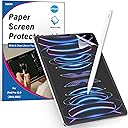
![XIRON [2 PACK] Paper Screen Protector Compatible with iPad Pro 12.9 (2022&2021&2020&2018), High Touch Sensitivity No Glare for iPad Pro 12.9 Matte Screen Protector, Compatible with Apple Pencil](https://m.media-amazon.com/images/I/71Tuf4SfhnL.jpg)


✍️ Elevate your iPad artistry with the paper-like screen protector that pros swear by!
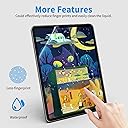
XIRON’s 2-pack paper screen protectors are precision-engineered for iPad Pro 12.9-inch models (2018-2022), delivering a matte, anti-glare surface that replicates the natural feel of paper for Apple Pencil users. Featuring 3H hardness for scratch resistance and a bubble-free adhesive, these protectors enhance touch sensitivity and reduce glare, making them ideal for professionals and creatives seeking a premium drawing and writing experience.


| ASIN | B07QMV54LY |
| Best Sellers Rank | #331 in Tablet Screen Protectors |
| Brand | XIRON |
| Brand Name | XIRON |
| Clarity | 99.99 |
| Compatible Devices | Fit iPad Models: A2436/A2764/A2437/A2766/A2378/A2461/A2379/A2462/A2229/A2069/A2232/A2233/A1876/A2014/A1895/A1983., compatible with iPad Pro 12.9-inch 2022/2021/2020/2018. Compatible Devices Fit iPad Models: A2436/A2764/A2437/A2766/A2378/A2461/A2379/A2462/A2229/A2069/A2232/A2233/A1876/A2014/A1895/A1983., compatible with iPad Pro 12.9-inch 2022/2021/2020/2018. See more |
| Compatible Phone Models | iPad Pro 12.9 (2022/2021/2020/2018) |
| Customer Reviews | 4.5 out of 5 stars 15,456 Reviews |
| Finish Type | Matte |
| Included Components | paper screen protector for iPad Pro 12.9-inch 2022/2021/2020/2018. |
| Item Dimensions L x W | 11.02"L x 7.87"W |
| Item Hardness | 3H |
| Item Height | 1.27 centimeters |
| Manufacturer | XIRON |
| Material | Polyethylene Terephthalate |
| Model Name | SD-001 |
| Model Number | SD-001 |
| Number of Items | 2 |
| Product Dimensions | 11.02"L x 7.87"W |
| Screen Size | 12.9 Inches |
| Screen Surface Description | Matte |
| Special Features | Anti-Fingerprint, Touch Sensitive/Anti-Glare/Case friendly/Scratch Resistant/Bubble Proof |
| UPC | 714453178710 |
| Unit Count | 2 Count |
| Water Resistance Level | Waterproof |
A**R
A surprisingly outstanding product!
I did not know what to expect. I was new to using an iPad and I have never used a screen protector like this in the past. I was absolutely amazed but how incredible it is. The anti glare is wonderful and it truly has a paper feel. The sound you get when using the Apple Pencil is better than the real thing and makes writing feel outstanding. It dulls the screen a little bit, but not to noticeably, and gives it a light closer to paper. The installation can be a little confusing, and I did mess up when installing my protector. I have a bubble, small yet noticeable, from a piece of dust that found it’s way in as I struggled to line it up. I know that by contacting them through the email they provide in the box and on here that they would happily and quickly send a replacement screen If I wanted. I believe in this product to much that I would rather wait a little bit, than adjust purchase a new one and support this wonderful company. This screen protector will not in fact protect your screen, it will make using the iPad 100 times better. If your someone who wont drop a device like this I highly suggest going for a paper like screen protector over a typically glass one. After using this for the past few days I am happy to say that I will gladly get this product again in the future. Although I may not be a good artist, drawing feels better. Most of the time, I am not writing or drawing, but the feel of the screen is still satisfying. I highly suggest this product to any iPad owner. At a low cost of 15 dollars your not risking much. If this covers not for you its simple to remove.
B**Z
GREAT for drawing, but...
I love this screen protector for drawing. It's easy to put on, and the texture creates just the right amount of friction so that it feels like you're drawing on real paper. I have been using it for nearly a year and can't tell the difference from more expensive brands such as Paperlike, which are 3x more expensive. HOWEVER, if you are a heavy drawer like me (50+ hours per week), then there are two REALLY important things you need to know. 1) THIS WILL WEAR THE CRAP OUT OF YOUR PENCIL TIPS. For the same reason that this product is awesome, it also is going to eat into your nibs. The friction between the screen and the pencil make this inevitable. You NEED to have backups to swap out once they get worn down. These are the ones that I use: https://www.amazon.com/gp/product/B087NH7DP1 2) You will 100% need to replace this two or three times per year. Wherever you draw the most (for me, the middle of the screen), you'll eventually wear down the paper-like texture. This is NOT due to quality issues with the product. It's just natural wear from the hard tip of the Apple Pencil. Other brands will not last longer, regardless of what they advertise (or charge)! Personally, I think the improved drawing experience is totally worth the cost of replacing the screen protector and pencil tips every so often. It just feels so much more natural and satisfying to draw on something with the texture of paper. This brand's quality & price combo is great for that.
A**R
Matte, anti glare and texture is a good recipe for my iPad experience.
This took me by surprise, the installation was a bit challenging but it was expected, this is a big Screen size.Is hard for me to explain how much I love this matte, screen protector, paper simulating, anti glare wonder(glare is not 100% reduced but who’s perfect?) it dims down the colors and contrast in a way that’s so pleasing to my eyes, even for photo and video editing I feel it results in a better experience than the glossy stock screen. The pen on screen feels so much better and surprisingly the tactile experience is enjoyable, at least for me(a change from the glass feel, there’s texture!) The screen covers pretty much corner to corner and that may be a plus or a minus to some. The negative will be mainly determined by the case or accessories that may interfere with the edges of the screen protector, since it may introduce minor corner bubbles. I’m loving this thing, I will comeback later and leave an update after some usage and mileage on the product but so far I’m a happy camper.
M**G
Great writing experience tempered by glare issues
I ordered up this screen protector on Amazon with excitement. I needed it to fulfill two roles: 1) protect my screen better in case of drops, and 2) provide an improved writing surface for the ipad Pro. I was also excited about having a screen with less potential for glare when operating the ipad in bright environments. Here’s how this unit fared when it comes to thine lofty goals: 1. Screen protection: it seems to be alright, though I haven’t managed to yet again allow my expensive iPad Pro 12.9 go plummeting to the floor in order to see whether an additional fracturous decoration (aka crack) is added to the glass for mine viewing pleasure. However, I can’t imagine that it wouldn’t help prevent such fracturous decorations from occurring. Just be warned, my imagination has failed before. 2. Improved writing surface. By all means, this is improved over the native glass screen. When I first felt the surface, methoughts it was a bit rough, and that it might turn writing into something akin to rubbing the tip on sandpaper. That fear didn’t prove true. Like many of my fears, it was just a squirrel cage to give my mind something to do since I hadn’t otherwise occupied it with something to do, like writing an Amazon review or doodling a picture of a wombat. But really, truly, all kidding aside, the writing experience is smooth and yet has a bit of friction, like you might expect from paper or an otherwise more-natural-than-plastic-on-glass writing experience to be. It is for this reason alone that I bumped up my initial 3-star review to four, it makes taking notes and doodling a whole new experience on the ipad. I notice many of my friends who initially embraced the ipad screen for writing have now “forgotten” and gone back to pen and paper. Well, with this, they might be saved from the horrors of bad filing systems and having to recycle their used paper. Imagine how many people could be saved? It boggles my easily boggled mind. Now, how about installation and ease of use? I’m sort of an old pro at installing screen protectors. I’ve done it about five times. I wish they’d let me be an expert in law with five interactions with the court system. It would be so much better. Anyway, installing this was easy. It was keeping it installed that wasn’t. I got it to lay down on the screen nicely, with no apparent dust spots, but it likes to peel up around the edges. I can stick it back down, but inevitably it bubbles back up, like one of those hot pots in Yellowstone National park that spit high-temperature mud at you. It continues to do this around several of the edges. That would be one star off by itself, though I have a few doubts since I definitely cleaned the screen, but who knows if I truly got all the edges entirely clean enough for the protector to stick? Hence I won’t knock it until I confirm it’s not my own ineptitude that caused this problem. However, the other issue is definitely something I don’t think I caused. At least I can’t really fathom how I’d cause light to bend and reflect in the unique way it does with this protector, which is a fancy way of saying “glare.” There’s a lot of glare with this protector, it seems like glare is worse with this than the native screen. For a direct light source reflection it may dampen the intensity a bit compared to the native screen, but this potential benefit is way outweighed by the major glare that happens even for the fringes around a light source. Right as I type this, with an overhead LED light on a cloudy day, the top right corner of my screen is almost unusable due to the glare around that light. I find that in high-light situations, I have to bob my head back and forth to avoid the excessive glare. For example, on a recent trip, under the bright fluorescent lights of an airport, I was trying to watch a show, and kept having to move my head around to see the characters on the screen. I wonder if that counted for “suspicious activity?” Fortunately, I wasn’t arrested, though I did get some weird looks. Did I mention the propensity for dust accumulation this has? If you look at my pictures, you’ll see the amount of dust, and I wipe my screen regularly. So I went back and forth - does this deserve a three star or four star review? I’d give it 3.5, but since that isn’t possible, I’ll give it the benefit of the doubt and go with four. However, if you work mostly in very bright environments, this could be three or a two star experience for you.
E**E
Totally changes the iPad experience, love it!
I was initially concerned that this product might be a rip-off of the official “PaperLike” brand (it is) but very pleased with the result. For easier installation, refer to PaperLike’s official site for a short video on how to create a “hinge” with tape for better placement. After placed on the screen, this slightly rough, matte protector really enhances the experience of using the iPad. Both for drawing with the Apple Pencil and using fingers on the screen, I love the feel. Rubbing fingers or a plastic-tipped pencil against bare glass works, but becomes a totally different experience with this protector. It really feels like writing or touching paper. No more constantly wiping specks of dust from the screen and accidentally scrolling. It has a dry feel, unlike the sticky plain glass. The protector comes with an alcohol wipe, a polishing cloth, a hard cardboard card with fabric on one edge for smoothing air bubbles and a sticky film strip for removing dust during installation. Again, I would recommend viewing the installation video on the (competing) PaperLike website, since this product’s installation instructions are scant. Fingerprints and glare are greatly reduced, and I notice almost no difference in screen brightness or clarity with the protector in place. If smudges do appear, the protector can be easily cleaned with a damp soft cloth. The product does seem expensive for just 1 screen protector, when others offer 2 for the same price, but if their customer service is as good as other reviewers report, it’s worth it. 5 stars for an excellent product that has greatly improved my experience using the iPad. 7 MONTHS LATER UPDATE: Lots of videos here now, including one from the company, showing how to install. Still looks and works great.
A**R
Dependable
Wonderful screen protector and drawing assistor! I originally bought this item three years ago for my iPad Pro. I am an avid artist, and this thing has carried me very far. I've only had to replace my pencil tip once (albeit, the first tip went through much faster than my current, and I used to draw with a lot more pressure). The colors are still lovely, and the color is easy to clean off. The texture does give a bit of a noise effect to the screen, but it has never interfered with my drawing or overall experience with my iPad. The lovely thing has lasted me three years, and I am buying a new one because after a lot of travelling, moving, and action, the poor thing has taken quite the tumble. Good news though! The screen protector did its job and the screen of my iPad is unmarked. Not a single scratch came from my pencil, even after the first pencil tip rubbed to the metal. Overall, this is a must-buy for iPad users looking into a new screen protector.
C**S
Bubbles, bubbles, bubbles
I’ve installed many screen protectors, and this one has the most bubbles I’ve ever seen. Once you remove the back film, dust just gets sucked to the protector. Removing the bubbles is frustrating and time consuming, and pushing the bubbles out creates smudges that last. That said, I’ve seen the same problems with other paper-feel protectors. The only ones that avoid this are the costly versions installed at an Apple Store Installation is frustrating as well, this product does not come with a plastic frame to place the protector just right, so it’s easy to get it slightly off. Plus, this is a *thin* sheet of flexible plastic, not a true glass protector. Be aware of that. One positive is the imperfections are only noticeable when the screen is off. Also, I really like the feel of this protector. It writes well and feels great for my fingers too. I might just start using paper-feel on all my touch devices.
K**T
Wow, definitely didn’t expect it to be good.
Because this is clearly a “knock off” product, I thought it would be okay, but not great. Didn’t want to spend $30-$40 on another brand, so I Figured this would be fine until I changed my mind. Well, I’m happy to report that this is a great find! There are basically zero instructions on how to install, but I’m no newbie when it comes to putting these things on so it wasn’t a problem. The little stickers and “tool” included for install were basically a joke, but they got the job mostly done. I had to switch out from using their silly bubble pusher with the edge of a gift card instead, but it’s no biggie. Even if you’re familiar with using anti glare screens, there is a very noticeable texture to this. The one I keep on my phone, I’m aware feels “weird” to other people, but I don’t notice it. The texture on this iPad protector is VERY noticeable. Like running your finger over 2000 grit sandpaper, or a thick piece of cold pressed watercolor paper that doesn’t have sizing on it, or a rugged woven nylon cloth or something. It’s not aggressive or visibly textured, but you can certainly feel that something is there. This, to me, is actually GREAT. I primarily use my iPad to write, and to draw-both tasks which require I stare at this screen for hours, often while using the Apple Pencil. As far as the rainbow refracting that most people worry about with anti glare screens? I’ve BARELY noticed it, and only if I purposefully tilt the iPad back and forth to look at it. The picture is actually so significantly better on my iPad Pro 2020 that I’ve been confused while looking at the same thing on my iPhone 11pro. the iPhone lacks some....I don’t know, luminosity? So, the iPad’s screen protector definitely doesn’t inhibit the image in any way. Heck, it might be the sugar on top that’s making things look better for all I know! As for drawing texture? Feels so great. Seriously, a complete and total pleasure to draw on. I do worry that removing that icy slickness will dull the tip of my pencil faster, but honestly? Totally a price worth paying. I’ve drawn directly on glass screens before and while you can eventually get used to it, something just doesn’t quite feel right. On the other hand, there is no adjustment period whatsoever while using this anti glare film-you immediately get the tactile feedback you’re used to with “real” materials, and the tiny extra bit of friction between protector and pencil is a blessing. If you’ve ever had the tips of your lines “flick” slightly while just writing/drawing on the glass screen directly, you’ll be surprised at how much more precision and control this baby gives you. Totally recommend.
Trustpilot
1 week ago
1 month ago