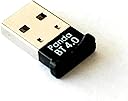
🔗 Upgrade your connectivity game with the sleek Panda Nano Adapter!
The Panda Bluetooth 4.0 USB Nano Adapter transforms any compatible PC or Linux system into a Bluetooth 4.0-enabled powerhouse, offering up to 80 feet of wireless range, ultra-low power consumption, and broad OS compatibility. Its compact design ensures it stays plugged in without obstructing other USB ports, making it the perfect upgrade for professionals seeking reliable, seamless Bluetooth connectivity across devices.
| ASIN | B00BCU4TZE |
| Best Sellers Rank | #111 in Bluetooth Network Adapters |
| Customer Reviews | 4.5 4.5 out of 5 stars (674) |
| Date First Available | February 8, 2013 |
| Is Discontinued By Manufacturer | No |
| Item Weight | 1.6 ounces |
| Item model number | PBU40 |
| Manufacturer | Panda Wireless |
| Product Dimensions | 4.4 x 3.7 x 0.5 inches |
J**A
works perfectly under Linux: Zorian OS core 17
I have an older hardware where I run Windows 10. I was looking to move away from that since my current hardware won't support windows 11. Investing in a new hardware at a cost of $700+ didn't make sense. I'm not a gamer, and while having Microsoft office, mostly MSword and MSexcel would be great, but not a requirement. I can use my work laptop for those needs. So, instead of going the route of windows 11, I have opted to use Linux, specifically Zorian OS. The free version, the Zorian OS core 17 is awesome, has a very nice look and feel of a windows platform. I wanted bluetooth connectivity with my older hardware running linux platform. I had a Ugreen brand USB Bluetooth dongle, but it's not compatible. This Panda Bluetooth adapter is plug and play under Zorian OS. After receiving, I plugged into the USB port and the OS recognized it immediately. I'm now able to connect my iPhone and other Bluetooth devices such as my headphones without any issues. If you have similar needs like mine, I can confirm it works perfect with Linux OS. I recommend this product. Thanks for reading.
M**R
Frustrating Driver Installation - Resolved!
EDIT (5/15/2014): After working with Alan from Panda's support team via email we were able to get this working in short order. My words of wisdom - if you cannot get this dongle to work right away shoot these guys an email as they are very helpful. The whole experience while being frustrating at the beginning has been turned around by their willingness to help and support the device. Based on that service alone I will continue buying from them in the future. I myself work in a service industry and *good* service/support is hard to find. These guys deserve your business. So the title pretty much sums this up. I am not in the IT field, but am bieber-deep in the computer world (I build my own gaming rigs and troubleshoot all my own IT problems). While not an expert, I consider myself fully self-sufficient. That being said, getting the drivers to install on a Win 7 SP1 Sager NP8150 was kind of a pain in the a$$. Had I not been highly computer literate this may have been a huge hurdle. For someone with your Average Joe's tech knowledge level I kinda cringe. Overall, this little dongle has performed well, paring to my cellphone, Vizio sound bar and other devices. This will earn a 4th star should it hold up over time. I think the 5th star is reserved for a device which upon being plugged in is recognized, updated and is 'plug'n'play' right outta the box - which this was not. If you're NOT a computer nerd like me or work in the IT world invite, that friend of yours over, have a few beers and let someone else save you the time of fiddling with this. Overall I'm happy with the price point and function so far. EDIT: Alan with the manufacturer raised a valid point that you _shouldn't_ need to manually install any drivers and that Win 7 _should_ recognize and grab them for you. In theory, yes, but in practice that's not working all the time. It is possible that Win 7 is the culprit and to be honest that wouldn't surprise me in the least. Considering I had the same issue with another Win 7 SP1 terminal (this time a desktop PC) there is definitely an issue somewhere whether it be a problem with the adapter or Win 7 SP1. I've had 2 different machines had the same problem requiring the same solution, downloading the PandaBT4ForWin.zip (407mb file) file from Panda's site and doing driver installation the good ol' fashioned way. Not a big deal, but most folks probably aren't comfortable doing their own driver support.
R**Y
Don't install from the CD
I bought this Panda bluetooth adapter to use on my Windows 7 64-bit laptop, which is 5 years old and doesn't have built-in bluetooth. I had previously tried to get a different brand of adapter to work on this laptop without success. I initially had trouble with the Panda adapter too, but I've finally gotten it to work. I'm giving it 5 stars as it does now work, and because the Panda Wireless customer support is quite good. They were quick to respond to my emails, even late at night and on the weekend. The below information is for anyone who might encounter the same problem I did. The adapter came with a CD which installs "CSR Harmony" drivers. Customer support no longer recommends you install this. Most of my problems would have been avoided if I had ignored the CD and simply let Windows download and install the default drivers. However, I did install from the CD. The adapter worked at first - I was able to connect a Bose bluetooth speaker and play music. After unplugging the adapter and plugging it back in though, it didn't work again. The bluetooth icon didn't display in the notification area, and when I opened Bluetooth Devices from the Control Panel, none of the buttons on that page worked. I eventually uninstalled the CSR Harmony software. After doing that, the adapter itself seemed to be ok - I was able to successfully use it together with a bluetooth mouse. But I still couldn't get my bluetooth speaker to work again. I alternately got error messages that the drivers for the speaker couldn't be found, or that they were not successfully installed. In Device Manager, the entry for the speaker was labeled "Bluetooth Peripheral Device", and it showed a yellow exclamation mark. The "Properties" window indicated "This device is not configured correctly. (Code 1) The name is already in use as either a service name or a service display name." This error was what was causing the driver install to fail, and it seems to have been due to registry entries (under HKEY_LOCAL_MACHINE\SYSTEM\CurrentControlSet\services\) that weren't appropriately removed when the CSR Harmony software was uninstalled. The entries all started with "csr" (csr_a2dp, csr_bthav, csravrcp, CsrBtPort, csrpan, csrserial, csrusb). The corresponding csr*.sys files did not exist in my "C:\Windows\System32\drivers" folder. So I exported those keys (for backup, to be on the safe side), and then deleted them. (Important note: Do not edit your registry like I did, unless you know what you are doing; otherwise you may cause serious damage to your system.) After deleting those registry keys, the device driver install for the speaker still failed, and I almost gave up hope. But after rebooting the computer the next day, I tried again, and the problem was gone! (So it seems that both the registry fix and the reboot were required). Device Manager no longer showed the yellow exclamation mark. I removed the speaker from my Bluetooth list, added it back again, and then it worked. It also still works, after unplugging the adapter and plugging it back in.
A**C
Plug & Play on Ubuntu
Worked as it should, connected easily, plug & play, on an Ubuntu workstation
G**Y
Works great on Fedora 42 (Linux)
M**K
Works on Linux Mint (Ubuntu), yippee
V**T
Nice device
A**G
Haven’t tried linux yet but plug and play immediately under Windows 10. Manufacturer provides excellent support. Quick in responding.
M**M
Received the Panda Bluetooth Adapter in good packing condition. The Bluetooth Adapter was detected automatically by the Ubuntu 20.04 OS and started working with out any manual settings. Able to pair with my headphones with out any trouble. Satisfied with this Panda Bluetooth Adapter.
Trustpilot
2 months ago
2 months ago