Desertcart purchases this item on your behalf and handles shipping, customs, and support to Hong Kong.
🚀 Elevate your home WiFi game with lightning-fast, seamless coverage!
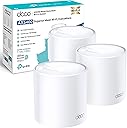
The TP-Link Deco X60 (3-pack) is a WiFi 6 mesh system delivering ultra-fast AX5400 speeds and seamless coverage up to 7,100 sq ft. Featuring intelligent auto-roaming, advanced HomeShield security, and easy app-based setup, it ensures a reliable, secure, and lag-free internet experience for every corner of your home.


| Antenna Location | Home |
| Antenna Type | Fixed |
| Asin | B08759W2P7 |
| Best Sellers Rank | 828 in Computers & Accessories (See Top 100 in Computers & Accessories) 3 in Whole Home & Mesh Wi-Fi Systems |
| Box Contents | 1 RJ45 Ethernet cable, 3 Power adapters, Deco X60(3-pack), Quick Installation Guide |
| Brand Name | TP-Link |
| Colour | white |
| Compatible Devices | Laptop, Personal Computer, Smart Television, Smartphone, Tablet |
| Connectivity Protocol | Wi-Fi |
| Connectivity Range | 7100 Square Feet |
| Connectivity Technology | Wi-Fi |
| Control Method | App |
| Controller Type | Amazon alexa |
| Country Of Origin | China |
| Coverage | whole home |
| Customer Reviews | 4.4 4.4 out of 5 stars (7,895) 4.4 out of 5 stars |
| Data Transfer Rate | 3000 Megabits Per Second |
| Frequency | 5 GHz |
| Frequency Band Class | Dual-Band |
| Has Internet Connectivity | Yes |
| Has Security Updates | Yes |
| Is Modem Compatible | No |
| Item Dimensions L X W X H | 11L x 11W x 1.4H centimetres |
| Item Highlight | 1 GHz Quad-Core CPU, Dual-Band AI-Roaming WiFi Extender Booster, Gigabit Ports, IoT Network, HomeShield, Alexa & Google |
| Item Weight | 2.54 Kilograms |
| Lan Port Bandwidth | 10/100/1000 |
| Manufacturer | TP-Link |
| Manufacturer Part Number | Deco X60(3-pack) |
| Maximum Upstream Data Transfer Rate | 574 Megabits Per Second |
| Model Name | Deco X60 |
| Model Number | Deco X60(3-pack) |
| Number Of Antennas | 3 |
| Number Of Items | 3 |
| Number Of Packs | 3 |
| Number Of Ports | 2 |
| Operating System | Linux |
| Other Special Features Of The Product | Alexa Compatible |
| Product Warranty | 3 Years |
| Router Firewall Security Level | Advanced |
| Router Network Type | wireless |
| Security Protocol | WPA3 Personal, WPA2 Personnel |
| Unit Count | 1.0 count |
| Wi Fi Generation | WiFi 6 |
| Wireless Compability | 802.11ax |
User
Excellent Whole Home WiFi with Strong, Stable Coverage
The TP-Link Deco XE75 mesh system has made a huge difference to my home internet coverage. Setup was quick and straightforward through the app, and everything was up and running in minutes with no complicated configuration needed.The WiFi 6E performance is excellent, providing fast and stable connections throughout the home. Streaming in 4K and 8K works smoothly, and video calls remain stable even when multiple devices are connected at the same time.The AI driven mesh system does a great job of managing connections automatically, switching devices between nodes seamlessly without dropouts. Coverage is strong across multiple rooms, eliminating dead spots completely.The ability to connect a large number of devices is very useful for a busy household, and everything from phones to smart home devices runs reliably. The app also makes it easy to manage settings and monitor network activity.Overall, this is a powerful and reliable mesh WiFi system that delivers excellent speed, coverage, and stability. Highly recommended for anyone looking to upgrade their home network.
User
DECO BE9300 Great Product
I purchased the Deco BE9300 3 pack due mainly to affordability I wanted a reliable consistent mesh network Wi-Fi 7 without any dropouts this is perfect for my needs standard mid size detached house one in the living room where the ONT is situated the additional units where placed in the kitchen/sunroom and upstairs office.I Replaced the Linksys Parent / child node setup with the BE9300. installation and setup was straight forward and quick the Wi-Fi is greatly improved and I'm using the backhaul with two of the clients one wired one wireless have ran a Lan cable from the main unit to my office and have a T'Link POE 2.5gb x 8 running all the relevant peripherals 2.5 NIC card in both PC's with the recent change from TOOB's 900 to Home 2300 its crazy fast especially for gaming and transfer speed to the NAS is on another level by comparison to the Linksys setup due to the 2.5gigbit ports on each unit.Don't forget to turn off your ONT for a couple of minutes to reset the lease the power back up and connect your first Deco unit follow the instructions in the app and your all set.the app is user friendly and enables you to change the settings to suit i.e. enabling MLO and IPV6 you will need to be careful enabling the latter making sure the ISP does support NAT' on 6 TOOB certainly does so check first.I've added a LED INFO FYI.🔵 LED status meanings (BE9300)These LED codes apply to Deco BE series.Pulse Yellow — ResettingSolid Yellow — Starting upPulse Blue — Ready for setupSolid Blue — Setting upPulse Green — Firmware upgradingSolid Green — Fully onlinePulse Red — Satellite Deco disconnectedSolid Red — Deco has an issue
User
Happy with the results, easy setup!
Worked first time, coverage is excellent and speed is brilliant. I purchased this for my new EE Full fibre and wanted a signal over 3 floors, in house with a lot of walls and rooms. The setup was super easy, took me less than 30min to get all three connected and working using the mobile up which was very nice to use. Speed was impressive, we signed up for the 300mb EE service and we used one of the TP devices as the router connected direct to the EE wall ported (did not use the EE kit at all) and got 300 both wired and wireless in the rooms around the router, speed dropped off to about125mb further away so we used the second Deco as a booster in the middle of the house and that got the speed back up to 300 in the 2nd floor room. I was worried the loft would be too far but even with just the second deco we got 100mb which would be fine, but adding the 3rd deco we managed to get 200+ in the loft so we are not really seeing any issues with the mesh at all. Happy i purchased this kit!
User
Not as good as hoped
I love the designI love the app that come with it.I love the flexibility it gives me.I love the ease of setup (when i was not playing around and followed the instructions it went right!)Disappointed by the web interface and what you can do it. (not much)Disappointed in the signal strength. (read below)Disappointed by the 1g ethernet connection on back. Assumed they would be 2.5GB at least but no, only 1GBI have a 3 bed 1900 (ish) iron-brick house. Although i picked it up everywhere (better than broadband supplied router with extenders) I still had low signal in the places i wanted it to be good. Even with 3 of them i found cold spots (not dead) where buffering happened and lag become noticeable. After 3 months of frustration and disappointment (where i considered sending them back) i decided to hit the credit card and by 3 more x60's, that where on offer at the time (amazon flash deal).So now i have 6 of them (probably could have done with 5), I'm happy as a pig in mud :)Zero cold spots in the house and can still pick up signal from 20m away outside of house (neighbours must love me) so garden streaming/zoom/facetimes have been done without issues.Speed is relative when compare to a bottle neck of a internet connection which is always going to be your slowest part unless you go to a 1gig link.I've backboned 3 of them together as a test and found 2 of my 4/8 port switches didn't work (HP and Netgear). Lucky enough I recently brought a tp-link gig 5port switch which did. lots of talk on internet about it but in the end its a "try and see" if yours works or not if your going to cable backbone them. But buy/budget for a new tp-link switch if you want to cable backbone from day one. Cable backbone'ing is automatic although you need to setup as wi-fi backbone first (which it does automatically during setup). Then connect up the ethernet from switch and the x60's will do the rest by itself.Be warned though , it's not instant. Took mine 5-10min before it switched over to cable backbone. Might have been because I was confusing the hell out of it... plugging it in and then unplugging it, trying to figure out why the hell it didn't switch over....Overall i love it and cant really fault the devices directly. If you can cable them up, you save yourself a lot of money from the triband x90's. have 42 devices (on last count) on the network and it not even registering as being taxed/ overworked...Also if you have a modern (non-metal ore brick work) 3 should do you. If you do the expect to get a few more or the (sale pitched) more powerful and expensive x90's (if your stuck on TP Link, other WIFI6 MESH systems are available...)Also Also - TP-Link love and i mean really LOVE your "Network Optimisation" option. Who needs wifi sniffer and a IT networking degree / compta+ network, when you can push of a button on the deco app, which then sniffs and configures best channels for you x60's for optimal performance, if it registers conflicting /noisy wifi channels. (i've tested this with a sniffer because i'm sad i know. It does exactly do what it says on the app button!).
User
Great product
Great product and a good step up from my previous linksys velop mesh network. However I did have trouble with setting it up. The major thing was I couldn't see where the LED light was. My old setup had a light on top of each unit. In the deco system the light is a very discreet LED in the base and when I plugged it in it was yellow but I thought it was yellow sticker!So having been confused with the LED I became further confused because I didn't follow the instructions in the app properly!Anyway once I got my head around it it was simple enough although for some reason I had to reboot my router a few times.Anyway I got there in the end and the minute everything spoke to everything the speed was about four or five times faster than I was getting with my old mesh network.You can add extra units using the app (which you have to use to install the units anyway) and they connected with no difficulty whatsoever.The difference has been incredible. I now have no dead spots in my house and the speed even at the weakest areas is still probably twice my best speed with my old mesh set up.I'm very pleased with it and if it's a stable as people say it is then it will have been well worth the purchase.
User
Complete overkill, but my dead zones are finally gone
I honestly bought this system knowing it was total overkill for my 1 Gig connection, but I was tired of the constant buffering in the back bedroom. I upgraded from an older Google Nest setup to this BE85 pack, and the difference is night and day. Setup was surprisingly painless via the app, though I do find it annoying that I can’t manage advanced settings through a web browser like on my old traditional routers.The range is ridiculous; I’m getting full signal in the garage and even halfway down the driveway now. I wired the units together with an ethernet backhaul since my house is pre-wired, and the speed tests are basically maxing out my ISP line in every single room. The 10G ports are great for future-proofing, even if I’m not using them to their full potential yet.My only real gripe is the size of these things—they are massive and run a little warm, so don't plan on hiding them easily behind a picture frame. Also, make sure you turn off the "mesh technology" toggle for stationary devices like your TV or desktop, otherwise they sometimes try to hop between nodes unnecessarily. But if you have a lot of smart home devices and want a "set it and forget it" system that just powers through interference, this is expensive but worth it.
User
SEAMLESS AND STRAIGHTFORWARD TO INSTALL
I am writing this within an hour of taking delivery so I cannot comment on longer term reliability but I can comment on the ease of installation and quality of signal. I have recently moved in to a 200 year old cottage in a remote location, no mobile signal and 35Mb broadband. The hub is at the front of the property and there is an office built at the end of a 100 foot garden. Within half of an hour I had the three units up and running, one at the hub, the second in a back bedroom and the third in the office. All worked first time and the wi-fi signal is as strong in the office as it is at the hub. I don't know how this magic works but it does. From a short experience this is highly recommended, we will see how reliable they are now
User
Solid mesh system that actually works
I mainly got the TP Link Deco XE75 for work, as I needed something more reliable than the router that came from my internet provider. With the old setup, I kept running into issues when trying to access my network remotely, which was frustrating. This system, on the other hand, just worked straight out of the box without any hassle.The difference in WiFi performance has been noticeable. The signal feels much stronger and more consistent throughout the house. Before, I had devices that would struggle to stay connected, especially out in the garden, but that is no longer an issue. Everything stays connected properly now.Setup was straightforward, and once it was running, I did not really have to mess around with it. It just does its job quietly in the background, which is exactly what I wanted.Overall, it has been a solid upgrade for both work and everyday use. If you are relying on a basic router from your provider and having similar issues, this is definitely worth considering.
User
Seamless Connectivity and Extensive Coverage: TP-Link Deco X60
Product Review: TP-Link Deco X60I recently purchased the TP-Link Deco X60, and I must say I am thoroughly impressed and satisfied with my investment. This product is definitely worth its cost. The setup process was incredibly easy, and it paired seamlessly with my Etisalat router.One of the standout features of the Deco X60 is its exceptional performance. In most rooms of my double-story villa, I experienced the same internet speed as if I were directly connected via an Ethernet line. Even in the areas with slightly weaker signals, I only encountered a 10-15% loss in speed, which is still more than sufficient for my needs.What sets the Deco X60 apart is its extensive coverage. It effortlessly blankets my entire villa, ensuring a strong and stable connection in every corner. Moreover, it reaches up to 20 meters outside of my house, allowing me to stay connected even in my outdoor spaces.In conclusion, I highly recommend the TP-Link Deco X60 to anyone with a double-story villa or a large home. Its easy setup, excellent performance, and extensive coverage make it a top-notch choice for improving your wireless network. With this product, you can enjoy seamless connectivity throughout your entire property, both indoors and outdoors.
User
Bon réseau
Bonne portée du réseau sur 2 niveaux séparés par une dalle béton.Par contre prise anglaise fournie donc adaptateur à prévoir pour la France.
User
Great performance
Great and exactly as described with great performance
User
Bom produto!
Bom
User
Easy to install
The Deco X60 was very easy to install and works very well. It was delivered on schedule as promised. Happy to deal with PCLIVE again
Trustpilot
1 month ago
2 days ago