


Desertcart purchases this item on your behalf and handles shipping, customs, and support to Hong Kong.
🚀 Power your productivity with ASUS Prime B550-PLUS — where speed meets style and reliability.
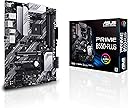
The ASUS Prime B550-PLUS is a robust ATX motherboard designed for AMD AM4 Zen 3 Ryzen 5000 and 3rd Gen Ryzen processors. Featuring PCIe 4.0 support, dual M.2 slots (one with PCIe 4.0 x4), 1Gb LAN, and advanced cooling solutions, it delivers high-speed connectivity and stable performance. With comprehensive 5X Protection III safeguards and customizable Aura Sync RGB lighting, it’s an ideal foundation for professional-grade builds and creative workflows.


| ASIN | B089CT5GDM |
| Best Sellers Rank | #8 in Computer Motherboards |
| Brand | ASUS |
| CPU Model | 1.2GHz Cortex A8 Processor |
| CPU Socket | Socket AM4 |
| Chipset Type | AMD B550 |
| Compatible Devices | Personal Computer |
| Compatible Processors | AMD 3rd Generation Ryzen |
| Customer Reviews | 4.6 out of 5 stars 1,972 Reviews |
| Global Trade Identification Number | 00192876782354 |
| Graphics Card Interface | PCI Express |
| Item Dimensions L x W x H | 10.35"L x 2.09"W x 12.91"H |
| Item Type Name | ASUS Prime B550-PLUS AMD AM4 Zen 3 Ryzen 5000 & 3rd Gen Ryzen ATX Motherboard (PCIe 4.0, ECC Memory, 1Gb LAN, HDMI 2.1, DisPlayPort 1.2 (4K@60HZ), Addressable Gen 2 RGB Header and Aura Sync) |
| Item Weight | 2.1 pounds |
| Main Power Connector Type | ATX |
| Manufacturer | ASUS |
| Memory Clock Speed | 2133 MHz |
| Memory Slots Available | 4 |
| Memory Storage Capacity | 128 GB |
| Mfr Part Number | PRIME B550-PLUS |
| Model Name | PRIME B550-PLUS |
| Model Number | PRIME B550-PLUS |
| Number of Ethernet Ports | 1 |
| Number of Ports | 4 |
| Platform | Windows 10 |
| Processor Socket | Socket AM4 |
| RAM Memory Technology | DDR4 |
| Ram Memory Maximum Size | 128 GB |
| S/PDIF Connector Type | Optical |
| System Bus Standard Supported | SATA 3 |
| Total Number of HDMI Ports | 1 |
| Total PCIe Ports | 1 |
| Total SATA Ports | 6 |
| Total Usb Ports | 14 |
| UPC | 192876782354 |
| USB 2.0 | 2 |
| Warranty Description | 3 YEARS |
A**T
Good value
I paired this mobo with a 5600x, and since it came with an updated bios it rain the cpu without issue, though there is a more recent bios. I did, however, have issues getting it to work. It would turn on, but nothing would display on screen and the green boot light stayed on. Long story short, replacing the cmos battery seems to have done the trick. This issue has not returned since the new battery. Some of the plastic looks kind of cheap, but it's not a big deal and only noticeable when installing stuff. Otherwise it looks quite nice in the case. For anyone who doesn't like the "audio led", it can be turned off or set to static in the bios. Software wise, Armoury Crate sucks. I recommend going into bios and turning off the automatic install. AI Suite 3 is decent, though everything can be adjusted in the bios/uefi. If you need something to control rgbs, openrgb is a good option. Amd has more recent chipset drivers than what's available on Asus's site, so I recommend getting them from there. All in all, I'm pleased with this motherboard and it was a good price. Everything works and it has plenty of options, plus it's windows 11 ready, which is nice.
M**R
Jam
Like all Asus predictable this is ine awesome motherboard. Does a great job
M**C
Solid and stable
Have built three systems with this family of boards (ATX and MATX) and all three systems are rock solid stable. Not overclocking on either system, so can't speak to that, but great midrange boards with the ability to use DOCPS for "overclocking". One strange thing I have seen on the MATX board is that you have to use the DVD that comes with the board to install the drivers for Bluetooth and WiFi! The downloaded drivers, from the ASUS site, do not initiate and Windows doesn't recognize the chips. I recommend you use a DVD drive and the open device manager, select the unknown network adapter, select update drivers and point at at the DVD. Don't know about the ATX boards as neither had WiFi onboard.
E**R
Good board but some learning curve
I had previously built a gaming rig with similar hardware, but the MSI B550+, still Rizen 5600 Vermeer and Ripjay V's, that build went smoother but I tried some new things with this board. First, after building I got error beeps, 1 long and 3 short, which normally means memory (multiple seating, unseating, swapping with the other build). Turns out it wasn't memory but my video card wasn't seated well. Tried again and all good. Next comes my change, old build had a sata ssd drive, for this I got a Samsung M.2 drive for the OS. Install went fine but like others have seen, the bottom two sata port would not work. Turns out I used the lower M.2 slot, this shares those ports so if you install a drive on the lower (m.2.2) slot you lose 2 sata ports. I moved the drive to the M.2.1 port (next to the CPU, above the video card slot) and those two Sata ports came back. Something to look into if you have Sata issues (I have multiple drives on this machine so I need all Sata ports) Last nuance (so far), Windows was taking FOREVER to shut down. Restarts were ok, but you click shutdown, it would do nothing for a minute, then swirly circle with Shutting down, then blank but lights still on, overall 3-4 minutes. Tried multiple installs, disable hibernate, everything. Turns out, you need to do all Windows updates and then go into the optional updates and update all drivers (I suppose you could use the disks as well). Now that is smooth again too. So, great speed, lots of Sata, USB (2.0 and 3.2), and if i want to add a bunch of RGB I have those to play with. Will be playing with this for weeks and will update if I run across anything else.
B**D
Saved me.
Easy install. DID NOT require BIOS update for use with 5600X Coupled with 32 GB RAM, 5600X, 1080 Gfx card (used w/warranty direct from AMD) + my own SSD and Power Supply from my failed PC ... For less than $500 I got my gaming computer back together in about an hour from delivery-to-first boot. It's been since B4 COVID since we have had money to build new. This build gave us a very affordable solution that allowed us to access our critical info and put me back into games the require high-end cards like 3070+ playing at fair-to-good FPS. (ie, Ark Survival Ascended - ok performance, Fallout 4 and 76 - OUSTANDING performance, World of Warcraft The War Within, which just came out, - OUTSTANDING performance). Hope this helps you get back in the game quickly.
A**I
Todo excelente
Todo excelente
N**N
Top tier
So for my budget build this was a must have ! Already came with the chipset for my cpu choice and was windows 11 ready so this was a no brainer. Out of the box she performed amazing and after messing with her bios settings and installing all the latest drivers she was even more amazing ! Just the speed and efficiency is mind blowing. And with the pci expansions you can pop a fast operating Wi-Fi card in which saves you money starting out so you can spend it elsewhere like for the gpu or psu. Anyway this mobo met all my needs for a comfortable price so I’m glad I picked it up ! I would absolutely recommend this mobo if you’re on a budget and just starting out to building like I am
M**Z
Solid
I use this B550 as a test bench for troubleshooting my family and friends' computers. Since the am4 platform has been an easy thing to recommend for the past forever now it sees a lot of connects and disconnects. All the connections are still solid. Only the CPU has slipped out once from pulling a cooler off but that happens to every am4 motherboard eventually.
M**O
Plentiful features, easy to build at an OK price.
I put together a backup PC using this board with an AMD 4750G and it works flawlessly. I especially love the BIOS of Asus boards, particularly with adjusting the fan speeds. There's a utility in the BIOS that detects the optimal fan curves for your cooling setup and it works for both 3 pin DC and 4 pin PWM fans and that's just one of the many features of the BIOS. The back panel has a decent selection of ports, including 1x USB-C. There are 2x M.2 slots however, depending on what you've got plugged in only one of them might be active. In my case, with a SATA SSD plugged in to one of the SATA ports, the upper M.2 slot (near CPU) didn't recognize my NVME drive, only the bottom M.2 slot did.(near panel connectors). Other than that quirk, it's a decent board and it has pretty RGB effects too if you're into that.
J**Z
Eficiente
La compré para usarla con una Ryzen 5 5500 y una gtx 1070 y no tuve ningún problema. Los únicos detalles que me disgustaron es que al momento de prenderla no quería reconocer la M2 que le instalé, tuve que añadir una SSD, y esa sí la reconoció al momento. El segundo detalle es que no podía instalarle Windows 11, tuve que hacer algunas modificaciones a la BIOS y volver a instalar el sistema operativo a la M2.
H**N
Nice
Very good
B**E
Love it. Board is easy to navigate. W/ Ryzen 5 5600 it required BIOS update (very easy to do).
First time building PC with zero experience. The board was clear to understand by referring to the product manual. The manual explains and illustrates clearly what everything is and how you should arrange certain components. For certain processors (mine was ryzen 5 5600G) you might need another device to download the updated BIOS file to USB. Find the exact model on ASUS website, and download the latest compatible BIOS update for your specific motherboard. (I also took out bios battery for 5 to 10 minutes to wipe it which may or may not be necessary...). Insert USB flash drive containing updated BIOS in correct BIOS updating USB port on MB and it should boot fully. I should note that I could not get any display until I updated the BIOS this way. Motherboard LED would go through all checks successfully but it would stay lit on BOOT which indicated the issue. Used with: - Case: Corsair Carbide Mid-Tower - PSU: Corsair CX550M - RAM: Corsair Vengeance (2x8GB) DDR4 3200MHz - CPU: AMD Ryzen 5 5600G 6-Core 12-Thread (G=integrated graphics) - Cooler/Fan: Wraith Stealth Cooler bundled with the PSU (It was a tight fit on MB...) - Drive: M.2 internal SSD Samsung 980 (fits into a slot on the Motherboard) My PC is and has been fully operational since I built it, nothing has indicated an issue with the motherboard. When you have your operating system running, I suggest Immediately downloading the ASUS Armoury Crate software and get every single driver update it suggests. Among the software Armoury Crate prompts you to install, I found AI Suite 3 very useful to optimize the rpm of every connected fan. It made my PC so quiet, and still maintain cool temp. It's really good I think. Then go to control panel, go to change/uninstall AI Suite 3 and uninstall the update-checker component for it because it's annoying and useless. You want to install all the drivers for your processor, and GPU if you have one. For comparison I built my mother a PC next and got her the MSI B550M (PRO-VDH WIFI), which I think is a similar board based on the price point and specs, It's a close tie, but I think I prefer this ASUS one instead. Maybe I've mentioned too many details, but If there is an absolute beginner I think they will find this information very useful. TLDR: Good motherboard, good price, computer work good. 10/10
R**B
Bottom Line: High-end AMD board for serious PC builders who want performance and style.
I recently tested out the ASUS Prime B550-PLUS Motherboard, and here's a breakdown of its features to save you scrolling through a book of details and my experience using it: The Good Stuff • Dropped this board into my PC build and it booted like a champ with my Ryzen processor • PCIe 4.0 slots meant my graphics card ran smooth as butter • HDMI 2.1 connection handled 4K displays without breaking a sweat • RGB header let me add some fancy light show to my build • 1Gb LAN connection stayed stable during intense gaming sessions Opportunities • Installation needs some tech know-how - not a beginner's board • Might be overkill if you're not running a performance-focused system • RGB sync can be finicky with different component brands • Price point is higher than basic motherboards • BIOS updates require a bit of patience and tech skills Bottom Line: High-end AMD board for serious PC builders who want performance and style.
Trustpilot
1 day ago
5 days ago