

Desertcart purchases this item on your behalf and handles shipping, customs, and support to Hong Kong.
๐ Elevate your workspace with speed, style, and smart savings!
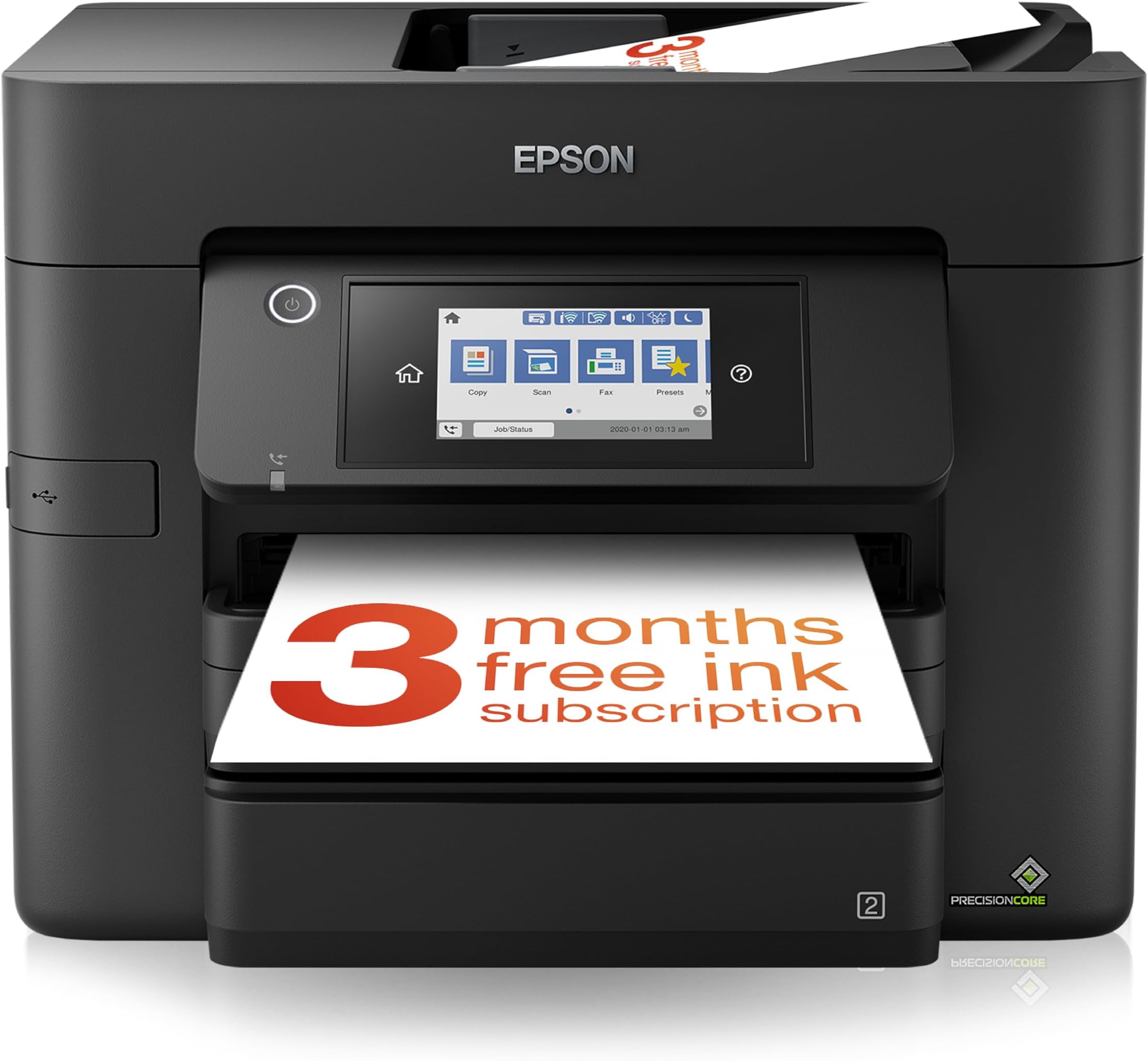
The Epson WorkForce WF-4830 is a compact, all-in-one A4 inkjet printer designed for busy professionals. It offers fast duplex printing at 25 ppm (black) and 12 ppm (color), wireless connectivity options including Wi-Fi Direct and Ethernet, and a 35-sheet automatic document feeder. With individual cost-efficient ink cartridges and a user-friendly 10.9cm color touchscreen, it streamlines printing, scanning, copying, and faxing for modern office environments.


| ASIN | B08HZBKL2P |
| Additional Printer Functions | All In One |
| B&W Pages per Minute | 25 ppm |
| Best Sellers Rank | 960 in Computers & Accessories ( See Top 100 in Computers & Accessories ) 9 in All-In-One Printers |
| Box Contents | Individual Ink Cartridges, Power cable, Quick Start Guide, Warranty document |
| Brand | Epson |
| Brand Name | Epson |
| Color Depth | 24 bpp |
| Color Pages per Minute | 12 ppm |
| Colour | Colour |
| Compatible Cartridge | Epson |
| Compatible Devices | [Computers, Laptops, Tablets, Smartphones] |
| Connectivity technology | Ethernet |
| Control Method | App |
| Country of Origin | China |
| Customer Reviews | 4.2 out of 5 stars 166 Reviews |
| Display Type | LCD |
| Dual-sided printing | Yes |
| Duplex | Automatic |
| Global Trade Identification Number | 08715946679709 |
| Hardware Interface | Ethernet |
| Ink Colour | [Multiple] |
| Item Dimensions D x W x H | 15.3D x 16.7W x 13H centimetres |
| Item Type Name | Inkjet Printer |
| Item Weight | 11.9 Kilograms |
| Manufacturer | Epson |
| Maximum Copy Resolution Black and White | 4800 x 1200 dpi |
| Maximum Copy Resolution Color | 4800 x 1200 dpi |
| Maximum Copy Speed Black and White | 25 ppm |
| Maximum Print Resolution Black and White | 4800 x 2400 dpi |
| Maximum Sheet Capacity | 500 |
| Maximum Supported Paper Size | A4 |
| Maximum print Resolution Color | 4800 x 1200 dpi |
| Model Name | WF-4830DTWF |
| Model Number | C11CJ05401 |
| Model Series | WorkForce |
| Model name | WF-4830DTWF |
| Network Connectivity Technology | Ethernet |
| Number of Trays | 1 |
| Other Special Features of the Product | Wireless |
| Output sheet capacity | 5 |
| Paper Size | 210 millimeters |
| Print media | Paper (plain) |
| Printer Output Type | Colour |
| Printer Type | Inkjet |
| Printing technology | Inkjet |
| Processor Count | 1 |
| Product Warranty | 1 Year Manufacturer |
| Resolution | 4800 x 1200 |
| Scanner Type | Flatbed |
| Special feature | Wireless |
| Specific Uses For Product | Office |
| Total USB Ports | 1 |
| Unit Count | 1.0 count |
| Warranty Type | Limited Warranty |
R**0
Excellent product.
Excellent piece of kit. Bought it as a replacement to my previous much older Epsom WF- printer which eventually gave up the ghost. The main function I was looking for was Double Sided Scanning - which this printer DOES supports (no matter what Epsom Customer services people will tell you !). As it has an ADF it supports double sided printing as well and works nicely with Windows 11. I followed advice on the internet to avoid installing the Epsom Driver software which is quite bloated and doesn't always interact well with Windows instead I rely on the more lightweight Windows software to handle printing and scanning. I haven't had it long enough to know how long the cartridges will last but so far I am very happy with it and wish I had upgraded to this model years ago.
C**M
Impressed
This is a great printer, well packaged in it's box too. Heavier than expected but size of printer is just right for where it is placed at home. Found it quite easy to follow most steps in the written instructions but they could have been more detailed. It also gave the instructions on the Printer Menu touch screen too e.g adding to your wifi. It was very easy to find the printer drivers online - didn't need the disc that came with it. I've already printed out a few things and pleased with the results, ink quality is good and it is reasonably quiet. It prints both sides without having to change the paper around (from the print menu via my laptop). Happy with the 'quickness' of the printing too. Haven't tried printing photos yet but the ink colour on normal paper is good. Like that it has 2 paper drawers so I can use one for normal printing and the other for headed/photo paper or other when needed Delivery was very quick too; ordered late evening Tuesday 17th , arrived mid afternoon Thursday 19th but originally expected 20th-23rd. Great going.
M**Y
Excellent quality
My Epson A3 printer wnt to the printer heaven and I realised the time had come to seriously consider a replacement. I have always liked Epson as being reliable but I needed something more than just print. The Epson WorkForce WF-4830 All-in-One covers all my requirements. A little larger than I had anticipated but easy to set up and the capabilities are great to use. I must admit before doing anything seriously with the printer I played around for a bit checking everything out, no problems anywhere.
E**C
Excellent printer - expensive ink!!!
Brilliant quality printing from a well-made and professional looking printer. Easy-ish to set up and speedy once in operation. The only criticism I can level at this printer is that the genuine Epson ink IS VERY VERY EXPENSIVE!!! The printer will accept aftermarket ink cartridges, however you do have to click through a series of warnings prior to starting to use them. Quality of the aftermarket cartridges on offer is not consistent either, so if you CAN afford it, go for the Epson ones. Sometimes there are some very good offers on ink multipacks, worth watching a few online and pouncing!! The Epson phone app is also slick and effortless, making printing direct very easy.
M**D
Turn around
Bought it mostly for the scanner. Scanner is awful. At least itโs a cheap printer? Runs out of ink almost immediately.
A**R
Excellent home office printer.
Now that i am retired i need a good printer to do my labels etc for my online auction sales. This one was on offer and with ยฃ30 cashback from Epson, so i bagged the deal. The ยฃ30 refund took a few weeks but it was welcome and sweetened the deal. As it is an Inkjet genuine cartridges are silly money, thankfully that are some good non-oem ones on Amazon, just read the reviews before buying and wait for a deal. The printer was easy to install and gives excellent print quality and good value for the price i paid. Highy Recommended.
M**H
4830
I previously had a 4820 which was good and easy to connect to WiFi. This model however would not connect even with help from a techy kid. Have bought another make and it connected with ease. They are taking it back
M**.
Best printer I've ever used
This is without doubt the best printer I've ever used. I've tried other printers over the years but now I always buy Epson. The workforce pro is an absolutely fantastic printer. The "Pro" bit is definitely correct....it does everything. There are so many options on the printer, I love the scan to email function. There are 2 paper feeders, you can set up favourite printing options for each feeder. And it's quick....really quick at printing. Reproducing photos are excellent... just scan your photo, email the photo to the printer, lots of options and print out. You get lots of paper choice options.... premium glossy for pictures etc. I definitely recommend this printer its the best one I've ever purchased so 5 stars from me.
A**R
not user friendly and stuck with firmware update is available on the display all the time
printer works ok but then there was a firmware update and what the # you have to go and try find a password printed somewhere on the device I have no idea why this is required as I can update my PC and other devices without having to go try find an obscure sticker somewhere on the device and before anyone says it security who puts a sticker with the password on the device. Someone in Epson needs to have a rethink
T**S
Home network
Difficult to set up to the home network. Took me days to set up there is a lot of software to add to your laptop. However the frustrations of setting up are put to one side with the performance of the until
Trustpilot
3 days ago
2 weeks ago