
DOWNLOAD THE APP


Customer Services
Copyright © 2025 Desertcart Holdings Limited
DOWNLOAD THE APP


🚀 Elevate your network game with silent, speedy, and sustainable power!
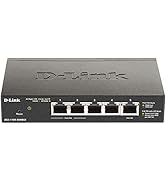
The D-Link DGS-1016D is a 16-port unmanaged Gigabit Ethernet switch designed for small businesses and home offices. Featuring a fanless metal case for silent operation, it delivers high-speed 1 Gbps connectivity across all ports while optimizing energy use with advanced power-saving technologies. Easy to install with plug-and-play functionality, this durable switch offers reliable performance backed by decades of D-Link expertise and a limited lifetime warranty.




| ASIN | B0007SQGV2 |
| Batteries | 1 Lithium Ion batteries required. |
| Best Sellers Rank | #208 in Computer Networking Switches |
| Card Description | This is the description of the PC Graphics |
| Case Material | Metal |
| Computer Memory Type | DRAM |
| Current Rating | 0.01 Amps |
| Customer Reviews | 4.5 4.5 out of 5 stars (986) |
| Data Transfer Rate | 1 Gigabits Per Second |
| Date First Available | July 7, 2004 |
| Department | wired networking |
| Global Trade Identification Number | 00790069268328, 00790069269974, 00790069269981, 04014619770663, 07900692699816, 09789800333440 |
| Graphics Card Ram Size | 256 MB |
| Hard Drive | 1 GB |
| Hard Drive Interface | IDE |
| Hardware Platform | PC |
| Interface Type | RJ45 |
| Is Discontinued By Manufacturer | No |
| Item Dimensions LxWxH | 10.95 x 4.95 x 1.73 inches |
| Item Weight | 2.4 pounds |
| Item model number | DGS-1016D/B |
| Language | English |
| Lower Temperature Rating | 32 Degrees Fahrenheit |
| Manufacturer | D-Link Systems, Inc. |
| National Stock Number | 7025-01-559-3368 |
| Operating System | Windows |
| Processor | 1 GHz athlon |
| Processor Brand | Intel |
| Product Dimensions | 10.95"L x 4.95"W x 1.73"H |
| RAM | 1 MB |
| Screen Resolution | 640x480 |
| Standing screen display size | 0.1 Inches |
| UPC | 854432518097 808111636336 790069268328 172302747683 806291820408 132018279137 999991944489 141291041119 |
| Upper Temperature Rating | 104 Degrees Fahrenheit |
| Voltage | 1 Volts |
| Wireless Type | 802.11n |
J**E
Great FANLESS switch - updated from what Amazon shows
I just ordered one of these as part of a project to rack up and centralize my home network. Prior to this I had several switches in my basement daisy chained together. With this new D-Link switch I was able to rack this up with some nifty vertical rack arms and in conjunction with a 24 port patch panel and rack cable organizer get everything very nicely organized. The Amazon description for this switch is out of date. The current version of the product indicates that with the latest power supply it is up to 73% more efficient than similar non green D-link switches. Also worth noting is that the face plate on my unit is a silver color, not the white appearing face plate in the product photos. I connected this switch on my work bench with a Kill-A-Watt power meter and with nothing else connected this 24 port beast is sipping just 3 watts. With five gigabit devices it is using a miserly 7 watts. Even fully loaded, according to the specs this switch will not use more than about 19 watts. The switch has features that will throttle down power consumption based on device connection speed, cable distance and whether a port is active or not. All of this means that you can build out a very robust home network without leaving something running 24X7 that is consuming a lot of power. I was close to ordering the competing Netgear product (JGS524) however the Netgear has two fans in it (noisy and prone to failure) where as this D-Link switch is fanless! This is a big deal, as the fan is often the component that will go out over the long term with a product like this... not to mention the noise you will experience if you are anywhere near the device. The Netgear does have a "lifetime" warranty (and better warranty support) where as the D-Link has a 5 year warranty. With no moving parts, and if hooked up to high quality surge suppression the D-Link box should last for a very long time without problems. Performance with this switch is excellent, I get rocket fast transport between all of my devices. It's worth noting that this is an unmanaged switch so you cannot break your network up into VLANs or do cable diagnostics, etc, with this switch. For its purpose though of providing a super fast home or small office network it is offering a tremendous value. T Highly recommend it!
R**K
Good Switch
I have installed 4 of these switches. They are plug and play. The ones I have installed do not have a fan and are totally quiet. This unit runs very cool; it barely gets warm. The first one I installed was about a year ago, and I have had no problems. The switches are not managed, and if you need to set up virtual LANs you cannot do that. UPDATE 17 May 2013: Still have the 4 switches running, and no problems with them. Update Feb 25, 2014: I still have the 4 switches running, and have had no problems with them. I have never had any of these switches get hosed-up where I had to power them down to reset them. They just work. I have them powered from UPS back up power systems which probably helps with their reliability. Update March 31, 2015 I still have the 4 switches. Never have had a problem. I have them on a UPS and have never had one hose up since I first installed them. Update April 18, 2016 First switch installed in 2011 and all are still working with no problems. They are powered by UPS and never get glitches or need to be power cycled. Great unmanaged switch!!
M**N
Works well and handles the heat...
I have this in a structured media enclosure in my closet where it gets up to 120F. So far it's handled the heat without issue.
B**Y
Solid performer in a small form factor
I've outgrown my SMC Barricade router and decided to extend my network with a 16 port gigabit switch. I was originally going to go with the Linksys switch, but the reviews were universally bad and reported failure rates very high. I wanted to take the time to set this up and forget it, and while I've only been in production with it for less than 24 hours, it is working well and set up easily. I think the documentation is pretty clear, but if you're not technical, you'll have a bit of trouble figuring out some of the advanced features. One feature I liked is that the ports are auto-detecting regarding whether a cable is a crossover or straight through, just like a more expensive switch. You can't manage this switch by forcing the the ports into a configured state (auto detect vs. or manually configured), but that would have been overkill for me. My setup is an Apple Time Capsule (version 1) as my router and wireless. I'm using a straight-through cable to connect the D-Link switch to the Time Capsule, both of which are gigabit. If this is the type of setup you're thinking of installing, this D-Link switch appears to be the perfect fit. I can only hope the reliability is better than the Linksys, but according to all the user reviews I've read during my research, this is the preferable unit. Hope this helps! NOTE: I'm revising this review after using the switch for several months now. Absolutely no problems, even though I've made changes to my network. The only thing I'd add to my original review is that the fan on the switch is a bit noisy. If you want this to be located in your office, be aware that the fan is always on and is audible. Other than that observation, I would still recommend this switch.
M**K
Con este aparato he configurado una red doméstica de 1Gb. Tenía problemas con mi router antiguo, 100Mb, de tan solo 4 entradas que tuve que complementar con un pequeño hub en el PLC. No percibo ni calor, ni ruidos del aparato. Además no lleva transformador externo, a pesar de ser pequeño en tamaño. Un plug and play estupendo. Por ponerle una pega, los led estarían mejor en las bocas de las tomas de red, porque donde están se tapan con los cables. Deberías tener un montaje en rack para verlos bien, están juntos y son chicos, se lee mal cuál corresponde a cada entrada
S**H
Works great for my needs
T**L
All good run one for years not a problem.
J**E
Nothing
H**M
Speed definitely seen
Trustpilot
1 month ago
3 weeks ago