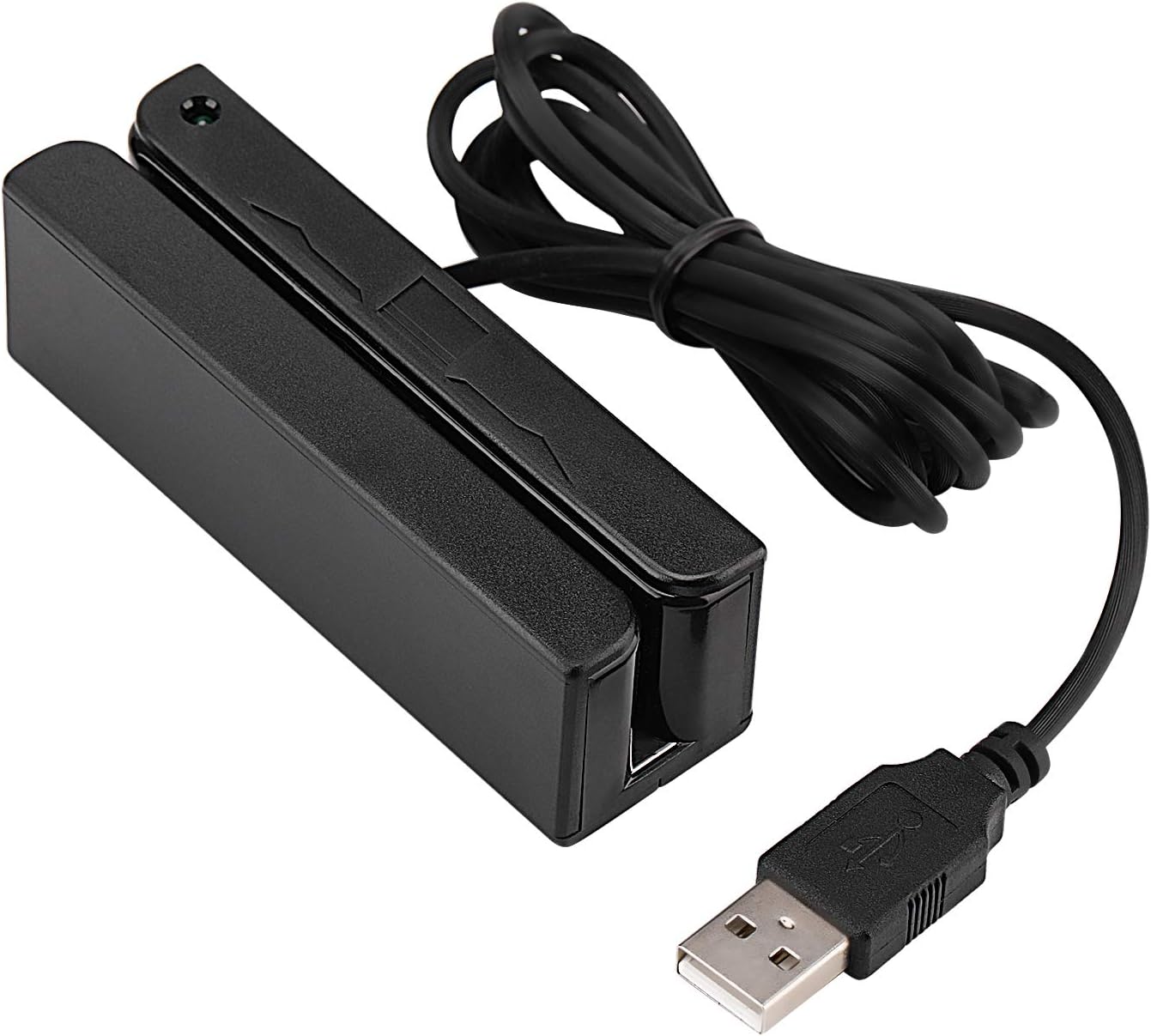
💼 Swipe Smarter, Work Faster — The Ultimate Pro Card Reader
The MSR90 USB Swipe Magnetic Credit Card Reader is a compact, driver-free device designed for professional environments requiring reliable, high-speed reading of up to three magnetic stripe tracks. Compatible with Windows and Mac OS, it supports major card data formats and offers bi-directional swipe capability with over 1 million guaranteed swipes, making it a trusted tool for seamless transaction processing and data capture.


| ASIN | B01DUB4GVO |
| Additional Features | Plug & Play |
| Best Sellers Rank | #10,122 in Office Products ( See Top 100 in Office Products ) #2 in Stationary Credit Card Readers |
| Brand | Deftun |
| Color | black |
| Compatible Devices | Laptop |
| Connectivity Technology | USB Type A |
| Customer Reviews | 4.2 out of 5 stars 1,618 Reviews |
| Data Transfer Rate | 480 Megabits Per Second |
| Hardware Interface | USB |
| Item Dimensions L x W x H | 3.54"L x 1.06"W x 1.14"H |
| Item Height | 1.65 inches |
| Item Weight | 2.85 Ounces |
| Manufacturer | MSR 90 |
| Model Name | MSR90 |
| Operating System | Windows 98 |
| UPC | 713803150000 |
| Unit Count | 1 Count |
M**S
Simple to Use
Worked perfectly for the school fundraiser craft fair. Easy to use and stayed connected even in a location with poor network connection.
A**A
Works well, plug-& play
These were basically plug-in play. We use them just for gift card transactions. The reader works well.
M**N
Does what it says it does. High Quality.
This works find for what it is. It does not do any encryption so most payment gateways do not allow its use. If need a usb card reader this one will do that trick.
J**A
Worked ok for 3 months, then failed
Worked fine for the first three months. Light now blinks green continuously and will not read any cards. Wasn't expecting this to last a lifetime, but was expecting it to last far longer than 3 months.
S**E
Good card reader
Works as intended. Small, lightweight design. Effortless plug and play via USB. We use these for software access on office computers, everybody has a mag strip card that is their “password”. Didn’t come with any method of mounting. Purchased double sided tape and worked well.
S**L
Just plug it in
Very easy to use. It does not come with any standstill adhesive. If you want it to be in a stationary spot, I highly recommend getting something to keep it in one spot.
H**K
Works like a charm
This works perfectly. Not much to it. I had no problems using it as a swiper for meetings for an organization where I am the secretary and have to swipe member cards. Hasn’t failed me yet.
A**R
works as advertised
This is a simple product that does exactly what is claimed. The info on the magstripe of a swiped card is entered into your computer exactly as though you typed it on the keyboard. It works out of the box with nothing special needed. If you were entering information based on this, you would need to make sure the computer is ready to accept the numbers before you swipe the card... such as positioning the cursor in the credit card number box on the screen. By default it sends all of the track data at once with a prefix and suffix for each so a program could tell which one is which. There's a small piece of windows-based configuration software that's optionally used to config which tracks to send and whether or not to use a prefix/suffix. Note that you would not be able to get it to send just the card number, or just the name on the card unless the card is encoded that way. Typically a card will have multiple bits of information on the same track. Most payment systems that allow one to use a card reader would know to expect the info in this format (which is a standard) and is not exactly as though you'd type it by hand reading from the front of the card. All that to say, you're not going to be able to use this to swipe your card and fill out the checkout form on a typical online store. But if you're using it for a payment system for a business and the payment system works with a card reader, then this will very likely "just work" with no special settings or anything. I gave it a slightly lower rating for accuracy in that if you are not careful about how you swipe, you'll only get track 1 data even if track 3 is present. But if you're careful to insert the card flat when swiping it gets it just fine. It either works or doesn't and doesn't send partial tracks or incorrect info.
Trustpilot
1 month ago
5 days ago