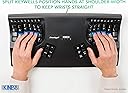
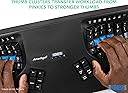
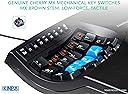
I've experimented with so many other keyboards before landing on this one. Started with a Typematrix before college, switched back to regular keyboards like keychron Q1, then got a Moonlander (which is also split, ortholinear, and has thumb clusters). The biggest thing all of those other keyboards miss that the Kinesis gets right is the keywell - it's convex so it encourages a natural wrist position, and all your fingers rest perfectly on each key. The column of keys for your pinky is slightly higher up and the column of keys for your middle finger is slightly lowered... because your fingers are different lengths. The thumb clusters encourage using your thumbs for super common keys like enter and backspace rather than your weak pinky. And these thumb clusters are way more natural to use compared to the Moonlander. When your fingers are on the home row, you can access all the thumb cluster keys without moving your hand because of the varying heights and angles of each of the thumb cluster keys. Clearly a lot of thought and research went into the design of the key layout. Also, it's super easy to remap keys. It's onboard - you press the remap button, press the key you want to move, and the destination key, and you're done. Makes it really easy to experiment with different positions; for instance, I switched the shift key with the one above it on both sides so that my shift keys were on the home row since it's one of the most common keys. When it comes to build quality and premium feel... Yeah, it's plasticy, yeah it has abs keycaps that will get shiny over time, yeah it has no backlight, and yeah it's wired, but clearly the money was spent on making the most comfortable keyboard, not the most flashy or premium feeling. Even though it's plastic, it feels super durable and I don't think it'll break very easily. If you can't do wired connection, the Kinesis 360 Pro is wireless and very similar, but honestly I prefer the simplicity of the wired connection on this one. No worrying about charging. I also like that it's one solid unit rather than distinct halves. Less to keep track of, less positioning to adjust, but that also means it's less flexible since you can't change the distance between each half of the keyboard like you can on the 360. I think this one is easier to have in your lap though than the 360 with its two distinct parts. All depends on your needs and wants. Speaking of having it in your lap, one downside of this keyboard is that it's raised higher than a lot of other keyboards. The actual keys are lowered down into the unit, but to enforce that, the actual body itself rises up quite a bit. You'll need to make sure you have a chair that can go high enough or a keyboard tray that makes it lower so you're not hurting yourself by scrunching up your neck and shoulders to reach the higher level. I find placing it in your lap is a super comfortable way to use it that gets around this, but consider getting a drafting chair if you need your chair to raise up higher than your current one does. Also, just a small thing, but I love having dedicated function keys (F1-F12). Might be silly, but I've never had a keyboard before where you can just press a function key - without holding down a separate "fn" key or other layer shift. If you use VS Code or develop in general, there's often a number of super useful shortcuts tied to the F1-12 keys, and it's very handy to access them at the press of a button without any key combos or anything else. Highly recommend this keyboard if you experience any sort of pain in your wrists, arms, shoulders, or neck from sitting at a desk typing all day. It's so so worth it. My pain went away so fast. Just make sure the rest of your setup is ergonomic as well. The Kinesis Advantage 2 User Manual has a whole section on how to make the rest of your desk setup ergonomic. Make sure to follow it.