⚡ Elevate your workspace with power, speed, and stunning visuals — don’t get left behind!
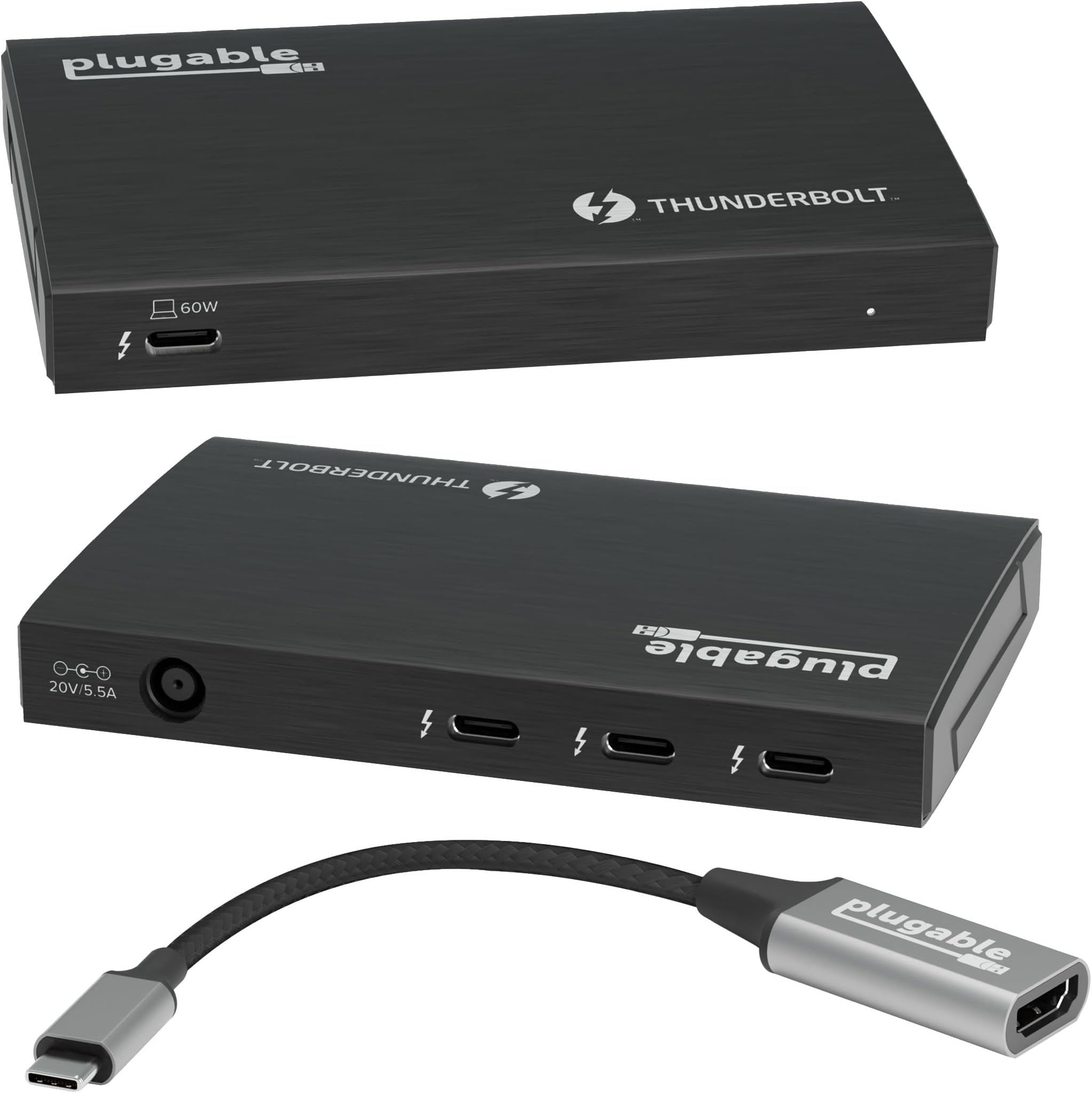
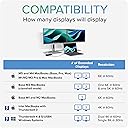
The Plugable Thunderbolt 4 Hub (TBT4-HUB3C) is a premium USB-C hub featuring three Thunderbolt 4 ports with 40Gbps data transfer, 60W laptop charging, and support for dual 4K or single 8K displays. Built on the Intel Goshen Ridge chipset, it offers certified reliability and broad compatibility with Windows 10+ and macOS 11+ systems. Ideal for professionals seeking to expand their device connectivity and visual workspace with daisy-chaining capabilities and included USB-C to HDMI 2.0 adapter.


| ASIN | B09DTFQMXC |
| Best Sellers Rank | #704 in USB Hubs |
| Brand | Plugable |
| Color | Black |
| Customer Reviews | 4.4 4.4 out of 5 stars (297) |
| Date First Available | August 30, 2021 |
| Hardware Platform | Laptop |
| Item Dimensions LxWxH | 4.7 x 2.9 x 0.7 inches |
| Item Weight | 2.2 pounds |
| Item model number | TBT4-HUB3C |
| Manufacturer | Plugable |
| National Stock Number | 0 |
| Operating System | Linux, Mac, Windows |
| Product Dimensions | 4.7 x 2.9 x 0.7 inches |
P**S
The two monitor solution for your MacBook Air!
I love my 2025 MacBook Air. It has just one problem. It only has two USB-C connections. So how do you support multiple monitors and still have the ability to plug in anything else? That’s where this comes in quite handy. It easily supports two thunderbolt displays using USB-C at reasonably high refresh rates. And it frees up your other USB-C port for a hub or any other peripheral you want to connect. This has been a really good solution to addressing the one failing of the MacBook Air. Nd the build quality is top rate!
B**P
Spectacular USB hub for my IPad Pro!!
This upgrade hub gives my iPad Pro 11” gen 3 instant access to top performance from my peripherals. For the last 3 years I’ve been using an Anker hub with the short host cable built in. With this new hub the detachable high speed host cable gives me flexibility of where I can put things on my desk. The Anker, which has too short a cable to lay flat on the desk when my iPad is sitting upright, worried me that it was putting unnecessary weight stress on the USB input to my iPad. Not a problem now! The HDMI adapter is top quality and heavily built. I’m getting a better data stream out of the ipad now and the results were immediately obvious. The sharpness of picture is better defined, and the colors just better. I’m hearing an extra layer of audio resolution from my Schiit Multibit2 DAC. It runs a bit warm to the touch, but not hot. I’m also pleased I no longer need to worry about an external power source. One less headache. This small USB hub is dynamite! It does it’s job perfectly with all the speed and instant compatibility I was hoping for. . I was glad to find this usb hub here, it’s exactly the upgrade I wanted but couldn’t find before. I think Plugable is a top notch company and I will definitely buy their products again.
M**N
Works with Apple Thunderbolt Display and M1 Macbook Air
This is a nifty little dock, but I'm probably using it a bit differently than intended. I achieved my goal of connecting my M1 Macbook Air to my older Apple Thunderbolt display using ONE CABLE that both charges my laptop and outputs to the external display. I love how clean the setup is. Basically its connected like this: M1 Macbook AIr --> Thunderbolt 4 cable --> Pluggable Thunderbolt Dock --> Apple Thunderbolt 3 (USB-C) to Thunderbolt 2 Adapter --> Apple Thunderbolt Display. With some cable management and zip ties, the desk looks super clean, and now I have a single cable going to my laptop that activates the external display (and everything connected to it) and also charges the laptop. Great product and much more affordable than other options out there.
F**T
Works great.
Using with a MacBook Pro. I was able to tether a single Thunderbolt cable from my laptop to the hub, and then connect an external monitor (using a Thunderbolt to DisplayPort cable) and an SSD. Be careful to follow the connection instructions. When I first unboxed the hub I connected the cables incorrectly, which allowed the SSD to be recognized but my external monitor didn't work. I was disappointed, thinking the hub didn't work as advertised, but after some troubleshooting I realized the problem was on my end, and once the cables were changed around everything worked great.
R**S
Works with Apple Silicon Macbooks
Works as expected with a 2021 Macbook Pro m1Pro chip. No issues so far. A little warm on the unit's enclosure, but at least it's a metal enclosure. I have the following connected directly and thru it: - Two 32" 4K monitors @ 60hz - 1 via USB C / USB C to Monitor. 2nd USB-C to HDMI to Monitor via included adaptor. - 60 watts power being supplied to the Macbook Pro - USB C to USB Hub device - 2.5gb ethernet port - two external USB drives - USB Scanner - USB External Camera
T**.
Must have a defective unit or please, support, correct me
I really want to like this hub because it is exactly what I needed in port selection: a true thunderbolt 4 hub that breaks out thunderbolt with no extra random ports. From here I planned to plug in a 4k 60hz monitor using a mini-DP to USB-C cable in one port and that works great. The second port was going to be used to connect a USB/ethernet hub. Long story short I tested a webcam (CamLink 4k) and an Ethernet connection on TWO different hubs connected to one on the thunderbolt ports on this Plugable unit and each time the Ethernet connection would disconnect after a few seconds and refuse to come back. And using Zoom to check the webcam, it would work for about a second and then freeze. That was testing it twice- on two separate USB-C hubs. Now if I plug either of those hubs into my 2020 M1 Mac Pro directly, the internet and webcam work fine. My understanding was this hub was supposed to break out 3 ports that essentially have the same functionality as the host thunderbolt port it plugged into. But clearly something is wrong when a TB4 port can't interface with USB-C hubs. I really was hoping I was doing something wrong but how hard can it be to use something like this? It should be plug and play. I had used this webcam and access point for months with no problem and then they failed once I tried to use them with this new item. If I decide to replace this with the same item I will report back to see if it was just a fluke or not. I expect it is because I see many positive reviews here...
H**E
I know now…
I didn’t realize how much different powered hubs would be until I switched my IPad Air and MacBook Air with displays to POWERED hubs. So many extra wires disappeared for other devices, and everything worked with simple plugins. I wish I’d known the difference earlier. Clean design and excellent functionality. I highly recommend.
W**G
EDIT to 1 Star - Inconsistent! Doesn't play well with others
EDIT: After no contact from the manufacturer of this, I am forced to blacklist them and inform others to steer clear of all things made by Plugable! Original Post: This is a great, compact, Thunderbolt 4 unit. When it works. It's not very convenient, or acceptable, to have fiddle for 10 minutes every morning so it will extend to two other monitors. But, hey, if you like to fiddle, go for it. When it works, it works great, but playing with the plugs and settings is getting old. And wouldn't you know it, the return window closed 3 days ago. Grrrrr.
H**A
It was a dream of mine to get a thunderbolt hub so I can connect my universal audio interface (arrow) to the PC while not blocking the only thunderbolt 4 port I have. this made it true. if anyone is asking the same question, yes, you can plug your universal audio arrow that uses thunderbolt 3 to this, and get 2 extra thunderbolt 3 ports
T**U
Thunderbolt4(USB4) 規格の 4 ポートハブです。各ポートの形状は USB type-C と同じに見えるので勘違いされやすいですが、これは一般的な USB type-C のハブとして USB3.2/Thunderbolt3 以下の環境ではオーバースペックですしブリッジチップの関係でメーカー推奨もされていません。基本的には Thunderbolt4/USB4 を搭載した機器で使用するものと考えた方が良い製品です(type-C ハブとして使うなら十分な性能の製品がもっと安価ですし)。 自分の場合は M1 搭載の mac mini/Macbook Air/iPad Pro でテストをしましたが、何れの環境でも問題なく認識して接続機器を利用できましたし、MBA/iPad Pro ではUSB PD による充電(給電)も問題ありませんでした(どちらも純正 AC アダプタが 60W 未満ですので当然ですが)。 自分は MBA はクラムシェルモードではほぼ使用せずデスクトップとしては mac mini を使用しているため、モニタ接続などは mac mini でテストした結果となります。 実は既に Thunderbolt4(USB4) ハブとしては Caldigit 社の ELEMENT HUB を使用しています。サイズ的にはほぼ同じサイズ(添付画像)ですが、ELEMENT HUB には USB type-A x4 ポートも搭載されているので密度という点ではこちらに一歩譲るかたちになります。とはいえ実売価格では本製品の方が 10% 以上おトクなので type-A 機器は不要とうことであれば本製品が選択肢になると思います。 実際に、ELEMENT HUB と入れ替えて普段使っている Belkin USB-C to HDMI+VGA+DVI+DISPLAYPORT 4in1 変換アダプタ 、CENTURY 社 TB3 to 10GbE アダプタ、 Seagate BarraCuda SSD(2TB) 接続して 2 週間ほど運用してみました。 まず認識ですが全く問題なく認識しており、添付画像のように TB4(USB4) ハブとして 40Gbps 接続したうえで、配下の機器(TB3)も全て認識して動作・速度ともに全く遜色ありませんでした。ハブ自体の発熱もほんのり温かい程度です。特に外付 SSD と 10GbE アダプタは速度に影響があると途端に作業効率(生産性)が下がりますが全くそういったことはありませんでした。 また、製品説明にも記載がありますが本製品の AC アダプタ用ケーブルは片側がアース付き 3 ピンとなっているため、アース対応ソケットが無い場合は自前で 3→2 ピン変換アダプタを用意する必要があります。自分は mac mini 本体同様に UPS から電源を取ったため問題ありませんでした(3 ピンの無い UPS はまず無いですしね)。 ちなみに mac mini との接続は同じ Plugable 社製の TB4/100W 対応の 1m ケーブルを使用して本体から少し離れたところでハブとして使えるようにしてみましたがやはり 1m あると便利なので組合せとしてはオススメです。
J**A
definitivamente para ser TB4 no da el ancho. Al probarlo la velocidad del disco duro externo bajo significativamente y el monitor que le conecte usando DP no reconocia los 4k de resolucion hasta prender y apagar el monitor cuando sin el hub si lo reconoce. Pero lo de la velocidad del disco NMVe que se fue a la mitad es lo que me hizo devolverlo por lo que no lo recomiendo
I**Y
This hub is a lifesaver. I downtiered from a MacBook Pro to a MacBook Air because I didn’t think I needed all that power for my workflow, but the lack of USB-C ports meant I was always swapping dongles and devices, opening and closing my laptop to support dual display or webcam/mic and just generally regretting my choice to downtier to save a few bucks. This hub solved all my issues. I can now power my laptop through it, power and run my dual displays and webcam/speaker, and with an additional usb hub can support all my charging and data transfer. Well worth it!
と**ん
サンダーボルト4とUSB4に対応したUSB-Cタイプのハブ サイズは12x7.5x1.5cmの2.5インチポータブルHDDくらいの大きさ。 それに大きな20V 5.5Aの110WのACアダプター 15.4x5.6x3.3cmくらい。 あと、0.8mのサンダーボルト4/USB4ケーブルとUSB-C to HDMIメスアダプター 説明書は日本語入り。繋ぐことしか書いてないけど。 ポートは4つで1つがパソコンに繋ぐところで60W出力があります。 電源供給も兼ねているのでサンダーボルト4ケーブル1本繋ぐだけでいいので楽です。 ハイスペックなハブという感じで今後も安心して使えます。 個人的にはHDMIは内蔵できればして欲しかったし、USB3ポートも1つは欲しかった。 別のポータブルハブ付ければ問題ないけど。
Trustpilot
3 days ago
2 weeks ago