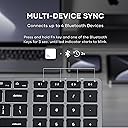
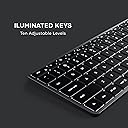
This product embodies just about everything I'm looking for in a keyboard. Switching from Mac to PC, I'm coming off of 10 years with Apple's magic keyboard, the one that connects exclusively through Bluetooth and lacks a number pad. In the end, I missed the number pad, and having to change batteries was boring to me. Otherwise, I enjoyed the design of it. This keyboard is a natural upgrade. I'm thankful that it has the wired option, so I no longer have to deal with batteries. And the number pad checks the number pad box. This is essentially the only magic keyboard variant I could find with these features while retaining the more compact layout. So thanks to Satechi for this design. Just because I'm on a PC doesn't mean I want a loud, clunky keyboard and carpel tunnel syndrome from working the thing. So if you like the feel and style of the apple keyboards, this is just the thing. You'll know from the imagery if the layout is for you. Do I miss the "page up," "page down," "insert," etc. buttons? No, not enough to give up the smaller form factor. Am I bothered by the compact design of the arrow buttons? Not in the slightest; use that space up. If these things bother you, look elsewhere. Do I have a hard time finding the buttons? No. Would I use it for gaming? I'm not much of a PC gamer, but, yes, I would. I like the keyboard; I'll use it for everything that requires a keyboard. Contrary to its intended design, I bought it to use with Windows 10, so I'll shed some light on how it performs there. There are a few idiosyncrasies, but overall, it suits my needs, so I'm happy with it. Right out of the box, I plugged it into my PC and, to my surprise, it worked instantaneously. I guess I thought I might have to pair it over Bluetooth or download drivers. Nope. It just works. Of course, it does pair over Bluetooth without issue. (UPDATE: As per Satechi, connect through control panel if you have trouble with the standard Bluetooth menu.) Also to my surprise, the function keys seemed to carry some of their functionality over to Windows without any extra effort. For instance, the brightness and volume keys function smoothly. The buttons for the backlights work as well. The search key on F3 does not work, presumably because Windows doesn't have Mac's "Spotlight" search feature. I haven't tested the "previous" and "next" buttons on F7 and F9 respectively, but I can confirm that "play" on F8 does its job. You can lock the function keys to just plain old F1-F12, which is actually fantastic because then there isn't any overlap in functionality when using an application that utilizes those buttons. It's a welcome feature that I hadn't realized I needed. And it works exactly as intended on Windows. Apple keyboards like this one don't have the "Windows" button, which is, of course, a centerpiece of all PC keyboards. Here, the "command" key functions as the Windows button. And, if you're coming from Apple like me, the "Control" button essentially takes the place of "command" in all the usual apple shortcuts. Not a problem, really, and I'm rapidly getting used to it despite my initial resistance. The rest of the modifier keys function as normal. The "clear" key, located on the number pad, is of great importance here. "Clear" actually functions as "num lock," and the num lock has to be engaged in order to type the numbers on the number pad. Otherwise, Windows interprets them as a "up" (8), "down" (2), "left" (4), "right" (6), "home" (7"), "end" (1), "page up" (9), and "page down" (3). There isn't an LED indicator of the num lock's status, so you just have to make a mental note. The "=" on the number pad doesn't do anything, irrespective of the num lock. And I have yet to find any functionality in the "eject/usb" key. I did spend a decent amount of time exploring the idea of remapping keys so that I wouldn't have any quirks like the dead "=" key, for instance, or so I could switch ctrl and cmd so that it would be more like working on a Mac. But it can get weird, and will often create a conflict. If you try to remap the search shortcut on F3, for example, Windows interprets that as a "space" button; remap it and now you have no space bar. There's only one "space" function to go around, it seems. But remember that that F3 search button does nothing on its own, so one would think you could assign it to something else without giving up a non-existent space button. If you're scratching your head a bit, then you're reliving my experience. In the end, I decided that it was best to do no remapping at all, and to let the keyboard do its thing. It did seem entirely feasible to remap F1-F12 in their standalone, locked state, however. But some of my apps use those buttons, so I keep them clear for that. If you're a tech wizard, you may have a remapping solution that solves every problem I've mentioned. I knew nothing about keyboard remapping going into this, I feel like I learned a lot about it in the process, and yet I decided against it. For reference, I was using PowerToys, with a brief dabble in SharpKeys. At first, I had written off the ability to switch between multiple Bluetooth devices using the buttons in the top right. But once I had it connected, I thought, "Why not connect it to my phone?" One pairing later, and now I can use it to type on my phone by pushing one button. Then I thought, "Why not connect it to my old iMac that's just sitting here waiting to be discarded?" So I did. I can jump between all three devices with ease; the switch takes about a half a second. As someone who wasn't interested in the feature at first, I was sold on it in no time, and I can easily see myself taking advantage of it in the future. My only minor complaint is that it seems to take just a second too long to connect to my computer upon startup despite the fact that I keep it wired to the PC. I'm ready to type in my password, and I tend to jump the gun just a little. I suspect, therefore, that the keyboard doesn't send the input signals over the cable. I would prefer it did, but I'll let it slide. By the same token, I can't seem to use it to enter my BIOS on startup because it presumably has not connected yet. My magic keyboard always seemed to connect to my iMac right away, so perhaps the responsibility for these minor connectivity quirks falls more squarely on the shoulders of my PC; who knows? (UPDATE: It does have a wired mode; press fn+eject to use it. But it still doesn't connect automatically on boot up. I'm not sure if something changed, but what I actually have to do is boot the computer, unplug the keyboard, and plug it back in for it to be recognized on the wired connection. A hassle, but....) Other than that, it seems to be smooth sailing, and I'm having a comfortable and efficient time gliding across this keyboard. I wasn't expecting it to be as compatible as it seems to be with Windows 10, and for that, I can safely say that it has exceeded my expectations. Make me a PC version and maybe I'll get that, but this will do just fine in the interim.