

Desertcart purchases this item on your behalf and handles shipping, customs, and support to Hong Kong.
🚀 Compact Powerhouse: Elevate your workspace, stream in 4K, and stay ahead of the curve!
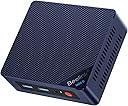
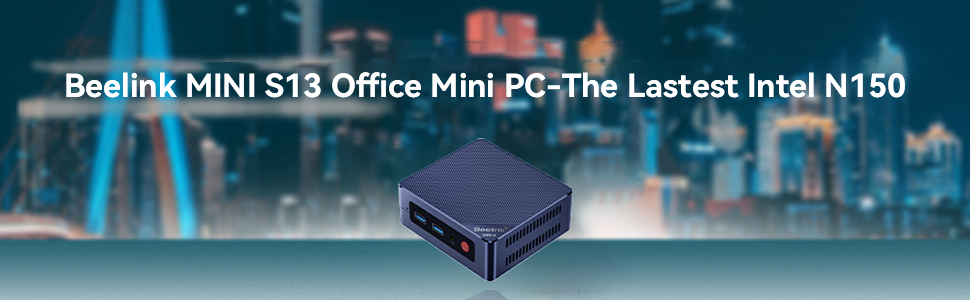
The Beelink Mini PC MINI S13 is a sleek, ultra-compact desktop powered by an Intel N150 quad-core processor, 12GB LPDDR5 RAM, and a 500GB SSD. It supports dual 4K UHD displays via HDMI 2.0, features advanced WiFi 6 and Bluetooth 5.2 connectivity, and includes a robust cooling system. Designed for professionals balancing work, entertainment, and remote collaboration, it offers versatile interfaces and eco-friendly low power consumption, making it ideal for office, education, and multimedia use.






| ASIN | B09DPV3D4N |
| Additional Features | office,business,home entertainment,Online courses,supermarket,industrial CNC,Billboard,Plex server |
| Aspect Ratio | 16:9 |
| Brand | Beelink |
| Built-In Media | 1 x HDMI Cable, 1 x Mini PC, 1 x Power Adapter, 1 x User Manual |
| CPU Model Number | Intel Celeron N100 |
| CPU Model Speed Maximum | 3.4 GHz |
| CPU model | Core i7 |
| CPU speed | 2.3 GHz |
| Color | Blue |
| Compatible Devices | No Compatible Devices |
| Connectivity Technology | 802.11a/b/g/n/ac, 802.11ax, Bluetooth |
| Cooling Method | Air |
| Customer Reviews | 4.1 out of 5 stars 104 Reviews |
| Display Resolution Maximum | 3840x2160 |
| Display Type | 4K UHD |
| Graphics Card Interface | Integrated |
| Graphics Coprocessor | Intel UHD Graphics 600 |
| Graphics Description | Integrated |
| Graphics Ram Type | DDR SDRAM |
| Graphics card description | Integrated |
| Graphics co-processor | Intel UHD Graphics 600 |
| Hard Disk Description | SSD |
| Hard Disk Interface | Serial ATA |
| Hardware Interface | Ethernet, HDMI, SATA 3.0 Gb/s, USB 3.0, USB Type C |
| Human-Interface Input | Buttons |
| Item Dimensions | 11.5 x 10.4 x 4.3 centimeters |
| Item Weight | 0.88 Kilograms |
| Keyboard Description | [Standard Keyboard] |
| Keyboard Layout | QWERTY |
| Manufacturer | Shenzhen AZW Technology Co.,Ltd. |
| Memory Slots Available | 1 |
| Model Name | Beelink MINI S |
| Model Number | Beelink |
| Model Year | 2026 |
| Native Resolution | 3840 x 2160 |
| Number of Component Outputs | 2 |
| Operating System | Windows 10 Pro |
| Operating system | Windows 10 Pro |
| Optical Storage Device | 500 Gb |
| Personal Computer Design Type | Mini PC |
| Power Consumption | 36 Watts |
| Power Plug Type | Type B - 3 pin (North American) |
| Processor Brand | Intel |
| Processor Count | 4 |
| Processor Series | Core i7 |
| Processor Socket | FP4 |
| Processor Speed | 2.3 GHz |
| RAM Memory Installed | 8 GB |
| RAM Memory Technology | DDR4 |
| RAM Type | DDR5 RAM |
| Ram Memory Maximum Size | 8 GB |
| Resolution | 3840x2160 Pixels |
| Specific Uses For Product | Business/HTPC/Office mini pc/HTPC/Zoom meetings/Skype/run Office, CAD, PS, Pr, Ai |
| Specification Met | true |
| Style Name | Industrial |
| Total Number of HDMI Ports | 2 |
| Total Thunderbolt Ports | 2 |
| Total Usb Ports | 4 |
| Video Output | HDMI, HDMI, Type-C |
| Video Output Interface | HDMI, USB-C (Type-C) |
| Video Processor | Intel |
| Wireless Compability | 2.4 GHz Radio Frequency, 5 GHz Radio Frequency, Bluetooth |
| Wireless Network Technology | Wi-Fi |
| Wireless Technology | Bluetooth 802.11a/b/g/n/ac, 5 GHz Radio Frequency, 2.4 GHz Radio Frequency |
S**D
Windows automatic repair stuck and it is on loop 😖
Automatic Repair Loop and Incorrect Password when Trying to Access Anything in Advanced Options. I have been using this for very few time for over a year, and I have experienced an issue that many people also had too. I was updating some of my drivers from a third-party software that was reliable and restarted my system like usual when it began to send me into an automatic repair loop. I kept restarting it several times to see whether it will change anything and nothing. I tried to go through “Advanced Options” to see whether I could try to go to “Command Prompt” or some of the other options to get around the issue. Every time that I click on these options, it prompts to a message that I need to type in the password for my account to access the option. Essentially, I would always get an incorrect password error every time I typed my password in. I know that I typed the password correctly because I had my password saved in a password manager, looked at the password several times, and the keyboard layout was “US”. I even changed my password for my account and signed in into the Microsoft website with the new password and typed it all correctly. However, when I tried to type in the new password on my laptop, it gave me the incorrect password message again. I restarted once more and got the same results. There’s no way that I kept typing it incorrectly because I looked at it several times and even checked to make sure “caps lock” isn’t on and also “num lock”. Nothing changed from there. I looked on YouTube to find solutions and go through BIOS or whatever to diagnose the issue and either nothing came up, or it failed to detect the issue. I had essentially tried everything and there was an option for “Startup Setting” where I could try to disable something to see whether that was the problem. That option initially wouldn’t require me to use my password to sign in because I had to restart my device to disable a setting, but it would always send me to a black screen for essentially hours. Nothing happened and I had to physically hold down the power button to force shut down the thing again. I really need to find out what could possibly be the issue here.
E**D
bajo consumo y potencia cuando se requiere
Estoy feliz, inmediatamente le instale Debian Linux 12 y CasaOS (no puedo reseñar su windows de fabrica) Debian linux detecto todo, incluso el Plex detecta la "aceleradora de video" para transcodificar. Le agrege un ssd interno de 2.5 y un disco externo para mas capacidad. ocupa poco espacio y solo necesita un cable de red y la energia.
R**J
Great Performer
This computer is able to play Fallout 4 and Skyrim at 1080p at a good frame rate. The DDR5 keeps the pc from bottlenecking like other mini pc's. This is great budget-friendly computer. It's been more than 9 months since we purchased and the computer still performs very well.
W**R
Great little mini-computer
Great computer for the money - so excellent value. It’s very compact - but solidly built. Performance is quite good too for such a small computer. Good selection of built-in ports.
D**A
La temperatura es lo único que no me agradó.
La entrega en los tiempos marcados. Sin problemas. El embalaje bien, no hay queja alguna. La configuración es sencilla. La descripción de componentes corresponde, muy bien por ello. El precio está también muy bien. El punto es que para tener 2 ventiladores, la parte superior de plástico de la carcasa se calienta mucho y no me parece normal. La seguiré observando pero no me agrada que precisamente en donde está el procesador se caliente tanto.
S**L
This is a very capable little box for non-demanding workloads!
I purchased this computer for my father. He is in his 70’s and is not all that computer savvy, but he uses it to check the news, pay his bills, etc. His old computer was a Compaq tower that was ancient (yes, he was still using a Compaq in 2023). It was running Windows 10, but that took forever to boot up, just as long to log in, and loading pages seemed like an eternity. I grabbed this little box and mounted it to the VESA mount on the back of a new monitor I purchased as well, and he couldn’t be happier. It boots right up, logs right in, and web pages load the way a web page should load. Everything about this little box is fantastic for someone that just needs something for the consumption of media and to pay the occasional bill.
Trustpilot
2 weeks ago
1 month ago