Buy anything from 5,000+ international stores. One checkout price. No surprise fees. Join 2M+ shoppers on Desertcart.
Desertcart purchases this item on your behalf and handles shipping, customs, and support to Hong Kong.
๐จ Elevate your creativity wirelessly โ where precision meets freedom!
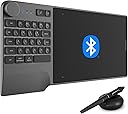
The HUION Inspiroy Keydial KD200 is a sleek, wireless graphic tablet featuring Bluetooth 5.0 connectivity, an 8.9x5.6 inch active area, and a battery-free pen with 8192 pressure sensitivity and tilt support. Designed for professionals and creatives on the go, it integrates a customizable dial and 5 express keys alongside a 23-key ergonomic keyboard, compatible across Windows, Mac, and Android platforms. With up to 18 hours of continuous use and fast charging, itโs engineered to streamline workflows in digital art, design, and hybrid work environments.


| ASIN | B0935ZXGRJ |
| Active Surface Area | 49.14 square inches |
| Additional Features | Dial, Ergonomically Designed, Huion PenTech 3.0, Programmable Press Key, Wide Compatibility |
| Best Sellers Rank | #5,727 in Computers ( See Top 100 in Computers ) #30 in Graphic Tablets |
| Brand | HUION |
| Built-In Media | HUION PW517 Battery-Free Stylus, Keyboard with 23 Standard Keys, Dial, 5 Customized Press Keys, and Wrist Rest |
| Color | Metal Grey |
| Compatible Devices | Desktop, Laptop, Tablet |
| Connectivity Technology | Bluetooth |
| Connectivity technology | Bluetooth |
| Country of Origin | China |
| Customer Reviews | 4.2 out of 5 stars 185 Reviews |
| Display Type | Digital |
| Item Dimensions L x W | 39.4L x 18.8W centimeters |
| Item Type Name | computer graphic tablet |
| Item Weight | 649 g |
| Manufacturer | ShenZhen Huion Animation Technology Co., LTD |
| Mfr Part Number | Inspiroy Keydial KD200 |
| Model Name | KD200 |
| Model Number | KD200 |
| Model name | KD200 |
| Native Resolution | 1920x1080 |
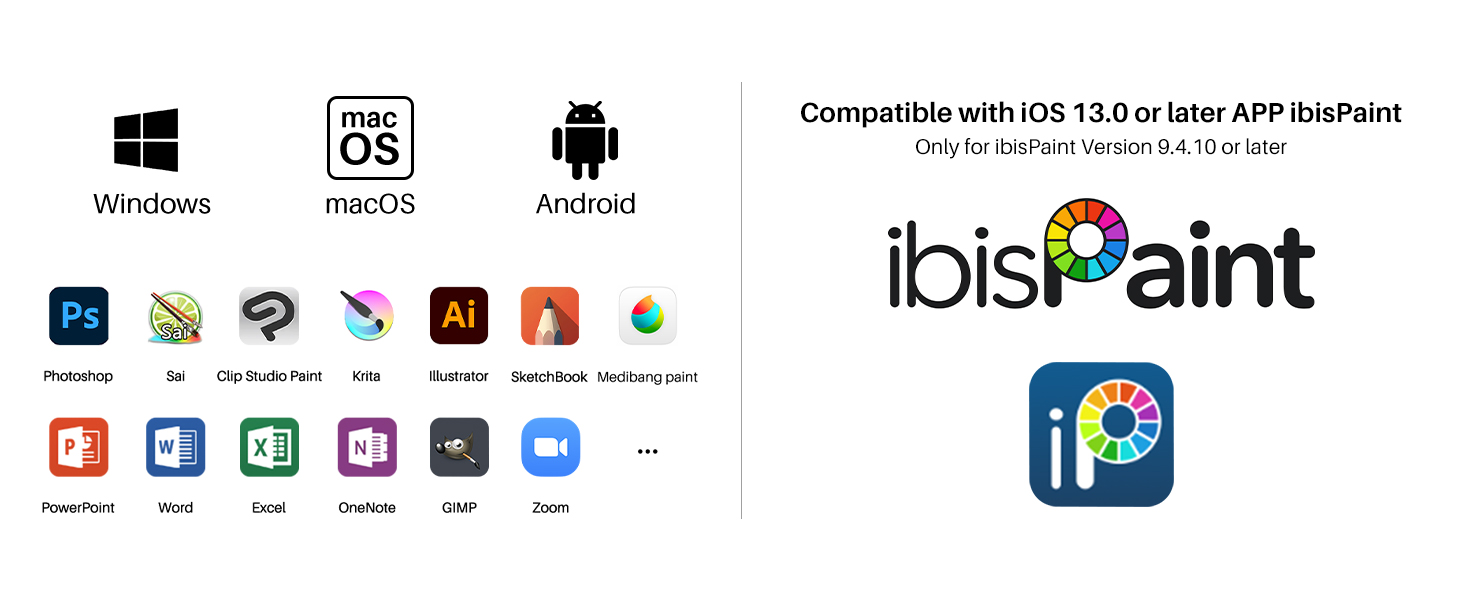
| Operating System | Windows 7 ou superior, macOS 10.12 ou superior, Android 6.0 ou superior |
| Operating system | Windows 7 ou superior, macOS 10.12 ou superior, Android 6.0 ou superior |
| Pressure Sensitivity | 8192 Levels |
| Pressure sensitivity | 8192 Levels |
| Screen Size | 9 Inches |
| Special features | Dial, Ergonomically Designed, Huion PenTech 3.0, Programmable Press Key , Wide Compatibility |
| Specific Uses For Product | Drawing, Designing, Online Education, Remote Work |
| Target Audience | Student |
| Warranty Description | 1 Year warranty |
A**O
Flexible tablet for artists who work on the go
I am pleasantly surprised that this product has exceeded my expectations for the price I got this tablet for. It was easy to set up and more importantly this KD200 tablet as a 3D artist has simplified my desk set up as most of the keys I need to use are already on this tablet, making it great for traveling as well. I still do need to use the actual keyboard for certain commands, but most are within the tablet itself. The software does allow you to change and apply other keyboard commands to certain keys which has worked well for me so far. Also the build quality feels good. The glove has come very handy in smoothing out the friction that sometimes you don't think about, but improves the user experience. I really hope this device last me as long as my previous tablets, but so far I am very happy with this purchase. This has been a great tablet for working on the go.
A**R
Nice
This is very professional. I also like the keys which copy themselves onto any program. The zoom knob did not work on GIMP and the brush size doesn't like it either. The program that you use it on makes drawings with this easy. But some of the cheap programs ... I am still trying to find a way for the tilt to work. The tablet is beautiful and although it connects without downloading the driver, YOU MUST download the driver. In my Windows 11, this is my 'pen' to go along with my 'mouse'. It is built in as a standard input. Note for all the newbies. You need to spend monthly subscriptions to get the best programs. It isn't cheap.
M**S
Incompatible software
The product is excellent. However is not compatible for what I wanted : CAD drafting.
M**D
Best Price, best quality, best features, All in One
Super Product. Cant be beat. Best Price
M**T
Overall I really like this drawing pad
So here are my 2 cents after using this for few weeks now. I purchased this to work with my MacBook Pro. It has been my experience that this product has not worked very well with iOS system (I'm on Catalina); however we also have a windows laptop in the household and it works great with windows! I am disappointed it doesn't work well with my MacBook as windows is technically not my laptop; I also have everything saved and synced to iCloud so I prefer all my files to be in one spot... It glitches in the way that it's impossible to set shortcut key settings (vs on the windows laptop), the point moves independently of pen movement. I did download correct deriver for mac from their website. I was very disappointed a first as was going to return the product till I tried it on windows laptop. All functions work and I love drawing with it. I especially love the zoom wheel (which can be customized for your personal functions; I use it to increase the size of the brush). It's very very convenient. Wheel is a little touchy but does work. The shortcut keys are also convenient and I used it basically w/out the need for the keyboard. I use it with Adobe Photoshop for drawing. Pen and pad can be connected via bluetooth but it occasionally loses connection with the dongle but automatically reconnects. I am very happy using it otherwise.
Trustpilot
3 weeks ago
2 months ago