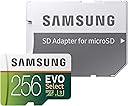
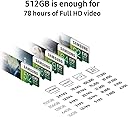
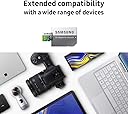
💾 Store More, Worry Less — The Ultimate Memory Upgrade
The Samsung 256GB MicroSD EVO Select Memory Card delivers ultra-fast 100MB/s read and 90MB/s write speeds, perfect for 4K UHD video and high-res photography. Engineered with 4-proof protection—shock, water, temperature, X-ray, and magnetic proof—this card ensures durability in extreme conditions. It comes with a full-size SD adapter for versatile use across devices and is backed by a 10-year limited warranty, making it a reliable choice for professionals and tech-savvy millennials seeking both performance and peace of mind.


| ASIN | B072HRDM55 |
| Additional Features | Drop Proof, Magnetic Proof, Temperature Proof, Water Proof, X Ray Proof |
| Best Sellers Rank | #484 in Micro SD Memory Cards |
| Brand | Samsung |
| Built-In Media | Full-Size Adapater, MicroSD Memory Card |
| Color | White/Clear |
| Compatible Devices | Camera, Laptop, Personal Computer, Smartphone, Tablet |
| Customer Reviews | 4.7 4.7 out of 5 stars (142,719) |
| Flash Memory Type | SDXC |
| Global Trade Identification Number | 00887276199955 |
| Hardware Connectivity | microSDXC |
| Item Type Name | Samsung 100MB/s (U3) MicroSD EVO Select Memory Card with Adapter 256 GB(MB-ME256GA/AM) |
| Item Weight | 13.61 g |
| Manufacturer | Samsung Electronics DAV |
| Media Speed | 90 |
| Memory Storage Capacity | 256 GB |
| Model Name | MB-ME256GA |
| Model Number | MB-ME256GA/AM |
| Secure Digital Association Speed Class | Class 10 |
| UPC | 729530856429 753936169937 729530856511 887276199955 |
| Unit Count | 1.0 Count |
| Warranty Description | 10-year limited warranty |
| Warranty Type | Limited |
S**S
Outstanding Memory Card - Fast, Reliable, and Perfect Storage!
This Samsung memory card is absolutely fantastic! The 64GB capacity provides plenty of storage space for all my photos, videos, and files. The transfer speeds are incredibly fast - I can move large files in seconds. The card has been completely reliable with zero errors or data loss. The build quality feels solid and durable. I use it in my camera and phone, and it performs flawlessly in both. The price point is excellent for the quality you're getting. It's compatible with all my devices and works seamlessly. Reading and writing speeds are consistently fast. I've had zero issues with compatibility or performance. This is my go-to choice for memory cards now. Samsung really delivers on quality and reliability. Couldn't be happier with this purchase!
C**8
Great additional storage for Nintendo Switch memory!!!
EDIT: 12/06/2019 I originally bought the 128GB version of these Samsung EVO Select MicroSDXC cards and I used it in both my Android tablet at first and eventually my Nintendo Switch. It performed applicably for years. Recently I wanted to upgrade to a larger card for a bit of future proofing. The 512GB version was on sale so taking advantage of the Cyber Monday sales 2019 I picked one up. Changing SD cards in a Nintendo Switch is as simple as transferring any screenshots to your system memory and opening the useless kickstand and swapping the cards out the system. With the new card in simply go to Settings > System > Formatting Options > Format microSD Card. It's all the way at the bottom of the menu. Formatting the new card and redownloading all your games is all you need to do since your game saves are already on your internal system memory so once you redownload the games basically you can continue where you left of on anything. No need to cloud save import or nothing like that nonsense. Just visit the Nintendo Switch eShop or click on the thumbnails and click download from the main menu. I gave my nephew my old card to put in his Switch and it just needed to be re-formatted and wiped clean because it was already used in another Switch. Which his Nintendo Switch did it and auto detected that. Easy easy easy. I got a bump in storage from a 119 GB to 476GB by switching from the 128GB to 512GB card. These Samsung EVO Selects are what you need and nothing more for the Nintendo Switch's vast digital library of games. Why buy and change out catridges if you don't resell your games? As long as you have a reliable internet connection and with decent speed to where you can just download your games. The games all load up almost instantly with no issues while playing of framerate or anything. No issue at all so far... Are there better cards than this? Sure. Are they better for the Nintendo Switch than this card? No. If your putting this in a Nintendo Switch and not something like a drone or a nice camera than your good. It all depends how you are planning on using it but if it's for the Nintendo Switch you don't need anything better than this. There is no discernible difference between a Evo Select and a Evo Plus for practical application with a Nintendo Switch. Since the Nintendo Switch only supports the UHS-I interface, there is no point getting a UHS-II or UHS-III card if you're only going to use it with the Switch. The benefits of a faster SD card sort of max out around 80-90 MB/s anyways but the Switch itself doesn't use above >100 MB/s SD cards anyways capping speeds so it isn't making the most of better cards. Also the game save files go to the internal memory not the SD card as I mentioned above so the only time you'll ever be writing to the card is when you download a new game or a new game patch. You should save on the expense and just get one of these or a similar cards. I suggest sticking to the memory card manufacturers that are known such as Sandisk, Samsung, PNY, etc. You don't want it to die on you so stay with the good brands, dont get an off brand. Just look for a MicroSDXC card (64 GB and above) with a minimum of UHS class grade and you’re in the clear. UHS (Ultra High Speed) Class is denoted by a U on the card with a number inside the U. As long as it's a minimum of UHS-1, you will get roughly the same loading times as a much faster rated cards for use in a Nintendo Switch. The grades range from UHS-1 to UHS-3 but since Nintendo caps their speeds they only recommend cards that are UHS-1 probably because that's all they take advantage of. Overall, right now, these are the best types of MicroSDXC cards to purchase as they have the best read speeds and size for the best price at this time. NOTE: SanDisk does make a 1TB Extreme MicroSDXC UHS-I Memory Card that you can get on Amazon. I seen them as low as like $219. Personally, at roughly 500GB or half of that space I am okay. I would never use another 512GB so it's just a waste of money for me. Just know there is that option if you need the extra space.
L**8
NOT A FAKE - FASTEST CARD I OWN
After I ordered this I was freaked out by all the reports of fakes and the thought of losing once in a lifetime upcoming vacation photos (Ultimately, I want to get 10 of theses for daily rotation and spares while on vacation) I took the following precautions for checking against fakes. 1. I ordered from AMAZON (with Amazon fulfillment) 2. I checked through the packaging, before opening, for all the "warning signs of a fake" I could find - Pre Punched Hang Tag Hole = YES - White Sides on SD Card = YES - /AM by Bar Code = YES - Crisp Clear Print on CARD and ADAPTER = YES - Made in Philippines = YES 3. When I received the product I ran a full range of test on the card including a utility that will write to 100% of the card and then read it back and compare results, as a sure way to check that the reported capacity can all be used and it was not artificially altered. This also checks performance. Performance on 2 different 3 year old laptops (Win 10, Built in Card Readers), had Write performance in the High 60's to Low 70's and Read Performance in Mid 70's to Low 80's. There was no degradation (from heat?) as the test continued through the full card capacity as has been reported on some cards from other companies. These results were better than any other card I own already from other companies even one with U3 (though most were U1). These are 2X or 3X faster than cards I have from 2 years ago. I use Samsung SSD exclusively and have never been disappointed (after about 30 of them at work and home). It never dawned on me to use them for SD cards until now. This will be perfectly good for my 4K 20MP Camera. This is much more capacity than I will probably ever need, but I also said that for the 20-30 or so other SD cards I have in a baggie in my desk drawer from 256MB up to 16GB. I went with Micro SD instead of Full Size SD, since there was no performance penalty at this size (larger sizes seem to be U1). This gives me a little future proofing if I want to redeploy these later to phones, tablets, or security cameras. Again, we are only talking about $20 these days, instead of $100 or more in prior years so the monetary risk is very low.
G**Z
Antes de comprar ésta memoria me di a la tarea de investigar las características técnicas de MicroSD que acepta la consola Nintendo Switch y encontré que soporta MicroSDXC sólo de interface UHS-I de hasta 2TB (aunque aún no se comercialicen). Dicho lo anterior, quisiera comentar que las tarjetas de memoria bajo el estándar SD (Secure Digital) se clasifican de la forma siguiente: a) Por su tamaño: -SD: 32mm x 24mm. -Mini SD: 21.5mm x 20mm. -MicroSD: 15mm x 11mm. b) Por su capacidad de almacenamiento. -SDSC (Standard Capacity): De 128MB hasta 2GB. -SDHC (High Capacity): De 4GB a 32GB. -SDXC (Extreme Capacity): De 64GB a 2TB. c) Por su interface. Éste puede verse impreso en el frente de la tarjeta de memoria con un número romano y representa la distribución de los pines de las tarjetas. 1. Interface UHS-I. Ésta distribución de pines salió en la versión 3.01 del estándar SD (Secure Digital). 2. Interface UHS-II. Ésta distribución de pines salió en la versión 4.00 y 4.10 del estándar SD (Secure Digital). Las tarjetas que poseen éste tipo de interface, tienen más pines que aquellos que son de interface UHS-I, sin embargo, éstas tarjetas son compatibles con dispositivos UHS-I, aunque pierden las velocidades que son capaces de transmitir. 3. Interface UHS-III. Ésta distribución de pines salió en la versión 6.0 del estándar SD (Secure Digital). Las tarjetas que poseen éste tipo de interface no son compatibles con dispositivos UHS-I ni UHS-II y aún no se comercializan. d) Por su Velocidad de Escritura. Aquí las tarjetas se pueden sub-clasificar de acuerdo a la velocidad de escritura secuencial mínima garantizada y se representan en MB/s: 1. Clase de Velocidad (Speed Class). Esta clasificación surge antes de crear la estandarización de la interface UHS-I. -C2 (Clase 2): De hasta 2 MB/s. -C4 (Clase 4): De hasta 4 MB/s. -C6 (Clase 6): De hasta 6 MB/s. -C10 (Clase 10): De hasta 10MB/s. 2. Clase de Velocidad Ultra Alta (Ultra High Speed Class). Disponible en interfaces UHS-I. -U1: De hasta 10MB/s. -U3: De hasta 30MB/s. 3. Clase de Velocidad de Video (Video Speed Class). Disponible a partir de las interfaces UHS-II. -V6: De hasta 6MB/s. -V10: De hasta 10MB/s. -V30: De hasta 30MB/s. -V60: De hasta 60MB/s. -V90: De hasta 90MB/s. Una vez comprendido lo anterior, se puede entender por qué digo que la tarjeta Samsung MB-ME128GA/AM es la mejor que existe hoy en día para Nintendo Switch. Comparé los precios de esta tarjeta de memoria contra otras de interface UHS-I y Clase de Velocidad Ultra Alta U3 (puesto que esa es la mejor categoría que acepta la Nintendo Switch) y ésta tarjeta tiene la relación más alta de calidad-precio. Por dar un par de ejemplos, la Sandisk SDSQXAO-128G-GN6ZA (de mismas especificaciones técnicas) tiene el doble de precio que ésta y la Samsung MB-ME256GA/AM de mismas caracteríticas pero con el doble de capacidad, tiene un precio de más del triple que ésta.
S**H
Super
U**A
Nice
M**I
Solid product, works well, thank you
O**L
Put the card in my phone and it worked straight away. I now have plenty of storage on my phone for music, video clips, and other stuff. Playback is great. Very pleased 😎.
Trustpilot
2 weeks ago
1 month ago