🚀 Elevate your data game with WD Red Plus — storage that works as hard as you do!
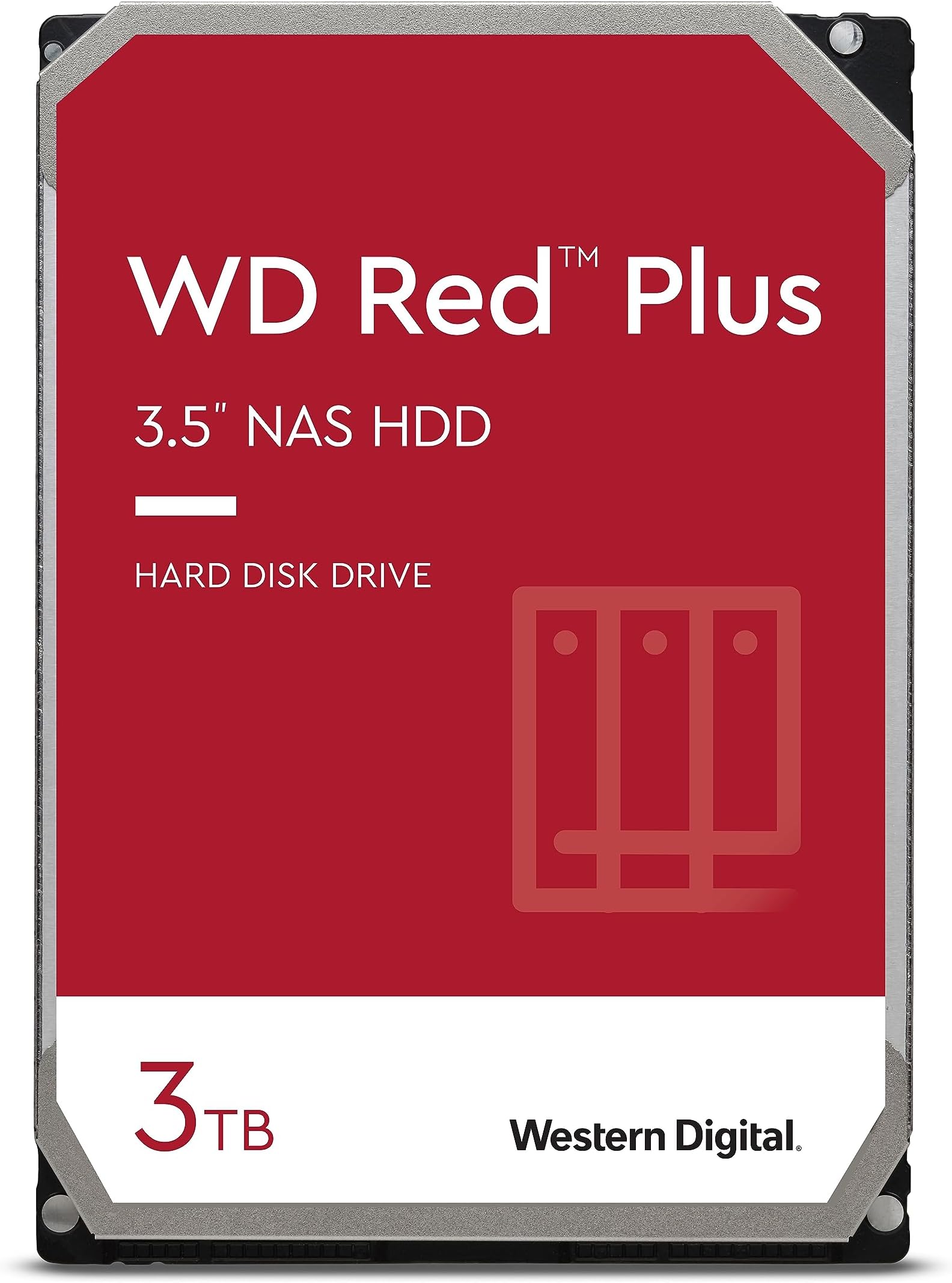
The Western Digital 3TB WD Red Plus NAS Internal Hard Drive is a 3.5-inch SATA 6 Gb/s HDD designed for small to medium business NAS systems and SOHO users. Featuring 5400 RPM rotational speed, 64 MB cache, and CMR technology, it delivers reliable, cool, and quiet operation optimized for 24/7 workloads up to 180 TB/year. With NASware firmware, it ensures compatibility and stability in multi-bay NAS setups, making it ideal for archiving, sharing, and RAID configurations. Backed by a 3-year limited warranty, this drive balances capacity, performance, and durability for professional-grade storage solutions.


| ASIN | B008JJLW4M |
| Additional Features | Data Recovery Service |
| Best Sellers Rank | #15 in Internal Hard Drives |
| Brand | Western Digital |
| Cache Memory Installed Size | 64 |
| Color | Red |
| Compatible Devices | NASware 3.0 firmware (PC; Mac ) |
| Connectivity Technology | SATA |
| Customer Reviews | 4.4 out of 5 stars 24,285 Reviews |
| Data Transfer Rate | 215 Megabits Per Second |
| Digital Storage Capacity | 3 TB |
| Enclosure Material | Aluminum |
| Form Factor | 3.5-inch |
| Global Trade Identification Number | 00718037799674, 00806291843742 |
| Hard Disk Description | Mechanical Hard Disk |
| Hard Disk Form Factor | 3.5 Inches |
| Hard Disk Interface | Serial ATA-600 |
| Hard Disk Rotational Speed | 5400 RPM |
| Hard-Drive Size | 3 TB |
| Hardware Connectivity | SATA 6.0 Gb/s |
| Installation Type | Internal Hard Drive |
| Item Height | 1.03 inches |
| Item Weight | 13.1 Ounces |
| Manufacturer | Western Digital |
| Media Speed | 170 MB |
| Model Name | Red |
| Model Number | WD30EFRX |
| Number of Items | 1 |
| Read Speed | 147 Megabytes Per Second |
| Special Feature | Data Recovery Service |
| Specific Uses For Product | Personal |
| UPC | 609459330074 718037799674 806291843742 013201012406 012300418959 |
| Unit Count | 1.0 Count |
| Warranty Description | Western Digital ("WD") values your business and always attempts to provide you the very best of service. No limited warranty is provided by WD unless your WD Product ("Product") was purchased from an authorized distributor or authorized reseller. Distributors may sell Products to resellers who then sell Products to end users. Please see below for warranty information or obtaining service. No warra… |
J**S
Best storage drive , NAS not required + professional Q & A podcast addressing RED drives | a great youtube video |
I have been a long term western digital customer for over 10yrs. This drive is aimed and marketed at NAS type devices however also very good in a regular desktop computer system as a storage drive, which is how I am currently using it for my personal desktop system . I have owned this red drive for approx. 10 days now. The sustained transfer speed is very good. the lower / variable spindle speed compared to normal 7200RPM drives doesn't impact its performance for my use . It performs better then my 4TB WD green drive. My Red drive was installed in a computer with many hard drives and it runs at a cool 84F (29 C ) at idle, the lowest temp. drive in the computer. Also according to the Red drive spec sheet uses the least amount of power as well. Time limited error recovery (TLER) is one of the benefits for the Red drives , outlined in the youtube video podcast below. A popular weekly hardware video podcast with storage editor at PC Perspective ( pcper) Allyn Malventano addressing uses of red model drives: https://youtu.be/WjjCMWZ0aDU?t=51m I included a start time for later in the podcast @ 51 minutes, the start of discussion of WD red drives and its use in NAS and non NAS systems Some valuable info on NAS / RAID design can be found in this video as well. plus other general server hardware info is addressed. At time 55:40 in the the video more info and insight regarding DIY home NAS and RAID stability, reliability and design is discussed as well. Potentially saving a DIY person some pretty decent cash and at least some calories reading conflicting information online. All of which for some buyers reading reviews on amazon for this product would find useful or at least interesting. For me, my drives in my personal computer for this review are used for pure storage via Linux based operating systems. In some computer systems i've built are media servers, again using linux with LVM and sometimes MDADM , other times using RAID cards such as IBM M1015 , a cheaper version, of more expensive promise model cards with SAS. HGST is another maker of hard drives with good reputation and within the same general price range for some of their models, however western digital now owns them, formally Hitachi Global Storage Technologies . I've not taken the time while writing this to check if HGST drives feature some of the features the Red model line up offers. If you are going for a gaming system drive or require heavy I/O for a operating system drive, the red of course wouldn't be your best option. I use a WD Black drive, # WD3003FZEX for this . Steam games fill a drive quickly. With my budget and limited sata ports it makes a SSD fairly useless for storing games , or a media server gaming rig combo. Most of the time, once game is loaded , its mostly done , leaving the CPU and GPU left doing the work... . so for my needs esp dual booting , gaming on linux and windows using a Black model drive is my best option for my hardware , storage and requirements to have one type of operating system running most of the time. I do sometimes run Linux on a stand alone 120GB SSD , if I disconnect my optical drive , smaller ssd drives are quite inexpensive now and do make life a bit easier esp on aging desktop hardware. The cost per TB in a black model is still quite low for the performance level and the only high performance drive to offer a 5 year warranty standard. Especially when compared to a hybrid model drives cost and other drive makers of fast mechanical and hybrid solutions. Heavy gaming via steam would make a hybrid drives nand cache not very effective , fairly quickly iirc . Hopefully some of this info will prove useful , or at least give some starting ground to look into , research options deeper that may not have been considered before.
B**.
Parking was factory set to 300 seconds on my drives and they are working well.
I purchased two of the 3TB drives and one of the 2TB drives. When I went into WDIDLE3 the setting for all three drives were set to 300 seconds (5 minutes). Since I was in there I simply disabled it. These drives are working flawlessly thus far as I have the two 3TB drives in a media center running Media Browser 3, PlayOn, and a few other apps. The 2TB drive is hooked up to a Dish Network Hopper as a secondary storage. I have not experienced any issues so far with these drive. I will update as time goes on with more info. *Update 3/27/15: Some drive information obtained from HD Guardian: Drive 01 Serial Number: WD-WCC4N7E***** Firmware: 82.00A82 User Capacity: 3,000,592,982,016 bytes Product Name Status Exp Date (MM/DD/YYYY) 3 TB WD Red Hard Drive In Limited Warranty 1/6/2018 Overall Health: Temperature: 34*C High: 36*C Low: 34*C Last Test: Completed without error. No bad sector detected. No ATA error detected. SMART Attributes Data Structure revision number: 16 Vendor Specific SMART Attributes with Thresholds: ID# ATTRIBUTE_NAME FLAG VALUE WORST THRESH TYPE UPDATED WHEN_FAILED RAW_VALUE 1 Raw_Read_Error_Rate 0x002f 200 200 051 Pre-fail Always - 0 3 Spin_Up_Time 0x0027 185 182 021 Pre-fail Always - 5733 4 Start_Stop_Count 0x0032 100 100 000 Old_age Always - 42 5 Reallocated_Sector_Ct 0x0033 200 200 140 Pre-fail Always - 0 7 Seek_Error_Rate 0x002e 100 253 000 Old_age Always - 0 9 Power_On_Hours 0x0032 100 100 000 Old_age Always - 673 10 Spin_Retry_Count 0x0032 100 253 000 Old_age Always - 0 11 Calibration_Retry_Count 0x0032 100 253 000 Old_age Always - 0 12 Power_Cycle_Count 0x0032 100 100 000 Old_age Always - 5 192 Power-Off_Retract_Count 0x0032 200 200 000 Old_age Always - 1 193 Load_Cycle_Count 0x0032 200 200 000 Old_age Always - 40 194 Temperature_Celsius 0x0022 116 110 000 Old_age Always - 34 196 Reallocated_Event_Count 0x0032 200 200 000 Old_age Always - 0 197 Current_Pending_Sector 0x0032 200 200 000 Old_age Always - 0 198 Offline_Uncorrectable 0x0030 100 253 000 Old_age Offline - 0 199 UDMA_CRC_Error_Count 0x0032 200 200 000 Old_age Always - 0 200 Multi_Zone_Error_Rate 0x0008 100 253 000 Old_age Offline - 0 Working Time: 673 hours (28 days, 1 hours) Last Update Fri Mar 27 01:53:28 2015 CDT Drive 02 Serial Number: WD-WMC4N0F***** Firmware: 82.00A82 User Capacity: 3,000,592,982,016 bytes Product Name Status Exp Date (MM/DD/YYYY) 3 TB WD Red Hard Drive In Limited Warranty 12/11/2017 Overall Health: Temperature: 37*C High: 41*C Low: 35*C Last Test: N/A No bad sector detected. No ATA error detected. SMART Attributes Data Structure revision number: 16 Vendor Specific SMART Attributes with Thresholds: ID# ATTRIBUTE_NAME FLAG VALUE WORST THRESH TYPE UPDATED WHEN_FAILED RAW_VALUE 1 Raw_Read_Error_Rate 0x002f 200 200 051 Pre-fail Always - 0 3 Spin_Up_Time 0x0027 181 179 021 Pre-fail Always - 5950 4 Start_Stop_Count 0x0032 100 100 000 Old_age Always - 50 5 Reallocated_Sector_Ct 0x0033 200 200 140 Pre-fail Always - 0 7 Seek_Error_Rate 0x002e 200 200 000 Old_age Always - 0 9 Power_On_Hours 0x0032 100 100 000 Old_age Always - 672 10 Spin_Retry_Count 0x0032 100 253 000 Old_age Always - 0 11 Calibration_Retry_Count 0x0032 100 253 000 Old_age Always - 0 12 Power_Cycle_Count 0x0032 100 100 000 Old_age Always - 4 192 Power-Off_Retract_Count 0x0032 200 200 000 Old_age Always - 1 193 Load_Cycle_Count 0x0032 200 200 000 Old_age Always - 48 194 Temperature_Celsius 0x0022 113 109 000 Old_age Always - 37 196 Reallocated_Event_Count 0x0032 200 200 000 Old_age Always - 0 197 Current_Pending_Sector 0x0032 200 200 000 Old_age Always - 0 198 Offline_Uncorrectable 0x0030 100 253 000 Old_age Offline - 0 199 UDMA_CRC_Error_Count 0x0032 200 200 000 Old_age Always - 0 200 Multi_Zone_Error_Rate 0x0008 100 253 000 Old_age Offline - 0 Working Time: 672 hours (28 days) Last Update Fri Mar 27 01:53:28 2015 CDT ------------------------------------------- Update 5/14/2015 Some drive information obtained from HD Guardian: Drive 01 Serial Number: WD-WCC4N7E***** Firmware: 82.00A82 User Capacity: 3,000,592,982,016 bytes Product Name Status Exp Date (MM/DD/YYYY) 3 TB WD Red Hard Drive In Limited Warranty 1/6/2018 Overall Health: Temperature: 37*C High: 37*C Low: 34*C Last Test: Completed without error. No bad sector detected. No ATA error detected. SMART Attributes Data Structure revision number: 16 Vendor Specific SMART Attributes with Thresholds: ID# ATTRIBUTE_NAME FLAG VALUE WORST THRESH TYPE UPDATED WHEN_FAILED RAW_VALUE 1 Raw_Read_Error_Rate 0x002f 200 200 051 Pre-fail Always - 0 3 Spin_Up_Time 0x0027 186 182 021 Pre-fail Always - 5700 4 Start_Stop_Count 0x0032 100 100 000 Old_age Always - 193 5 Reallocated_Sector_Ct 0x0033 200 200 140 Pre-fail Always - 0 7 Seek_Error_Rate 0x002e 200 200 000 Old_age Always - 0 9 Power_On_Hours 0x0032 98 98 000 Old_age Always - 1844 10 Spin_Retry_Count 0x0032 100 253 000 Old_age Always - 0 11 Calibration_Retry_Count 0x0032 100 253 000 Old_age Always - 0 12 Power_Cycle_Count 0x0032 100 100 000 Old_age Always - 5 192 Power-Off_Retract_Count 0x0032 200 200 000 Old_age Always - 1 193 Load_Cycle_Count 0x0032 200 200 000 Old_age Always - 190 194 Temperature_Celsius 0x0022 113 108 000 Old_age Always - 37 196 Reallocated_Event_Count 0x0032 200 200 000 Old_age Always - 0 197 Current_Pending_Sector 0x0032 200 200 000 Old_age Always - 0 198 Offline_Uncorrectable 0x0030 100 253 000 Old_age Offline - 0 199 UDMA_CRC_Error_Count 0x0032 200 200 000 Old_age Always - 0 200 Multi_Zone_Error_Rate 0x0008 100 253 000 Old_age Offline - 0 Working Time: 1844 hours (2 months 16 days, 20 hours) Last Update Fri May 14 22:31:35 2015 CDT Drive 02 Serial Number: WD-WMC4N0F***** Firmware: 82.00A82 User Capacity: 3,000,592,982,016 bytes Product Name Status Exp Date (MM/DD/YYYY) 3 TB WD Red Hard Drive In Limited Warranty 12/11/2017 Overall Health: Temperature: 37*C High: 41*C Low: 35*C Last Test: N/A No bad sector detected. No ATA error detected. SMART Attributes Data Structure revision number: 16 Vendor Specific SMART Attributes with Thresholds: ID# ATTRIBUTE_NAME FLAG VALUE WORST THRESH TYPE UPDATED WHEN_FAILED RAW_VALUE 1 Raw_Read_Error_Rate 0x002f 200 200 051 Pre-fail Always - 0 3 Spin_Up_Time 0x0027 181 179 021 Pre-fail Always - 5908 4 Start_Stop_Count 0x0032 100 100 000 Old_age Always - 242 5 Reallocated_Sector_Ct 0x0033 200 200 140 Pre-fail Always - 0 7 Seek_Error_Rate 0x002e 200 200 000 Old_age Always - 0 9 Power_On_Hours 0x0032 98 98 000 Old_age Always - 1836 10 Spin_Retry_Count 0x0032 100 253 000 Old_age Always - 0 11 Calibration_Retry_Count 0x0032 100 253 000 Old_age Always - 0 12 Power_Cycle_Count 0x0032 100 100 000 Old_age Always - 5 192 Power-Off_Retract_Count 0x0032 200 200 000 Old_age Always - 1 193 Load_Cycle_Count 0x0032 200 200 000 Old_age Always - 240 194 Temperature_Celsius 0x0022 110 106 000 Old_age Always - 40 196 Reallocated_Event_Count 0x0032 200 200 000 Old_age Always - 0 197 Current_Pending_Sector 0x0032 200 200 000 Old_age Always - 0 198 Offline_Uncorrectable 0x0030 100 253 000 Old_age Offline - 0 199 UDMA_CRC_Error_Count 0x0032 200 200 000 Old_age Always - 0 200 Multi_Zone_Error_Rate 0x0008 100 253 000 Old_age Offline - 0 Working Time: 1836 hours (2 months, 16 days, 12 hours) Last Update Fri May 14 22:31:35 2015 CDT
G**N
Regular consumer drives in RAID are accident waiting to happen
Here is a quote from a review at pcper.com I'm going to let the cat out of the bag right here and now. Everyone's home RAID is likely an accident waiting to happen. If you're using regular consumer drives in a large array, there are some very simple (and likely) scenarios that can cause it to completely fail. I'm guilty of operating under this same false hope - I have an 8-drive array of 3TB WD Caviar Greens in a RAID-5. For those uninitiated, RAID-5 is where one drive worth of capacity is volunteered for use as parity data, which is distributed amongst all drives in the array. This trick allows for no data loss in the case where a single drive fails. The RAID controller can simply figure out the missing data by running the extra parity through the same formula that created it. This is called redundancy, but I propose that it's not. Since I'm also guilty here with my huge array of Caviar Greens, let me also say that every few weeks I have a batch job that reads *all* data from that array. Why on earth would I need to occasionally and repeatedly read 21TB of data from something that should already be super reliable? Here's the failure scenario for what might happen to me if I didn't: * Array starts off operating as normal, but drive 3 has a bad sector that cropped up a few months back. This has gone unnoticed because the bad sector was part of a rarely accessed file. * During operation, drive 1 encounters a new bad sector. * Since drive 1 is a consumer drive it goes into a retry loop, repeatedly attempting to read and correct the bad sector. * The RAID controller exceeds its timeout threshold waiting on drive 1 and marks it offline. * Array is now in degraded status with drive 1 marked as failed. * User replaces drive 1. RAID controller initiates rebuild using parity data from the other drives. * During rebuild, RAID controller encounters the bad sector on drive 3. * Since drive 3 is a consumer drive it goes into a retry loop, repeatedly attempting to read and correct the bad sector. * The RAID controller exceeds its timeout threshold waiting on drive 3 and marks it offline. * Rebuild fails. At this point the way forward varies from controller to controller, but the long and short of it is that the data is at extreme risk of loss. There are ways to get it all back (most likely without that one bad sector on drive 3), but none of them are particularly easy. Now you may be asking yourself how enterprises run huge RAIDs and don't see this sort of problem? The answer is Time Limited Error Recovery - where the hard drive assumes it is part of an array, assumes there is redundancy, and is not afraid to quickly tell the host controller that it just can't complete the current I/O request. Here's how that scenario would have played out if the drives implemented some form of TLER: * Array starts off operating as normal, but drive 3 has developed a bad sector several weeks ago. This went unnoticed because the bad sector was part of a rarely accessed file. * During operation, drive 1 encounters a new bad sector. * Drive 1 makes a few read attempts and then reports a CRC error to the RAID controller. * The RAID controller maps out the bad sector, locating it elsewhere on the drive. The missing sector is rebuilt using parity data from the other drives in the array. *Array continues normal operation, with the error added to its event log. The above scenario is what would play out with an Areca RAID controller (I've verified this personally). Other controllers may behave differently. A controller unable to do a bad sector remap might have just marked drive 1 as bad, but the key is that the rebuild would be much less likely to fail as drive 3 would not drop completely offline once the controller ran into the additional bad sector. The moral of this story is that typical consumer grade drives have data error timeouts that are far longer than the drive offline timeout of typical RAID controllers, and without some form of TLER, two bad sectors (totaling 1024 bytes) is all that's required to put multiple terabytes of data in grave danger. The Solution: The solution should be simple - just get some drives with TLER. The problem is that until now those were prohibitively expensive. Enterprise drives have all sorts of added features like accelerometers and pressure sensors to compensate for sliding in and out of a server rack while operating, as well as dealing with rapid pressure changes that take place when the server room door opens and the forced air circulation takes a quick detour. Those features just aren't needed in that home NAS sitting on your bookshelf. What *is* needed is a WD Caviar Green that has TLER, and Western Digital delivers that in their new Red drives. End quote and back to reviewer. I've got 5 of these in a Synology DiskStation 5-Bay (Diskless) Network Attached Storage (DS1512+) . It is really a sweet setup. The Synology software has a S.M.A.R.T. test that can do surface scans to detect bad sectors. I have their Quick Test check every disk daily and the Extended Test set to automatically run on each of the 5 disks every weekend. (The Extended Test takes about 5 hours per disk so I separate the tests by 12 hours.)
S**N
NAS Best Friend
After about six months of searching for the perfect drive, I finally settled on two of these Western Digital Red 2TB WD20EFRX hard drives. I was ready to purchase HGST enterprise drives, the former Hitachi, but WD came out with these drives just in-time. I wanted to get the 3TB WD30EFRX version for my Synology DS212 NAS , but the price difference didn't make that much of a sense, and 2TB drives are more than enough for a few years of my home office use. I am very happy that these drives MTBFs are rated at 1,000,000 hours, they use less power, and they are cheaper than other enterprise drives. Upon receiving, I immediately installed them in my NAS. It took about 15 minutes to install DSM 4 and begin the inspection process. I neither chose Raid 1, JBOD, or SHR, and I took some online advice and created two separate volumes, one on each disk, to have two independent file systems. In this case, you don't have to worry about rebuilding disk arrays if any drives fail, and you always have a backup present. I was planning on using Folder Sync feature to sync all folders from Disk 1 to Disk 2 every other hour, but I found out this feature only works on two independent Synology Disk Stations; however, you can use automated backup feature to backup data from Disk 1 into Disk 2, and it produces about the same result as Folder Sync does, and it gives you a few more options for backing up system and application files as well. Synology volume creation took about 7 hours for each drive with automatic bad sector reallocation feature. I later tested each drive with S.M.A.R.T extended test--each took about 4 hours--and I am happy to report that I did not have any bad sectors on either of the drives. That is, the "Reallocated Sector Count" reads zero in S.M.A.R.T report. The drives are surprisingly quiet. I had an enterprise RE2 500GB in my NAS, and it was thunderstorm loud compared to these. The temperature is also very reasonable. When the drive is resting it is about 31C/88F, and under heavy usage it rises up to 35C/95F. Although these drives speed are only 5000 rpm, I don't see any difference in file transfer speed. The only downside that I could sense was the startup time from sleep. I feel that compared to my old WD RE2 drive, it takes a good 2 to 5 seconds more for the NAS to come out of sleep each time. Not a deal breaker, but something to consider when you invest in these drives. I think WD has done a good job with these drives, and they are currently the best on the market for home or home office use. That being said, I still think WD RE4 drives are the best enterprise drives and ultimate in performance; however, if you are looking for a good set of drives for your NAS, and the power consumption and noise are important to you, these WD Red drives will work just fine. Compared to desktop drives, these come with a few enterprise features that come in handy and will save you some time and money down the road.
T**Y
Nice hard drives for NAS or storage server with RAID.
If you're looking at this review, you're probably in the market for some honkin' big drives to stuff into a server or a NAS box. These Western Digital "Red" series drives are probably a total waste of money if you're planning to put them into a regular PC. If you're not doing a raid array of some kind, then save your money and buy the green or black series drives instead. If you're looking to set up a raid array of some sort, these are a bargain. They aren't the fastest drives, but they are rated to run 24x7 serving up data! Their 3 year warranty is above the current industry standard for consumer hard drives. For my home-made FreeNAS (google it!) NAS/Server, I bought 5 WD Red drives from Adorama (purchased through Amazon) and 1 drive directly from Amazon. The one drive from Amazon came very well packaged, double boxed in what looks like a WD cardboard box with a shock absorbing cradle. Very well packaged for shipment. Honestly, Amazon has been stellar for packaging boxes for shipment. The 5 hard drives from Adorama came in a big box which 'clunked' when it was tilted. Opening the box revealed some big plastic pillow air strips, and 5 loose smaller boxes. Inside each of the smaller boxes was a few pillows and a factory bagged hard drive. There were not enough pillows in each box to securely cushion the hard drives against rattling around, so there's a high likelihood of damage in shipment. BAD SHIPPERS! NO DONUT! Anyway, getting on to the performance of the drives... I'm running 6 drives in a ZFS RaidZ2 array. They are all controlled using an IBM M1015 PCIE 8x SATA 3 controller which has been flashed to be an HBA providing JBOD to the ZFS OS. That's a lotta acronyms! The speed of the array is quite fast... more than fast enough to saturate a gigabit network. I currently have about 5TB of data stored on the 10TB array. On to the bad stuff... One of the drives (I haven't checked the serial number to see which shipper it came from) is starting to give signs of premature failure after about 70 hours of operation. During a scrub of the data pool, drive DA5 is experiencing unreadable sectors. Luckily ZFS is able to calculate the correct values for the corrupted data, and is busily recreating the data onto another part of the drive. ZFS rocks for data reliability! If the drive does turn out to be bad, I have a WD Green 3TB drive that I can put into the array as a hot swap temporarily until the failed drive can be replaced. *UPDATE* The ZFS scrub just finished, and it repaired 1.53MB of data, with no data loss. Did I mention that ZFS rocks? Warning/Advice about Data Storage: Note 1: If you're going to be using these drives, or any data storage device for that matter, make sure that you take into account that these are highly fragile and delicate devices which can be easily damaged in shipment, or just plain up and fail when you least expect it. You really need to use some sort of redundant array of drives so that if one drive fails, your data doesn't vanish. In my case, the final configuration is going to be 6 drives in a RaidZ2 (dual parity striping), which means that my data stays intact and accessible even if 2 drives fail simultaneously. Also, there is going to be a 3TB Green drive as a hot spare that can take over for any failed drive in the array. With the hot-spare, my data can survive the loss of 3 drives without losing data (as long as the failures don't happen all at the same time). Note 2: Always, always, always have a backup. In my case, I have two external 3TB USB3.0 drives which will be used only for backup purposes. Every so often, I'll backup the critical data onto the drives and stash them in my locker at work. If you don't have TrueCrypt, google it and see why your backup removable drives should be using it. If someone steals the drives, they only get the drives and not my data. I'm giving 5 stars for the drives that work... 1 star for the failing drive... averages to about 4 stars score! I'll update this review once I have details on how the drives do in a week or so. Currently it ain't looking too good for drive DA5!
A**C
4x 3TB drives failed in 24 hours
May 2014 - I forgot to update this, so I'm doing it almost a year later. Down graded to one star. TLDR - Amazon was great, however, 4 drives (two sets of two) failed in 24 hours. Extensive conversations with WD second level support resulting in them saying "return the drives", so I bought 3TB green drives again for the external enclosures, and 3TB Toshiba/Hitachi drives for the NAS. Very unimpressed with WD RED drives - all marketing on what are really just average drives. This is to justify continued higher costs after the flood farce perpetrated on the public. Yes, the flood happened, however, the raping of the customers has continued (easily researched what they've done, and prices don't lie). Lets hope SSDs come down in price soon.... ****** Original review ****** I'm leaving a generous, but temporary, 2-star review. My two drives failed within 24 hours and I'm awaiting replacement drives so I'll update this review after I've tested them. First, I want to state that Amazon's shipping was flawless and I don't think it was a problem for these drives. I currently own at least 25 WD drives (as well as many by other vendors) and ordered 2x 3TB Red drives for use first in external enclosures, and later to be put in a Synology NAS. They never made it past the enclosure stage, and were dead in a day. All work, no play, for me at least. 1) Drives were placed in USB 3.0 external enclosures, initialized as GPT under Win7 (x64), and a NTFS "Quick format" was performed. I then ran a SMART "Quick Test" using WD's Data Lifeguard (DLG), which passed fine. Note: DLG quick test only checks the first and last million sectors, leaving most of the drive unchecked. The drives were each loaded with approx 1.5TB of data, and then shutdown properly using "Safely remove hardware" before disconnecting. Note: the 1-year-old enclosures support 3TB drives - verified with the mfg again this morning - and were previously housing WD and Hitachi 2TB drives without issue. 2) Attempted to start the drives the next day, but they weren't identified by Explorer, and when finally found in Disk Management (under Admin -> Computer Management) they were once again showed as "Not initialized". They were in effect, dead to me. 3) I attempted to mount the drives on another, almost new, high-end computer running Win8 Pro. The drives were not seen by Explorer, but could be found under Disk Management, however, they showed with 2TB labeled "MBR protected" and 7xxGB "unallocated". No data could be read. 4) Contacted WD support. After discussing all events and options, their recommendation was "send'em back to us or Amazon, they're dead". 5) I accepted that something had gone wrong, but again using DLG, I tried a low level process called "Write Zeros". The first drive simply failed with bad sectors after running for 5 hours. I tried to "continue" the process by clicking the pop-up error window 50-100x times before finally giving up. I couldn't format it, couldn't write zeros, nothing worked. After several more attempts, I finally got it to finish a windows format (ran for the last 12 hours), but I don't trust it. The second drive did allow me to Write Zeros, but I don't trust it either. They're both going back. Write Zeros may temporarily "fix" drives, but may also just mask the underlying problem(s). (And yes, I understand erasing vs. formatting, the data implications, etc.). WD has a problem, and because of that so do we. I recommend everyone format and test these drives before use. I know drives fail; I've had many drive failures in the last couple of years (3 Seagate, 5 Samsung F4s, etc.) but all before they were mounted in a NAS. Read the reviews, understand that it's a lottery, and though I had hoped for more, I didn't win the first time. You may get lucky.... or.... you may not. I'll update this review after receiving my new drives, and have tested them in brand new enclosures.
2**Y
Excellent Hard Drive
Earlier this year, I took a chance purchasing Seagate's new 3TB HD for media storage and it died 2 months later. Since then I've purchased a 3TB Western Digital "RED" drive (I would have picked the WD "BLACK", but the price difference was a deal breaker). It's not in a NAS (just in PC), and with only one month in service I can say that at this point I'm pleased with the drive and it's performance. It's not as noisy, and certainly runs cooler than the dead Seagate, but time will tell. UPDATE: 10-14-12 I didn't wait for the six month period to bump it to 5-star status. I didn't mention it before but the dead Seagate was in a USB external housing which is what I put this in. I almost never hear it, and while I haven't been as scientific as some (holding a stop watch, etc.)I have moved many large files to/from it, and then to two other external drives (same file each time) and the "RED" is by far the fastest, making things less time consuming. The others leave me toe-tapping or playing solitare until the transfers are complete. I bought a 2TB, not too long ago and plan to get 2 more 3TB drives before the end of the year. Yes, the RED series has a 3-year limited warranty. UPDATE: 11-17-12 The 3TB RED and my 3, 2TB RED's are still very happy campers, on a 24/7 basis. I recently built a PC for a customer and put the 1TB RED in it (about 3 weeks ago) and they are very happy with the build, and the first comment I received was "It's so quiet". Our distributor tried to sway us from using these in anything other than a NAS, remarking that they were too slow, so I did some digging around various tech sites and came up with additional info: Due to it's variable speed, Western Digital upped the MTBF from 650,000 hours to 1,000,000 3 year warranty with dedicated 24/7 support WD doesn't state the actual spin-speed, merely saying it's Intellipower (meaning less than 7,200rpm), and from what I've seen most put it in the 5400 to 5900 RPM range. The Drive's cache memory was upgraded from DDR to DDR2 In a test pitting RED against other brand hard drives which run at 7200 RPM, it came out in the middle of the pack on random data tranfers, however, when transferring large media files (in the 20+ GB range) the RED beat the Seagate Barracuda by 2 minutes. UPDATE 12/31/12 No problems, runs cool, streams media great. The same goes for the 2- 2TB "RED" label drives in use. UPDATE 02/26/13 8 months of 24/7 and still going strong (3TB), 6 months of 24/7 and still going strong (2TB). So far, everyone I've recommended these drives to (and bought them) are also "Happy Campers". Update 06/28/2013 Nothing Good, Bad, or Ugly to add to my review. The system is up 24/7 in non-desirable conditions (76-80 degrees F, usually at 60%+humidity) and quality and reliability hasn't changed a bit! I can't recall but it has to be at least a year I've been using the "RED" label.
A**N
This is the only 4TB drive to consider. Solid drive, acceptable warranty, excellent pricing.
Purchased WD Red 4TB in 2016. I did not use it much for the first year or two. Early this year, I started using this drive a lot. I am using as an external drive in a USB 3.1 cradle for backups and short term storage of large (20GB to 100GB files). I appreciate the low vibration; other drives in the same cradle can cause resonate vibration of other things on my desk; this drive is almost silent and vibration free. I am getting all of the expected performance; no degradation from not having a direct SATA III connection. Operating temp is very good; it seldom gets above 40c, even after long periods of high activity. Other people have commented on warranty issues. While I have never had a problem with these drives, I did look up the warranty status on WD's website recently. They correctly reported that the warranty had just expired after my three years of ownership. In 2016, I paid about $150 for the 4TB model. I considered that a decent price. Earlier this year, I started looking for a new 4TB drive. At that time, this drive was about $115. I spent a week or two looking at refurb enterprise ;evel 4TB models. They go for about $80, and the quality and warranty are really hit or miss. Now, this drive in the 4TB size is down to $100. At that price, for exactly the same drive that I know and trust, it is hard to consider any other option than another WD Red 4TB. Make sure you purchase your drive from Amazon and not an Amazon market place seller. Check your warranty status as soon as you receive your drive and return it if WD does not recognize the full three years you are entitled to. If you compare price to size in the WD Red line, you will see that the 4TB size is by far the most economical. I am going to buy a second drive for general use. If the current pricing holds, I am going to buy six more of these to replace all of the drives in my ZFS system over the next year.
Trustpilot
1 month ago
1 day ago