Buy anything from 5,000+ international stores. One checkout price. No surprise fees. Join 2M+ shoppers on Desertcart.
Desertcart purchases this item on your behalf and handles shipping, customs, and support to Hong Kong.
🔄 Master multitasking like a pro—switch smarter, not harder!
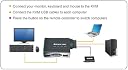
The IOGEAR 2-Port USB VGA KVM switch empowers professionals to seamlessly share a VGA monitor, USB keyboard, and mouse between two computers. With plug-and-play simplicity, USB bus power, and broad OS compatibility, it eliminates cable clutter and maximizes desk efficiency—perfect for millennial managers juggling multiple systems without missing a beat.


| ASIN | B001D1UTC4 |
| Actuator Type | Push Button |
| Best Sellers Rank | #46 in KVM Switches |
| Brand | IOGEAR |
| Brand Name | IOGEAR |
| Circuit Type | 2-way |
| Compatible Devices | Computers with USB, VGA, and compatible operating systems (Windows, Mac, Sun) |
| Connectivity Protocol | Usb |
| Connector Type | Plug In |
| Contact Material | Plastic |
| Contact Type | Normally Open |
| Control Method | Remote |
| Control Type | remote |
| Controller Type | Wired Remote Switch |
| Current Rating | 1 Amps |
| Customer Reviews | 4.5 out of 5 stars 2,163 Reviews |
| Global Trade Identification Number | 00777786114268, 00881317011022 |
| Included Components | cables |
| International Protection Rating | IP64 |
| Item Dimensions | 7.5 x 7.2 x 2.2 inches |
| Item Weight | 1 Pounds |
| Lower Temperature Rating | 1 Degrees Fahrenheit |
| Manufacturer | IOGEAR |
| Model | GCS22U |
| Mounting Type | Surface Mount |
| Number of Items | 1 |
| Operating Voltage | 1 Volts |
| Operation Mode | ON-OFF |
| Part Number | GCS22U |
| Smart Home Compatibility | Not Smart Home Compatible |
| Specification Met | No |
| Switch Type | Kvm Switch |
| Terminal | Button |
| UPC | 617407326758 807030488019 186409665085 999992446616 731215277122 070090135081 611101318903 675904028513 012300474405 696582459260 168141485848 132018258187 872182662167 012304321606 112840346146 191120077796 999993930763 014445825173 851905132682 521375294783 653801186901 078667257327 012302441436 078667470023 079532094719 971476197016 999993366807 755034044949 021111274517 001910313907 7777863103… |
| Unit Count | 1.0 Count |
| Upper Temperature Rating | 1 Degrees Fahrenheit |
| Warranty Description | 3 years |
| Wattage | 5 watts |
M**J
5 Stars All the Way. This KVM is the Bomb. Best USB switch for a Mac & a Win. 7 PC
You must buy this IMO if you have a Mac and a PC at this price. I love this thing. I can have 50 open tabs in Firefox and another 50 tabs open on my Mac with many other things open on both operating systems. I use a Microsoft 6000 desktop set so I don't have to switch between mice/keyboards. Ease of use: It works great and is very easy to use. Press the remote on the switch and then change sources on your monitor. This is all immediate and fast. Beforehand I used a 1 to 2 USB switch from a different retailer but I wanted upgrade to a 2 to 2 like this one. It has 2 usb female, 4 usb male with cords and 2 Vga male. I don't use the VGA, which doesn't matter to me but I am sure it's great for add on notebook computers. Also, I have yet to use it on a Linux, just on a Mac and multiple Pcs. With 4 male usb ports I don't have to worry about a power supply on preamp and professional mics (with Phantom Power as an example). This is the latest IO-gear KVM on the market as of now; works perfect with a mac and windows 7 combination. 5 stars for simplicity of use; anyone can use it and it works great. Update: I have bought two of these. I cut the VGA cable off on one, just to make it smaller in size thus reducing the cable clutter. A Very, very good product. Better than a normal switch.
C**Y
Buy this! No brainer--inexpensive, plug and go, works perfectly
I was looking for an A-B switch to use one monitor on two computers (I go back a looooong way with PCs!) and found the modern replacement as a KVM switch which is obviously even better. I use two active computers and have a third which has been recently replaced as my primary machine but still has some software and files that I cannot move from the XP platform to Win 7 (Win 7, by the way, is a superbly stable and competent OS.) I had run out of room for monitors and the plug/unplug dance was a pain. Enter the KVM evaluation. This thing works just as advertised and works externally to the OS so there's no keystroke sequence to learn and no opportunity for software failure (I'm using the switch between an XP computer and a Vista computer.) There's a neat little button that has plenty of cable to the device; just press the button and the monitor, keyboard and mouse automatically swap from one computer to the other all three devices which begin to operate after a brief delay of a few seconds. I'm using this with an older cordless Logitech mouse and a new cordless Microsoft ARC keyboard and both work flawlessly. Naturally, I tried it with a wired mouse and keyboard and both of those worked, too. I've used the switch for a week and have had no problems and been delighted with the performance. It's hard to believe so much functionality for so little money! Naturally, Amazon price and service were top-notch.
B**N
Looks good. Had some problems, but it all worked out
EDIT: Somehow my biggest issue with this switch seems to have resolved itself. Cancelled my return since I can live with the limitations imposed, but I'll keep the original review up as a forewarning. Still docking a star for all the hassle setup gave me. ---------------------------------------------------------- I purchased this KVM switch intending to use it with between 3 different devices, but occasionally having to swap out between 2 devices for proper use, as this was a 2-port device. Unfortunately, I will have to return this to Amazon, as the break-in process between my desktop and laptop indicated it wasn't suited for my needs, not to mention I ran into a few problems during the setup process. Setup hardware: Dell Studio XPS 1645 laptop with Mobility Radeon HD 4670, running Windows 7 Home Premium SP1 x64 Custom-built desktop (motherboard is MSI Z77A-G45) with Radeon HD 7870 (FX-787A-CDFC), running Windows 7 Ultimate SP1 x64 Generic DVI-male to VGA-female adapter Roccat Savu mouse Logitech G110 keyboard Asus PB238Q monitor with VGA connection First attempt at setup didn't turn out too well, as connecting the hardware to my laptop immediately yielded some problems. My laptop struggled to install drivers for my USB devices whilst connected via the KVM switch, but worked fine after installing the drivers without the KVM in the equation. The monitor failed to properly detect a connection to my laptop, and my laptop only detected a Generic Non-PnP Monitor with a maximum resolution of 1400x1050, which I was unable to duplicate my display with. This immediately alarmed me, as competitors indicated it was 2048x1536 (may not be a bad idea to add this to the product description, Amazon). Tweaks attempting to get it to work were met with a BSOD (0xF4). To be fair, I can't exactly blame the switch for that, as the latest drivers for the 4670 have been rather flaky. I then turned to IOGear's website hoping to find some troubleshooting steps. Disappointingly, the only document available for the switch was the included Quick Start guide. Reading the setup steps indicated I should have my devices switched off before setting up, so I attributed my setup woes to user error and decided to try again and do it by the book. The second setup attempt seemed to work much more beautifully, but wasn't without its flaws. My laptop still suffered from the aforementioned problem with the monitor, but I eventually fixed it by setting it up to broadcast to just the monitor. The monitor was then properly detected and functioned as expected. The fact that this worked only after a cold start began setting alarms off in my head that this switch won't work for me with 3 devices, but I pushed on regardless. Moving over to my desktop, the USB devices worked just fine out of the box. The monitor connection, unfortunately, was problematic. Due to the 7870's lack of a proper VGA port, I figured an adapter would solve that issue. While the monitor itself was detected, a connection via an adapter of any sort prevented use of a resolution higher than 1600x1200. This was rather disappointing and was the straw that broke the camel's back, as I wanted to use my monitor's native resolution, which worked out just fine with my laptop. Granted, the switch isn't necessarily at fault here, this was just a mismatch on my part. That being said, buyers of this switch should probably steer clear of adapters of any sort for compatibility's sake. So long as USB device drivers are installed beforehand on both computers, use of this KVM as intended should probably work just fine for you. Otherwise, I would suggest looking into a higher-end model, especially if a VGA connection is not an option.
K**R
Great KVM!
I recently purchased this KVM and I thought I would share a couple of items about it. This is a very good KVM and I am very happy about my purchase. I have listed below some of the things that I wondered about or discovered or did with the KVM that may be of value for you as you evaluate the different brands and models available. 1). It never shows the cable ends in any of the pictures. Each cable has 2 USB connectors and one VGA connector. The manual even goes so far as to show PS2 connectors which is not the case. 2). One of my PC's only had an HDMI video port. I contemplated getting an HDMI KVM setup, but instead I went with this model and purchased a HDMI to VGA converter cable. Works great! 3). I have a Logitech cordless mouse and keyboard that operate from a single USB connection. I was wondering because of the separate Keyboard and Mouse USB connectors if this would be a problem. But I plugged the USB nano-receiver into one of the ports and only plugged one of the USB cables into each PC, and everything works great! 4). If both PC's are off and you turn one of them on, by default it displays Computer 1 and the keyboard & mouse are sent to computer 1, even if you turn on computer 2 first. No big deal, as I switched which PC I had connected to which port so the one I use all the time is connected as Computer 1. A solid piece of computer equipment that I will use for a long time!
V**S
Works perfectly, Great price
Customer had the identical unit for 10 years. Bought this replacement and they are back up and running.
H**T
Also using wireless mouse and keyboard. Excellent.
Works perfectly well for me. I wanted to use my wireless keyboard and mouse with both computers. So I plugged a WIRED mouse into the mouse usb port. I then plugged the wireless dongle rcvr for my wireless mouse AND kbd into the kbd port. It works - both work and switch back and forth as needed along with the monitor . Even though the wired mouse works too, I don't use it but put it behind the monitor and just don't move it around. ( I think it needs a wired connection such as the mouse of some sort in order to look for and see the wireless dongle. Win 10 added the software for the switch and all went well. ) My monitor is an M27HA new HP 27" monitor. Images are clear from either of my ancient desktop computer I am using. Good product.
J**J
Works great with Combo Keyboard/Mouse Dongle
For those unfamiliar with KVM switches, you plug the mouse you want to use into one of the USB ports on the "box" and the keyboard into the other USB port. You connect your monitor with a VGA cable (not included) to the port on the "box." Then you take one set of cables (VGA and 2 USB) and connect them to one computer. Take the other set(s) of cables (VGA and 2 USB) and connect them to the other computer(s). Turn on (or reboot) both computers. Press the button to alternate the view between computers. This switch works with dongles that control both keyboard and mouse. Just plug the single dongle into the USB port on the "box" (instead of using 2 USB ports). When you turn on/reboot your computer, your keyboard and mouse may be unresponsive for a few minutes while Windows downloads drivers. My experience connecting 2 Windows 7 computers: there was no delay when switching between computers. After I upgraded one of the computers, there is now a 3 second delay while switching. I haven't tried two Windows 10 computers. I will update when I find out. I'm going to post my setup here as an example. My Windows 7 desktop is using a graphics card with 2 DVI ports. I have a monitor connected to one DVI port. The other DVI port has a DVI to VGA adapter. The cable set on the switch connects to the VGA adapter. I also have the 2 USB cables on the set plugged into the desktop. On my Windows 10 laptop, the second cable set connects via VGA and 2 USB. I am about to switch to a laptop with an HDMI port (and will use a HDMI to VGA adapter). Troubleshooting:1) The first KVM switch I used, there was a yellow tint on the screen for one of the computers. When I switched the cable sets, the other computer showed a yellow tint. Looking at the VGA cable that goes to each computer, I could see a bent pin. Amazon exchanged it. 2) I can only see one computer screen, but not the other. Make sure all the cables are connected correctly and pushed in/tightened all the way. Make sure you have turned on both computers. (Remember, if the computer is off, you can't see the screen! This was tricky for me because my laptop is set to have it's display off while connected to the switch, so I forgot that it was turned off.) 3) My keyboard and mouse are not responding even though I plugged them firmly into the "box." It's best to connect cables while both systems are off or you will need to reboot after connecting cables (requires a separate mouse/hard reset--which I do not recommend). Also, make sure the computers are connected to the internet and wait a few minutes for drivers to download.
D**M
Great product, remote switch is PERFECT!!!!
I have been looking for an basic switch so my wife could utilize her laptop in our home office with the keyboard, mouse and monitor normally used with our home computer. For only $20, this switch was great. The remote trigger is something I never thought about, but has worked out PERFECTLY since I can now hide the primary switch and most of the cabling behind the desk, and simply have the remote trigger sitting on the very back of the desk in easy reach to switch. My only complaint about this device involves connectivity. On my wife's laptop, the VGA output is on the left side, and the USB ports are on the right. The way the wires come off of the switch, they are molded together until near the end, and unfortunately, the VGA connection wouldn't reach one side if the USBs were plugged into the other, so I had to extend the VGA by using an extra VGA cable. If your VGA and USB ports are on the same side of your laptop, then you wouldn't have this problem at all. Otherwise, it is absolutely perfect, and a great value for only $20. I would definitely recommend this to a friend!
R**0
Simplicity Itself for a Great Price
All I needed was a nice simple KVM switch, just to take a USB keyboad and mouse and two computers with VGA graphic outputs (as opposed to digital) and these outputs to one monitor, and that's exactly what this small unit does. Quality is perfectly acceptable, and the fact it has a remote control switch means you can have the switch itself hidden away on the floor somewhere and still be able to easily switch between systems (I have the switch attached on my keyboad with some self adhesive velcro). There is no intelligence in this switch (which in my eyes is a very good thing, keeps things simple) so when you switch it, it in fact physically disconnects the keyboard/mouse from one comuter (you can hear windows make the usb device removed sound) and physically switches the input to the other machine (again you can hear windows usb device connected sound). No problems at all, out of sight and very convenient. And for a fantastic price.
M**R
Great product
I had a very old monitor connected to my CCTV. I added another PC next to it only for remote connection and didn't want to add a new monitor for that. I bought this product and connected my new PC with my CCTV system monitor. Its does support wireless mouse and keyboard which was a plus. Recommended.
L**X
Excelente Calidad y Funcionalidad
Funciona a la perfección y está elaborado con materiales de muy buena calidad. Envío rápido.
P**K
Perfect little vga kvm
Works perfect
E**O
Switch per comandare due pc con un mouse e una tastiera
L'articolo è arrivato nei tempi previsti,funzione perfettamente e mentre scrivo sta' facendo il suo dovere
Trustpilot
2 weeks ago
3 weeks ago