
⚡ Elevate your iMac setup with speed and style — don’t get left behind!
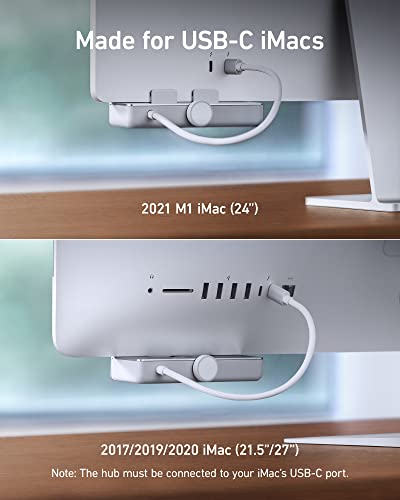
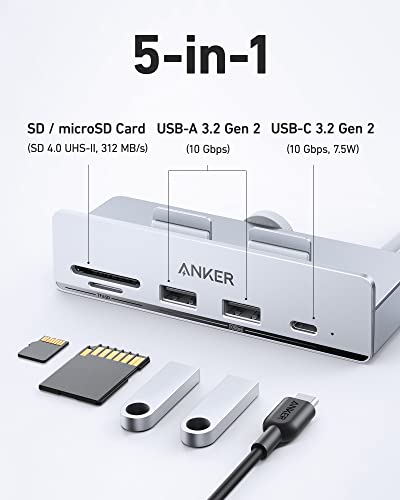
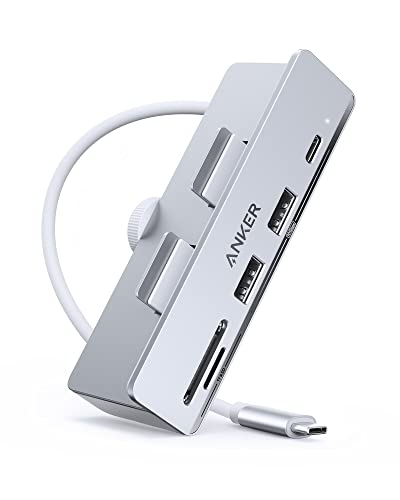
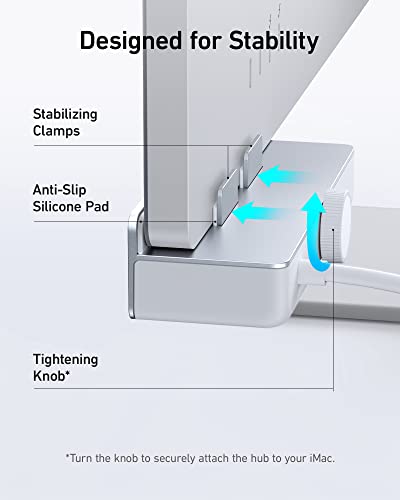
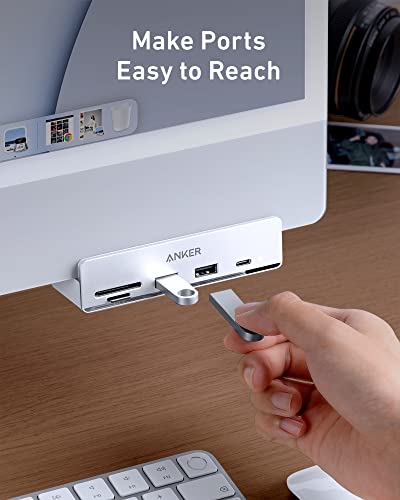
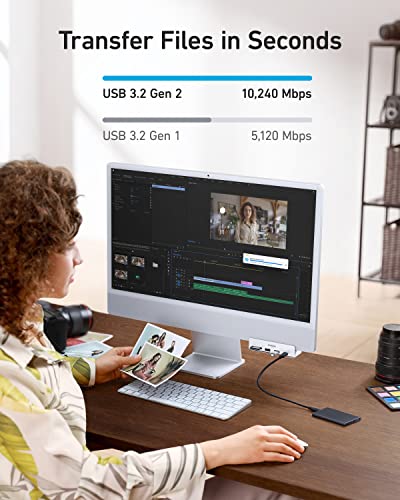
The Anker 535 USB-C Hub is a sleek, portable 5-in-1 expansion device designed exclusively for iMac models (21.5" to 27" and iMac 24" 2021). Featuring ultra-fast 10 Gbps data transfer speeds across two USB-A and one USB-C port, plus SD and microSD card readers, it offers seamless connectivity and effortless installation with a secure clamp-on design. Crafted from premium aluminum, it perfectly complements your iMac’s look while enhancing your productivity.


| ASIN | B09XGYWJ3F |
| Batteries Included | No |
| Batteries Required | No |
| Best Sellers Rank | #1,716,271 in Electronics ( See Top 100 in Electronics ) #2,999 in USB Hubs |
| Brand | Anker |
| Compatible Devices | Card Readers |
| Country of Origin | China |
| Customer Reviews | 4.4 4.4 out of 5 stars (285) |
| Data Transfer Rate | 10 Gigabits Per Second |
| Date First Available | 17 May 2022 |
| Hardware Interface | Thunderbolt, USB, USB Type C |
| Item Dimensions LxWxH | 11.4 x 4.7 x 2.8 Centimeters |
| Item Weight | 109 g |
| Item model number | A8353 |
| Manufacturer | Anker |
| Material | Aluminum |
| Model | A8353 |
| Number of Ports | 5 |
| Operating System | Mac OS |
| Product Dimensions | 11.4 x 4.7 x 2.85 cm; 108.86 g |
| Special Features | Portable |
| Total USB ports | 3 |
R**K
I have always been fond of Anker products. I've always found them attractive — and, most importantly, they perform flawlessly. Even though I have just now installed the new Anker 535 USB-C Hub for my M1 iMac, I can already tell this device will not disappoint. The installation was so simple — turn the wheel on the rear of the device to open the clamp, ease it onto the front of the iMac, and turn the wheel back to tighten it. All that is left is to plug the attached USB-C cable into a Thunderbolt port on the back of the iMac. I have already performed backups to three external drives. The process was quick and flawless. Suggestions: 1) Place the hub about 2 - 3 inches from the right side of the computer. The iMac speakers are located on the bottom corners of the iMac. I don't think this really matters since the speakers are inside the computer and deliver the sound all across the lower vents. Still, it makes me feel better not to place the hub directly over the speaker location. 2) Plug the cable into a Thunderbolt port (one of the first two). Again, this may simply be my own preference — but I would think the Thunderbolt ports deliver more power than the simple USB-C ports (the last two ports on most iMac models.) This hub delivers a full 10 Gbps — while most of its competitors only provide 5 Gbps ports. It is also just more attractive, IMHO, than the others. There is only one caveat. The hub only comes in silver — while one of its competitors supplies face plate inserts for the various colors of the M1 iMac. While this may be pleasing in some respects, the actual result is less than attractive — again IMHO. It helps that my iMac is the blue version which blends nicely with the hub.
D**2
Extremely handy hub. All most used ports in front of the Mac. Trusted brand also!
S**K
I purchased the Anker 535 USB C Hub for my iMac about a month ago, and I am thrilled with its performance and aesthetic appeal. This 5-in-1 hub has seamlessly integrated into my iMac setup, enhancing both the functionality and visual appeal of my workspace. The design of the Anker 535 is sleek and modern, and it looks superb under my iMac screen. The hub's compact size doesn't clutter my desk, and the aluminum finish complements the iMac's aesthetics perfectly. It's evident that Anker has paid attention to the details, creating a hub that not only performs well but also adds a touch of sophistication to the overall look. In terms of functionality, the Anker 535 has exceeded my expectations. The five ports provide a versatile solution for expanding connectivity options. The USB-C ports support high-speed data transfer, and the HDMI port delivers crystal-clear video output. It's a game-changer for my workflow, allowing me to connect various peripherals effortlessly. The hub's compatibility with the iMac is seamless, and the setup was straightforward. I appreciate the plug-and-play functionality – no drivers or complicated installation processes required. This simplicity makes the Anker 535 a user-friendly accessory for both tech enthusiasts and casual users alike. What sets this hub apart is its reliability. I have experienced consistent performance without any connectivity issues or disruptions. Anker's reputation for producing high-quality tech accessories is evident in the durability and stability of this USB C Hub. In conclusion, the Anker 535 USB C Hub is a fantastic addition to any iMac setup. Its superb design, reliable performance, and ease of use make it a standout choice for those seeking a high-quality hub. If you're in need of additional ports and want a hub that complements the sleek design of your iMac, the Anker 535 is the perfect solution. A month in, and I couldn't be happier with my purchase.
P**4
Excellent, it was installed very easily and works without any problems. It also aesthetically fits very well.
K**R
Great addition to my Apple IMac 27” Everything works seamlessly and I get to charge my phone while on the computer!
Trustpilot
2 weeks ago
5 days ago



