Desertcart purchases this item on your behalf and handles shipping, customs, and support to Hong Kong.
🚀 Unlock lightning-fast storage power — your data’s new best friend!
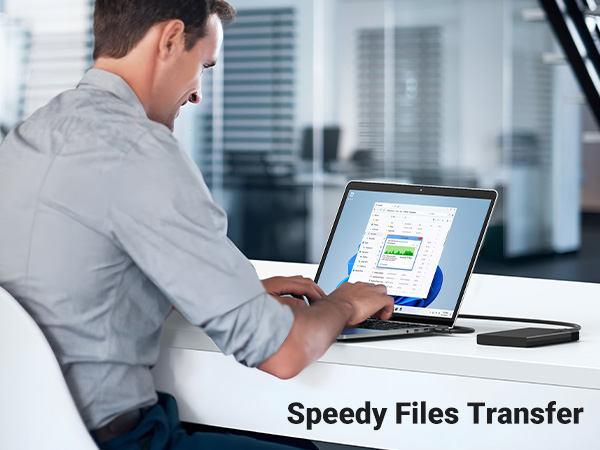
The UGREEN 2.5" Hard Drive Enclosure transforms any 2.5-inch SATA SSD or HDD into a high-speed external drive with USB 3.0 connectivity delivering up to 5Gbps transfer rates. Featuring UASP protocol for accelerated data throughput, multi-layer protection against electrical faults and physical shocks, and universal plug-and-play compatibility across major OS and gaming consoles, it’s the sleek, reliable solution for data recovery, storage expansion, and seamless file transfers up to 6TB capacity.


| ASIN | B06XWRRMYX |
| Best Sellers Rank | #6 in Enclosures |
| Brand | UGREEN |
| Built-In Media | 2.5 Inch Hard Drive Enclosure, Micro USB 3.0 to USB 3.0 A Cable, User Manual |
| Color | Black |
| Compatible Devices | PC, Smartphone, ipad, router |
| Connectivity Technology | 5Gbps |
| Customer Reviews | 4.6 out of 5 stars 31,919 Reviews |
| Data Transfer Rate | 8.5 gigabits_per_second |
| Enclosure Material | Plastic |
| Global Trade Identification Number | 06957303838486 |
| Hard Disk Form Factor | 2.5 inches |
| Hardware Interface | USB 3.0 |
| Hardware Platform | Mac, PC |
| Item Dimensions L x W x H | 5.04"L x 3.23"W x 0.55"H |
| Item Weight | 10 g |
| Manufacturer | Ugreen Group Limited |
| Material | Plastic |
| Memory Storage Capacity | 6 TB |
| Mfr Part Number | 30848 |
| Model Number | Bis zu 5Gbps |
| Number of Items | 1 |
| Number of Packs | 1 |
| Product Dimensions | 5.04"L x 3.23"W x 0.55"H |
| Supported Devices Quantity | 1 |
| Warranty Description | 2 year manufacture |
J**E
Simple, Sleek, Well Built, Did Exactly What I Needed.
If you're like I was, and had harvested a hard drive from a dead computer which had important files which couldn't be retrieved through conventional means (like the document browser in your OS) or the os can't be accessed at all, then this device will make things a lot easier. The device will accept any of those standard external drive chords, which has a USB end on it and will plug into anything with a standard USB input. Two separate medium-high end laptops were able to recognize this with no problem and I was able to access the drive as a spare drive in my computer. Haven't tested with a desktop yet but I suspect the performance is just as good. I then transferred 16,000 music files from a drive through serato to my other laptop and it only took about 30 minutes. Transfer speed is no issue, it's certainly faster than my 500gb Seagate external drive which usually takes over an hour to do such tasks. It has a convenient blue indicator light which isn't intrusive and will blink when it's connecting, sometimes reading tasks, and turn solid blue when it's running the drive at full speed, full efficiency. I've been using it for about two days now, have used two separate 2.5 inch drives and initialized one through disk manager, the other I'm still repeatedly connecting and disconnecting to my computer to analyze files until I'm ready to wipe it and initialize as well. Overall for this price you cannot go wrong, I love this already and it's everything I needed. No need to mess with those cheaper versions which certainly look alot worse, some can snap/bend your pins on your drives and don't even encase your entire drive or SSD into the enclosure safely like this will do. This is much better, much more stable, much more convenient. I would suggest a dedicated version of this for your bigger 3.5 inch drives, as this simply doesn't take that size. Unless you're willing to just spend more on a different device entirely which reads both, this is an amazing device for any smaller drive. It will give easy plug and play access to any 2.5" drive, any standard size SSD, or turn them into a reliable external drive entirely. I've even tossed it around with my 500gb WD blue drive inside it, and the drive is still perfectly safe and reads with no issues. Definitely one of those things I'll keep finding uses for, and Im very happy to have this as a convenient little tool for data retrieval and many other things I can't even think of at the moment. Thanks for reading and I hope you'll enjoy this too.
P**L
Very commendable performance
Test box: Lenovo Ideapad 3, 20GB RAM, AMD Ryzen 5 3500U with Radeon Vega Mobile Gfx, 2100 Mhz, 4 Core(s), 8 Logical Processor(s). OS Runs from a SK Hynix 512GB, M.2 2280 SSD. The USB Port used was USB 3.1. OS: Windows 11 Home Drive installed: KINGSTON SA400S37480G 480GB SCSI Disk Device, 2.5" SATA Enclosure: (this item) UGREEN 2.5" Hard Drive Enclosure USB 3.0 to SATA III for 2.5 Inch SSD & HDD 9.5mm 7mm Review: it arrived on time, packaged well, installed quickly, the hard disk installation was plug and play. No tools required. I ran CrystalDiskMark 8.0 with all the defaults except I selected NVMe SSD profile. This old school SATA SSD was pulling harder than another device I reviewed that was using a competitors enclosure and a NVMe M.2 2280 SSD. The results were basically But they were close enough to convince me the only real bottleneck is in my USB 3.1 interface. I think these babies can go faster if I had a laptop that wasn't 3 years old. The controller supports S.M.A.R.T. and most of the usual things you would expect. I'm curious to see what they can really do, but for my purposes they are fast, quiet, cool, easy to install and use, and they look nice. It copied the 3.0 GB Ubuntu install ISO in 11.8 seconds at a speed of 257MB/sec. it copied 64.5 Gigs of various 'videos' in 4.5 minutes, a speed of 238.8 MB/sec. OS Name Microsoft Windows 11 Home Version 10.0.22000 Build 22000 System Name ******* System Manufacturer Lenovo System Model 81W0 Processor AMD Ryzen 5 3500U with Radeon Vega Mobile Gfx, 2100 Mhz, 4 Core(s), 8 Logical Processor(s) BIOS Version/Date LENOVO E8CN30WW, 7/28/2021 SMBIOS Version 3.1 Embedded Controller Version 1.30 BIOS Mode UEFI BaseBoard Manufacturer LENOVO BaseBoard Product LNVNB161216 BaseBoard Version SDK0J40700WIN Installed Physical Memory (RAM) 20.0 GB Total Physical Memory 17.9 GB Available Physical Memory 8.66 GB Total Virtual Memory 21.5 GB Available Virtual Memory 3.66 GB Page File Space 3.63 GB Page File C:\pagefile.sys Drive D: Description Local Fixed Disk Compressed No File System NTFS Size 447.11 GB (480,085,274,624 bytes) Free Space 170.36 GB (182,917,894,144 bytes) Description Disk drive Manufacturer (Standard disk drives) Model KINGSTON SA400S37480G SCSI Disk Device Bytes/Sector 512 Media Loaded Yes Media Type External hard disk media Partitions 1 SCSI Bus 0 SCSI Logical Unit 0 SCSI Port 1 SCSI Target ID 0 Sectors/Track 63 Size 447.13 GB (480,101,368,320 bytes) Total Cylinders 58,369 Total Sectors 937,697,985 Total Tracks 14,884,095 Tracks/Cylinder 255 Partition Disk #1, Partition #0 Partition Size 447.11 GB (480,085,278,720 bytes) Partition Starting Offset 16,777,216 bytes DETAILED INFOS Feature support: SMART supported: Yes SMART enabled: Yes SMART self-test supported: No SMART error log supported: No LBA supported: Yes IORDY supported: Yes CFast supported: No DMA supported: Yes Maximum Multiword DMA mode supported: 2 Multiword DMA selected: None Maximum UltraDMA mode supported: 6 UltraDMA selected: 6 Maximum PIO mode supported: 4 SATA Compliance: Yes NCQ priority information supported: No Unload while NCQ commands are outstanding supported: No Phy Event Counters supported: Yes Receipt of power management requests supported: No NCQ feature set supported: Yes Software Settings Preservation: Supported, Enabled In-order data delivery: Not supported Initiating power management: Supported, Disabled DMA Setup auto-activation: Supported, Disabled Non-zero buffer offsets: Not supported Trusted Computing supported: No Host Protected Area (HPA) supported: Yes Read look-ahead supported: Yes Read look-ahead enabled: Yes Write cache supported: Yes Write cache enabled: Yes Power management supported: Yes Security mode supported: Yes Security mode enabled: No Device Configuration Overlay (DCO) supported: No 48bit Addressing supported: Yes Auto Acoustic Managment (AAM) supported: No Power-up in Standby (PUIS) supported: No Advanced Power Management (APM) supported: Yes Advanced Power Management (APM) enabled: No CompactFlash Association (CFA) supported: No General Purpose Logging (GPL) supported: Yes Streaming supported: No Media card pass through supported: No Extended power conditions supported: No Extended status reporting supported: No Write-read-verify supported: No Free-fall control supported: No TRIM command supported: Yes SCT command transport supported: No NV Cache enabled: No NV Cache Power Management supported: No
K**Y
Easy to use and can work on many levels
This is GREAT!!!! I had a special edition white 4TB x box external hard drive i got on sale at Amazon for 119$ plus tax it was sooo slow . So I saw these and since i build custom laptops and fix video game consoles for people I figured this would be great . I Instantly threw in my 4 year old Seagate Hybrid ssd and 7200 spinning rpm HDD that is 750GB so now with 8 games i have 1TB free which is all I need really as i am 41 and dont game nearly as much as i use to . This is also great as you can make your own size and speed type of laptop / desktop external hard drive . Meaning you can go up to 10tb is says , but i have a 2 tb 5400 spin drive i can put in it and give to my wife for her pics. Or swap out the hybrid and put in a new Samsung 500GB 860 evo i got free from my best buy points at x mas time it was only 68% and my points covered it /So i can have 550mb per second write and 520 read if i perfer from the 7200 spin drive with 8 gb of ssd . That is working great i just noticed X box makes a 500 GB ssd "Exclusive external hard drive and its around 320$ Now look this external drive was just under 11$ a 500GB Samsung top of the line ssd (not a generic who knows whats inside x box ssd ) is max 78$ on Amazon or B.B so figure 90$ for a Samsung ssd for your x box or 320$ because it says for x box .. Anyway you can use a 1 TB ssd for around 100$ so total 110$ and it is all plug and play you have just 1 extra step you must go to settings then go to the drive and physically click format where as the x box version as soon as you plug it in says hold the x on controller to start and format . But going to the drive is simple and well worth saving 200+ $. I rec. getting a few of these at 10$ 1 as a back up and one for your computer .. Great work U Green also they include USAP which i do not know what it is but is suppose to increase the 3.0 speed . I did notice a 56GB game i transferred to test it only took 5 to 7 minutes opposed to 22 minutes with the x box white special edition version
M**H
Good overall, crazy usb cord, make sure you look at the first picture..don't be me!!
This seems to work, my only issue is that I was not paying attention, I was replacing a very old 2.5" enclosure that had micro usb to usb a...and I got this one thinking it was just usb a...its a cable that has what looks like micro usb and micro hdmi next to each other and one cable with that end to usb 3. Its ok because this is going to be a in a drawer..but if I lose this cable, I'll just toss this enclosure.
R**E
Breathe New Life Into Your Old Hard Drives!
The UGREEN 2.5" Hard Drive Enclosure is the perfect tool for turning an internal laptop drive or SSD into a high-speed external portable drive. It is incredibly simple to use and feels much higher quality than the price suggests. What I liked: Tool-Free Installation: You can swap drives in seconds. The slide-back cover opens easily, and the drive snaps into the SATA interface without needing a single screw or screwdriver. Blazing Fast Speeds: It supports SATA III and UASP, which means if you are using an SSD, you’ll get significantly faster data transfer rates (up to 5Gbps) compared to standard USB 3.0 enclosures. Universal Compatibility: It fits both 7mm and 9.5mm 2.5-inch SATA drives. Whether you have an old HDD from a dead laptop or a brand-new Samsung EVO SSD, it will fit perfectly. Safe & Secure: The interior features soft EVA foams that dampen vibrations and prevent your drive from rattling around or getting scratched inside the casing. Smart Sleep Mode: The 3-minute "Auto Sleep" mode is a great feature—it helps extend the lifespan of your hard drive and reduces power consumption when not in use. This is a must-have for anyone doing data recovery, system backups, or just looking for a cheap way to add extra storage to a PC, Mac, or game console.
G**J
Does what it says it will and with a Tesla, no less...
I specifically purchased this to replace the USB drive on my Tesla Model 3. The left over SSD drive I put in it has a FAR longer lifespan and far more durability than just about any USB drive. It works exactly like I thought it would. A great bargain at $10.
S**T
Very Nice!
I swapped out a 2 1/2" Hard Drive and replaced it with a solid state drive on a mac mini not too long ago. The hard drive was just sitting on a shelf and i got sick and tired of looking at it. I purchased this, followed the easy step by step instructions offered by reputable designer, plugged the USB 3.0 cable into the back of the macmini (late 2014 model) and set up the time machine feature in the system i use from time to time. It's mostly the computer my mother uses but it's the only current apple os device i have and it's nice to learn how to use different programs and troubleshoot things on it as I hope to someday use some of my learned PC Tech skills to make a few bucks on the side. Also, the blue LED light on the device is not very bright so it does not disturb normal everyday mac computing and surfing. I would like to see an option of some switch or button on devices like this and other parts of computers that gives the end user an option to turn off the light. But that's just my opinion. I have seen one that's software-based on wireless router firmware where a user can shut off the led lights on the router and on an old Seagate GoFlex ToGo 1TB USB 3.0 external hard drive (again, software based). But from everyday use and the benefit of being able to backup data locally rather that over the cloud is a nice option. Everybody does not like to use cloud services, but I do from time to time. I have an old BackBerry Q10 cell phone that used to be able to run the Microsoft OneDrive / SkyDrive app and it was very handy! It simply gave me an option to backup my photos and videos i took on my phone to the cloud and even incorporated itself into the blackberry 10 file manager - which, in my opinion, is an awesome and perfect basic set of things for the app to do. Anyway, if you are like me and have swapped out a 2 1/2" Hard drive and replaced it with a solid state drive to benefit from the responsiveness and boot up / shut down of a computer and want an option for external storage on the go that's thin, this is one of the many I'd choose to buy again. It's rugged too. With any portable hard drive enclosure, be careful not to be rough and throw the device around or the hard drive may get ruined. The side pocked that's kinda tight is a good spot to put these things in on those laptop carry totes because they sorta grip the enclosure and while you walk around it's pretty much stationary and does not slide all over like it would in a briefcase. A solid state drive would also work well in these enclosures, but I like to use the older parts I remove from computers from time to time and make use for them. I'm not one of those people whom take photos much to show on my reviews, but I have taken a cupule from time to time so i hope you consider the LED brightness a critical part of any purchase you make. Consider buying a 24" HD Display for your everyday computing or for your employees at your small business and the LED indicator is almost blinding or a nuisance or bothersome while creating a Microsoft office document. Not very good. That being said, if you see yourself in that situation, a small piece of black electrical tape will solve the problem - or perhaps that painters masking tape that comes in a few different colors depending on what brand you buy because painters tape is designed to NOT LEAVE THAT STICKY RESIDU behind - I've used it over the winter to seal the crack in a storm door in my basement from a door that needs some better weather-stripping and once the weather warmed up, there was no sticky residue on the door frame nor the storm door and the tape comes in a couple different wideness varieties.
K**.
Very good enclosures
S**K
My experience with a SATA HDD of 8 years old.
Review at the time of delivery: Build Quality: Looks sturdy and durable, and the padding on the sides is great for providing support to the drive from shocks. Connectivity: USB C would have been a better interface to replace many cables, but the provided A to B cable does justice. Speeds: I am using an 8 year old HDD in the encasing and I am getting close to 140 MB/s sequential read and write. Check the image for testing done using Crystal Disk Mark. Speed in my case is limited by my HDD which is supposed to deliver 140MB/s, so the interfacing electronics aren't the limiting factor. Heating: Did not heat much beyond 33 degrees in my short term use. Long term checks needed. Ease of Use: direct plug and play, no software or explicit driver installation required. In my little time using this casing, it seems to be working good. Since the limiting factor here is my drive, I can't test the full speeds of the case. But I think at this price range, it is a good value for money. Great protection from shocks, sturdy and drable material and great speeds. Recommended over other cheaper versions that could potentially damage disks.
N**M
Great Product
Works well! I definitely be exploring NAS options from this brand.
A**N
Good Quality
As advertised, good quality working great !!
N**N
Ótimo
Funciona muito bem, é facil de instalar, nao fica sambando dentro da case, é otimo. só espero nao dar problemas com o tempo
D**D
Great quality
Great quality at affordable price. You install the drive without any tools. Just slide the too lid and connect the drive. All in 1 minute.
Trustpilot
2 weeks ago
2 weeks ago