Desertcart purchases this item on your behalf and handles shipping, customs, and support to Hong Kong.
๐ค Elevate your clean game with AI precision and zero hassle!
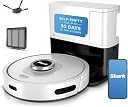
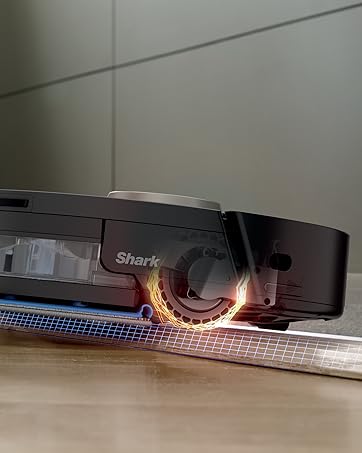
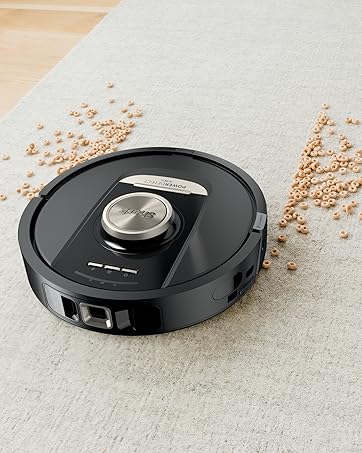
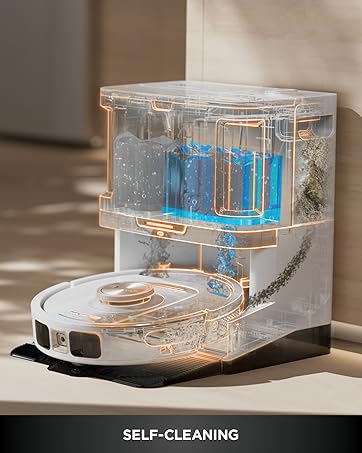
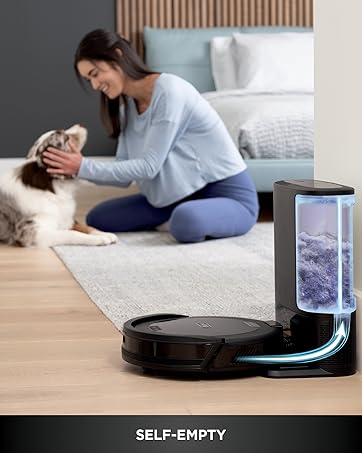
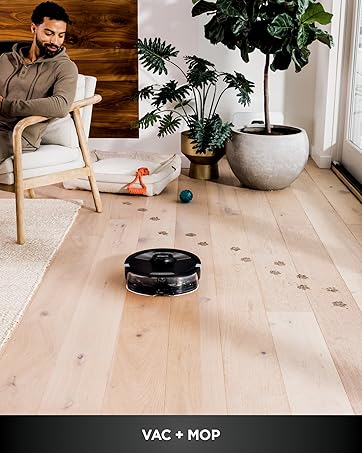
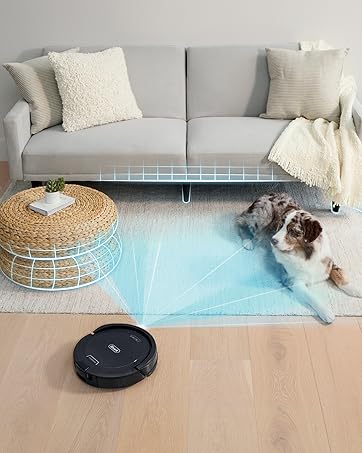
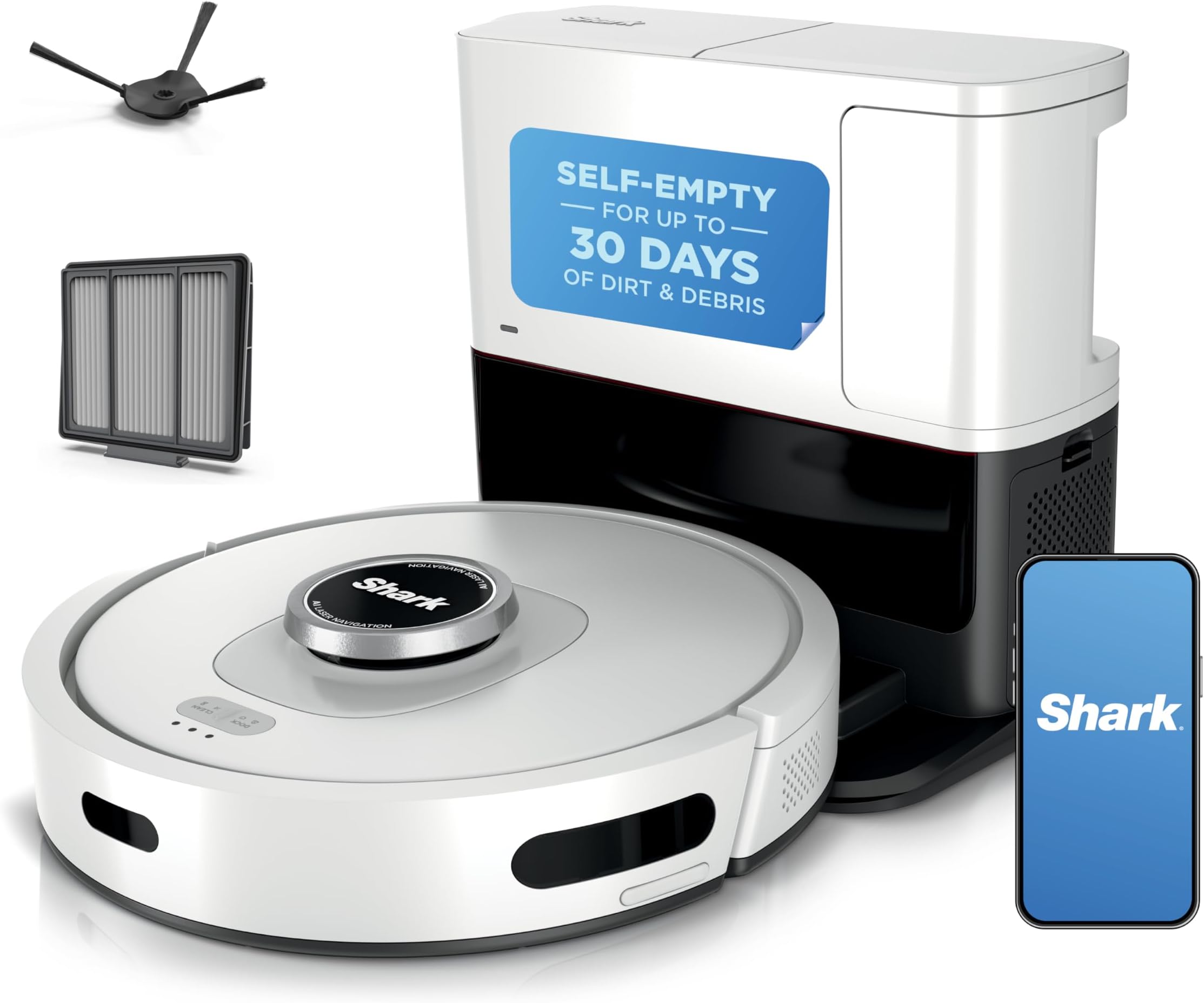
The Shark AI Ultra Voice Control Robot Vacuum combines advanced LIDAR navigation and AI laser object detection to deliver precise, row-by-row cleaning on carpets and hard floors. Its self-emptying base stores up to 60 days of dirt, minimizing maintenance, while UltraClean Mode boosts suction by 30% for deep carpet cleaning. Compatible with Alexa and Google Assistant, it offers hands-free voice control and app customization, making it the ultimate smart cleaning solution for busy, pet-friendly homes.


| Asin | B09T4YZGQR |
| Batteries Are Included | Yes |
| Battery Life | 120 minutes |
| Battery Type | Lithium Ion |
| Brand Name | Shark |
| Capacity | 0.27 gallons |
| Color | Silver & Black |
| Compatible Devices | Amazon Alexa, Google Assistant |
| Control Method | App, Voice |
| Controller Type | App Control |
| Customer Reviews | 3.9 3.9 out of 5 stars (8,613) 3.9 out of 5 stars |
| Filter Type | HEPA or comparable |
| Form Factor | Robotic |
| Global Trade Identification Number | 10622356588314 |
| Included Components | Shark AI Robot |
| Indoor Outdoor Usage | Indoor |
| Item Dimensions L X W X H | 21.4L x 33.2W x 35.3H centimeters |
| Item Type Name | AI Robot Vacuum with XL Self-Empty Base, Bagless, 60-Day Capacity, LIDAR Navigation, Home Mapping, Silver & Black |
| Item Weight | 15.25 Pounds |
| Manufacturer | SharkNinja |
| Manufacturer Part Number | AV2511AE |
| Manufacturer Warranty Description | 1 year limited warranty. |
| Model Name | Shark AV2511AE |
| Model Number | AV2511AE |
| Number Of Items | 1 |
| Number Of Power Levels | 1 |
| Number Of Wheels | 2 |
| Other Special Features Of The Product | Bagless |
| Portable | No |
| Power Source | Battery Powered |
| Recommended Uses For Product | Floor & Carpet Cleaning, Pet Hair Removal |
| Surface Recommendation | Carpet & Hard Floors |
| Upc | 622356588317 |
| Voltage | 120 Volts |
User
Overall very happy with this product.
My Usage and Overall Comments:==============================Have had the Bot for 2-3 weeks now.Mostly used on 2nd floor (bedrooms/bathrooms/Loft area) which is 90% carpet. I mapped this floor only.Occasionally used on 1st floor, which is about 50% carpet. (Not mapped).Overall it seems to do a pretty good job, keeping in mind these Bot Vacs are not meant for DEEP cleaning carpets.Much quieter than my old Neato Botvac80!Cleans my 2nd floor on a single charge with BOOST cleaning, and recharging takes about 3 hours.Overall I feel it's a good Robot Vac, but wouldn't spend more than $300 for it.Floor Mapping Review:==============================- My 2nd floor is about 1,000sq ft and it takes about 10-12 mins to map it.- It's not the greatest at mapping. It will sometimes take 2-3 "Explore" runs for it to get it right because itoccasionally misses entire wall sections.- Adding/Changing/Removing Room Labels and No-Go Zones on the app is pretty easy.If you're older, it's easier to do it on a Tablet vs the phone.- I noticed that once it completes the entire cleaning run on the 2nd floor, it seems like it internally compares the resultswith the full map(??), and if it detects area's that it missed it will go back to them to clean them.When it does do that, it doesn't always clean them in the most efficient order, often running from one end of thehouse to the other to address these areas. I have also seen this behavior when tasked with cleaning a specific room.It's will sometimes bounce around in the room getting the spots it feels it missed.- There have been times where I've seen it do several clockwise/counter-clockwise spins in the same spot as if it's tryingto decide where to go next. Sometimes these crazy spins can last 30-40 seconds.- So far no problems with it finding the Base Unit and Docking with it.- Mapping is only required if you need to specify No-Go Zones or want the ability to vac a specific room(s) so you CANdo like in my case, map the most commonly vacuumed floor (ie: 2nd floor) then manually initiate a cleaning for the 1st floor.(see more about mapping in my "CONS" section).Detailed Review:==============================PROS:- It's fairly quiet. You can actually have a conversation standing next to it as it's cleaning.- Their SHARK CLEAN app is easy to use. Again, if you are older using it on a Tablet (larger screen0 will be a better experience.- The self-vacuuming / evacuation unit works well, typically removing 95% of the bot vac's contents.- So far have not had any issues with it getting stuck in a corner, going over room thresholds/transitions, etc.- Bump avoidance it pretty good as long as objects are high enough for the Lidar Sensor to see it.- No issues transitioning between carpet and hardwood/tile surfaces.- Although it may not take the most efficient paths on occasion, and sometimes re-cleans a section(s) 2-3 times during it's total run,it does appear to do a very through clean, cleaning all the places that it possibly can reach.- It does well respecting No-Go Zones.- Ledge detection works well also, but the fall-off is only detected after about 25% of the bot is hanging over the edge - depending on it's speed.It can be nerve wracking to watch near stairs!!- The Evacuate and Resume feature is nice to have. (After every 30 mins of cleaning, it will return to the Dock to empty its dust bin thenreturn to clean where it left off.- The Do Not Disturb Schedule works well.- The No-Go Zones work well.- Although I have not had a need for it as of yet, I'm confident the Recharge and Resume feature will work fine.FYI:- Initial WiFi Setup: I did have an issue trying to pair the Bot with my phone. I think after I rebooted my phone it finally worked.- Annoying - if you remove the Bot's dust bin while it's ON, it will complain stating it's dust bin needs to be replaced.- The foam roll filter in the Docking station gets VERY dirty real fast and needs to be cleaned every 2-3 runs.It's easy to clean, just tap over a garbage can to get the bulk off, then slide off the foam roll from it's base and rinse in a sink.Let dry completely before returning to docking station.- The Evacuation system will engage EVERY TIME you return the Bot to the dock. So if you pull the Bot off just to check the roller, as soon as youre-dock it, the evacuation system will turn on.- The Evacuation system is as loud as a typical upright vacuum, so keep that in mind when deciding on a location for it!!!- I have not tried the SCHEDULED Cleaning at all. I personally prefer to manually initiate when/where I want it to clean.CONS:- I was not able to Register the Bot via the app - kept saying "Something went wrong". Had to do it online.- The app could use some improvements/updating, like showing the current location of the BOT and what it's cleaned so far as it's running,estimated time of completion, etc.- Deleting your map when you want to do a "Re-explore" (ie: Re-Map) can take a minute or two to complete.- "Matrix" cleaning can only be performed on one room at a time. So if you have 3 kids bedrooms you want to Matrix clean you have to select one,do the cleaning, then send it out again to do the Matrix cleaning on the 2nd bedroom, etc.You might be able to work around this by setting up 3 Scheduled cleanings(??), one for each room.- The Mapping system could be MUCH better. I can understand it not mapping a shoe on the floor, but missing an entire 10-FOOT WALL SECTION???Would be nice to have Multi-Floor/Level mapping also.- I've run into an occasional issue where after doing a manual cleaning (via press of the CLEAN button) on the 1st floor (not mapped),then using the app to vac a specific room on the 2nd floor (mapped), it will clean the room, but then starts re-cleaning the last 3-foot sectionover-and-over until I manually stop it. Others also have reported odd issues jumping between "Mapped" cleaning and "non-Mapped" cleaning areas.The fix for me was to delete my map and have the bot do a re-explore to build it again (and hope it does it correctly on the 1st pass).If this issue continues, I'm toying with the idea of not doing any mapping at all and just letting the Bot figure it out as it goes regardless of the floor it's on.I'll loose the No-Go Zones and Specific Room Clean functions and it will likely take longer to run,but it might be worth it until the Mapping Logic is improved.CUSTOMER SUPPORT:==============================I did reach out to them when I had the "re-cleaning the same 3-foot section" issue after bouncing between a Mapped and Un-Mapped floor.This was during Black Friday weekend, and I only waited 5-10 minutes to speak with someone. They were OK, some easier to understand than others.I was eventually connected with one of their Technical Support staff and had to re-explain the issue. He asked if I could run the cleaning sessionagain (I was fine with that) and he wanted to video record the Bot in action, so he sent me a link for the video connection. I was unable to getthat working (Android phone issue??). He asked me to re-explain the issue to him again, and we got into a brief disagreement about how the MATRIX CLEANfunction worked - he claimed that was only for "Spot cleaning", which I told him was NOT true.He finally suggested I delete my floor map and re-run another mapping session then try to replicate the problem again.I was assigned a Ticket# to reference when I called them back with my findings.After re-doing the mapping, I haven't been able to replicate the problem yet, and I'm leaning towards assuming the Bot works best with Mapped areas only,and jumping between Mapped/Non-Mapped floors is not 100% supported (???)
User
APP NO FUNCIONA EN MEXICO
Amazon no deberรญa de vender algo que no tiene soporte en Mรฉxico. Por otro lado, creรฉ una cuenta de USA pero la app no funciona porque no deja verificar el correo. El correo de verificaciรณn si llega pero cuando vuelves a la app dice que lo ha sido verificado. Es un problema muy comรบn que si lo buscas en internet tiene muchos aรฑos sin poderse resolver.
User
Absolutely Outstanding!
I couldn't be happier with my Shark robot vacuum! From the moment I set it up, it has been a game-changer for keeping my home spotless. The setup was incredibly easy, and the app integration is seamless, allowing me to schedule cleanings even when I'm not at home.The suction power is phenomenal, effortlessly picking up dust, pet hair, and debris from both carpets and hardwood floors. I love how it navigates around furniture and obstacles with ease, ensuring that every corner of my home gets cleaned. The self-emptying base is a fantastic feature, saving me time and effort while keeping the vacuum running efficiently.One of my favorite aspects is the advanced mapping technology. It creates a detailed map of my home, so it knows exactly where to clean and avoids areas I don't want it to go. The battery life is impressive, easily handling my entire home on a single charge.The Shark is quiet, efficient, and incredibly effective. It has truly made my life easier, and I can't imagine going back to manual vacuuming. Highly recommend this product to anyone looking for a top-notch robot vacuum!
User
Pretty easy to set up and operate.
I did a good bit of research before deciding on the Shark. We have a Shark upright and another dustbuster size Shark so we are very positive about their products.I chose a spot for the dock that doesn't really comply with the instructions but it hasn't affected the operation in the least. It is under a side table in a bedroom. Works very well from there.I used the app to map my apartment, which it did very well. I closed the doors to rooms i didn't want it to go - either because i just want them cleaned more thoroughly by our cleaning service or i thought it might get stuck on the rugs. It handles rugs pretty well, though.Minor complaint that others have mentioned: it doesn't take the same route each time. And it goes over the same areas more than once.The first time it ran, it got itself stuck under a low riser dresser so i now put a stool in front of the dresser to prevent that.I think the app is pretty slick and easy to use. You can set it to vacuum every day or any odd assortment of days. Ours runs twice a week to be sure the cat hair gets cleaned out.First run complaint: since it was vacuuming under beds, it was probably going places that had not been vacuumed in a long time. So that first time, it filled the bin with cat hair and just stopped in mid run. I had to take it back to the dock but even then it couldn't off load the hair. It was too full and compacted so i had to remove the bin from the robot and clean it by hand. That hasn't happened again though. Just be aware if you have any areas like that.The app lets you do the whole house, just one room, or a selected 5 ft square space. In the app, choosing Spot, it puts a square in the middle of the screen with the house map over laid. You choose the spot by moving the map under the square until it is over the area you want cleaned. It's not intuitive, but once you see it, you know how it works.I read many of the older reviews that mentioned a magnetic strip to keep it from going certain places like off a step. I was wondering where those strips were because mine did not come with any. I almost returned it before the first run because i do have a sunken room and was concerned about it going off the step but it ran right up to the edge, stopped, and then ran along the entire width without a problem. Pretty impressive.It will obviously have trouble negotiating table and chair legs so if you want those areas cleaned you will need to move the chairs.It would also be nice to know how to deal with the sunken area of our home. For now, i take it off the dock and carry it to that room before turning it on. It does the room completely and returns to the starting point where i again have to pick it up and return it to the dock. Then, i have to use the app or the button on top to tell it to return to the dock, which works ok. Im just concerned if this confuses the mapping of the rest of the house. I wish the instructions addressed this issue.UPDATE, Nov 13, 2025: I have been using the robovac for two years now and I still love it. I have discovered a few irritating features-1. Make sure you don't have anything on the floor that could jam the machinery. My cleaning lady left a dryer sheet somewhere and it got sucked into the filter on the Shark. There is no warning and no other notification that the robot is no longer working.2. The app keeps asking me to re-logon every time I need to start vacuuming. I have it set up to NOT do that but it seems to forget every so often. It's very inconsistent. The app just needs a little tweaking to be perfect,3. If you have a separate room that isn't on the same level as the majority of your home, it isn't able to "map" the separate area. That would be a very-nice-to-have feature.
User
Incredibly impressed with the performance
I don't often leave reviews, but I have been shocked with how good this vacuum performs. It maps the house in no time at all, and then will go through and clean every room perfectly. I've never seen the floors in here so clean, and you can set schedules to make sure they stay clean too. The amount of time you save vacuuming and just the stress it takes off your mind by not having to do something like that is really great.The regular price is quite expensive, and I got it on a prime deal for $300 canadian. For $300, this is an absolute no-brainer. For the regular price, well it's a little too rich for my blood but definitely worth the investment if you have the cash.
Trustpilot
3 weeks ago
1 month ago