Desertcart purchases this item on your behalf and handles shipping, customs, and support to Hong Kong.
🎨 Small Tablet, Big Impact: Create Anywhere, Impress Everywhere!
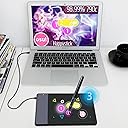
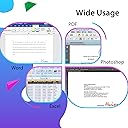
The HUION 420 OSU Drawing Tablet is a compact, high-precision digital art tool featuring a 4 x 2.23 inch active area, 4000 LPI resolution, and 200 RPS report rate. Compatible with Windows and Mac OS, it supports a wide range of creative software, making it ideal for beginners, students, and professionals seeking a portable yet powerful drawing experience. The package includes a battery-powered pen, extra nibs, USB cable, and user manual, ensuring a smooth start to your creative projects.


| ASIN | B00DTPYWBG |
| Active Surface Area | 10x5.6cm (4 x 2.23 pollici) |
| Best Sellers Rank | 5,646 in Computers & Accessories ( See Top 100 in Computers & Accessories ) 16 in Graphic Tablets |
| Box Contents | Keybord |
| Brand | HUION |
| Brand Name | HUION |
| Colour | Black, White |
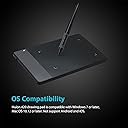
| Compatible Devices | Computers running Windows 10, 7, and Mac OS 10.8.0 or later, including supported desktops, laptops and tablets. |
| Connectivity technology | USB |
| Country of Origin | China |
| Customer Reviews | 4.0 out of 5 stars 7,517 Reviews |
| Display Type | LCD |
| Global Trade Identification Number | 00520324307390 |
| Item Dimensions L x W | 10.2L x 5.7W centimetres |
| Item Highlight | Graphics Art Tablet for Drawing, Writing, Design & Animation, Work with Mac, Windows |
| Item Weight | 125 Grams |
| Manufacturer | HUION |
| Manufacturer Part Number | 420 |
| Model Name | uk huion 420 |
| Model Number | Huion 420 |
| Model name | uk huion 420 |
| Native Resolution | 4000 LPI |
| Network Connectivity Technology | USB |
| Number of Items | 1 |
| Number of Packs | 1 |
| Operating System | Windows |
| Operating system | Windows |
| Pressure Sensitivity | 2048 Levels |
| Pressure sensitivity | 2048 Levels |
| Product Features | Portable |
| Product Warranty | Manufacturer warranty for 1 year from date of purchase. |
| Screen Size | 5.6 Centimetres |
| Software Update Supported to Date | unknown |
| Special feature | Portable |
| Specific Uses For Product | Digital art creation, note-taking, online schooling, remote work, web conferencing |
| Target Audience | Children, beginners, remote workers, students and professionals |
| UPC | 520324307390 760352094842 |
| Unit Count | 1.0 count |
S**S
A very nice product
Got this tablet a month ago and been trying it out. As several other people I mainly bought it for Osu!. Needed a cheap but usable tablet for that, and oh I got that. Tablet is quite small, yet very solidly built. Stays on the place properly with the 4 rubber nibs. The cable is long, but first time you are connecting it to the tablet you need to use a bit force to stick it in, because it goes with an audible click. The pen feels nice in hand. Even though it has a battery inside it, which I thought will make it top heavy, I actually like how the weight is distributed and it doesn't bother me at all. The only thing I forget to do is turn the pen off which you have to do with this pen. After a month of using I haven't had any problems. Both the pen and the tablet have endured well. Because I scale the tablet down to very little area, I can see that there's no damage caused to the tablet by friction, either. The only negative side is getting the drivers. That proved to be a 3h work at first, because you can't use the drivers coming on the CD. Need to dig around the internet.
K**R
Good value, does what I need
It was easy to set this up, and I was pleasantly surprised how straightforward it was to use. No lag that I could see, am pleased I bought it. Good value for money.
L**E
Sometimes jittery, sometimes great
I’d recommend purchasing a larger size tablet, but this product is still good. I ended up returning it because it would sometimes be jittery and the responsiveness was not the best. Still good value, but be aware of that before purchasing.
S**A
Cheap, great tablet
Brilliant, works great on my laptop running windows 11. Tip for buyers: For the pen to work it needs a battery, it doesn't explain much in the manual lol
M**W
Don't waste your time.
Don't waste your time or money. Spent nearly a whole day fighting with this to try to get it working on my PC, but simply would not recognise it. Installed, uninstalled and reinstalled the drivers from the website several times, rebooted the PC more than a dozen times and dead as a dodo. They clearly know these issues are common as when I tried to get support via Amazon, there were just pages of 'how to fix it' (none of which worked). I also tried to contact them via their website, but their contact page just kept crashing. Extremely frustrating waste of time.
T**Y
you get what you pay for
Good for getting into playing osu! however my pen stopped working after trying to open and get the battery out once
T**S
The disk was unnecessary, as windows has native tablet device support
Functions perfectly plugged in straight out of the box. The disk was unnecessary, as windows has native tablet device support, and the Huion420 seems to work with that just fine. The drivers just made my experience worse. The shipping itself was mostly fine. Package took about twice as long to arrive than estimated, the exterior packaging was busted up pretty roughly around the edges, but It was thick solid cardboard, so the product box was mostly intact, except for a moderate bump on the bottom of the box, all of that, however, is a non-issue. As for the tablet itself, it's a very solid tablet for the price, much more so than I expected. The input is very responsive and feels easily comparable with my low latency gaming mouse in delay time. The input resolution is phenomenal, as I'm only using about 1/4th of the tablet active area for my entire desktop as the full area is too tedious to swipe around for desktop use, and It's not too difficult to hit a tiny task-bar icon, which on the active area measures about 1/4th of a millimeter! I mainly bought this tablet for playing 'Osu!' with, and it just feels.. 10/10. I mean, it's something you'd expect from a tablet after playing with a mouse. Again, comparing to a 2ms latency mouse, the 3ms of the tablet feels negligible, it's exactly the same. And to add on top of that, 'Osu!' has native Huion420 integration, as in, scaling up the mouse sensitivity option scales down the active area, pretty intuitive! I'm not too much on the artistic drawing side, but I've tried writing and sketching a bit, and it just feels finicky. The area feels too small to draw consistently, as any amounts of shaking on the hand get well exaggerated, again, by the small area. However as mentioned, point to point motion is where this tablet shines at. Disclaimer: in my opinion. Osu!? - Get this tablet, drawing? - get something with a larger area.
A**R
Tablet pen issues
For it's size and price it seemed a good deal. Initially it does feel a bit scratchy to use with the pen on the pad but you gwt used to it. Worked well for 6 months now having issues with the pen. Thinks it is touching pad when hovering over it. Reinstalled software, changed nib but still not working. Not great
S**R
Niet kunnen installeren
Kan iemand mij vertellen of uitleggen hoe ik het besturingssysteem kan installeren?? Ik krijg het nu niet geĂŻnstalleerd, en kan nu alleen werken met Paint???
S**E
Super !
Un tablette ultra fine, ultra légère, au rapport qualité/prix exceptionnel que je me suis décidé à acheter après avoir tenté de ressortir ma vieille Wacom intuos M du placard, et que le pilote Wacom, me balance après installation un message du style « votre tablette est trop vieille, merci d’en acheter une récente » !!! Mon sang n’a fait qu’un tour, et après une rapide recherche, la marque HUION est vite apparue comme la meilleure alternative ! J’ai choisi la H610X pour des besoins spécifiques, 8 boutons programmables me suffisent, et la taille convient à mon usage (sculpter des mesh 3d essentiellement) et elle est récente - permet un contrôle bien plus précis qu’une souris, c’est vraiment top. Niveau installation, le pilote se télécharge en 2s depuis le site du fabricant, son installation et sa configuration sont parfaitement guidées et simples. Quelques autorisations à accorder sur macOS Sequoia, et en 3mn, la tablette est opérationnelle. Le réglage de la sensibilité du stylet ne prend guère plus de temps. La fluidité du geste et la réactivité sont parfaites. Le rapport qualité/prix est exceptionnel. Parfaits pour les petits budgets sans sacrifier la performance!
M**O
Ottima +++
Ottima tavoletta grafica, l'ho presa perchè mi serviva una piccola e portatile, questa è perfetta!
L**E
Parfait !
Fait complètement le café, ça m'a sauvé pour un projet client !
T**D
Compacte, précise et parfaite pour dessiner ou retoucher !
Achetée pour remplacer une vieille tablette graphique, et je suis vraiment satisfait. La H580X est légère, agréable à utiliser, et les 8192 niveaux de pression offrent une précision très confortable pour le dessin comme pour la retouche photo. Les 8 touches programmables sont un vrai plus : elles permettent de gagner du temps et de travailler plus efficacement. La surface est fluide, la reconnaissance du stylet est immédiate, et aucun décrochage même lors de traits rapides. L’installation est simple, les drivers sont stables, et la tablette fonctionne parfaitement avec les logiciels les plus connus. Pour un format aussi compact, elle offre une excellente ergonomie et une très bonne réactivité. Un excellent rapport qualité‑prix pour ceux qui veulent une tablette fiable et performante. Une valeur sûre pour améliorer son workflow créatif.
Trustpilot
2 months ago
1 month ago