🎶 Elevate Every Note — Your Desktop’s Secret Audio Weapon
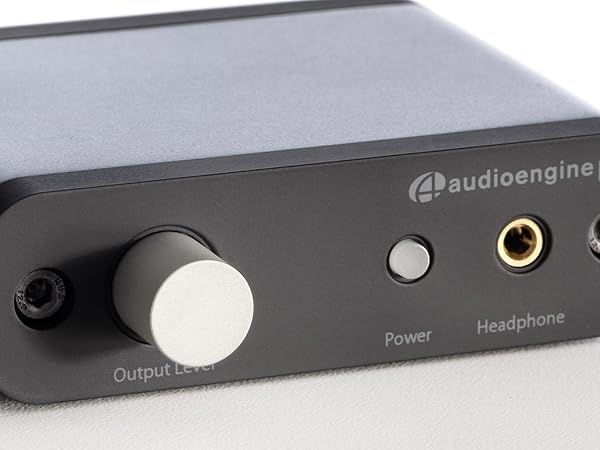
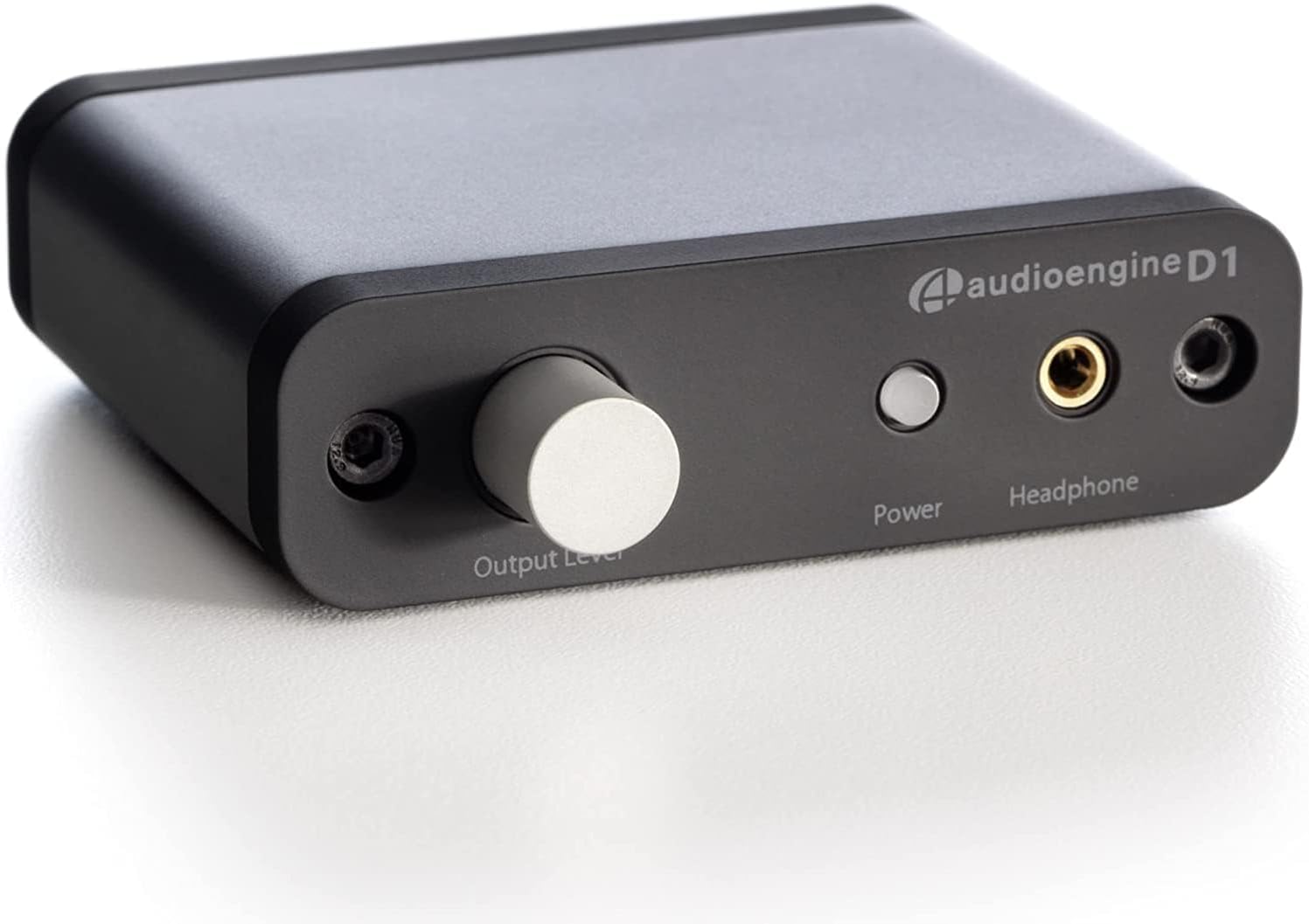
The Audioengine 32-bit D1 is a premium portable desktop headphone amplifier and DAC that delivers high-resolution audio playback with 32-bit precision. Featuring USB and optical S/PDIF inputs, it offers plug-and-play compatibility with Mac, PC, and laptops without drivers. Its powerful headphone amp output supports a wide range of headphones, from in-ear to planar magnetic models. Compact and robustly built, the D1 includes RCA coaxial outputs for stereo Hi-Fi integration and comes with a 3-year warranty, making it a trusted choice for audiophiles and professionals seeking superior sound quality.


| ASIN | B006IPH5H2 |
| Best Sellers Rank | 589 in Hi-Fi Amplifiers 25,605 in Headphones, Earphones & Accessories |
| Brand | Audioengine |
| Customer Reviews | 4.2 out of 5 stars 976 Reviews |
| Global Trade Identification Number | 00819955250039 |
| Interface | Optical, USB |
| Item Dimensions L x W | 9.5L x 8.9W centimetres |
| Item Weight | 5 Ounces |
| Manufacturer | Audio Engine |
| Manufacturer Part Number | D1 |
| Material | Metal |
| Maximum Supply Voltage | 5 Volts (DC) |
| Maximum supply voltage | 5 Volts (DC) |
| Minimum Supply Voltage | 5 Volts (DC) |
| Minimum supply voltage | 5 Volts (DC) |
| Model Number | D1 |
| Mounting Type | Freestanding |
| Mounting type | Freestanding |
| Number of Channels | 1 |
| Number of Pins | 4 |
| Number of pins | 4 |
| UPC | 819955250039 |
| Unit Count | 1.0 count |
| Upper Temperature Rating | 95 Degrees Fahrenheit |
| Upper temperature rating | 95 Degrees Fahrenheit |
M**B
Very pleased so far with my Audioengine D1 USB / optical / DAC.
My Audioengine D1 USB / optical / DAC was delivered and works exactly as I expected. I am very pleased so far. It has a good air of "quality manufacture and robust construction". It is very easy and logical to use, and the performance / sound quality is very good with no noise. I have experimented, trying to "catch it out" and very occasionally after unplugging and re-plugging the supplied USB cable (between laptop and D1), I have encountered mild "playback stutters", but turning power off (the button on the D1), then back on, always seems to overcome the problem. I can now play all my mp3 collection from my Toshiba Laptop (ripped from my CD collection at the highest bit rate allowed by the Microsoft Software). My “HiFi” speakers are either side of my TV, so I can also play sound from "Youtube" and “catch-up TV” from the Toshiba through them from my laptop to accompany watching their pictures via hdmi. The sound quality from both "Youtube" and “catch-up TV” is very good. "Plug and play" with the D1 so far works seamlessly on my laptop with MS Windows 8.1. The power button LED is bright (white), but because of the cabling, it faces away from me so I don't see it (hence the dim glow is good for letting me know if the unit is "powered up"). The D1 "on-off power button" is actually very convenient, as is the "volume" knob (during play of, for example, an mp3, if the D1 is switched off using its "on-off power button", the music is then automatically switched to the laptop's speakers, then on re-powering the D1, the laptop speakers are switched off, and the output to my "HiFi" speakers is gently re-applied). The operation has exactly the logic I would expect. BACKGROUND TO MY REQUIREMENT: I was happy enough using an old Dell laptop PC as an mp3 player via its internal (DAC) sound card through my Cambridge analogue amp and some old "Acoustic Research" speakers (my entire ripped CD collection is on the Dell hard drive). However, the Dell battery failed, so I can now only run it from the mains power supply and the noise pick up from the analogue cables was terrible (I had the cables connected to the headphone output on the Dell). I have all the same mp3 files on the hard drive of my Toshiba laptop, but for an unknown reason, I got nothing when I tried to drive my Cambridge amplifier from the headphone output on the Toshiba. By contrast, the D1 is powered from a USB connection with the laptop (no internal rechargeable battery), and uses the USB as the digital source, hence, I can use it on either my old Dell laptop or my Toshiba laptop. The D1 does have a headphone amp, but no balance or frequency controls (only headphone output adjustment via the D1 knob). But the main reason I wanted the D1 was for its stereo-phono outputs to connect my existing analogue cables to my Cambridge amplifier. My Cambridge amplifier then gives very good gain / balance / frequency control. The D1 gives me future options for use of USB or optical inputs.
M**D
Good value for money (yes!) - fantastic boost in sound quality from your computer
Should have 10 stars - this is an amazing unit: vastly better quality than a built-in sound card - noticeable even it you are not an audio specialist - transforms your computer into a high end hifi device. For best quality of course the original material must be good: It is worth using with with CDs, Spotify (Premium quality 320bps), high-quality wav & FLAC, my own 24bit 96000Hz recordings, and 32bit 96000Hz from Ardour (see below). If you want to do sound editing the D1 is a must - every detail can be heard on good headphones (or good amp & speakers). It works out of the box with Linux (tested with Ubuntu 12.04 and 14.04) with the standard PulseAudio setup. For high-end editing in Linux I suggest Jack (install Qjackctl) and Ardour (get the latest from their website). Plug the D1 into the machine and do a reboot. To configure Jack see https://fedoraproject.org/wiki/JACK_Audio_Connection_Kit (Install & Configure Jack). Start up Jack before starting Ardour (at the end close Ardour before stopping Jack). The new session can be 96000Hz/32 bit float. If you are going to import wav files (it cannot import mp3s - on the grounds that these compromise quality - you could use Audacity to convert these to wav) then 24bit/96000Hz wavs will import well and be converted to 32bit float (best for editing as it gives headroom for the inevitable noise that results from applying effects). Ardour is amazing - there are lots of sites that can give online help - all its effects are applied non-destructively - and free plugins are available. Ardour functions well with mid-level hardware (eg Latitude D530, Inspiron 10z) - and you could install indicator-cpufreq which will allow you to get the most from the cpu. The Audioengine D1 is beautifully built - neat, strong, perfect design - a jewel of a unit!
M**S
Works as promised
The device definately improved the sound quality. A pair of Creative speakers sounded far lot better through the Audioengine device than connected directly to laptops 3,5 mm socket. The slight downside is that there is not possible to change the sound - no equalizer or any other kind of adjustment. I have a pair of quite decent headphones and when connecting those everything sounds just so... dull. Clean and perfect but just dull. All in all - good device.
P**D
Absolutely amazing sound improvement!
It's best that I explain at once that I am a composer (classical) and recordist of natural soundscapes, so the term 'audiophile' does not describe me precisely enough; I'm used to listening into the nature of sounds in a very analytical way as well as aesthetically, and wanting them reproduced accurately rather than necessarily pleasingly. I am particularly fussy about getting full but **accurate** reproduction of lower bass frequencies, which usually falls at least to some extent by the wayside from most 'consumer' speaker systems - subwoofer systems all too readily resulting in misshapen and usually exaggerated or boomy bass. I'd read many user reviews of the D1, which claimed that it had greatly improved the sound that its users were getting from their speakers, but I still expected really only subtle improvements - especially as for a week or two up to that point my Audioengine A2+ speakers had been connected to my computer via USB, which meant they were already getting the advantages of an external digital / analogue conversion (DAC), and I'd noticed only small improvements over the sound I'd had from the speakers connected to the analogue Line Out connection from the computer. Indeed, I was wondering if therefore I would really notice any further improvement at all with the D1 connected. These speakers had progressively 'opened up' during their breaking-in process (most likely not yet completed), giving ever more audible reproduction of the very low frequencies - i.e. those below the 60Hz given as the official bottom-of-range for that model, right down to the limits of hearing. Yes, I could actually hear 30Hz, and even a hint of 25Hz (which latter is at the limit of my hearing range now anyway). However, they were still a fair way from emulating the effortless room-filling very low bass that I routinely get from my Castle Harlech floor-standers. In the case of the A2+ speakers, normally I did need to concentrate a little really to hear those lower frequencies, even while I was sitting at my computer, with those speakers closely facing me, placed under either end of my monitor, which only just clears them (on its custom-made plinth) - and when I retreated at all into the room at large I had to concentrate even more to notice those very low frequencies. Then, enter the D1, and, at a stroke I was hearing EVERYTHING, right down to below 30Hz, without having to concentrate. Also, when I got away from the computer, into the room at large, I found that those low frequencies were being projected right out. My musical listening tests at this point were all classical recordings - Messiaen's Messe de la Pentecôte and Livre d'Orgue in Beauvais Cathedral, Havergal Brian's gargantuan Gothic Symphony in the breathtaking Martyn Brabbins recording, and various of my own compositions in life-like MIDI realizations - and I also listened to a range of natural soundscape recordings of mine. The latter, however, showed that I still hadn't fully got the sort of very low bass rendering that I routinely get with the Castle Harlechs or indeed my Sony MDR-V6 headphones, but of course even technological 'miracles' can go only so far for such small speakers! Still, I was routinely hearing the fundamental tones of low double bass and organ pedal notes, so I was definitely 'awestruck' (to use a cliché) at the considerable sound upgrade that I'd almost unwittingly brought upon myself. All that, together with a greater general clarity, and, apparently, some increase in dynamic range, has made for a remarkably natural and life-like sound for any pair of cabinet-enclosed cone-based speaker systems, and really phenomenal for a pair this small - particularly for music listening. As already intimated, though, for natural soundscape recordings, especially of sea doing interesting things, one would need either larger speakers or a suitable subwoofer carefully configured. Nonetheless, the D1 has had a dramatic totally positive effect on the sound that I'm getting. Listening through my headphones, which are extremely 'analytical' in their sound, actually the improvements make some material - especially my natural soundscape recordings - sound a bit more unnatural. That is NOT because the D1 has done anything bad, but rather, the improvements in clarity have caused the sound to show up even more clearly the unnatural effect of listening to the particular recordings through headphones. What is actually needed to rectify this is some sort of adjustable cross-mixing utility between headphones and source. Audioengine could do future customers a favour by incorporating such a facility in a future, upgraded version of the D1, or, conceivably, producing a separate device to put between the D1 and headphones. Now for the odd small niggles. It's great that there is a level control for the headphones, but it is also the level control for the output to the speakers. So, depending on the sensitivity of your headphones, like me you might need to have a volume control inserted between the D1 and the headphones so that you can get the right volume when playback through the speakers is at the right level for you, for it doesn't make sense to have to keep twiddling the level control each time you switch between headphones and speakers. Also, of all silly things, the level control knob has no markings at all, so you cannot see the level that it is currently set at - a very unhelpful omission. I have placed the requisite mark on the knob myself. And finally, I do wish that manufacturers / designers would let go of their extremely unhealthy preoccupation with black as the apparently mandatory colour for so many of their products - especially anything electronic these days. It is not only ugly to any genuinely healthy mind, but labels and other text on black backgrounds are generally difficult to read or even see, and a lot of black in one's living space absorbs significant amounts of light, so darkening one's abode, which is unhealthy psychologically and thus eventually physically too.
J**M
Constantly glitches out
Basically, if you need to power this from your PC don't bother getting one. I get drop outs and glitches all the time when running Logic Pro. I've got a beast of a PC too, so it's not that. Definitely the D1 too as if I just use the motherboards' soundcard everything works great. You also will need to buy a USB isolator too, as the interference from this thing is atrocious. If you are running this from mains power and using the optical in, you'll most likely be OK.
D**M
Would have been a 5 but...
Generally the sound is excellent, paired with good 'phones and high bitrate music the sound is better then any on board PC sound I've experienced, compact, plug & play off USB. However I should have paid more attention to some of the reviews as occasionally it will make a VERY LOUD screeching/static sound much higher than the volume set, sometimes random but usually if there hasnt been any sound generated for a while the first sound made will result in this excrutiating screech. Others reported the same thing but it happens more often than I'm starting to tolerate. The AudioEngine web site states in their Support Section: My D1 occasionally makes a clicking noise during playback. How can I avoid this? Try removing all other USB devices temporarily, and try each USB port on your computer one at a time to see which one works best in your setup. USB audio needs quite a bit of bandwidth, so for best results ensure your D1 is on a "High-Speed" bus and not a "Full-Speed" bus. Which I've done, they also reccomend 50 hours of use as a "burn-in" time which I've surpassed. When it works, which is the vast majority of the time, it's incredible quality, such as shame they can't get rid of this screech issue with some firmware update (if the device was even capable of this?).
D**N
A mini Hi-Fi for your computer at an affordable price.
If you are at all interested in great sounding audio and are growing weary of the simple onboard audio of your motherboard, this little device will not disappoint. I must say, though, that to really appreciate it, you would ideally be hooking up a good set of studio monitors/PC speakers to it, or a good set of headphones. The build quality is solid. It has a volume knob on the front which does not feel too tight or too loose, it's perfect. There are two RCA connectors for hooking up two studio monitors/speakers, an optical input for connecting to a TV or a Blu-ray player, and a 3.5mm headphone jack on the front of the device. Also, if you have a set of speakers connected through the RCA outputs and you plug in a set of headphones, it mutes the speakers automatically, which is very handy. Since a DAC is essentially an external sound card, the clarity of sound from all audio playback is greatly increased compared to motherboard audio. And although onboard sound has come a long way, it is totally impotent when you compare it against a dedicated audio device like the D1 attached to a good set of speakers. So if you want high-quality audio from your computer without breaking the bank, this is a fantastic addition to your setup. Music, games and movies will sound fresh again. IMPORTANT NOTE: I had a few technical difficulties when trying to get the D1 working properly with Windows 8.1. After doing a lot of research online, it seems that the D1 is very picky with the USB slots it will work with. After trying every USB 2.0 slot and getting no result, I tried the USB 3.0 slots on my motherboard (MSI Z97 GAMING 5) and managed to get it working properly. Whether this problem is specific to my setup, I don't know, I just thought potential buyers should be aware. I still highly recommend it.
M**O
Great sound, poor control of the features.
So disappointed... It is such a great and cheap DAC, sounds fantastic......but the lack of drivers make it useless by simply don't have any way of muting the sound with vanilla windows keyboard. This is unacceptable nowadays...so sadly returning it.
S**.
This device turned my Bluetooth speakers into a premium version.
My bookshelf Bluetooth speakers have analog RCA input along with Bluetooth. And I was always wondering how they would sound with the signal via RCA inputs. And it worked! With this DAC connected, (how I understand) I eliminated sound-degrading Bluetooth transmission, substituted speakers' DAC with this premium one and sent pre-amplified signal directly to speakers' amplifier. The result is awesome - I got a premium version of my speakers! Even when listening to a less sophisticated music as a popular genre track in mp3 quality I hear an improvement in sound quality, like my speakers are 30% better - better bass, better treble and deeper, clearer sound. But when it comes to music like modern jazz and a track is higher than CD quality, OMG. It will now take longer before I'm spending on new speakers. Rich in sounds music, when quality of recording is high, appreciates if a device is capable of reproducing 24bit/96kHz sound. Apparently, I can not get such a high quality sound from my relatively inexpensive speakers, but, for sure, they get the best possible input signal.I have to mention it's not always just plug-and-play and get good sound. In the beginning I couldn't figure out why this DAC was not providing good sound being connected to my Chromebook - I just had devices connected to other USB ports and the Chromebook, probably, didn't have enough resources for all. In a Windows computer there are a few things to be checked if something is going wrong - specifically, Sound and Power Options settings in the Control Panel. By the way, a streaming service I use shows my Chromebook is able to process 24bit/48kHz sound quality at max, but it's above CD-quality anyway. And when this DAC is connected to the Windows desktop, my streaming service says music (selected tracks) will be played with 24/96 quality. A tip: "Power on" light on the D1 is the power on/off button too :)
A**D
fournit un son d'une très grande qualité musicale
Audioengine N22 (ampli) + Audioengine P4 (enceintes) + Audioengine D1 (DAC) L'ensemble fournit un son d'une très grande qualité musicale. Y compris dans les basses. Sans doute les A5+ sont-elles plus intéressantes pour le Home Cinema. Mais pour la musique, les P4 sont mieux ! Il y'a moins de basses, le son est plus clair. Je suis TRÈS satisfait. Enceintes : super Ampli : super. On peut même faire jouer source 1 et source 2 en même temps (pas besoin d'appuyer sur un bouton pour passer de l'une à l'autre) DAC : plus l'ordinateur est pourri, plus ça change tout ! Avec ça le son est bon, très bon, incontestablement meilleur que quasi partout où vous irez. Pour le DAC, si vous utilisez linux il vous faudra un "sound server" tel que "pulseaudio" (il est installé par défaut sur la plupart des distributions). En effet, la carte son du DAC n'accepte qu'une seule source à la fois (=pas possible d'émettre du son simultanément dans deux logiciels différents).
G**L
Fantastic DAC and fair cost given the brand and build-quality
This is a very preliminary review, but I think it's still worth providing to help others. First, when I was reviewing the product info, it said it was plastic. I thought that was kinda whack given the cost and the quality of my Audioengine A5 speakers. However, upon opening the amazingly-well packaged box, it turns out most of the DAC is really metal, even the volume knob is metal. The only plastic on the outside is the edges of the box (the black in the picture; the grey is metal) and the power button. Like I said, this was very well packaged. It shipped in an Audioengine box, but a branded shipping box: inside was another box for the DAC. That box in and of itself could've survived shipping, but I appreciate that it was double boxed. Inside the DAC box was a nice piece of soft foam, and the components were snuggled inside heavier duty foam. (I don't know what the different types are called, but this isn't your typical white styrofoam like for a cooler). It also includes a carrying bag if you wanted to travel with the DAC, but the bag would mostly just protect against scratches. However, given the metal construction, I don't think you need much more than that. Setup was super easy once I realized I made a mistake: I kept thinking I needed two USB cords, one for audio input (I have optical out, but not a cable) and one for power. No, the USB cord, which is included, provides both power and audio. I was looking at picture in the manual thinking it was the front telling me that's where the USB audio input was, but after I double-checked, that was really the back of the DAC, then I read it closer and realized my mistake. It was 100% my fault. I write user manuals for a living so I can say with confidence this is one of the best I've encountered. I just didn't drink enough coffee. Compatibility: it works with my Audioengine A5s with no problem, which is part of the reason I bought this DAC. Yes, it has other great reviews, and, yes, my speakers are the bomb dot com, but having no doubts that it would work before it even arrived gave me peace of mind. To my untrained ear, everything sounds fantastic. I mostly stream music, and it sounds fantastic. I'll see what my music teacher/musician wife thinks, but she'll most definitely agree. I should note that I don't have a subwoofer, but whether it's the speakers or the DAC, the music still sounds fine. I'll put it through the paces gaming at another time, but I can't imagine anything would be different. Now, when I write my reviews, I try my best to not just gush over how great everything is so it doesn't appear as though my review is fake or paid for. The only thing I can think of from only having used the product probably no more than an hour is that I wish more cables were included. It's nice that it comes with a USB cord, but I had to dig through my box of cables for an RCA cable, and I'm not sure I even know what an optical cable looks like to see if I have one of those. I do understand the choice not to include these things because everyone's setup is different, and it minimizes waste, but it still would've been nice. I'm not deducting stars, however, because of a lack of cables. This is still a 5-star product.
B**C
Cok iyi
Urun gercekten harika. Ses kalitesini inanilmaz derecede degistiriyor. Tek problem gorselde goruldugu ve yazdigi gibi usb-c cikisi olmamasi. Urun uzerinde usb-b cikisi var. telefonuma baglamak icin farkli bir kablo daha almak zorunda kaldim.
M**O
Excelente DAC Hi-Res de escritorio o portátil.
Es la segunda versión del D1 de audioengine que he usado. La marca goza de gran reputación, calidad y soluciones con diseños únicos. Es un DAC desktop con control de volumen y amplificador para audífonos, que incorpora doble fuente de entrada. USB Audio con conector tipo C y fibra óptica TOSLINK. En la salida un par de conectores RCA balanceados y salida frontal de 3.5 mm para audífonos. Conversión de 32-Bit mediante un chip ESS ES9018 el dispositivo es homologado audio Hi-Res. Funciona con el voltaje que suministra la conexión USB C no necesita alimentador externo. Puedes usarlo en el escritorio o de viaje porque funciona con todo, smartphone, tableta, computadora, servidor de audio etcétera. Después de años muy satisfecho con este modelo que se adecúa a mis necesidades y gusto.
Trustpilot
1 month ago
1 week ago