


🔥 Stay cozy, save energy, and control your comfort like a pro! 📲
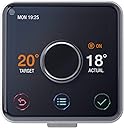
The Hive Active Heating and Hot Water Thermostat offers intuitive, remote-controlled heating management compatible with most conventional boilers. Featuring 6 daily programmable heating slots, automatic frost protection, and Alexa integration, it empowers you to optimize comfort and energy savings effortlessly. Designed for easy self-installation, Hive ensures your home is warm when you want it, without heating empty rooms—saving you up to £130 annually.


| ASIN | B011B3J6B8 |
| Backlight | Yes |
| Best Sellers Rank | 141,187 in DIY & Tools ( See Top 100 in DIY & Tools ) 159 in Home Programmable Thermostats |
| Brand | Hive |
| Brand Name | Hive |
| Colour | White |
| Connectivity Protocol | Wi-Fi |
| Connectivity Technology | Wi-Fi |
| Control Method | Voice |
| Control Type | Button Control |
| Controller Type | alexa,amazon |
| Controller type | alexa , amazon |
| Customer Reviews | 4.5 out of 5 stars 2,229 Reviews |
| Display Type | LCD |
| Global Trade Identification Number | 05054347000365, 05054347004202 |
| Included Components | hive |
| Item Dimensions D x W x H | 104D x 48W x 100H millimetres |
| Item Shape | Round |
| Item Type Name | Hive Active Heating and Hot Water Thermostat without Professional Installation - Works with Amazon Alexa |
| Item Weight | 0.21 Kilograms |
| Item height | 10 centimetres |
| Manufacturer | Hive |
| Model Name | hive active heating and hot water |
| Model Number | HAH2KitHeat&HWAmz-01 |
| Model name | hive active heating and hot water |
| Mounting Type | Wall Mount |
| Number of Batteries | 4 AA batteries required. (included) |
| Power Source | Battery Powered |
| Product Style | Heating and Hot Water |
| Product dimensions | 104D x 48W x 100H millimetres |
| Special Features | Automatic,Easy To Use |
| Special feature | Automatic,Easy To Use |
| Specific Uses For Product | Boiler |
| Specification Met | energy |
| Temperature Control Type | Smart/Remote |
| Unit Count | 16.0 Grams |
| Voltage | 230 Volts |
A**H
No complicated setup and 10 minute install
Plug in and play. Any competent plumber or electrician can install within 10-15 minutes. No complicated setup required. Very easy to use, works on any heating and water system without any additional parts required. The portable thermostat controller is ideal for anyone with vision problems as the display is nice and bright, and very eligible. Personally I would prefer a smaller and neater controller, as it is quite big and bulky. The table top stands available from the manufacturer, are quite pricey for what they are. But there are plenty of other non genuine compatible options available. If you don’t have multiple smart devices this is ideal for you. If you want a fully automated system controller I would recommend a more compatible matter system
N**S
Simple, elegant and just works.
I had previously purchased a Drayton Wiser control as this had wireless TRVs. However I had soooo many problems with it such as signal strength, programming, lack of Google Home compatibility, I ended up returning it. I had previously looked at Hive so despite some bad reviews, bit the bullet and ordered it. Self install option. Given that I had a standard back plate it was very simple to install. I had to link out my fixed thermostat but that's not hard. If you have rudimentary electrical skills - you really won't have a problem installing it. The hub setup was quick and simple as was the controller and thermostat. The only slight issue was mine had a registration card with a scratch off panel. It advises you to phone the number shown with the uncovered code. However, the phone number was no longer in operation! As it turns out, you don't need this at all so unclear what that was all about. You can register your hub online and that was straight forward too. Once installed, it works really well. I have a long house so was concerned about signal strength given some of the reviews. However, no problems at all. Pretty much full signal. The thermostat is a pleasure to use and is very functional and intuitive. The app is a little clunky but works very well. Google Home works well. There doesn't seem to be a published list of commands you can use but again, fairly intuitive. ie: set the heating to 21, or turn on the hot water. Hive tell me they are going to update their website with GH command soon. All in all, very please and I'd recommend this product.
B**S
Great Product. Crap Customer Service.
I bought this product via Amazon. Thermostat, Hub and Service Box and had it professionally fitted, as per the instructions. My immediate next door neighbour bought his Hive at the same time but bought his at Screwfix. It all worked fine until about 3 weeks ago when I returned home after a couple of days away, to find that the system was “offline” and wouldn’t connect or run from the thermostat. I went into the restart procedure on the App, then went through it again and went through it again, I chatted with my neighbour and he was having the same problems with his system. So, having failed to get it working, I then contacted the customer service on the 0333 number and ended up with a call centre in South Africa, talking to a young lady whose first language was definitely, not English. A difficult 50 minutes then ensued which culminated in a still failed system. However, I could operate my central heating by pushing the button on the service box. By the next morning,the system had still not restarted and I went through the restart procedure again, 3 times, all to no avail. I then contacted the call centre again and went through another agonising 50 minutes with a young man whose first language again, was not English. By now, tempers were becoming frayed and a sense of humour failure was on the cards. By the time we had finished, I requested to talk to a Supervisor, but told there wasn’t one available. So I recorded a complaint, but my system still wasn’t working. I went through a third frustrating day of a 50 minute call to the 0333 number and recorded another complaint. But still my system wasn’t working and my neighbour was having the same problem as me. The call centre had not returned my call or registered my complaint. I then waited 3 days, operating my system by pressing the central heating button on the service box. Eventually, I received a call back from the Supervisor and we went through the reboot procedure again. But, this was their call, so I was little more tolerant, but not by much. That day culminated in my system being suspended, while they did some remote work on the hub. 24 hours later, I received another call from the same lady who confirmed that the Hub had been a fault from the outset, resulting in a failure of communication between The Hub, The Thermostat and The Service Box. We went through a complete reboot and the system fired up, including connecting with my Alexa. As a matter of fact, my neighbours system connected without him having to make a call, which suggests that our systems were linked through the Hive server. Both systems are working fine and so far, we have not had any further problems. The system, when it works is brilliant. I can’t fault it and the convenience of using it via an App or Alexa is brilliant. My only gripe is the Customer Service Centre based in South Africa and no option to talk to an English operator or connect with an call centre based in UK. The 3 x 50 minute phone calls cost me £65 and I have not received any offer from Hive to offset that cost. So, by all means, go ahead and buy the equipment. I can’t fault it, when it’s working. However, keep your fingers crossed that it doesn’t fail and you’re forced to call “ The Call Centre” 😵💫😵💫😵💫. If you’re forced to call them, take a big dose of “sense of humour”, because you will need it. Ciao ciao 4 Now.
R**N
One of my favourite purchases in the last year
For those who don't want to read the whole review, this is a beautifully-presented system that has proved to be reliable and is saving me money, compared to my old system. That's it. Buy it and enjoy the benefits. .....But for a slightly longer review, read on. There are three components to this system; the thermostat, the receiver and the hub. This might sound like a complicated system, but the instructions are straightforward and aside from the installation of the receiver, which may require some tinkering with your home wiring (please don't tinker!), the rest is very simple. The biggest decision for me was whether I needed to pay extra for the receiver installation or not. In hindsight, I'm glad I didn't pay the extra, as it was a very simple install, but the safe and responsible answer is to pay for the installation by an expert. The last thing you want is to find things aren't working and you have to wait days without heating for someone to come and fix it. In my case, the receiver replaced an existing timer/programmer, with an identical backplate. This meant that the installation was as simple as turning off the power to the programmer, removing the old programmer, attaching the new one to the plate, and testing it. I did replace the backplate, which wasn't strictly necessary, but the old one was cracked, so it made sense to use the new one. If you do the same, just label the wires and make sure they go back in the same places. Each part of this system has a different purpose and set-up; The receiver is to be wall-mounted and wired to your home wiring; the hub plugs into a spare ethernet socket on your broadband router and is powered by a regular household socket; and the thermostat is battery powered (batteries included), making it perfectly mobile around the house. Just make sure all three components are within your wireless network, as the one thing that can let this system down is a weak signal at any end of the system. In my house, all three elements are within 8 feet of one another, so this isn't an issue. Long distances or solid walls separating the parts might just make life difficult. Some have suggested that the ability to turn your heating on and off remotely, via the app is just a novelty, but as someone who doesn't work a set pattern of working hours, I can tell you that it has been a real blessing to be able to turn the heating on before I leave work and know that the house will be warm when I get home. Also, if I'm working late, I can leave the heating off a little bit longer to save a few pennies. Certainly in comparison to my old timer-only system (with no thermostat), this WILL save me money in the long term, although it may take a year or two to pay off the initial investment of buying the system! The iPhone App, like the thermostat itself is simple and well presented. It didn't take long for me to figure out how to use it. You'll probably spend the first week tweaking the settings and changing the timings, so you'll be an expert by the end of the first week or two! Boosting the system (when you need an extra hour or two of heat) is very easy from either the App or the thermostat. One or two presses and you're soon warming up. The holiday mode is also a neat little feature. Just let it know when you're leaving and returning, then you can travel knowing that you won't be wasting money on heating you don't need AND that the frost protect will try to keep your house above the 'danger zone' where pipes can freeze and burst. Having suffered a burst pipe due to freezing many years ago, I know the chaos this can cause, so the automatic frost-protection is a genuine relief. As an Apple fan, I would love to see this integrated with Apple's Home Automation system and Siri (so I can tell my Apple Watch to "turn the heating on" without even picking up my phone or searching for the App!) but at the moment this isn't an option. However, there's no reason why it couldn't appear at a later date.
B**9
Amazing Product. Just Make Sure You Use It To Its Potential!
The second I heard of Hive as a gadget nut it was instantly on my never ending want list much to my missus’s dismay who quite sternly declared a normal thermostat is more than sufficient given that your never more than a minute away from it in the house and you can set timers for when you’re not. Given her resistance, the price and the fact our boiler was 20+ years old it fell way down my list. That was until our boiler packed in a week later and presented the opportunity to have a new one installed and Hive at the same time. With some persuasion and convincing that we would be able to turn off the heating should we forget to and go out and we could turn it on just in time for us getting in etc. it was given the go ahead! IMPORTANT: It is a bit easy to be misled by the two options “Heating” or “Heating & Hot Water” I presumed wrongly that one allowed you to operate hot water and one didn’t when actually both do but it depends on your boiler as to which one you need. Some boilers have one heating output that does both and some have two separate outputs. Fortunately I picked the right one as I ordered without installation so my plumber could install it at the same time as my boiler but just double check before ordering which you need. (I think the one with both can actually work with either but if you just get heating and need to dual one you’re stuffed). Anyhow, I can’t comment on installation as I didn’t do it but it is worth noting that it does actually have several components not just the fancy thermostat in the pictures. One needs to be wired to your boiler and fuse spur, another connects to your internet router and needs a power socket and then obviously the thermostat which runs on batteries. (I think it can be hardwired). None of these are particularly huge but just worth bearing in mind. OK, in terms of operation mine worked absolutely seamlessly from the start and no problems encountered thus far. Using my iPhone I can control my heating and hot water from anywhere. The thermostat on the wall looks great and is very easy to work (it’s quite big though). Being battery operated it also gives you the chance to easily relocate it. The app is simple to use and very straight forward absolutely no complaints from a design point of view. The whole point of it is brilliant my biggest problem is remembering to use it to its potential. I still walk out leaving the heating on and forgetting to check the app or I frequently leave work without turning it on for when I get home. Even when I’m in the house I still walk to the thermostat rather than use my phone, I sound lazy I know but it does kind of defeat the object. It could do with a setting to send you notification to your phone prompting you that your heating has been on so long or something of the like. It’s all too easy just to end up using it like an old thermostat. I do love it and when you use it to its potential it will save you money and provide no end of convenience but you have to use it.
E**R
Wish i’d Got one sooner ( heating and hot water)
Excellent product. Took a few hours to install due to the nature of our old gravity fed system & wired room thermostat. Ours only had live, neutral and terminal 3 & 4 with terminal 4 being connected through the room thermostat. Essentially it just meant disconnecting the earth and 3 wires from the old thermostat and connecting the brown from the heating that went to the red of the thermostat to terminal 4. All other wires stayed in the same position. Luckily the old room thermostat (satchwell) was easy to remove from the wall and the backbox in the wall used to attach the hive thermostat. The order of installation I was given on the phone from hive was slightly different from the installation instructions ( also I did not need to use the code in the box to register the product) 1. Create a hive account online: hivehome.com ( the phone number given in the instruction card had changed) 2. Plug in the hub to network and mains. It took me about 7 mins to go from flashing green to flashing amber ( chap on the phone said it could take up to 45 mins) 3. Cut off power to boiler and old controller ( I had a sunvic) 4. Remove old controller ( I was unlucky that the old backplate, whilst almost the right type was too close to the wall to fit. 5. Photo wire connections and label using sticky labels supplied. 6. If like me you have an old wired thermostat work out which wires need disconnecting from the supply and any changes needed to terminal 4. Attach backplate from hive receiver and connect wires from boiler and power supply - for me they were the same as before except terminal 4 - since gravity fed mine do not use 1 & 2. 7. Fit receiver on backplate and switch on power to boiler & reciever. After a few seconds it will start to flash. Check when you press the hot water that the boiler fires up and when you press heating pump to radiators works ( my gravity fed potterton system has to have hot water on for heating to work - more about setting the receiver up for this after installing thermostat) 8. Remove old room thermostat ( only safe if you already disconnected the wires at the controller) and fit new hive backplate to the mount where your old thermostat was - of course you could mount it elsewhere. Put the 4 supplied batteries in the thermostat and push it onto the back plate. 9 ensure your hub is still flashing amber - if not just push the button on the back of it. This will then start the searching process which is displayed on the thermostat. After less than two minutes all devices had gone solid green and were communicating. 10 For my gravity fed system I then had to turn off the power to the reciever for 5 seconds, then turn it back on and hold down the hot water button for just over 10s until the status light flashed blue. When released it set itself on solid blue. I believe this means that when you switch heating on it also turns on the hot water - that’s the only way our system works. 11 use the thermostat to set all your desired schedules for hot water and heating. 12 log into the hive phone app and set up your hub - you just enter the 6 digits from the bottom of the hub. Everything can then be done from the phone( brilliant). Have also set up app on wife’s phone and son’s so that if they are coming home early in winter they can boost the heating before they get in. (13. If you have amazon echo or dot download the two hive skills and you end up with voice control) Both physical thermostat and hive app seem really good and give so much control over the heating and water. Looking forward to being able to boost heating from bed without having to go downstairs to the kitchen! Was lucky to buy the system as one of Amazon’s daily deals. Great that no subscription or plan needed. App just works.
S**L
So far...excellent
Only 3 days in, but so far the system is performing faultlessly and is so much easier to use and adjust than my previous programmable thermostat. Remote control via 3G phone has also worked OK, as have notifications in the Android App when away from home to suggest turning down the heating. There was an initial hiccup during setup: the unit was inexplicably set to standalone operation, so the 'search' did not find anything. If you are doing self-install make sure that the receiver has a distinctly amber Status light when powered up. If you've not fitted one before you could (like me) not realise for a while that the pinkish coloured Status light is 'white'. Otherwise, provided you have a standard backplate behind your old programmer, self-install is a breeze. My old programmer was mounted immediately below the boiler, which in theory can cause a problem with the signal strength (a 30cm separation is recommended). Not wishing to move the wiring I've gone with it as-is, and so far had no signal issues. If you have a room stat in your system there are some choices to make. The standard advice for a simple 2-wire stat would be to remove it and either join the wires safely (to simulate the stat being 'on') or to change the wiring at the receiver backplate to remove the thermostat loop. Because my digital room stat (which was in the hall and too near the kitchen) has a nice temperature display I decided to join the two wires at one of the stat terminals and leave it in place to display the temperature in the hallway. This also has the advantage that it can quickly be brought back into use if the Hive system plays up or is removed. The Hive stat is now in the Lounge and giving much better control. UPDATE After almost 2 months of use I'm still very happy with the device. I've had just one occasion when the receiver lost contact with the rest of the system (red light instead of green) and the only (but easy) way to restore service was to remove one battery from the Thermostat and replace it, thus re-booting the system. There are complaints about geolocation not turning the heating on and off automatically, but this would be tricky where there is more than one person resident, and also not much use if popping out for a short period.
A**T
Installed my Hive - simple with a little Youtube help and Common Sense
So, I had a 1st Gen Hive at my old house that had a combi-boiler which I left there when I moved to my new house that has an old oil fired boiler with separate water tank and a thermostat control that looked like something from the 1970s. I'd wanted to put in a Hive but was dubious about how difficult it would be and getting the right thing for my boiler. I eventually worked out which one I needed and then saw it discounted on Amazon Prime day to a crazy low price, so I bought one without the installation. I did a quick search on Youtube and there was someone on there that had an oil fired boiler with a separate tank like me and he seemed to be able to install his in minutes (although his existing controller had exactly the same wired mounting plate as on the Hive so it was very simple for him. My installation turned out to be a little harder as my old controller had a completely different wiring layout, but thankfully I had the installation manual for the old system and managed to work out that most of the wiring loom was mains power and wiring to existing thermostats (which I would not need with the Hive). Also, the Hive installation manual was fairly easy to understand and I realised that, aside from earth, live and neutral wires, I only had to connect 2 other wires to activate the boiler or the heating - 5 wires in total (and the pack comes with some handy labels so that you can mark the wires you want from your old connections so you know what is what). Pretty soon I had it connected and working. The only other thing I had to set was to tell the system that I had a gravity fed system (a simple reboot to the controller sorts that) and we were good to go. I did have a minor blip and had to call Hive as they still had my email registered to my old system, but the lady at Hive I spoke to soon had my account reset and my new Hive connected to it. Lastly I actived my Hive skill on my Alexa and set the thermostat up to work with my various Echos I have around the house. Regarding the system usage itself, it couldn't be simpler. Setting up the thermostat and programming the stop and start times for the hot water and heating were a breeze and it has a separate Holiday mode so that you can tell the system to stay off while you are away between set dates and when to switch on again before you come home. All in all I'm really pleased with the system - bargain price thanks to Amazon Prime day and saved another £120 by doing my own installation. Winner.
Trustpilot
2 weeks ago
1 month ago