

💡 Light up your life with smarter control—because your home deserves the best.
The Tapo S200D Smart Wireless Remote Dimmer Switch offers versatile control over indoor lighting with tap, double tap, and rotation functions. Battery-powered for over a year, it supports flexible placement without wiring. Easily set up via the Tapo app, it integrates with Tapo Hub for smart routines, real-time notifications, and compatibility with Alexa and Home Assistant, making it a reliable and stylish addition to any modern smart home.
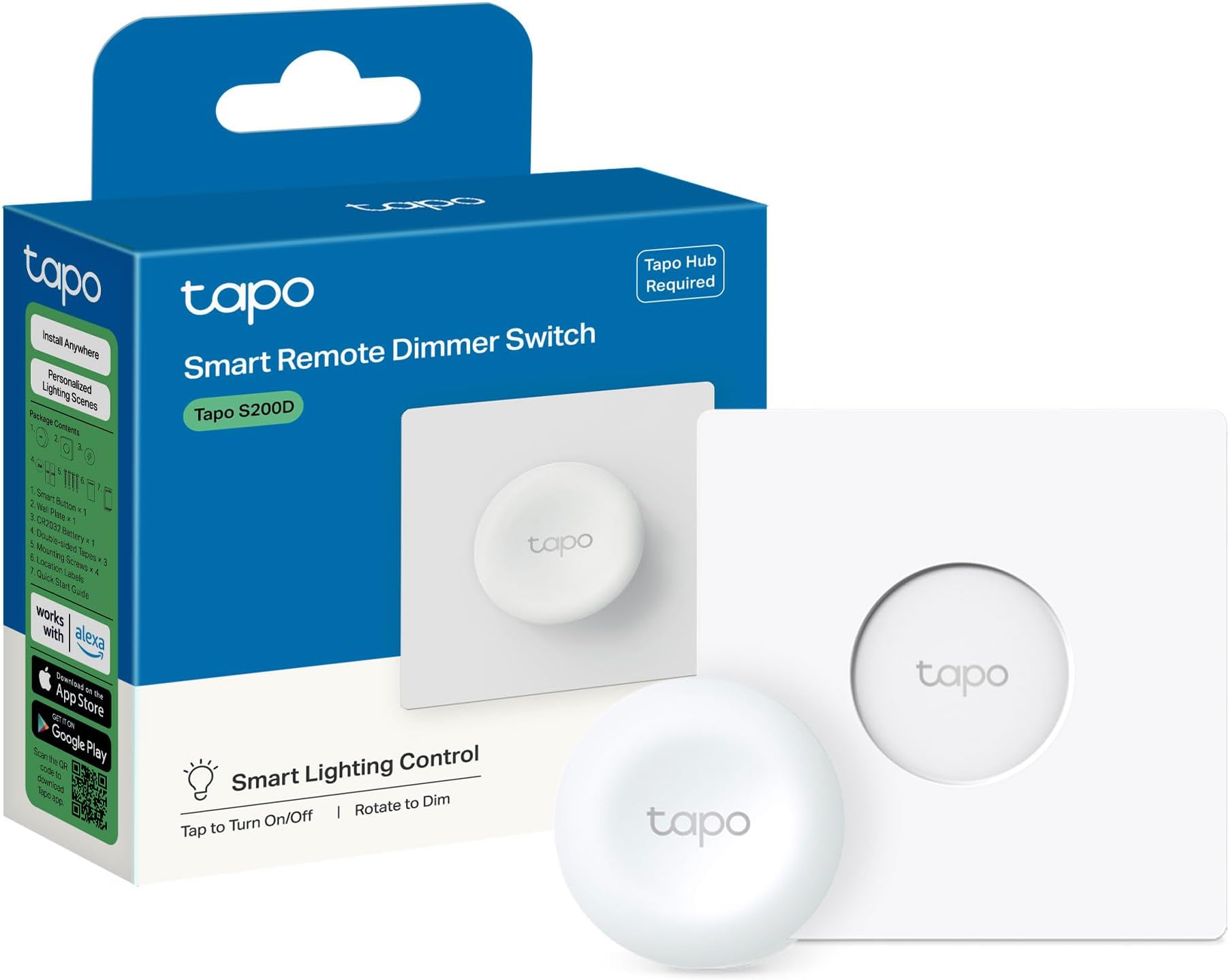


| ASIN | B0BLZDZ67X |
| Batteries Required? | Yes |
| Batteries included? | Yes |
| Battery Cell Type | Lithium |
| Best Sellers Rank | 2,244 in DIY & Tools ( See Top 100 in DIY & Tools ) 26 in Switches & Dimmers |
| Colour | white |
| Customer Reviews | 4.5 4.5 out of 5 stars (898) |
| Date First Available | 10 Nov. 2022 |
| Delivery information | We cannot deliver certain products outside mainland UK ( Details ). We will only be able to confirm if this product can be delivered to your chosen address when you enter your delivery address at checkout. |
| Finish | Dimmer |
| Included Components | Tapo S200D,Battery CR2032s,2× Mounting Screws, Wall Plate |
| Item Package Quantity | 1 |
| Item Weight | 120 g |
| Item model number | Tapo S200D |
| Manufacturer | TP-link |
| Number of Pieces | 1 |
| Part Number | Tapo S200D |
| Pattern | Single |
| Product Dimensions | 4.35 x 4.35 x 1.69 cm; 120 g |
| Style | Smart Remote Dimmer Switch |
| Switch Type | 1-way |
| Wattage | 600 watts |
S**J
Easy to set up and perfect for controlling multiple lights
I have two Tapo S200B smart buttons, one controlling three lights, the other controlling two lights and a dimming function. Setup was very straightforward through the Tapo app, and the buttons are highly responsive. I love that I can customise each button to control different scenes and devices. The rotation could be set up to do other things than just control dimness. Pros: Easy installation Long battery life Highly customisable actions Cons: Non yet This is a great addition to any smart home setup. They are pretty quick and responsive. It simplifies controlling multiple lights with a single click and is very reliable once configured, and can be added to home assistant.
A**R
Tapo have nailed it - well done!
Tapo nailed it the button. I've tried so many different smart switches, needed something to work with alexa routines and home assistant but all have been tricky to set up and unreliable. something that should be so easy so many smart home companies got it wrong. Tapo have created a product that is reasonably priced , stylish , easy to set up, rotate , click and double click functions , reliable and works with alexa and home assistant. these will be my go to smart switches. well done tapo.
A**W
Tapo, does the job, don't look any where else.
As always, Tapo never fails to disappoint. Easy to set up and install. I have several of these for automations and they do what they are required to do. Only downside is they appear hard to find at the moment or would purchase more. Appears to be long waits for availability and delivery.
D**R
A Smart Switch That Doesn't Look Out of Place
As someone who has been slowly building a smart home, my biggest pet peeve has been the look of most add-on switches. They often look like temporary buttons stuck on the wall. The Tapo S200D dimmer is one of the few that gets it right. Its major selling point is the wall mount, which is designed to seamlessly blend in with traditional UK light switch plates, giving it a clean, professional, and permanent look. The Good: The design is sleek, modern, and unobtrusive. It looks fantastic and elevates the feel of the room rather than cluttering it. Functionally, it works exactly as you'd hope. The dimming is smooth, the button is responsive, and once set up, it's been very reliable for controlling my lights. It's a simple and effective solution for adding dimmer capabilities without needing an electrician. The Downsides: However, there are a couple of significant drawbacks to consider. Firstly, the battery life is disappointingly short. Be prepared to change the battery more often than you'd like, which can become an annoyance over time. Secondly, and more importantly for newcomers, is its limited compatibility. This switch is not a standalone device; it requires a Tapo Hub to function. If you're not already invested in the Tapo ecosystem, this adds an extra cost and setup step. It won't work with other systems like Philips Hue or directly with Alexa/Google Home without its dedicated hub. Verdict: If you are already a Tapo user and prioritise aesthetics, this is an excellent, almost essential, addition to your setup. It solves the "ugly smart button" problem beautifully. However, if you're not committed to the Tapo ecosystem or are concerned about the upkeep of changing batteries, you might want to look at other options.
A**S
Tapo Smart Button
These smart buttons are so handy. I have this one on my bedside table and have it set up to come on at 6% brightness and warm white so it’s a perfect night light, I also have another smart button on the wall to control the same lights but when that one is pressed it comes on at 100% brightness and neutral/day light. Pretty easy to set up and customise. The connectivity is really good and the lights come on instantly. Highly recommended
B**E
Good value but with some drawbacks
These are inexpensive, well made and quite attractive devices that work well for the most part, but there is an additional initial cost because you must also buy a hub, although this is a once-ever purchase. Setup was straightforward and I was able to easily control some TP-Link Tapo lightbulbs. So far, so good - but any potential purchaser needs to consider a few drawbacks. The most significant of these is that they must have an internet connection to work, despite using their own RF wireless connectivity that works independently of your home wifi. This means that these switches don't work if your internet is down, although you can always revert to using your original dumb light switch as you did in the old pre-smart days. I installed this setup for a disabled friend as it seemed a no-brainer solution to his mobility problems - he is wheelchair/bed-bound. All was well until he suffered a couple of brief power cuts which disabled the TP-Link hardware and I had to visit to reset and relink everything again - this means that resilience isn't a strong feature. This wouldn't matter to me, but it was a real problem for my friend who had no chance of repairing his setup. I bought the buttons with the TP-Link wall-mounting plates that the buttons fix to by magnetism. This seems like a good idea, but this magnetic link can fail - if the button slides diagonally, which it can easily do, especially if the user is elderly or clumsy, the button will just fall off the plate. I had to fashion a homemade retaining border to prevent the button from sliding around. To clarify, sliding the button vertically or horizontally causes a fairly strong self-centering effect because of the way the magnetic fields interact, but diagonal movement can nullify this action as it causes the fields to be misaligned. This is not an issue if the user is careful and able-bodied. And finally, access to the battery compartment is via a fiddly cover on the rear of the switch. This means that you can't really mount it, other than by magnetism - this might be an issue for some. I hope that this review is helpful to some potential users.
T**S
Tut genau, was er soll.
A**C
PAY ATTENTION if you are seeing this item listed on the North American market. The item I received was the European version. It is not mentioned anywhere, but it is actually crucial. The seller is in the UK, or at least ships from the UK. The version is omitted from the listing – maybe intentionally or they may simply be clueless, but before purchasing any TP-Link devices from them, you need to make sure they are NOT the European version. Unless your hub is also a European model, you will not be able to pair them together. These devices were made to use different frequencies according to the region they were intended for. This comes directly from TP-Link. It will come up in the web searches when you’ll try to figure out why you are not able to pair your new device. I’m not sure if links are allowed in reviews, but you can simply copy and paste the following in any search engine: “What Should I Do if My Tapo Sensors or Buttons Won’t Connect to My Tapo Hub?” They also provided a few photos in there, so you can easily understand what to look for. Just in case, I will repeat TP-Link's instructions here as well. It’s very easy: to check what region the device was intended for, simply locate the Model NO, either on the back of the box or the device itself. In both cases it will be written above a barcode. The region code will be at end of the Model NO, in brackets. For this item in particular, it looks like this: “MODEL NO. Tapo S200B(EU).” You should see EU (Europe), US (North America), or some other 2 letter code. They are “region” specific, not country specific, so don’t expect a CA for Canada, for example. AGAIN: you need the same 2 letter region code on both the hub and the device you want to pair to it, or else they will not “see” each other. PLEASE do not take the information above for granted. My intention is to point you in the right direction, but do you own research before purchasing. Look at your hub’s model number, ask questions, ask the seller, ask TP-Link customer service, etc. Good luck!
J**R
Perfectos para controlar enchufes inteligentes desde cualquier sitio.
E**I
Hola! Pense que se podria utilizar para activar y desactivar la alarma a la entrada y salida de la casa... pero no te da la opcion nada mas que de activarla por lo que puedo ver...
D**O
Semplicissimo da configurare e da associare alle varie automazioni possibili con gli altri dispositivi TAPO
Trustpilot
2 weeks ago
1 month ago