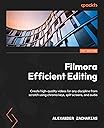
Filmora Efficient Editing: Create high-quality videos for any discipline from scratch using chroma keys, split screens, and audio
Product ID: 498577500
Desertcart purchases this item on your behalf and handles shipping, customs, and support to Hong Kong.
Unleash creativity in your next video editing project using Filmora, with key images printed in color to help you create videos of all genres Key Features: Learn how to create an animated intro from scratch Enhance videos with more than 800 stunning effects, animations, advanced filters, and much more Use filters, transitions, and titles to make videos fun Book Description: Whether you want to create short films, YouTube videos, music videos, or videos for any social event, Filmora is a powerful, innovative, and user-friendly video editing software that you can use for all this and much more! Filmora Efficient Editing is a comprehensive introduction for those who are new to video editing as well as those looking to transition to Filmora. The book starts by helping you develop an understanding of video editing and Filmora's interface and gradually takes you through adding sources and exporting your first project. Next, you'll learn how to make your videos engaging and fun using audio, personalization, the split-screen function, and Chroma keys. You'll understand how to plan as well as create your videos using Filmora from scratch. With simplified concepts, steps, and real-world editing examples, this book covers applications such as YouTube, animated intros, professional marketing videos, and industry-standard tips. By the end of this video editing book, you'll have learned how to use Filmora's powerful tools and functionality to create high-quality and professional videos from scratch. What You Will Learn: Navigate Filmora's interface with ease Add and manipulate audio using audio tracks Create high-quality professional videos with advanced features in Filmora Use split screens and Chroma keys to create movie magic Create a gaming video and add humor to it Understand career prospects in the world of video editing Who this book is for: This book is for novice video editors looking to create YouTube videos or promotional videos for products or events, or someone looking to use Filmora in a professional setup. This book majorly focuses on the Windows OS, however, key bindings for Mac are also provided as Filmora works the same for Android and iOS. To get started with this book, all you need is a computer and the Filmora 11 software. Review: Books is very short topics - This book is very short topics Review: Oh no! - It’s not what I had expected! I was quite let down.
| Best Sellers Rank | #678,237 in Books ( See Top 100 in Books ) #57 in Mac OS X #434 in Operating Systems Textbooks #707 in Operating Systems Books |
| Customer Reviews | 3.5 out of 5 stars 13 Reviews |
D**N
Books is very short topics
This book is very short topics
A**R
Oh no!
It’s not what I had expected! I was quite let down.
D**O
DOESN'T HELP MUCH
This helps a little bit. But there isn't enough information to be truly helpful. Fortunately, Wondershare provides excellent support via email. They have helped me learn how to transfer the skills I gained using the grossly overprice Camtasia to Filmora. But I don't make complicated videos. I make videos to use in the online courses I teach, and they are basically PowerPoints with voiceover. Filmora is a fantastic bargain at $80 for life as opposed to Camtasia's $179 a year.
Trustpilot
3 days ago
2 weeks ago