Desertcart purchases this item on your behalf and handles shipping, customs, and support to Hong Kong.
🚀 Elevate your workspace with power, speed, and stunning visuals — because your desk deserves the best!
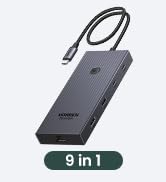
The UGREEN USB C DisplayLink Docking Station is a professional-grade 9-in-1 hub designed for MacBook and Windows users seeking dual 4K@60Hz display support, ultra-fast 10Gbps data transfer, and 100W power delivery. It features versatile HDMI and DisplayPort outputs, multiple USB ports, and Gigabit Ethernet, all wrapped in a compact design that streamlines connectivity and boosts productivity. Driver installation enables extended display modes, making it ideal for multitasking professionals who demand seamless performance and rapid charging in one sleek package.


| ASIN | B0BLNCNCMZ |
| Best Sellers Rank | #1,371 in Computers & Accessories ( See Top 100 in Computers & Accessories ) #146 in Laptop Docking Stations |
| Brand | UGREEN |
| Built-In Media | 1x 9 in 1 USB C Docking Station, 1x Installation Device, 1x Manual, 1x USB-C to USB-C Cable |
| Color | Black |
| Compatible Devices | MacBook Pro, Macbook Air, Dell XPS, Surface Pro, and more (Driver installation required for display and network functions) |
| Customer Reviews | 4.2 out of 5 stars 954 Reviews |
| Global Trade Identification Number | 06957303899128 |
| Hardware Interface | USB 3.2 Gen 2 |
| Item Dimensions L x W x H | 6"L x 3"W x 0.9"H |
| Item Weight | 510 g |
| Manufacturer | Ugreen Group Limited |
| Mfr Part Number | 90912 |
| Model Number | 90912 |
| Number of Items | 1 |
| Number of Ports | 9 |
| Product Dimensions | 6"L x 3"W x 0.9"H |
| Total Number of HDMI Ports | 2 |
| Total USB Ports | 4 |
| Total Usb Ports | 4 |
| Warranty Description | 24 months |
| Wattage | 100 watts |
U**D
Easy to setup, works as advertised
I'm not using this device exactly as intended, I have a somewhat different scenario so I thought I would share my success in case it helps anyone. I have an LG 5K monitor and an ultrawide, and a Caldigit Thunderbolt dock. The 5K has to be connected via Thunderbolt, there are no other options for connecting this monitor. For the M1 Air, you have two Thunderbolt/USB-C ports so you can connect the 5K directly in one port, and then this device (UGREEN's DisplayLink adapter) can go in the second port and then you can connect the monitor to that, and it would work fine (I tested this). However as you can see from my images above I wanted one cable to connect and disconnect my peripherals. So my setup has the thunderbolt wire connecting to the laptop providing power, and data. That wire goes to my Thunderbolt Dock. From there, the passthrough Thunderbolt goes to the LG 5K (on the right). The USB-C port on the Thunderbolt Dock goes to this UGREEN DisplayLink adapter. Then my second monitor connects to this DisplayLink adapter. I've connected it with both HDMI and DisplayPort and both work without issue. However I'm using DisplayPort just because I feel it provides the best picture. Steps: 1. Plug in Adapter 2. Click "OK" when MacOS asks if you are fine with using this accessory 3. Find the folder in Finder or on your desktop that has the driver (see 3rd image) 4. Install driver 5. Second display should work (without restarting it). Huge disadvantage as pointed out by another user: Playing movies and TV shows from protected sources will NOT work. For example, AppleTV app, Netflix on a browser, Vudu on a browser, they will all not show any visuals anymore. I imagine this is because all that software is design to prevent people from ripping the media and this DisplayLink software probably gets flagged by its protection scheme, but I'm not sure. It didn't matter if I moved the video over to my 5K monitor which is connected via Thunderbolt, because the DisplayLink is turned on, the visuals don't work. Now what's nice is, if I do want to watch a movie, I can simply hit the power button on this UGREEN DisplayLink adapter and it turns off the device, and then the movies work. So if you watch a lot of movies and TV from legit sources, then this will not help unless you're willing to turn it off and just have one monitor work, which is possible in my setup because the first monitor doesn't connect through this device. It may not work for you.
M**.
Revolutionized and Organized my Desk!
Revolutionized my desktop layout! I had an older docking station, with a LOT more ports, but I don’t need them any longer. This docking station has enough connections, actually one more, than I need. It allows pass-through USB-C power for my M1 MacBook Pro (can use the M1 magnetic power or USB-C power). It supports two displays by HDMI or DP. It allows A-B-C type screen extension, not simple mirroring, which I take full advantage of. I coupled this docking station with a high-capacity USB-C charger, and from the charger run power to the docking station, a second line to my external monitor, and a charging cable for my iPad and phone. Using the USB-A, I have my Time Machine drive connected for backup. It was easy to set up and, as of today, is working perfectly. One cable to connect to my M1 for power, Time Machine, Ethernet (oh, yeah, 1Gb Ethernet), and external displays.
R**N
Works great, use a dedicated 100w charger.
Works fine with my corporate supplied m5 mbp. It already had display link installed. One thing to note, use a dedicated power supply (I picked up an Anker 100w usbc supply). Before that I was using a 120w supply with three ports, which I also use for my ipad and headset charging. That supply seemed to glitch when I plugged in my iPad or headset, causing the power to cycle to the dock. This blanked the screen and disconnected my ethernet (this caused my rdp session I had open to disconnect). Once I replaced it with the Anker supply it's been rock solid for 2 days.
M**.
Works with the base m1-3 chips and works great.
I have a macbook pro m2 chip. Unfortunately the base m2 chip only supports one monitor natively. I've seen a bunch of reviews on displaylink saying its buggy so I was a little worried because one of my monitors is set up vertically so I wasn't sure if it was going to work. Setting up the dock was super easy, when you first connect it to your computer a drive pops up named 'driver' and it includes the link to the download for displaylink. Once you download it, it launches and works without further setup. Since I have a vertical monitor I had to change the rotation in the settings, I first tried the macbook display settings but I couldn't get it to work. I turned to the displaylink manager but I couldn't get the application to open, it was just running in the background. So if you want to access the UI its at the top right hand side you'll see the little icon, I didn't know this at first. My experience so far using it for a few days it's been working fantastic I'm not experiencing much glitchyness or lag or delay at all and it's been working well. As for the dock itself the build quality is good and it performs well, however as according to other reviews as well it runs pretty hot which does hinder performance. What I did is I got a little desk fan and I have it pointed down at the dock and it works perfectly the dock doesn't get hot at all and everything is at optimal performance. The only thing is I wish it had more usb ports there's only 2 at the front for me to plug in my mouse and webcam, I had to connect my keyboard with bluetooth and I have the fan plugged into my pc so a few more ports would have been nice. I'm probably going to get a usb c hub to plug into the usb c port to get a few more usb ports. This saved me a lot of money because the only other way you can use 2 monitors with a macbook natively is by getting the newer pro or max chips and I don't want to upgrade to the m4 yet since my m2 is running strong.
N**L
Good product
Good as expected
K**R
Don’t buy this brand, here is why.
The manufacturer of this device and of any other device they make will not provide technical support for people who purchased their products from Amazon. You must contact the seller for technical support. The seller and the manufacturer are not the same. Once your return date has passed, you should not expect to get any response from the seller. Therefore, you will receive zero technical support for this product. With regard to the product itself, the screen flickers in and out in some situations on a MacBook. It also mounts a drive to your computer containing nothing but links to drivers. If you eject or unmount this drive, it just remounts immediately. So you will never get rid of that drive. Again, the only thing on this drive are links. Except if you’re on windows, in which it has an auto run file… Which is probably going to run something every time you start your computer… Virus? You are much better off buying one that is just a few dollars more from a company that is reputable like Pluggable. That is what I bought to replace this one that I bought.
K**O
Works weel
This works week with my Mac book Pro and two 32” Samsung monitors. I have it at the office and one at home too!
A**J
Fails on high-GPU usage with macOS
If all you need is a basic dock to run two displays for simple office work, it'll work fine. However, due to how DisplayLink works, if your GPU gets bogged down, as it will during gameplay, heavy rendering, etc, this dock will not work whatsoever, and will simply cut your displays off and put the Mac to sleep. ONLY get this if your only use case for your Mac is something that will barely stress the GPU.
R**H
PERFECTO
Me ha solucionado perfectamente poner dos pantallas a mi Apple M1 y con salida de 10 g para disco duro. Botones de encendido y carga a la vez el ordenador. Material de aluminio y perfecto. Espero que dure tiempo
R**L
Very good for two high screens and lots of harddrives
It was simple to install. Works instantly. Absolutely hazzle free.
A**A
Excellent displaylink dock. Works great with M1 Macbook Pro
I have an M1 Macbook pro ( the one with the ill fated touch bar) and while I love it for most use cases, it has the annoying limitiation of only supporting one external monitor. Fortunately DisplayLink software comes to the rescue and allows me to plug in up to three monitors with a DisplayLink dock. I had bought another brand dock before and this Ugreen dock was to replace it after it burned out. I couldn't be happier and this feels like a huge upgrade. My other dock didn't support full 4K resolution on output and the ports were also not as good. This one has all multiple USB C ports and a dedicated USB C for powering my mac so I really don't lose any conectity by using this on one of my ports.
B**E
Sehr gut, 2 zusätzliche externe Bildschirme am MacBook Pro M4
Ich war auf der Suche nach einem Dock, mit dem ich zwei externe Bildschirme am MacBook Pro M4 zusätzlich betreiben kann. Da ich mit Icy bisher gute Erfahrungen gemacht habe, fiel die Wahl nicht schwer. Nur leider scheinen die dazu übergegangen zu sein irreführende Angaben zu machen. Somit waren statt der beworbenen 3 externen Bildschirme nur einer möglich. Ich bin letztlich nun bei diesem Dock gelandet. Es hat lange nicht so viele Anschlussmöglichkeiten, aber ich kann zum internen Bildschirm zwei externe über einen USB-Anschluss betreiben. Nachteil ist die Treiberinstallstion von Synaptics Displaylink. Dabei bitte beachten: erst Treiber installieren, dann Dock anschließen und in den Einstellungen die Bildschirme anordnen/auswählen. Ich hab es männermäßig angeschlossen, dann installiert und geärgert, weil kein Bild kam. Falls euch das auch so geht: nochmal abklemmen und neu verbinden. Treiber gibts bei Synaptics (displaylink-manager-graphics-connectivity-150) oder einfach nach Synaptics Display Link Manager googeln. In der Anleitung steht nämlich nix davon, wo man den her bekommt. Info: den Link kann ich leider nicht teilen, da sonst die Bewertung nicht veröffentlicht wird. Kurz und knapp zusammengefasst: Verarbeitung ist sehr gut, Dock lässt sich auch ohne Netzteil betreiben, mitgeliefertes Kabel ist lang genug und von guter Qualität. Preis ist mit über 120 Euro happig, aber es funktioniert halt.
T**P
Great addition to all Mac users
Very happy with this product. Allow Mac to have 2 Monitors, stable Ethernet connection
Trustpilot
3 weeks ago
3 weeks ago