


โจ๏ธโก Power your productivity and play with wireless precision!
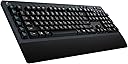
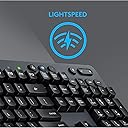
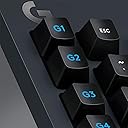
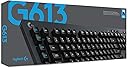
The Logitech G613 Lightspeed Wireless Mechanical Gaming Keyboard combines ultra-fast 1 ms Lightspeed wireless technology with durable Romer-G mechanical switches rated for 70 million clicks. Featuring dual 2.4 GHz and Bluetooth connectivity, 6 programmable macro keys, and an impressive 18-month battery life, itโs designed for professionals and gamers seeking high performance without compromise. Its robust build and quiet tactile feedback make it ideal for both intense gaming and efficient multitasking.





| ASIN | B07796MBJ7 |
| Additional Features | Bluetooth, Wireless |
| Antenna Location | Gaming |
| Best Sellers Rank | #71,032 in Video Games ( See Top 100 in Video Games ) #370 in Mac Gaming Keyboards #1,108 in GEM Box Microconsole #3,169 in PC Gaming Keyboards |
| Brand | Logitech G |
| Built-In Media | 2 AA Batteries, G613 wireless mechanical keyboard, LIGHTSPEED USB receiver, Phone stand, USB Cable, User documentation |
| Button Quantity | 107 |
| Color | black |
| Compatible Devices | Gaming Console |
| Compatible Operating System Family | ChromeOS, MacOS, Windows |
| Connectivity Technology | Bluetooth |
| Customer Reviews | 4.3 out of 5 stars 6,077 Reviews |
| Enclosure Material | Plastic |
| Global Trade Identification Number | 00097855135285 |
| Hand Orientation | Ambidextrous |
| Item Dimensions L x W x H | 18.82"L x 8.5"W x 1.33"H |
| Item Type Name | Logitech G613 LIGHTSPEED Wireless Mechanical Gaming Keyboard, Multihost 2. |
| Item Weight | 3.1 Pounds |
| Keyboard Description | Gaming |
| Keyboard Layout | QWERTY |
| Language | English |
| Manufacturer | Logitech |
| Mfr Part Number | 920-008386 |
| Minimum Required Operating System Version | ChromeOs 134, Windows 10 |
| Model Name | G613 Wireless Mechanical Gaming Keyboard |
| Model Number | 920-008386 |
| Number of Batteries Required | 2 |
| Number of Keys | 104 |
| Power Source | Battery Powered |
| Processor Count | 1 |
| Recommended Uses For Product | Gaming |
| Special Feature | Bluetooth, Wireless |
| Style Name | Keyboard Only |
| Switch Type | Tactile |
| Theme | gaming |
| UPC | 097855135285 |
| Unit Count | 1.0 Count |
| Warranty Description | 2-year Limited hardware warranty |
| Water Resistance Level | Not Water Resistant |
M**)
Just... Wow!
I was on the hunt for a good wireless keyboard that i could with my laptop in the livingroom. I have a setup with a monitor that i can lift up from between the couch and the table and position to my front left so i can use the computer for work and play at home, or to just browse the internet while watching TV. Finding a good keyboard that can do everything was hard! I also have 4 kids that like to destroy things so i needed something tough. Everything i found was $200+, except for this 79 dollar beauty. So the first thing is that i paid $79 for this keyboard 8 months ago, at this price i would expect that its not going to have all the features and functionality of a $200 keyboard, there has to be sacrifices. Its also important to note that Logitech's website says the MSRP for this is $149.99, I wouldn't pay that much for this keyboard. Pros first: 1) The keys are nice and springy, definitely not for everyone. People that are used to certain kinds of cherry switches may dislike these. For myself, i think they are good... This keyboard does well for gaming, for typing, and for everything i've used it for... I can type 150+ WPM with my normal every day typing speed landing anywhere between 100 and 120 WPM. The keyboard on my gaming desktop is the Corsair K95 (with 18 G keys) and uses the Cherry MX Brown switches. I think i like using these a little bit more. 2) Its mechanical! This means key presses will be more consistent due to higher quality parts (talking about actuation distance, pressure to actuate, etc...) and its going to last longer. Its like getting more for your money! 3) There's a bunch of G keys that allow you to record custom macros for games where you may need it. 4) Volume and media controls that can be pressed without having to press a Fn key. 5) Bluetooth AND Lightspeed technology! Of course, use Lightspeed, only use bluetooth if you have to. Lightspeed gets you 1ms response times, essentially matching the speed of corded keyboards! 6) Its built tough! The keyboard has already been flung off my lap, sat on, kicked 3 feet, and jumped on multiple times by a 35lb toddler. Cons: 1) The volume up and down should be a roller not buttons. 2) While the mechanical keys work well (they are Romer G Tactile), they can sometimes sound like little bells with some of the extra noises they make when quickly removing your finger from a key after pressing it. Every time i hear it, i feel like it might be super cheap and break, but it just hasnt yet (which is great!). 3) The wrist rest does not come off. This can be a deal breaker for some people! For me, i like this and it gives me something to easily hold on to when moving it around. I prefer this for my current setup but most setups will not like this. 4) Lights for Caps, Scroll Lock, and Num Lock. There's no Num Lock and Scroll Lock lights, its caused me a bit of confusion a few times and i still havent gotten used to it but i realize quickly each time when something goes wrong that i just need to hit the button again to fix the issue (like num lock). When it comes to the Caps Lock button, there's a square shaped light at the top for this and a battery light next to it. I can never remember that the other light is a battery light so when i toggle caps, i see one light on and the other off and im not really sure which is which so i find myself toggling caps lock multiple times often just to get the light right. If this was the only keyboard i used, i probably wouldnt have this issue. The labels below these lights are incredibly hard to see too, they are black text on a dark gray background, terrible contrast. 5) No lights! Lights on a gaming keyboard should not be optional. They should always have them! In this case, because this is a cheaper keyboard, i would only expect white lights... However, back to that $150 price tag that Logitech originally wanted, you can find other gaming keyboards of comparable quality and more features at that price point. This is a big no-no on this keyboard in my opinion! I didnt reduce stars still because backlighting on a keyboard is rarely a necessity. The light from a monitor will almost always light up the keyboard just fine, but with some setups, the keyboard is in a drawer which is blocking the light when pulled out. Final Verdict: I still give this keyboard 5 out of 5 stars because its a great deal at this price point. A good gaming keyboard with these features is hard to beat at $80. I wouldn't pay more than $99.99 for this keyboard. Once you pass the $100 mark, there's plenty of other keyboards that can exceed this one.
J**E
I liked the first one so much, I bought a second one. We use these in our office. No gaming.
My wife has a bookkeeping business and uses her computer 10+ hours per day. She's always used the keyboards that came with her computers, so she has never experienced excellence. I bought a G613 for my own use (I do zero gaming) because I wanted a mechanical, wireless keyboard. The fact that it uses AA batteries is a HUGE plus for me, because I do not want to have to charge it like a cell phone. In the 1970s and early 1980s I used an IBM Selectric typewriter, and then later I used IBM buckling spring keyboards with my PCs. Those were great keyboards. This G613 is not similar to a buckling spring keyboard, but is truly wonderful to type on, in its own way. The keys actuate smoothly, consistently and precisely. I can detect the spring "twang" that some complain about, but it doesn't bother me (or more importantly, my ultra-sensitive wife). The G613 is a very high quality, professional looking and feeling keyboard. Very solid, substantial construction. It's heavy, but in a good way. So after I used my G613 for awhile, I really was loving it and raving about it. My wife was looking longingly at it, so I gave it to her and got another one for me. She loves the key actuation, as much as I do. She also has commented on the obvious high-quality construction and materials. And, she really likes the way it looks. She loves the spacing and feel of the ten-key pad. Everything that seems to make this a good gaming keyboard makes it a superb office keyboard that gets constant use, day in and day out. I really feel that Logitech should take the G613, remove the "G" keys and with NO other changes make it the K613. Keep the Lightspeed connectivity and the Bluetooth capability. In my case, I discovered the G613 by accident. I was ready to pull the trigger on the K840, but I was really hesitating because it was corded and I don't want cords on my desk. I did a search on Amazon for a Logitech wireless mechanical keyboard and the G613 came up! If I stayed on Logitech's website I would never have found it, for I would never have gone to the gaming section of their site. Though categorized as a gaming keyboard, it doesn't look like one. I was relieved to see that it was not a flashy design and didn't have the pachinko palace (garish in my eyes) lighting. This is a mature, professional, elegantly designed keyboard. I truly believe that it is mis-marketed. This is NOT a membrane keyboard. It uses Romer-g black switches, which are very precise and smooth in their action. After I installed the firmware update, there has been no delay in typing upon waking. I wholeheartedly recommend the G613! So does my bookkeeper wife!
C**E
Great keyboard overall for my needs
I bought this keyboard because I was looking for a wireless mechanical keyboard. My desk very small and I'm trying to reduce clutter and cables all over the place. I have a wireless mouse and an external monitor that connects to my laptop via a single USB-C. The wireless keyboard I was using before wasnt really good at all, and I wanted the mechanical switches. I am NOT a gamer, but I do like to play extremely casual games every now and then for leisure. This keyboard doesnt have the greatest mechanical switches. They arent the Cherry Red or Blue MX switches that most people want and love. But obviously for this price range, I knew what I was getting. These Romer G switches are kind of "heavy". I would say they take about an average-to-slightly about average amount of force to actuate each switch. Overall, the switches for my purposes (mostly text documents, Excel, Word, online forums) do just fine and they do feel better than a normal non-mechanical keyboard. There are media hotkeys in the top right corner, capslock and battery light indicator, buttons to switch to bluetooth or receiver mode. A lot of people in reviews complained about the feeling of the media keys. While I agree they are pretty lame feeling buttons.....how often are you pressing them? To adjust volume and mute every now and then, you dont need super high quality keys. I think they are just fine for the function. The gaming special keys as well (G1-G6) are probably helpful if youre a gamer. I wouldnt know. But in Adobe Premier, I have already programmed a couple of them and they have turned out to be pretty helpful. I just need to get used to where the ESC and G1 keys are. They are right next to each other and very often when I want to press ESC, I accidentally press G1. Thats kind of annoying. If you want the super fast lighter switches of Cherry Red, Blue or even Brown, then obviously you need to spend more. As Im writing this review, the price of this keyboard is now $89.90. I guess I got a steal because I bought this when it was $59.99 and I didn't even realize that was a discounted price. If you can find it at a similar price that I bought it, then definitely go for it. Keep in mind this keyboard has no backlighting or RGB. If it had just a single white backlight that wouldve been much appreciated but oh well. Around $90 I'd probably just look for those $110-120 keyboards because theyll have better switches and backlight but may not be wireless. Wirelessness: This is the main reason I got this keyboard. Ive noticed no significant lag when working. But again, Im not a gamer so I cant comment on its performance for that. I use bluetooth because I like keeping my USB ports open. So far the keyboard connects quickly and seemlessly when I turn it on. Never have had it drop connection. I have no problems there. The wirelessness of this keyboard gets a 5 out of 5. It also has an easy ON/OFF switch on the side thats great for saving battery if you remember to turn it off (which I quite often do) Materials: Its all made of plastic but it feels extremely sturdy and is quite heavy. Sweaty palms and oil stains have yet to show up on this (about a month of use so far). Quality is just fine there and the matte black and grey colors are good if you need to use this in a business setting. No obnoxious red accents or anything. The biggest critique or annoyance I have with this keyboard is the NONREMOVABLE palm rest. I appreciate that its included with the keyboard, but couldnt they make it removable? Especially if youre like me and already have a palm rest that you enjoy using and when youre feeling like it....enjoy NOT using. Sometimes I dont want the palm rest. The fact the palm rest is stuck to this thing is quite a bummer. It doesnt ruin my experience with the keyboard but it does make me kind of annoyed when Im moving it around or want to use it without it. It adds unnecessary heft and size. Like I said, my desk is already small, and this keyboard takes up a huge space because of the stuck-on palm rest. OVERALL: If you dont mind the attached palm rest and if youre like me and dont really care for RGB backlit or super fast Cherry switches, and you just want a quality wireless mechanical keyboard that stays connected, performs well, and looks good for your at-home setup as well as at work, this is a great buy if you can find it for under $80ish. I do recommend this keyboard as long as you know what to expect when you bought it. I did my research and comparisons of a bunch of keyboards and am happy with my purchase. I knew the palm rest wasnt removable to begin with, but it is still annoying they couldnt just easily make it detachable. Good keyboard 4/5
S**N
Great Wireless Mechanical Keyboard
This keyboard ticks a lot of boxes. It comes with everything you need, and nothing you don't. Logitech's wireless technology is fantastic. I've never had any issues with disconnection or connection issues and this keyboard is no exception. Upgraded to this from a G910 Orion Spectrum, so I was already used to the key switch in this keyboard. For those who are wondering, this doesn't come with normal mechanical switches. These keyboards use Logitech's Romer-G switch. They're meant to be a tactile switch, which means there's a tactile bump you can feel when you type on the keyboard. The G910 I upgraded from already had these switches so these feel completely great to me. When it comes to the switches, you either love them or hate them. There's no in between. I personally love these switches. They feel good and they have a nice stock sound to them. The keyboard comes with 6 programmable macro keys, which is nice for a multitude of applications and are fully configurable in the Logitech app. The only complaint I have with this keyboard is that there is not any backlighting/RGB. However, it makes sense since its wireless and powered by AA batteries. All things considered, this keyboard performs fantastically and is quite great to type on. I definitely recommend this keyboard.
J**B
EVERYTHING WORKS!!!!!
I love this new keyboard. Just bought this the other day and also typing this review on it. Here are some things I've noticed about this: Pros: 1. Keys feel authentic (meaning in terms of mechanical feel) 2. My fingers glide pretty good on the keys. I don't have to press hard on the keys for them to register. 3. The volume up/down key work on my laptop, for those who really like this "laziness" feature. 4. The programmable keys work very well, but for those who don't use external apps to configure keyboard settings, the Logitech G Hub app that is downloadable off the Logitech website was a little hard to understand for me. This was my first keyboard I had to configure, so I had to watch some videos on YouTube to understand the app (P/C) 5. The response time it says on the product, 1 ms, lives up to its name. It's little to no delay when I'm typing on this, so I think any gamer or anybody working from home during these times would love a keyboard like this! 6. This keyboard has a well crafted feel to it, meaning it's not flimsy, pretty sturdy, and looks clean. Cons: 1. I got this keyboard not for its gaming purpose, but mainly for looks and specs, and the other media controls on the keyboard, Play/Pause, Stop, Previous Track/Next Track, do not seem to respond. Maybe I'm just being an idiot, but when I use them on an app like Spotify, the buttons specified don't work. 2. SInce I type fast, my fingers tend to slip onto other keys, sometimes hitting the programmable keys on the left. I tried using Game Mode on the G Hub app, and it won't let me select the programmable keys to turn off so I don't accidentally bump them while typing. Bummer, but I'll live. 3. Haven't found a use yet for the bluetooth feature, where you can swap devices easily with the touch of a button. Only have one computer, so this feature seems pretty useless to me. 4. The keyboard was heavier than I expected. Not like unbelievably heavy but I was shocked that this was 3 pounds! Not really important to me, but somebody might find this helpful. Overall: I love this keyboard! Some things may not work, but for its intended use, I think it's a keeper. I would definitely get it again
B**S
Update: Maybe avoid.
Update 08/08/24: I have several keys frequently double-firing now, most notably "I," and I may need to replace as many as eight switches that all started doing this to me at around the same time. Whetherr it's QC, longevity, or issues with both, I would recommend that anyone looking at this keyboard at least look a little longer to see if they can find something similar that ticks the same boxes. I haven't even owned this for a full year yet, and if I knew then what I knew now, I would've tried pretty hard to avoid this board. It was absolutely a good keyboard right out of the box, but if it falls apart a few months later, I can't call it even remotely good anymore. I grabbed this after missing a good mechanical keyboard, while not being too eager to deal with cables. If it helps anyone understand the situation, I use my desktop from a couch, rather than a typical desk situation. I just grabbed this, so I can't say a word about longevity; only out of the box impressions and gripes I've encountered over the past several days. There's plenty of long-term takes on this keyboard elsewhere here, so check those too. All they keys worked fine, the phone stand is an odd bonus item, but a welcome one that works well for the task and looks nice. It has a "gaming mode" switch to lock the Windows keys, and the media keys all feel nice to use. Having used a K350 for years, I don't doubt the battery life claims made for this for a second. It also feels really solid. It's about as hefty as a lot of other mech boards I've used in the past, and if you manage to flex this thing, you can probably at least get some cred for turning around and recording yourself ripping a phone book in half. Now onto the gripes, small as they are: the G keys are really close to the main keys, and their default mappings causes me more than a few headaches. G1-G6 are all mapped to F1-F6, and it's really easy to hit G1 by mistake while going for Esc, and G6 while intending to hit L-Ctrl. This is partly due to the way I find my position on the board without looking, as I'll always hunt for the bottom-left corner, rather than the nubs on F/J that are there for the same purpose. I know no one ever does it for anything but POS keyboards, but I think it'd be neat if someone would just put those above the F row instead of off to the side like everyone does. I know, might as well ask for a pony while I'm at it. Anyway, I disabled most of those for the moment using Solaar in Linux, and set G1 to Esc so I'll be right either way when I miss. I'll include those settings for anyone else in the same boat. For Windows, you have G Suite or the like for the same thing. I'm sure I might find a use for those down the line, and I can remap 'em later when I do.
R**L
An amazing keyboard!
TLDR: Its fantastic. Before buying this I was using a $10 Logitech KS120 keyboard from Walmart, which I loved. I had been leery of wireless keyboards for years because they were expensive and introduced latency. But when I read up on this and saw its claimed 1ms latency I was intrigued. That it was mechanical was icing on the cake. After using it for a few days I can say this is the best keyboard I've ever used. I love it. Typing on it feels great. The keys are not too loud too, which is a nice bonus for late night gaming/programming while my wife and kids are sleeping. I haven't done any measurements, but was not able to perceive any latency when playing FPS games. My favorite extra feature I didn't buy it but was surprised to have is quick switching between Logitech's proprietary low latency wireless and Bluetooth. This means I can pair to my phone and quickly type out a text message and then switch back to my PC. NOTE: You may, like I did, assume that the wrist base is detachable. It is not! However after using it for a few days I love it anyway. But if you're expecting it to be removable you'll be disappointed. There are no USB ports, but what do you expect, its wireless. I already have ports on my PC and my monitor anyway. It also has 10 key rollover which is fine, because I don't have any more fingers than that anyway. There is no RGB, which is a huge plus in my book. I wish there was a NumLock light though its only got Caps Lock. The only downside so far as been the Logitech software. You need to keep it running for the G1-G6 keys to remain useful - otherwise they revert to just being F1-F6. And I keep hitting G1 on accident so I had to map it to Escape. I had to install the new GHUB software, but that didn't support my old G35 headphones and mx518 mouse so those stopped working. Luckily if you dig for it you can find an old version of Logitech Gaming Software, version 9.02.65, and it supports both my legacy devices and this keyboard. Overall I'd highly recommend this for anyone interested in a good, relatively inexpensive (compared to others) keyboard who also want low latency and a not stupid keyboard layout.
G**9
Nice and sturdy! Finally a clicky keyboard thatโs wireless for us non-gamers!
Iโve finally found the perfect keyboard for me! I love clicky keyboards, but the only way to get one was to get one with a big ugly wire running across my executive style desk. My desk has no under mount keyboard tray, and that cord on my desktop drove me bonkers. Then, I found this little gem! It has a great clicky feel, and Itโs incredibly sturdy and well-made with some nice weight to it. Itโs not annoyingly loudโฆ when Iโm doing meetings for work, people canโt hear the clicks. Setup was incredibly easy as usual with Logitech. It was truly plug and playโฆ i found the USB receiver under the battery door (it comes with batteries), plugged it in, and the keyboard worked immediately. The only bummer is I loved the flashy color changing lights on my old keyboard, but it was purely aesthetic for me as I rarely need to look at the keys when I type. Iโm perfectly happy to trade in backlighting for long battery life with no recharging. I think this is a steal at the current price of around $75!
P**Y
Logitech G613 Lightspeed Wireless Mechanical Gaming Keyboard
Good seller, fast post, items as described, arrived within specified time frame, tks guys.
K**.
Good Quality
Very good quality, low latency. Doesn't have RGB which is a plus for me.
S**N
Fantastic typing and gaming experience
One year update: Still a great keyboard. A couple of keycaps have had the lettering wear off which is odd but not a huge deal, and I *rarely* get a double key press (I mean once every few days) - but still a 5/5 experience for me for sure. I'll come back and update this review in a year's time or sooner if I run into the dreaded double typing issues, but I'm risking it in the mean time as it's just such a great keyboard. The Romer-G keys are fantastic - I'm not sure why people describe these as mushy, or what they're coming from, but coming from my recent keyboards (clicky Outremu blue switches, and Gateron Pro Yellow) they feel just as good, if different. A fairly light key press makes typing for hours a pain-free experience, and for gaming of course w/ it's lightspeed connection it's among the fastest wireless keyboards you can buy. My ONLY issue is it's just a wee bit long, I could have done without the macro keys to save an inch width wise, but once I figure out how to utilize them properly I'm sure the trade off will be worth it. As with the Romer-G keys, people gripe about the wrist rest being too big and not detachable. This is a huge win in my book for couch gaming. 1. the wrist rest works well keeping your hands in a comfortable position (especially in a recliner with your feet up) and 2. the wrist rest doesn't rattle or accidentally detach. For the price at just over $100 CAD, it's a fantastic buy.
C**Z
Lo super recomiendo
Excelente opciรณn y versatilidad
D**L
Best keyboard available.
I wanted a wireless mechanical keyboard that was a full keyset, and had a separate off keymap set of keys which can be used that aren't just remapped number or F keys (all of which are in use). The G keys on this can be mapped to F13-F24 which allows for off-map keyboard functionality that doesn't require special hooks to work in programs like discord, and DO NOT INTERFERE with any standard typing/coding. Pros ----- * Very long battery life. (as a heavy user, i need to change batteries once every 4-6 months) * Has an on/off switch on the side - great for when AFK in a house with cats that like to lay on keyboards, and battery life. * Can connect to multiple devices, and retains communication with those devices. (works on my Mac, PC, Television, and even my iPhone) * Logitech software allows for customizing the keys G1-G6, which can extend to G12 via use of a hotkey/toggle. * WIRELESS. This is so important especially when you don't want wires running across your living room floor, but want to have use of a proper keyboard (tactile response, pressure, curves, height, pressure required to push, etc). * Very quiet for a mechanical keyboard. Cons ------ * I would have prefered a traditional Cherry MX (choice of color for type) for the switches, however this can be overlooked as the logitech variation isn't terrible. * Would be nice if the dongle could be shared with other devices like the MX Master mouse. * Having a backlight which could be turned on/off with another button (like the power button) or with power features like lighting up on first keypress would be nice additions. Additional ------ Can't say enough about the logitech software for managing the keyboard map especially the G keys. Most keyboards advertise as having separate keys however when you actually use them, they are just remapped F1-F12 keys, or number keys - so fake. For example the Steelseries pro, was the next closest to having real keys but they are not supported in anything and to use them you need to write a USB filter based on technical information they will not supply. VERY HAPPY WITH THIS KEYBOARD, AS A CODER, --- would buy another in a heartbeat.
Trustpilot
1 month ago
1 month ago