Desertcart purchases this item on your behalf and handles shipping, customs, and support to Hong Kong.
🚀 Elevate your home WiFi game—stay connected, stay ahead!
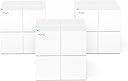
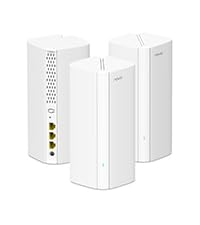
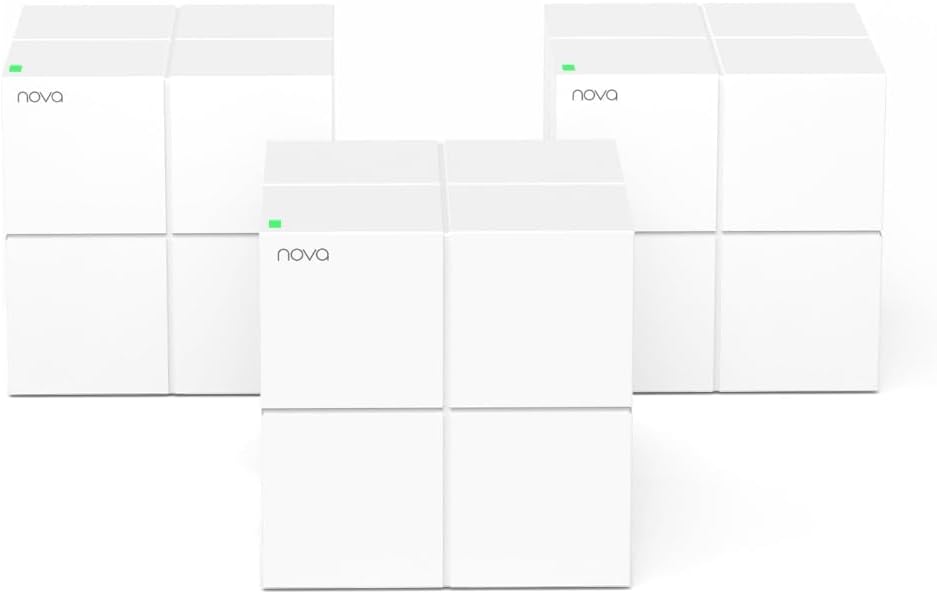
The Tenda Nova Mesh WiFi System MW6 3-pack delivers robust AC1200 dual-band mesh coverage for large homes up to 3500 sq.ft., replacing traditional routers and extenders. It supports seamless roaming across multiple nodes, secures your network with WPA2 encryption, and handles up to 90 devices simultaneously. Easy app-based setup and guest network features make it an ideal, budget-friendly solution for millennial professionals seeking reliable, whole-home WiFi.


| ASIN | B076JLJVTG |
| Antenna Location | Home |
| Antenna Type | Internal |
| Best Sellers Rank | #2,357 in Computers & Accessories ( See Top 100 in Computers & Accessories ) #77 in Whole Home & Mesh Wi-Fi Systems |
| Brand | Tenda |
| Built-In Media | Mesh3 x 3, Power adapter x 3, QIG x 1, RJ45 Gigabit Ethernet cable x 1 |
| Color | white |
| Compatible Devices | Smartphone |
| Connectivity Protocol | wi-fi |
| Connectivity Range | 6000 square_feet |
| Connectivity Technology | Ethernet, Wi-Fi |
| Control Method | App |
| Controller Type | google_assistant |
| Coverage | 6000 sq.ft |
| Customer Reviews | 4.2 out of 5 stars 9,038 Reviews |
| Data Transfer Rate | 1200 megabits_per_second |
| Frequency | 5 GHz |
| Frequency Band Class | Dual-Band |
| Global Trade Identification Number | 00885397270898 |
| Item Dimensions L x W x H | 3.94"L x 3.94"W x 3.94"H |
| Item Type Name | nova Mesh Wi-Fi System MW6 (3-pack) Total-Home Wi-Fi Coverage w/ 2 Gigabit Ports / Unit (router replacement) |
| Item Weight | 831 g |
| LAN Port Bandwidth | 10/100/1000 Mbps |
| Manufacturer | Tenda |
| Maximum Upstream Data Transfer Rate | 600 megabits_per_second |
| Mfr Part Number | MW6 |
| Model Name | MW6 3PK |
| Model Number | MW6-3 |
| Number of Items | 3 |
| Number of Packs | 3 |
| Number of Ports | 6 |
| Operating System | Android 4.0+ or iOS 8+ |
| Other Special Features of the Product | Guest Mode, Parental Control |
| Router Firewall Security Level | basic |
| Router Network Type | mesh |
| Security Protocol | WPA2-PSK |
| Special Feature | Guest Mode , Parental Control |
| UPC | 885397270898 |
| Unit Count | 3 Count |
| Voltage | 12 volts |
| Warranty Description | 3 Years |
| Wi-Fi Generation | Wi-Fi 5 |
| Wireless Communication Standard | 802.11a, 802.11ac, 802.11b, 802.11g, 802.11n |
| Wireless Compability | 802.11a, 802.11ac, 802.11b, 802.11g, 802.11n |
D**.
Great value mesh solution!
I am an experienced network tech and am more than happy with the Tenda Nova solution. First, price - I purchased two three packs for the special price of $120. One was for a neighbor and the other for me. A brief word regarding the two houses these units were placed in. My neighbor and I both live in Ecuador. Almost all houses here have concrete wals, floor, and ceilings. This makes connectivity throughout a house extremely difficult. My neighbors house is approximately 3,000 sq feet and relatively thin and long. Her ISP’s connection is at the extreme end of the house and she has never had reliable connectivity at the opposite end of the house. My house is a three story building. I have always had a wifi router placed in my attic, and a repeater on the first floor. The performance on the first floor was spotty AND streaming video in my TV room on the second floor (Roku) was inconsistent at best. Setup - I had already downloaded the Tenda IOS app prior to receving the units so I was ready to go. Plugged in the first unit and received a notification that it was using a DHCP connection in less than a minute. Then it was time to add the next two units. Because the Tenda units are pre-linked all that is required is that you locate the two companion units in a suitable location and wait while they boot up and connect. I have significant experience with Google Wifi and Eero and although I love both of these products their setup is a bit more involved. Also, because the Tenda units are pre-linked (and the notice to simply plug in the 2 additional units is rather small) users might try to use the Tenda app feature to add another Tenda unit (which will fail). Just follow the directions and plug the other two units in, check they have a good signal, and you’re good to go. Performance - living in Ecuador bandwith is expensive. My neighbor only has a low speed DSL connection at 5Mbps (on a good day) mine is a fiber connection at 50Mbps. Many of the online performance tests for the Tenda unit put them a little below or above the Google wifi product and below the Eero. For the speeds we have here in Ecuador the aggregate throughput of the Tenda is MORE than ample. In my neighbor’s house i had 100% wifi signal throughout the entire house. A solid 3.5Mbs on speedtest throughout the house (this is her typical wired performance with DSL). Similar experience in my house. A consistent 49Mbps everywhere. IOS App - the Tenda app is almost identical in look to the Eero application. I don’t like the upload/download indicators at the top of the Tenda app as much as Eero’s bandwidth testing results. Tenda’s app gives you an instantaneous measurement rather than a bandwidth test history (which I prefer). I also wish there was a restart option to reboot the units (although I haven’t yet had any need to reboot anything). Nice and simple app that gives you access to the basic things you need. If you’re a tech or advanced user used to a web based router interface with access to deep features this will be dissapointing but that’s not who or what this sytem (or Google wifi, eero, etc) is geared towards. Tech support - I have seen some negative comments in people’s reviews of Tenda’s tech support. I had no need to speak with technical support during or after purchase (yet). I did however contact them prior to purchase to ask some questions. Got through instantly. The agent realized my questions were more technical than she could answer and suggested I speak with an engineer who she promised would call back. Got a call later that day and got knowledgeable answers to my questions. In summary, the product in my experience is a great, low cost, mesh solution. Incredibly easy to install. Decent application. Good tech support. Great performance (for my situation). Amazing value for the money. Highly recommended.
P**W
First, no luck. Then, OMG This Really is an Effective Mesh Solution
If you want a mesh router for your house, buy the Tenda Nova MW6. I got tired of multiple routers and SSIDs and extenders. Be careful as some of the “mesh” products marketed over the past year are really just powerful extenders. Broad brush, the advantage of a mesh system is that you can more effectively use the 5 Ghz band to get stronger/faster throughput (over somewhat shorter distances) compared to the 2.4 Ghz (farther/weaker throughput/noisier “Wild West of WiFi”) band. I bought the Nova MW6 Mesh Router from Amazon. My review would have been 1 star. The Tenda product support team was superb and efficient in helping me to overcome a problem. (The problem I experienced may be common in the US so I explain it below.) For $200, Amazon ships. The product is 3 mesh nodes in an elegant box. The product delivers an elegant solution: • 802.11r (fast roaming) and 802.11v (as well as 802.11 b/g/n/a/c • Dual bands, broadcasting simultaneously in the 2.4 Ghz and 5 Ghz bands • You set up with an iOS app or Android app. • The suggestion is to keep nodes no more than 45 feet apart. However, I have 2 nodes that are at least 70 feet from each other. YMMV. • 3 nodes, not 2. • If you have a truly huge house, buy more sets of 3 for less than the other alternatives. (3 was enough for me.) I believe that Tenda’s Nova MW6 product also supports Ethernet backhaul, but I am not sure that has been built yet into the app. You need the app to set up main node and satellite nodes. However, you do not need to create a cloud account with Tenda to set up the mesh network. I am not sure in December 2017 you can configure from Web GUI by just plugging Ethernet cable into the Nova. The problem I ran into was that, because of a restriction by Comcast, Tenda’s Nova MW6 did not work easily when plugged directly into the cable modem. Tenda support recommended that I instead plug the nova into my old router. The mesh system from Tenda now works behind my old router and broadcasts to the other 2 nodes (also connected to each other). Once I plugged directly into my old router, it took 10 minutes to setup. (Could have been 2 minutes but I use extremely long passwords.) My main knock is that I wish the option to plug into my old router had been explained as a setup option in the quickstart guide. The only other knock I might have would be that there is only 1 more LAN port from the main node. If you need more LAN ports for wired Ethernet at your main node (near your broadband connection), you need add an Ethernet switch OR . . . . install by plugging into your old router.) I disagree with the reviews posted here about lack of support from Tenda. My experience was different. Tenda was all over trying to support and truly patient. Maybe Tenda has amped up its support so those reviews are an artifact of the past? In my case, Tenda’s support was super responsive and ultimately effective Here are 2 videos on YouTube: https://www.youtube.com/watch?v=4-2hs05ZqKA and https://www.youtube.com/watch?v=mW02nXksDeI If you want to move toward efficient deployment of a mesh (where the remote nodes connect to each other) versus star pattern system, Tenda Nova MW6 is a compelling choice. The price is about half of the Netgear Orbi (does not yet support Ethernet backhaul), Google Wifi (that sucks all your data), or Linksys Velop. Compared to Zyxel Multy X, you get 3 nodes and not 2. I am not sure D-Link has a true mesh (nodes connect to each other) product yet. Luma may not support Ethernet backhaul. I had never heard of Milo, but it appears to just be an extender (“connect wirelessly from the edges of your existing network”). The price of the Tenda Nova MW6 is slightly cheaper than the TP-Link Deco set of 3 nodes. If you are installing a mesh WiFi in your house, consider Tenda Nova MW6.
V**Y
Easy to install
The Tenda Nova Mesh WiFi System MW6 3-Pack is a solid budget-friendly mesh system that delivers strong and stable WiFi coverage for large homes with up to 4–6 bedrooms. Its easy setup, seamless roaming, and dual-band gigabit performance help eliminate dead zones and keep multiple devices connected smoothly. The compact design and parental controls through the Tenda app make it convenient for families and smart homes. While it may not have the advanced speeds of newer WiFi 6 systems, it still performs very well for streaming, gaming, and everyday internet use at an affordable price.
F**O
A radical change in the home internet experience
I’m genuinely impressed with this mesh WiFi system. My internet provider left me with a poor-quality router, and to fix the issue I had to use an additional one that wasn’t dual-band. The result was three different network names in my apartment, which was chaotic. With the Tenda Nova MW6, that problem disappeared instantly: now I have a single network name that ensures stable connection most of the time. The experience was so positive that my father immediately bought one for his three-story house, where he had around eight routers and countless cables. The difference was remarkable: he went from multiple networks and unnecessary devices to a single mesh system with one network name covering the entire house, and he was completely satisfied. One important detail is that devices tend to “stick” to the node they were previously connected to, even if there’s another one closer with a stronger signal. This means that sometimes the speed isn’t optimal even when standing next to a node, because the device remains connected to a farther one. It can be frustrating, but overall it doesn’t overshadow the significant improvement the system provides. Pros ✔️ Simplifies the network to a single name throughout the house. ✔️ Wide and stable coverage across multiple rooms or floors. ✔️ Elegant design and easy installation. ✔️ Eliminates the need for multiple routers and cables. Cons ❌ Devices could stay connected to a distant node, even when a closer one has better signal. In conclusión, a system that truly transforms the home internet experience, offering simplicity and stability. While node management could be improved, the leap in performance compared to traditional routers makes it a highly recommended investment for anyone seeking order and efficiency in their home network.
K**D
5 months of headaches - spend a little more for a more reliable system
I have two residences, one in Chicago and one in OKC. In Chicago I have the Orbi system and it is great, but a little more expensive than the Tenda. It got great reviews, so I figured why not. Setting it up was super easy. However, I have spent the last 5 months dealing with connectivity speeds that are abysmal. I thought it was cox, and I am sure some of it could be attributed to them. After having techs out 7-8 times I finally gave up and had ATT Fiber installed yesterday. I have a gigabit connection. Can you imagine my feelings when I went to run my first speed test and was still only pulling 75mbs on my iPhone? I spent the next two days trying to rework my network. I connected everything with brand new Cat6 cables, even did backhaul from one cube to a second cube, thinking this would surely fix my problems! NO! Called tech support 8 times today, and got through once when someone answered the phone ( I swear they have 2-3 people working from home on their tech support). Well I found out my problem. Sitting in my office, less than 10' away from a cube, my computer and phone were still talking to the cube in the basement 2 stories below me. The only way to find this out is to go into the app and click on the devices individually. The guy recommended that I turn my wifi off and on and that my devices should connect to the most optimal cube. This is fine and good. When it did connect to the cube closest to me, my speeds jumped up to 300mbs (still not the gig I'm supposed to get but hey no complaints really at 300). Well when I roam downstairs for a bit, the devices switch back to the basement cube, but when I got back upstairs I noticed once again my devices had slowed down. Moral of the story - the devices to not reliably switch to the node that they are closest to. This dramatically affects performance and I am super disappointed. I wish I could return these things. I am ordering another set of orbi for the OKC house. Thats what I get for trying to cut corners.
W**S
The Way to Go
It's only been a day but so far, I really like it. The system comes in an attractive box (big deal). The printed documentation is adequate. It might be helpful to note that the doco says to download the "Tenda WiFi" app from Google (not 'the TendaApp' as some have said). After rebooting the modem and powering on, it was easy to log in with the SSID and password on the bottom of the box and then change the SSID and password to match our old system. Adding nodes was a bit confusing. The "Add Nova" option (to add nodes) produced an error message saying something like "No new Nova Detected." Graphically, it then "added" the second and eventually the third nodes by turning them from orange to green. I guess what they're saying is that these were already paired at the factory so they're not "new." You probably could just plug them in and wait for them to be added. Our home is a 2100 square foot ranch/rambler that is probably 60+ feet from end to end (built in 1957). On the back is a 14 X 26 foot family room (1992) addition. In the main part of the house, the walls are wet plaster with rock lath and chicken wire, almost like a Faraday cage. RF doesn't pass easily between rooms. The main unit/gateway was placed in my "radio room" at the far end of the house. The 2nd node was placed in the living room (about 30 feet away) and the 3rd node went on the floor of the family room (another 30 feet away). All units show the friendly blue light indicating excellent connection. The main unit is connected with a 5 port Netgear switch to wire in two Windows 10 PCs and a Flex Radio 6300 (essentially a radio server that is accessible by other PCs in the house). I also use both Ethernet ports on the 3rd node and they work fine for streaming audio to our AVR and video to a tired dual core Windows PC. As advertised, you can walk throughout the home with a WiFi device and see no differentiation between nodes or the band being used. Our ISP is Comcast which advertises speeds of up to 100 MBPS down. This morning, I saw 120 MBPS through both wired PCs and my Amazon Kindle (which does have 5 GHz WiFi). Walking to the far end of the house, I have seen as high as 85 MBPS via WiFi. Most of the time, speed tests show 50-60 MBPS at the far end. Just now, I got 120 MBPS down hard wired and 48+ at the far end (peak evening time) on my $99 Android cell phone which does not have 5 GHz WiFi. So, is it screaming fast, no. Is it adequate for what we're going to do with it (including streaming Amazon Prime Video, which works fine via WiFi on the 3rd or farthest node), yes very much so. Our previous WiFi setup was an Asus AC 1300 dual band router that almost covered the main part of the house. One it the Asus' ports was connected to a TP-Link Ethernet over Powerline device that placed another dual band WiFi hotspot in our family room. It was rated at 1200 MBPS. PConnected to our former Wowway 30 MBPS internet service, it delivered 14 MBPS on a good day. The Powerline device also spewed all kinds of garbage on every ham radio band 40 meters and above. Soooooo... it had to go. The Tenda provides far better coverage (RF) and throughput than the Asus/TP-Link combo (that was temporarily connected to the 100 MBPS Comcast feed and didn't do much better). IMHO, mesh networking is the way to go. The Tenda Nova MW6 provides reasonable service to our almost RF proof house. It doesn't interfere with other devices.
D**.
Covers all my WiFi gaps at home
Very easy to setup with app. This app also allows you to name your network, broadcast a guest SSID that can be set to expire after 8 hrs. I was also able to check for updated firmware on all mesh units and update them immediately within 4 minutes. That was easy. The devices can be set to reboot automatically during non-use hours. That's nice to keep them refreshed, as I found myself rebooting my old device about once a month. Wish it had more wired connections for my Magic Jack phone and desktops. My previous router was connected to a gigabit switch and covered the wired devices very well. I also have a newer Fire TV (Pendant style) that needed the ethernet adapter for a wired connection. I was able to remove that $15 adder and use WiFi and speed tests say I'm getting a solid 100Mbps now. I took out a Linksys AC3200 because it was spotty on the far ends of our home. My incoming cable connection is in the basement on one end of our home, so the previous router was only able to send out 30-40 Mbps of my total 100Mbps available over WiFi. Repeaters didn't work well for us either. This system is really nice if all you are looking for great wireless coverage and speed. I will try to run multiple devices through the my 8-port gigabit ethernet switch and to the main mesh router. It appears that only one wired device per mesh unit is possible. So far it looks like the you can position each mesh unit near one of your wired devices and run a cable to it instead of your home network wall jacks. A little more dirty, but works. I may need to invest in a non-wifi router to feed my home jacks from my basement, if it doesn't cover multiple devices. It would probably look like: cable modem> Main mesh router> wired router> gigabit ethernet switch feeding my wall jacks. I still recommend this system to anyone. Box says 3 year warranty. I'm happy. Wife and kids are happy too. The WiFi assist on our iPhones works very well in now and also the iMessage is noticeably faster.
M**Y
Easy, Reliable, Affordable.
Ok so, this may sound strong but, the Tenda Nova mesh wifi system is one of the absolute best decisions I've ever made. 10 mins to setup all 3, no issues, no need to call Tech Spt. The app is clear and easy to understand, there was nothing to it except creating a password. I was worried about coverage because my home is split level, nothing ever worked covering the entire house. A computer company and 2 cable companies told me many years ago that split levels are notoriously difficult for wifi and I'd never have full coverage. I previously had a nighthawk router (which cost more than this system when I purchased it!) and extenders but still barely signal upstairs. No fault to them, I don't know if mesh was even around back then and if it was I wasn't aware. This system has 0 problems providing a strong and consistent signal all over. I walked to my back fence, carport, front yard, furthest room on each level and across the street to my mailbox...the signal didn't even flicker. I wish every dollar I spent was this worth it. We'll see how it holds up, I'll update if any issues. Almoat a year update: One box is not working even though the blue light is on. The system shows it as disconnected and I have unplugged it several times and dis what i could do, so, gotta buy another one. The other 2 are fine, I still have 12 devices connected and the one being out I didnt even notice. I just randomly checked the app and saw it was red. Still one of the best purchases because I could not get wifi all over my house before this.
P**.
Awesome
Awesome
N**A
Great mesh system very easy to set up
This took only a few minutes to setup and was almost just plug and play. Was very easy even for someone who usually hates setting up tech. Significantly improved wifi range in the house, great buy.
J**N
Great once set up. But couldn't connect directly to my modem.
It took me a while to set this up because I was trying to plug it into my modem. But I think my ISP doesn't support Tenda at the moment. I plug the Tenda into my router instead and voila, it worked. After that, setting up the other nodes was easy. Works great and increased my bandwidth significantly from my wifi extenders. Love that I don't have to change networks as I move around the house now I can stream video from the furthest corners of the house (which I couldn't before). There's also no more congestion if there are too many devices on one node; it just gets redistributed automatically. Unlike before where it just boots the last device off the extender. Very happy.
J**Y
Sensacional! sinal forte, cobertura ampla de sinal FANTÁSTICA!!!
Preço meio salgado, peguei dias antes do prime day. Fora isso, super fácil de instalar, basta plugar ele na internet, pelo aplicativo Tenda WiFi você se conecta na rede dele, e já configura o wi-fi. Super rápido e fácil de configurar. O roteador Nova fica conectado ao roteador principal (porta LAN do roteador principal com a porta WAN do NOVA), cobertura? simplesmente fantástica! o roteador fica no quarto, a quase 10 metros de distância, fora as paredes que tem como bloqueio de sinal e mesmo assim o sinal chega full em todos os cômodos da casa, inclusive na cozinha/sala. Valeu o investimento. Vou deixar até de usar o roteador que tinha deixado como repetidor de sinal aqui no cômodo onde trabalho.
M**N
Bought as add on to MW6
Super fast, a little more tricky to set up (took 5 minutes instead of 2) this has increased the wifi around the house as I wanted....my home is quite large (500sqM+) and has lots of concrete and steels, so i thought this top up would help....I have Sky Q installed on a separate Mesh, and use the old Sky 2 router and BBand or TV is usually woeful (SKY Q router not man enough for my home and already has to Sky boosters), but Tenda mesh works perfectly alongside what I have when set up in "bridge" mode...not the cheapest available, but its the best I have used in the 15 years I have lived here. I have about 30 devices connected too which Tenda copes with well....and I have 35Mbs not the super fast BB as that is all my BT junction box will support.
Trustpilot
4 days ago
1 week ago