


Desertcart purchases this item on your behalf and handles shipping, customs, and support to Hong Kong.
🔌 Power Your Smart Home with Privacy & Precision — Stay Ahead, Stay Connected!
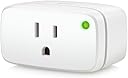
Eve Energy (Matter) is a UL-certified smart plug designed for the modern connected home, supporting 15A loads and leveraging Matter over Thread technology for seamless, cross-platform control. It prioritizes user privacy with 100% local communication—no cloud, no tracking. Compatible with Apple Home, Alexa, Google Home, and SmartThings, it offers quick setup, reliable mesh networking, and voice/app control, making it the go-to smart plug for privacy-conscious professionals seeking future-proof home automation.


| ASIN | B0BZBGD87V |
| Amperage | 15 A |
| Best Sellers Rank | #29,654 in Tools & Home Improvement ( See Top 100 in Tools & Home Improvement ) #82 in Electrical Outlet Switches |
| Brand | Eve |
| Brand Name | Eve |
| Color | White |
| Connector Type | Plug in |
| Customer Reviews | 4.2 out of 5 stars 432 Reviews |
| Included Components | Eve Energy, Quick Start Guide |
| Item Dimensions D x W x H | 2.36"D x 2.76"W x 1.52"H |
| Item Weight | 85 g |
| Manufacturer | Eve |
| Material | Plastic |
| Material Type | Plastic |
| Model | 20EBU4101 |
| Number of Items | 1 |
| Number of Packs | 1 |
| Number of Poles | 3 |
| Part Number | 10EBU4151 |
| Plug Type | Type B sockets, Type A & B appliances |
| Product Dimensions | 2.36"D x 2.76"W x 1.52"H |
| Product Grade | Main part |
| Specification Met | UL |
| UPC | 813180021013 |
| Unit Count | 1 Count |
| Voltage | 120 volts_of_alternating_current |
| Warranty Description | 2 Year |
D**6
Reliable, but there are some things you need to know
Edit - 5-10-2024: Will be purchasing more of these. Very happy with the product and the Matter over Thread protocol ---- Edit - 2-22-2024: Home Assistant has upgraded their Matter Server to include energy readings now. My review has been updated from 4* to 5* without hesitation. In the last four months of owning this, it stopped connecting to Home Assistant once. Instead of going through the whole recommissioning process all I had to do was delete it from Home Assistant and add it back, which took all of 30 seconds. Will absolutely be buying more of these when on sale. I would like to have one that isn't permanent so I can basically get an idea of what the heaviest users of electricity are and find vampire loads. With demand electricity pricing coming to my area, I'd like to be able to find these and reduce loads even further. ------- ORIGINAL REVIEW: Bottom line first: Would I buy another of these? Yes, but it's hard to justify until Matter adds energy monitoring to its standard. I think it's the combination of Thread+Matter+UL+Features that make it an easy choice for me. The Good: -- Once you get it on a hub, it's extremely easy to connect it to another service. This was the first Matter device I'd used so I didn't know how this worked. (See notes at the bottom for how I connected it to other services.) I'm extremely happy with how this works. No more moving devices or complicated manual bridging. -- Instantaneous switching on HomeKit and Home Assistant. Alexa is a bit slow for my liking, which is why I gave it 3/5 star rating for Alexa integration. Not sure if this is because I commissioned on HomeKit first and then added to Alexa. -- Thread. This is the service I'm going with from this point forward. I've been happy with this as I've been adding more Thread devices, but this seals the deal. I've had issues with every one of my WiFi devices even across different routers. It's just not reliable enough nor is it really where you want to put devices like this. No setting static IPs, no worrying about router placement, no worrying if the internet/cloud is down. Thread is its own local mesh network. -- You can use these to automate rebooting routers if your network goes down. Since Thread is its own network, you can setup a ping automation that sends a signal (LOCALLY!) to turn off the router's plug and turn it back on again in a few seconds. It's not ideal, but if you're away from home it's nice to have a backup. -- After commissioning it in my office, I unplugged it and moved it upstairs. It almost immediately reconnected. Maybe 3-5 seconds? With WiFi devices, this would take 15-30 seconds. The Ok: --(READ IMPORTANT UPDATE ABOVE) I wasn't aware (my fault, not Eve's) that Matter doesn't support energy monitoring... yet. Supposedly it's maybe coming in 2024. I guess we'll see. So, if you want to connect this to Home Assistant to monitor energy, you're going to be very disappointed (as of Nov 2023) with this fairly expensive switch. You can still monitor energy use in the wonderful Eve app. -- At $40, it's expensive as a platform. I think part of this is the cost of getting UL-certified and the quality of the product. Is it worth it? Maybe. I won't put a power-controlling device that isn't UL or FM-certified in my house. The Ugly: -- The initial setup, as others have mentioned, did not go well. It took me several tries to get it to connect through HomeKit. I have no idea what I ended up doing, but it just worked after a few tries. It's hard to know if this is a HomeKit thing, an Eve thing, or a Matter thing. Either way, yikes. A few important notes: --If you want to connect this to Home Assistant, you MUST enable IPv6 in the networking section of Home Assistant. I tried and tried to add it but I forgot to RTFM first. Once I enabled IPv6, it picked up _immediately_. --I had to connect this through HomeKit first. And I think that's the right way to do it the more I think about it. It's setup to be a broker that allows you to connect it to other services. First HomeKit, then Home Assistant, then Alexa. -- To connect to HomeKit, you open up the device, click "Turn On Pairing Mode" and copy the code it provides. My understanding is that this code is good for a minute, maybe a few. You then pair it as you would with any other service and when it asks for the code, you need to paste in this newly generated code. You'll get a notification that it was added to another service from HomeKit and you're good to go! Once you have connected it to another service, you can click into the device and select "Connected Services" to see which services are allowed to use this device. I've been able to connect this plug to --(READ IMPORTANT UPDATE ABOVE) For those of you with HomeKit Eve Energy, I would NOT update its firmware to Matter if you use it with Home Assistant. Wait for the energy monitoring standard to come out for Matter.
E**N
Next-Level Smart Plug with Unbeatable Privacy!
The future of smart homes has always seemed bright, but with Eve Energy's (Matter) Smart Plug, it feels like we're already there! Here's my experience with this exceptional product: 1. Easy Setup: Integration into my smart home ecosystem was seamless. The Matter Over Thread protocol ensures that this device remains ahead of the curve, providing smooth connectivity with all my other smart devices. 2. App & Voice Control: Eve Energy’s intuitive app interface made it simple to control my devices, set schedules, and monitor energy usage. The cherry on top? Voice control! Being able to control my devices hands-free has elevated my smart home experience to another level. 3. Privacy First: In today's age of constant data breaches and concerns over digital privacy, Eve Energy stands out with its commitment to 100% user privacy. I can confidently use the plug, knowing my data remains my own. 4. Durable and Stylish: Not only does this plug function beautifully, but it also looks the part. It's sleek, compact, and adds a touch of sophistication to any outlet, instead of being a bulky eyesore. 5. Matter Over Thread: The inclusion of Matter Over Thread is a testament to Eve Energy's commitment to future-proofing. The superior responsiveness, range, and low latency make a noticeable difference in day-to-day operations. 6. Energy Monitoring: One unexpected benefit was the ability to monitor energy usage. It's been an eye-opener, and I’ve started to become more conscious of my consumption patterns and even saved a bit on my energy bills. To sum it up, the Eve Energy (Matter) Smart Plug isn’t just another smart plug; it's THE smart plug for those who want the best of technology without compromising on privacy and performance. If you’re on the fence about upgrading or diving into the smart home world, let this be your first step. You won’t regret it! 💡🔌
X**R
Works just as advertised
This product is super easy to use and works without issue. I think alot of complaints on here are more user caused issues. The app is a little overwhelming at first when trying to find data or features to activate/use but once you use it 2-3x it becomes easy. The device itself is great, so many different automations you can program or schedules you can set up. I have mine on my washer machine to monitor energy use, my washer is the furthest item in my home to the router and has never had any connection issues. It’s built on thread it shouldn’t have those problems. People experiencing connection issues I wonder how their entire thread network is looking or functioning and what thread border routers and which matter controllers they are using. I use 2 Apple HomePod minis and then a couple of my Echos and my Eero so it has multiple to choose from and never has any issues. I am looking to buy another as these are full thread devices and will strengthen your network as opposed to the end point devices like the motion and door sensors. I recommend this product for sure!
M**T
EVE Energy Smart Plugs all failed to pair due to previous pairing by somebody else
I have bought Eve products before (motion sensor and two Eve smart plugs for HomeKit), and maybe I was lucky. They were stable and continue to perform today, a few years after purchase. So when I saw that the new Matter Eve Energy smart plugs were 25% off on Amazon, I bought six of them thinking I was getting a great deal. I spent the better part of an evening going through the "simple" pairing process and getting them into HomeKit. It failed every time. When I held the button to reset it, it blinked red slowly. After I released it, the LED turned green for a second, then turned off. It never entered pairing mode, and I can't add it to the Home app (I get “Accessory Not Found”). I’ve tried multiple 15–20 second resets while powering on. I have a HomePod mini and an Apple TV 4K as a Thread Border Router, and I'm on iOS 18.4.1. It appears the plug is stuck in a previously paired Matter state. Buyer beware: THESE HAVE ALL BEEN SOLD, PAIRED TO A PRIOR MATTER CONTROLLER, RETURNED, AND THEN RESOLD TO US AS NEW PRODUCTS AT A SALE PRICE ON AMAZON. Now I've lost trust in Eve and its products, and I was just about to do a full-home smart-home setup with Eve products. Back to the drawing board, researching products and companies I can trust.
C**H
Good, but one glaring issue
It’s alright, but it makes a really high-pitched whine that can become really annoying if it is placed in somewhere like your bedroom. I really like the power monitoring feature of it, it’s interesting to see how much power is being used by the devices plugged into it. I also like that you can adjust things like the brightness of the light on the front, and turn on or off a child lock for the button. I will say that it is a bit expensive, but if you’re rich the features are well worth it. Again, it makes a high pitched noise which might be annoying though. I’m not rich though, which is why I only have one. It’s very easy to set up, but you will need a Matter-over-Thread capable hub to use it. I think in one of the pictures it shows which hubs work with it. In my case , I set it up with Apple HomeKit so I used my HomePod mini as the hub for it. I will say that the range is very good. It doesn’t reach across my entire house, but it is very far. As for how loud it is, like I said it makes a high pitched noise but when you are turning the switch on and off it makes a click sound. The click sound isn’t that loud but still noticeable. My old WeMo switches also made a click sound, but they were much louder.
J**P
One of the easiest ways to add Thread and Matter to your smart home setup
The Eve Energy plug is one of the easiest ways to add Matter functionality to your smarthome platform. To do so, you must have a hub. (In my case since I use Apple Home, that's any recent generation of an Apple HomePod or Apple TV - both of which are Thread-enabled. Check yours to make sure). The Eve plug also acts as a Thread border router, effectively relaying and extending connectivity to other Thread-enabled devices. If you want to take advantage of both Thread and Matter in your setup, then this is one of the easiest ways to do so. Technically, you can install this directly in Apple Home without the need for the Eve app.- everything will work just fine. But to take advantage of the plug's energy monitoring capabilities and any future firmware updates, you'll need the Eve app. Unlike other smart home apps, the Eve app doesn't make you set up a profile or password. You can use it without all that. Eve says their system stresses privacy and I think the app is one example of this. Also, please note that this plug must only be used indoors. It is not outdoor-rated. My only minor gripes are the thickness of the plug (it could be a bit slimmer) and the LED button in the upper right corner (not the easiest to push - you'll need to use your fingernail). Again, those are minor complaints. There are less expensive smart plug choices out there, but Eve is one of the only ones to offer Thread and Matter capabilities along with an app that doesn't require you to setup yet another account.
M**.
Best Smart Plug - No Hub or App Needed / LOCAL ONLY CONTROL, YES!!!
All smart home devices should take a lesson from Eve Energy. 1. Need a Hub, NO. 2. Need an App to download, NO. 3. Operate locally, no cloud need, YES. You should not need a smart device to go out to the internet, just to verify a command to turn on a light or switch. Way to go Eve, I purchased 8 of these and get very fast response time. I also love the power monitoring features as well. I have mine setup through Home Assistant but it also works great with Apple Home.
L**E
Great product
They worked perfect for my automations, and since I have a matter hub, it’s even better than I thought
L**S
A little pricey but well worth it. Great product.
Excellent product. Very simple set up. Works great with HomeKit and it doesn’t fight with my dual band router. I went with this plug because most smart plugs require 2.4 ghz WiFi and don’t connect easily to my router. This plug eliminates that issue altogether. It has virtually no lag and stays connected. I plan to purchase at least one more.
J**T
No lo recomiendo
Te pide que compres un router thread para funcionar, de lo contrario no puedes en enlazarlo a casa o a la app nativa de EVE, no lo recomiendo!!
O**T
Works seamlessly with Apple Homekitt. No muss, no fuss! … (on/off timer 👍👍👍)
I already have two smart bulbs, so I purchased this Eve smart plug just to see how it worked and set up with my Apple accessories. It pretty much sets itself up. I did download the Eve Energy app, but I think you only need HomeKit unless you want to monitor energy consumption. The Eve app doesn’t require any email activation or personal info.👍 I was mostly curious about the Eve Energy smart plug’s function as a timer. I plugged my apple watch charger into it and used the Apple HomeKit to start charging at 5:00 am and turn off at 5:40 am. It works perfectly…easy peasy lemon squeezy . I can control all my lights and Eve Energy smart plug manually from my iPads, iPhone and watch, or vocally by pressing the “Siri” button or any device set up to listen for “hey siri”. My HomePods will also control the smart plug. I know this Eve smart plug is one of the more expensive ones on the market, but works seamlessly in an Apple envoirnment.
A**D
Thread only, no WiFi support.
The new model does not include WiFi support. My stuff is well within range of WiFi, but the thread mesh isn’t even close to being in range.
M**M
Easy set up in Apple Homekit
Love love LOVE!!!! Super easy set up for Apple Homekit. No extra app or external account required. I messed up the initial pairing but, hit the reset button and it all worked out fine- no muss no fuss, not hair pulling or calling customer support. Will definitely buy more.
Trustpilot
2 weeks ago
2 weeks ago