๐ Elevate your home networkโditch dead zones and stream like a pro!
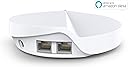
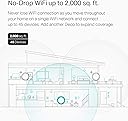
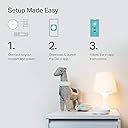
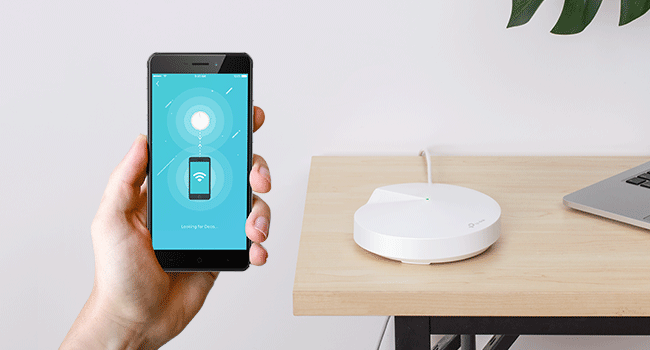
The TP-Link Deco M5 Mesh WiFi System delivers whole-home coverage up to 3,800 sq.ft. with seamless roaming on a single network. Designed for busy households, it supports over 60 devices simultaneously and features dual Gigabit Ethernet ports per unit for wired backhaul. Setup is effortless via the Deco app, while built-in TP-Link HomeCare offers advanced security and parental controls. Ideal for professionals seeking reliable, high-speed WiFi that keeps every device connected and protected.


| ASIN | B0797D6853 |
| Antenna Location | Home |
| Antenna Type | Internal |
| Best Sellers Rank | #16,717 in Computers & Accessories ( See Top 100 in Computers & Accessories ) #279 in Whole Home & Mesh Wi-Fi Systems |
| Brand | TP-Link |
| Built-In Media | 2x Deco units, Ethernet Cable, Quick Installation Guide |
| Color | 2 Pack |
| Compatible Devices | Personal Computer |
| Connectivity Protocol | ethernet, wi-fi |
| Connectivity Range | 3800 square_feet |
| Connectivity Technology | Wi-Fi |
| Control Method | App |
| Controller Type | amazon_alexa, vera |
| Coverage | 3800 square feet |
| Customer Reviews | 4.5 out of 5 stars 3,129 Reviews |
| Data Transfer Rate | 1300 megabits_per_second |
| Frequency | 5 |
| Frequency Band Class | Dual-Band |
| Item Dimensions L x W x H | 4.7"L x 4.7"W x 1.5"H |
| Item Weight | 16 ounces |
| LAN Port Bandwidth | 1000 Mbps |
| Manufacturer | TP-Link |
| Maximum Upstream Data Transfer Rate | 400 megabits_per_second |
| Mfr Part Number | Deco M5 2-Pack |
| Model Name | DECO M5 |
| Model Number | Deco M5 2-Pack |
| Number of Antennas | 3 |
| Number of Ports | 2 |
| Operating System | Linux |
| Other Special Features of the Product | Access Point Mode |
| Security Protocol | WPA2-PSK |
| Special Feature | Access Point Mode |
| UPC | 845973080846 |
| Unit Count | 2 Count |
| Voltage | 12 volts |
| Warranty Description | 2-year warranty |
| Wi-Fi Generation | Wi-Fi 5 |
| Wireless Communication Standard | 802.11ax |
| Wireless Compability | 802.11ax |
J**N
It works well with some caveats.
Waited a few months to review this so I could give an honest opinion. First the bad: 1. The units only have 2 Ethernet ports on them, so you have limited options for hardwired internet devices. You will need an Ethernet switch if you want more than 1 free port. I picked up a switch at home Depot for $15 and it works just fine for my satellite Deco to hardwire my tv and game consoles. 2. Don't expect great signal from the deco wifi backbone. I hardwired my deco because the wifi between the units wasn't great. If they are line of sight to each other it may be ok but for best results they should be hardwired to each other. 3. For the price of the two Deco units I could probably have bought a very good Wi-Fi router that might have equivalent coverage. 4. These units need to be exposed for best Wi-Fi signal. I had one in a cabinet and I was getting about a third of the speed. Now the good: 1. For the two Deco units I was able to cover my house which is about 2,300 square feet plus basement with good Wi-Fi signal. Download speeds are in excess of 100 Mbps on Wi-Fi, which is the same speed basically as hard wired and that is what my ISP plan is. 2. I had no issues with installation and setup was very easy. 3. Originally the signal was not very strong but there is an option to optimize the network on the Deco app. After optimization the signal was much better. I would probably recommend this setup if you were looking into it but I am not 100% convinced of the advantages of mesh Wi-Fi versus a good centrally located Wi-Fi router. Would I buy them again, probably not.
C**O
Solution to your weak home wifi network
Bought the Deco M5 to replace an Arris modem/router combo. Our wifi was really unreliable, and terribly weak. Streaming videos was a nightmare, we would even switch off the wifi on our iPhones and use data so that we could get social media pages to load. Did some research and was pretty confident the Deco would be a reliable, budget-friendly solution. When it arrived, I un-boxed and to my surprise there was no instruction manual. It says it right on the front of the packaging - just download the app and follow the prompts. IT WAS SO EASY. Literally took me 2 minutes to set up. The app walks you through step-by step; its actually accomplished in only like 4 steps. Once its set up the app is easy to navigate for setting up preferences and managing the network. Wifi tested and approved! Streamed a movie, checked email on the laptop, and browsed social media simultaneously. NO PROBLEM! No buffering, no loading errors. Connecting devices to the new network was super simple - I would get a prompt via the app asking if I wanted to "share the password" and with a simple tap I could connect devices without having to type the password. It allows you to set up multiple networks, and you can even prioritize a device or activity so that its always top banana. Side note: We are still using the Arris but as a modem only, I disabled the router function which, worth noting, was also very simple. I can't rate Tech support - BECAUSE I DIDN'T NEED ANY!!
G**S
Attractive, Easy To Install Routers Boost Coverage Dramatically
Coverage in my 4600 sf Ranch-style home had been very spotty with one Verizon FIOS router, so I decided to go with a Mesh system. These are attractive, unobtrusive compact units that fit anywhere and are an easy setup. On a Verizon FIOS router, like mine, you do need to learn how to turn off the wifi by communicating directly with the router itself. Otherwise, there will be a conflict with the new mesh routers. So, this may be a problem for some novices unless you have help. I used four routers in my large home to get the best results. Well, coverage was excellent! Every square inch was covered by wifi, plus a three-car garage and around the pool. In most areas, speeds were very close to wired connections, while a few areas furthest from the main router were about a 50% loss In speed, but still adequate and far better than it was with just one router. You can begin installing the first unit anywhere you have a wired connection off the router, then branch out from there. Itโs very flexible. You can also connect to the various routers with ethernet, as well as wifi. You can create a new SSID and password for the new Network, one that is likely easier to remember than the original install. I even created a guest network too. Very easy! You really canโt lose with the system. The price is reasonable, even for a large home! I love it.
J**N
They are fine
My tp link ax1800 started to die so I got these to update. They do a fine job but their range is not what I had hoped for. The 1800 was in the center of the house and it easily covered the whole house with great service and reached a good deal into the yard. I have 2 mesh devices and I get good service at the edges of the house and mediocre to poor outside. Easy to set up and get going but if you are looking to replace a bigger coverage router, plan on buying several.
J**S
Just Works!
I live in L shaped 2800 sqft concrete block house with low-e windows which blocks most wifi signals. My cable modem in on one side of the house, my family room with the big screen on the other side and the wifi signal there was always spotty. I had an existing cat 5 line from one side of the house to the other which was fine for most things but for phones and tablets it didnt do much. Extenders use a different SSID and werent reliable. I bought a pair of m5's on sale for not much more than the extender cost and set them up using the ethernet for the backhaul. Now I get full 5ghz signal everywhere in the house and I have no drop outs and all on the same SSID. I can max out my comcast 100mbit internet everywhere in the house. The setup was easy, a lot easier than my old netgear router. Highly recommended. A few things I wish were different: -each m5 puck has 2 ethernet jacks, so if you are replacing a traditional 4 port router you may need to spend $20 on ethernet switch. I have the Tplink 5 port gigabit switch and it works fine. TPLink mentioned that there are problems with Dlink -the setup is uses a phone app. I wish they had a web based one, it would make it much easier to troubleshoot if I have a problem with my internet connection. -there are no usage monitoring . I have a datacap (damm you comcast) and my old netgear router had a feature to shut off the WAN acess and notify me when I got close to the cap (so I dont have to give a lot more $ to comcast). With the ability to stream 4k everywhere in the house now I have to be careful as it is now a lot easier to eat up data.
T**G
The Mesh Network System WORKS!
Do you live in a railroad style apartment in New York City? Was your modem and router setup at the furthest corner of the apartment and you spend most of your time on the OPPOSITE END? Are your walls made of plaster/metal and block the strength of your wifi signal? The Deco M5 is for you! Story: Previous tenants setup their Verizon Fios modem and router in the bedroom, the furthest corner of the apartment. My SO and I spend a significant amount of time in the living and dining room, which are at the opposite end and middle of our space. With quarantine, we're working from home through Zoom, doing online workouts and streaming shows/movies on our Apple TV so we need a consistent, strong signal throughout the length of the apartment to accommodate all that we do. Sometimes it feels like we live in an airplane tube because of the layout! We also both have smartphones and laptops that need to be able to stream/download/upload at a moments notice. Decision: After a couple months believing it was the speed of our internet and nothing to do with the Verizon Fios G3100 router or the walls OR the setup I wanted to try the Deco M5. The price, design, and overwhelming number of positive reviews led me to that decision. iOS App Setup: TP-link made a daunting task so easy. It was the easiest thing to do, setting up the mesh network. Everything is done through the app and it takes you step by step. The only possible draw back is that you'd need a decent data/phone connection to download the app. It took no more than 10 minutes including the node's firmware updates. Previous Setup (Fios G3100): Living Room - Dining Room - Kitchen - Long Hallway/Office - Bedroom DEAD ZONE (________________________________o_______) Current Setup (2 Deco M5 Nodes): Living Room - Dining Room - Kitchen - Long Hallway/Office - Bedroom (______________________(__o______________________)_______o______) Resulting seamless simultaneous connections: 3+ smart devices 2 laptops Apple TV 1 Smart TV 1 Nintendo Switch 1 wired gaming pc Multiple devices streaming at 1080p, updating apps on phones, downloading video files, etc. without any hiccups! Full bars at all corners of the apartment. I'm over the moon at how successful the pair of deco M5 nodes have been.
A**S
Great replacement for WiFi extender
**Be aware, this will replace your router.** Over a year ago I bought a cheap WiFi extender to expand the WiFi signal to my Ring bell, which it did... barely. It also created an entirely new WiFi network, which would have to be manually connected to, so my wife and I would constantly be manually switching our phones from one SSID to another. Then finally a week ago a friend mentioned they were getting a mesh system to expand their WiFi range and I was very intrigued. After looking into it more, I cannot believe I hadn't heard of this sooner; it's exactly what I've been needing, and it has even improved our download speeds, since apparently my old router was very out of date and was severely limiting my network. I went from ~70Mbps maximum on WiFi to ~450Mbps just from switching! This has really opened my eyes to just how bad I had allowed my LAN to become. Not only am I enjoying faster speeds, but now I can seamlessly jump from one mesh to another while staying connected to the same SSID. I haven't played around with too many of the advanced settings in the app but it looks like at the very least some key features are available, including port forwarding, MAC cloning, QoS, address reservation, and guest network. Will take some getting used to managing thee settings in a mobile app and not a web portal, but overall I'm really happy with this system. Pros: -Fast speeds -Easy setup -The app is awesome and will not only notify you whenever a new device joins the network, but will provide stats on D/U speeds for each connected device -The app includes a speed tester -Range seems really good (easily covers 2-story 1200-sq-ft home, including Ring bell outside with one on each floor, at opposite ends of the house) -Radio frequencies seem to be auto-negotiated with devices (devices will smartly use 2.4Ghz or 5.0Ghz as needed) -System is modular; you can add as many mesh nodes as you want Cons: -Wish they had more than 2 ethernet ports, since one is dedicated to the modem on one of them
M**N
What a difference
Deco M5 2 pack I have used many different brand of routers in the past. Most recently I had a TP Link AC 1750 which served me well for over 3 years, but recently the 5 GHz channel would drop out and I had trouble keeping a connection to a streaming device 30 feet from the router with a direct line of sight on either the 5 or 2.4 GHz. After lots of research and probably a bit of overthinking I purchased the Deco M5 based on independent reviews, YouTube videos, my past experience with TP Link products and lastly the killer price for these units. I downloaded the Deco app and set about to install the units. The 1st unit gave me the "red light" kiss of death, so I set it aside and the other unit installed flawlessly using the app in a couple of minutes. I reset the first unit and it too installed within a couple of minutes. I was alerted to a firmware update which took another 4-5 minutes and within 20 stress free minutes I was up and running. At this point I was alerted a few of my smart devices wanted to connect to the network. Now is where I had anguished over getting a 1 SSID mesh network; The 25+ smart devices many of them 2.4GHz only. (Note you are able to turn off either the 5GHz or 2.4GHz channels in the app). I did have to reset the smart devices but it was painless and they all connected with no problem without having to turn off anything. So within an hour or so I was complete with a super stable and much faster WiFi network. I spent some time familiarizing myself with the features and settings in the app, customizing some settings and that was it. I will say that with my prior routers I would tinker and fine tune settings always trying to get that network a little better and with the firmware update find that the Deco app has all I need to be able to be happy. For the IT geeks there will be some things missing for most it will not. If you want to move to a super simple, and I do mean simple setup (at least for me and I am hard to please) I would highly recommend the Deco M5 system. For the price you can't afford not too.
Trustpilot
1 month ago
3 weeks ago